
પરિચય
The Xenocam Smart Lock XX01 offers a secure and convenient 5-in-1 keyless entry solution for your home or office. This manual provides detailed instructions for installation, operation, maintenance, and troubleshooting to ensure optimal performance and security.
The lock supports multiple unlocking methods including 360° fingerprint ID, smartphone app control, anti-peep keypad, IC card fob, and traditional mechanical key. It is designed for various applications such as home interior doors, office interior doors, hotel apartment doors, and entry doors.
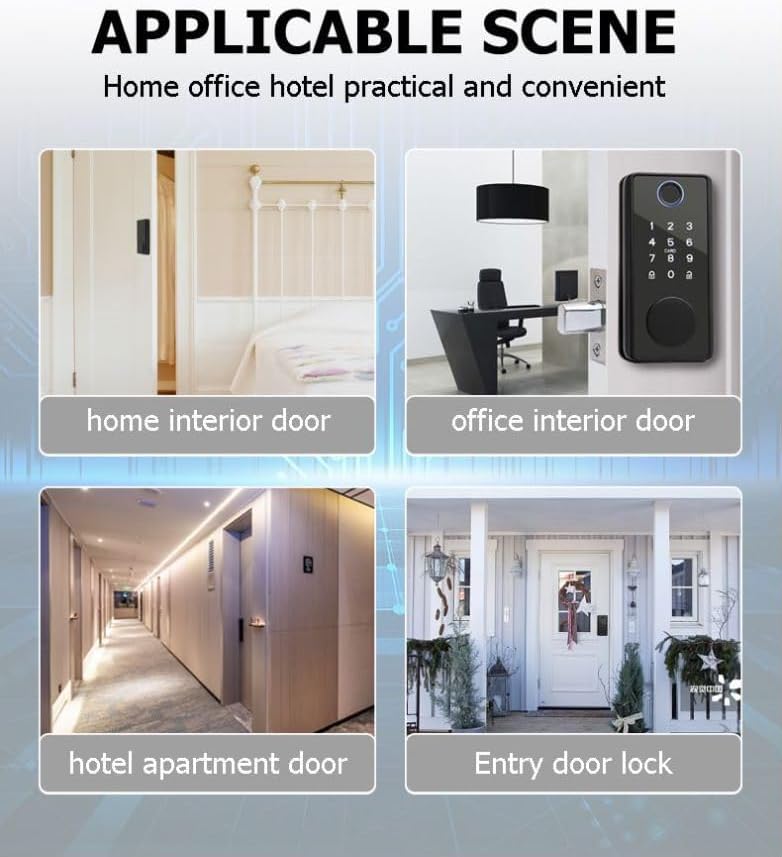
Figure 1: Applicable scenes for the Xenocam Smart Lock, demonstrating its versatility for various door types.
પેકેજ સામગ્રી
ઇન્સ્ટોલેશન શરૂ કરતા પહેલા, કૃપા કરીને ચકાસો કે બધા ઘટકો હાજર છે:
- Front Lock Panel
- Rear Lock Panel
- Lock Body (Deadbolt Latch)
- Mounting Plate (Gasket)
- ગસેટ પ્લેટ
- Buckle Shell
- સ્ક્રૂ (વિવિધ કદ)
- IC Cards (Fobs)
- યાંત્રિક કીઓ
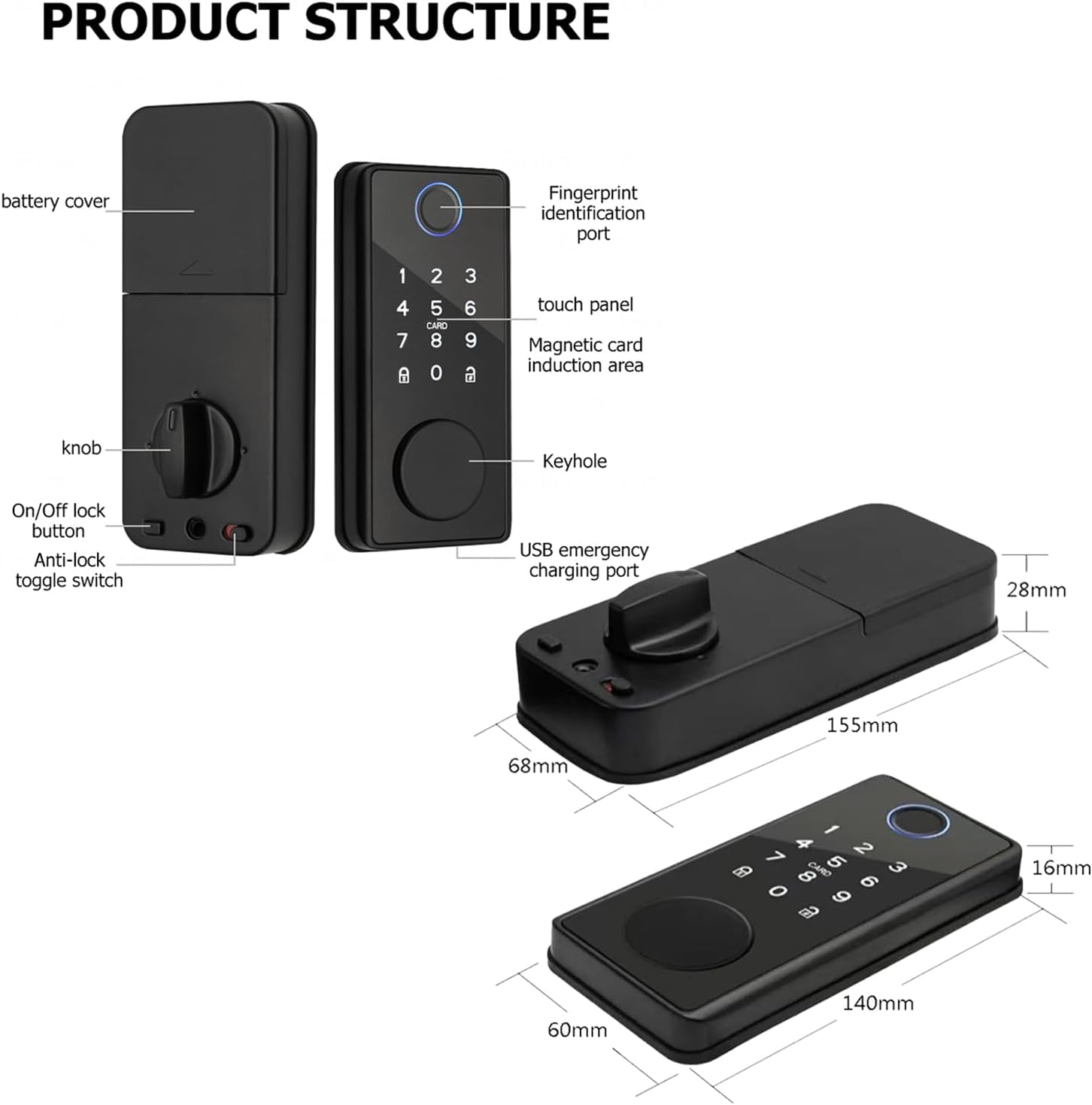
આકૃતિ 2: વિગતવાર view of the product structure and included components.

Figure 3: Lock body dimensions and adjustable latch mechanism for enhanced security.
સ્થાપન માર્ગદર્શિકા
This section provides step-by-step instructions for installing your Xenocam Smart Lock. Ensure your door thickness is between 35-85mm for proper fitment. For visual guidance, please refer to the installation video below.
ઇન્સ્ટોલેશન વિડિઓ ટ્યુટોરીયલ
Video 1: Smart Lock Installation Tutorial. This video demonstrates the complete installation process for the Xenocam Smart Lock.
પગલું-દર-પગલાની સૂચનાઓ:
- Prepare the Lock: Open the rear lock battery case cover.
- લોક બોડી ઇન્સ્ટોલ કરો: Insert the lock body into the door edge. Secure it by unscrewing the lock body with the provided screws.
- Install the Front Lock: Keep the lock cylinder ruler in a vertical position. Carefully pass the data line through the door hole first to prevent damage. Insert the front lock into the door.
- માઉન્ટિંગ પ્લેટ ઇન્સ્ટોલ કરો: Place the bottom mounting plate over the lock cylinder and secure it with the opposite-pull screws.
- Connect Data Cables: Connect the data cables from the front lock to the rear lock. Arrange any excess data lines neatly into the door seam.
- Install the Rear Lock: Align the rear lock with the lock cylinder and mounting plate. Ensure the knob is correctly oriented (vertical for left-opening doors, horizontal for right-opening doors). Secure the rear lock by installing the rear locking screws.
- બેટરીઓ ઇન્સ્ટોલ કરો: Insert four AAA alkaline batteries into the battery compartment.
- બેટરી કવર બંધ કરો: Put the battery case cover back on.
- Test Lock Switch: Test the lock switch to ensure correct left and right directions. Check the knob for smooth operation.
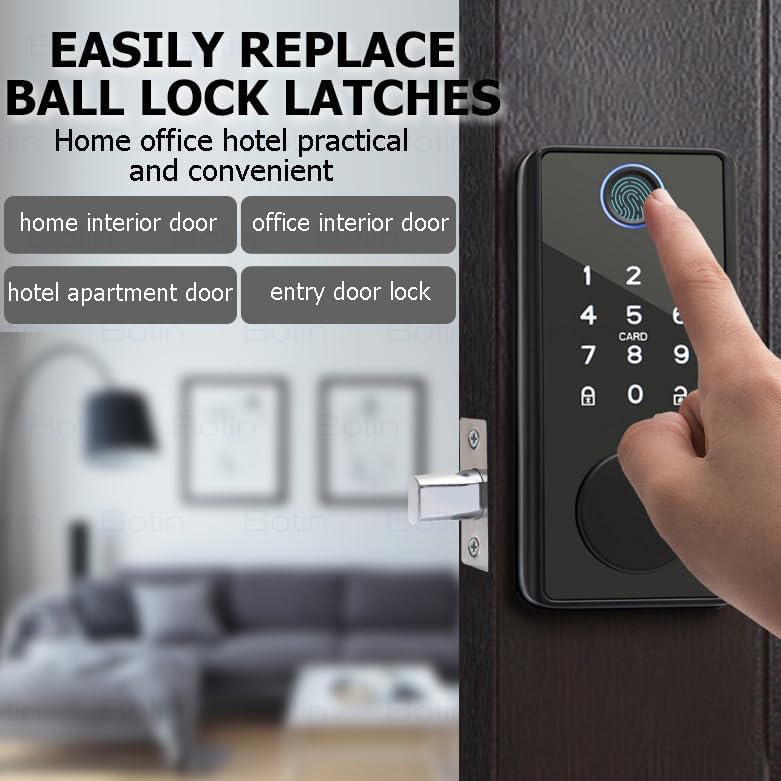
Figure 4: The lock is designed for easy replacement of existing ball lock latches.
ઓપરેટિંગ સૂચનાઓ
The Xenocam Smart Lock offers five methods for unlocking your door:
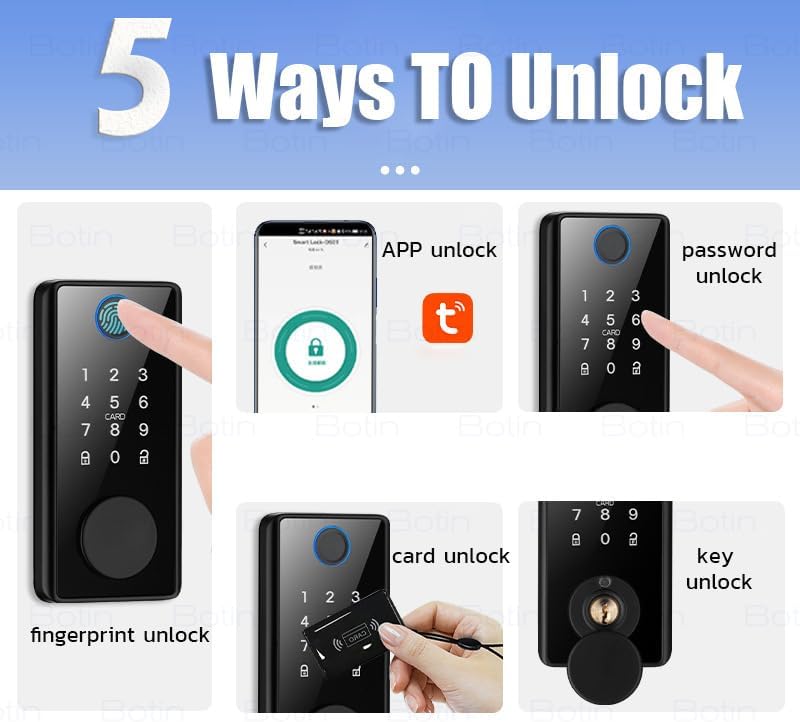
Figure 5: The five primary methods for unlocking your smart lock.
1. ફિંગરપ્રિન્ટ અનલોક
- Place your registered finger on the fingerprint sensor. The lock will recognize your fingerprint in approximately 0.3 seconds and unlock the door.
- The lock supports 360° fingerprint ID for quick and reliable access.
2. App Control (Tuya or TT App)
Control your smart lock remotely via your smartphone using the Tuya or TT app. This feature allows for advanced access management and real-time monitoring.
- રિમોટ અનલોકિંગ: Generate eKeys and grant access to visitors from anywhere.
- વપરાશકર્તા સંચાલન: Create up to 200 user codes (temporary or permanent) for family, friends, or guests.
- રીઅલ-ટાઇમ સૂચનાઓ: Receive alerts on your phone regarding lock activity and view the event history.
- સ્વત લોક: Set the lock to automatically lock after a specified period via the app.
- One-Touch Auto-Lock: Press and hold any key on the keypad for 2 seconds to instantly lock the door.

Figure 6: App interface for managing your smart lock, including temporary passwords and fingerprint users.
3. Anti-Peep Keypad
- Enter your passcode followed by the '#' key.
- To prevent others from guessing your code, you can enter random digits before or after your actual passcode. For example, if your code is 123456, you can enter 987123456098#.
4. IC Card (Fob) Unlock
- Present a registered IC card to the card reader area on the lock. The lock will beep and unlock.
- IC cards are easy to manage and can be used by individuals who may have difficulty with fingerprints, such as children or the elderly.

Figure 7: Using an IC card for convenient door access.
5. Mechanical Key Unlock
- In case of emergency or battery depletion, use the provided mechanical key to unlock the door manually.
ઓટોમેટિક લોકીંગ ફીચર
The lock is equipped with an automatic locking mechanism. After closing the door, the deadbolt will automatically extend, securing your home without manual intervention.

Figure 8: The smart lock automatically secures the door upon closing.
જાળવણી
Proper maintenance ensures the longevity and reliable operation of your smart lock.
બેટરી મેનેજમેન્ટ
- The lock operates on 4 AAA alkaline batteries, providing up to 1 year of battery life under normal usage.
- A low-battery reminder will alert you when the batteries need replacement. Replace all four batteries simultaneously for best performance.
- ઇમર્જન્સી પાવર: In case of complete battery depletion, a Type-C emergency boot option is available. Connect a power bank to the Type-C port on the front panel to temporarily power the lock and gain access. Note: The battery must be removed for charging if using rechargeable batteries.
સામાન્ય સંભાળ
- Clean the lock's surface with a soft, dry cloth. Avoid using abrasive cleaners or solvents.
- Ensure the fingerprint sensor and keypad are free from dirt or debris for optimal recognition.
- તાળાને વધુ પડતા ભેજ અથવા સીધા પાણીના છંટકાવના સંપર્કમાં ન લાવો.
મુશ્કેલીનિવારણ
If you encounter issues with your Xenocam Smart Lock, refer to the following common problems and solutions:
| સમસ્યા | સંભવિત કારણ | ઉકેલ |
|---|---|---|
| લોક જવાબ આપતો નથી | Dead batteries; Incorrect battery installation | Replace all 4 AAA batteries; Ensure batteries are inserted with correct polarity. |
| ફિંગરપ્રિન્ટ ઓળખાઈ નથી | Fingerprint sensor dirty; Unregistered fingerprint; Finger wet/damaged | Clean sensor; Register fingerprint via app; Ensure finger is clean and dry. |
| કીપેડ જવાબ આપી રહ્યું નથી | Keypad dirty; Incorrect code entered | Clean keypad surface; Re-enter correct code. |
| એપ્લિકેશન કનેક્શન સમસ્યાઓ | Bluetooth off; Lock out of range; App not updated | Ensure Bluetooth is on; Move closer to the lock; Update app to latest version. |
| Lock mechanism stiff | Improper installation; Door frame misalignment | Review installation steps (refer to video); Check door and frame alignment. |
| Alarm sounds unexpectedly | Tamper attempt; Multiple incorrect entries | Check for signs of tampering; Ensure correct entry methods are used. |
જો આ ઉકેલો અજમાવવા પછી પણ સમસ્યા ચાલુ રહે, તો કૃપા કરીને ગ્રાહક સપોર્ટનો સંપર્ક કરો.
વિશિષ્ટતાઓ
| લક્ષણ | વિગત |
|---|---|
| મોડેલનું નામ | Smart Deadbolt Lock (DS01) |
| બ્રાન્ડ | XENOCAM |
| લોક પ્રકાર | ડેડબોલ્ટ |
| અનલોકીંગ પદ્ધતિઓ | Fingerprint, App Control, Keypad, IC Card, Mechanical Key |
| સામગ્રી | ધાતુ |
| રંગ | કાળો |
| દરવાજાની જાડાઈ સુસંગતતા | 35-85 મીમી |
| પાવર સ્ત્રોત | 4 x AAA આલ્કલાઇન બેટરી (શામેલ નથી) |
| ઇમરજન્સી પાવર | ટાઇપ-સી યુએસબી પોર્ટ |
| કનેક્ટિવિટી | બ્લૂટૂથ |
| આઇટમના પરિમાણો (L x W x H) | 2.56 x 6.54 x 1.55 ઇંચ |
| વસ્તુનું વજન | 2.2 પાઉન્ડ |
વોરંટી અને આધાર
Xenocam products are designed for reliability and performance. For specific warranty details, please refer to the warranty card included with your product or visit the official Xenocam webસાઇટ
For technical assistance, troubleshooting, or any questions regarding your smart lock, please contact Xenocam customer support through the contact information provided on the product packaging or the official website. Please have your model number (DS01) and purchase details ready when contacting support.