
Docooler 14 Inch 2-in-1 Touchscreen Laptop
Docooler 14 Inch 2-in-1 Touchscreen Laptop User Manual
Model: 14 Inch 2-in-1 Touchscreen Laptop
1. ઉત્પાદન ઓવરview
The Docooler 14 Inch 2-in-1 Touchscreen Laptop is a versatile computing device designed for both productivity and entertainment. Featuring a 4K UHD IPS display and a 360-degree convertible design, it adapts to various usage scenarios, from traditional laptop mode to tablet mode. Powered by an Intel N95 processor, it offers efficient performance for daily tasks.

Image: The Docooler 14 Inch 2-in-1 Touchscreen Laptop in its tent configuration, showcasing its flexible design and vibrant display.
2. પેકેજ સામગ્રી
કૃપા કરીને ચકાસો કે બધી વસ્તુઓ પેકેજમાં હાજર છે:
- Docooler 14 Inch 2-in-1 Touchscreen Laptop
- ચાર્જિંગ કેબલ
- વપરાશકર્તા માર્ગદર્શિકા
3. શરૂઆત કરવી
3.1 પ્રારંભિક સેટઅપ
- Charge the Laptop: Before first use, connect the charging cable to the laptop's USB-C port and plug it into a power outlet. Allow the battery to charge fully.
- પાવર ચાલુ: Press and hold the power button located on the side of the laptop until the screen illuminates.
- વિન્ડોઝ સેટઅપ: ભાષા પસંદગી, નેટવર્ક કનેક્શન અને વપરાશકર્તા ખાતું બનાવવા સહિત, Windows 11 પ્રારંભિક સેટઅપ પૂર્ણ કરવા માટે ઓન-સ્ક્રીન પ્રોમ્પ્ટ્સને અનુસરો.
4. Understanding Your Laptop
4.1 મુખ્ય લક્ષણો
- પ્રદર્શન: 14-inch 4K UHD (3840x2160) IPS touchscreen with 500 Nits brightness for a clear visual experience.
- પ્રોસેસર: Equipped with the 12th Gen Intel N95 CPU (4-core, 4-thread, up to 3.4GHz) for efficient performance.
- મેમરી અને સ્ટોરેજ: 12GB LPDDR5 4800MHz high-frequency memory and 512GB/1TB NVMe SSD for fast operation and ampલે સંગ્રહ.
- કન્વર્ટિબલ ડિઝાઇન: 360-degree flip-and-fold design allows for multiple modes of use.
- ટચસ્ક્રીન: 10-level multi-touch screen with gravity sensing for intuitive interaction.
- સુરક્ષા: Fingerprint unlock for quick and secure access.
- કીબોર્ડ: Backlit keyboard for comfortable typing in various lighting conditions.
- કનેક્ટિવિટી: Dual-band Wi-Fi (2.4G/5.0G Hz 802.11ac) and Bluetooth for stable wireless connections.

Image: Visual representation of the laptop's 4K UHD display capabilities, highlighting its high resolution and brightness.

Image: Illustration of the Intel N95 12th Generation processor, emphasizing its role in the laptop's performance.
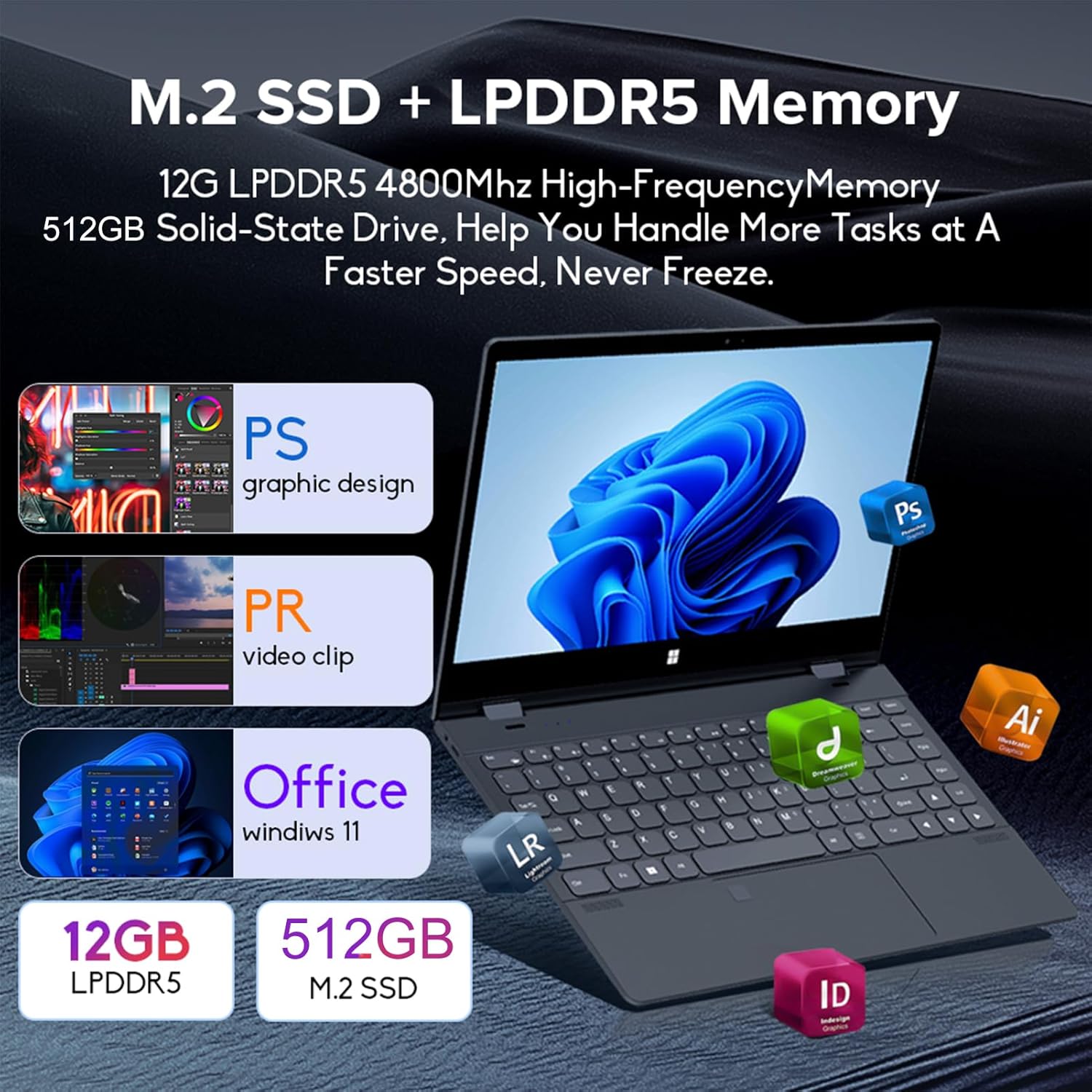
Image: Depiction of the laptop's memory and storage, showing 12GB LPDDR5 RAM and 512GB/1TB M.2 SSD, suitable for various applications.
4.2 પોર્ટ્સ અને કનેક્ટર્સ
તમારા લેપટોપ પર ઉપલબ્ધ પોર્ટ્સથી પરિચિત થાઓ:
- USB-C (Full-featured): Supports audio, video, data transmission, and PD2.0 fast charging.
- યુએસબી 3.0: USB ઉપકરણોને કનેક્ટ કરવા માટે.
- Audioડિઓ આમાં: હેડફોન અથવા બાહ્ય સ્પીકર્સ માટે.
- ડીસી ઇન: Power input (if applicable, though USB-C is primary charging).
- TF કાર્ડ રીડર: મેમરી કાર્ડ માટે.

છબી: વિગતવાર view of the laptop's side ports, including USB-C, USB 3.0, audio jack, and TF card slot.
૩.૧ કન્વર્ટિબલ મોડ્સ
The 360-degree hinge allows the laptop to transform into four distinct modes:
- Notebook Mode: Traditional laptop experience for typing and productivity.
- ટેબ્લેટ મોડ: Fold the screen back completely for a tablet experience, ideal for touch-based applications and gaming.
- Viewing Mode (Tent Mode): Stand the laptop in a tent shape for watching videos or presentations.
- Conference Mode (Stand Mode): Flip the keyboard under the screen to share content easily in a group setting.

Image: Visual guide demonstrating the four convertible modes of the laptop: Notebook, Tablet, Viewing, and Conference.
5. ઓપરેશન
5.1 ટચસ્ક્રીનનો ઉપયોગ કરવો
The 10-point multi-touch screen allows for intuitive navigation. Use gestures similar to a smartphone or tablet. The gravity sensing feature enhances the experience, especially in tablet mode.

Image: Demonstrates the ease of touchscreen operation and the benefit of gravity sensing for gaming.
5.2 Using the Backlit Keyboard and Fingerprint Unlock
- બેકલાઇટ કીબોર્ડ: Press the Function (Fn) key combined with the appropriate F-key (usually F3 or F4, check keyboard icons) to toggle the keyboard backlight on/off or adjust its brightness.
- ફિંગરપ્રિંટ અનલlockક: Set up your fingerprint in Windows Settings > Accounts > Sign-in options. Once configured, you can unlock your laptop quickly by placing your registered finger on the fingerprint sensor.
૫.૪ Wi-Fi અને બ્લૂટૂથ સાથે કનેક્ટ થવું
The laptop supports dual-band Wi-Fi (2.4G/5.0G Hz 802.11ac) and Bluetooth for wireless connectivity.
- Wi-Fi: Click the Wi-Fi icon in the taskbar, select your desired network, enter the password if prompted, and click Connect.
- બ્લૂટૂથ: Go to Windows Settings > Bluetooth & devices. Ensure Bluetooth is turned on, then click 'Add device' to pair with Bluetooth peripherals like headphones or mice.

Image: Visual representation of the laptop's dual-band Wi-Fi and Bluetooth connectivity features.
6. જાળવણી અને સંભાળ
- સફાઈ: નરમ, લિન્ટ-ફ્રી કાપડનો ઉપયોગ કરોampડિસ્પ્લે સાફ કરવા માટે પાણી અથવા સ્ક્રીન ક્લીનરથી ભેળવી દો. કીબોર્ડ અને ચેસિસ માટે, સૂકા, નરમ કપડાનો ઉપયોગ કરો. કઠોર રસાયણો ટાળો.
- બેટરી સંભાળ: બેટરી લાઇફ વધારવા માટે, વારંવાર બેટરી સંપૂર્ણપણે ડિસ્ચાર્જ કરવાનું ટાળો. લાંબા સમય સુધી ઉપયોગમાં ન હોય ત્યારે લેપટોપને ઠંડી, સૂકી જગ્યાએ રાખો.
- વેન્ટિલેશન: વધારે ગરમ થવાથી બચવા માટે લેપટોપના વેન્ટિલેશન ઓપનિંગ્સ બ્લોક ન હોય તેની ખાતરી કરો. લેપટોપનો ઉપયોગ સખત, સપાટ સપાટી પર કરો.
- સૉફ્ટવેર અપડેટ્સ: શ્રેષ્ઠ કામગીરી અને સુરક્ષા સુનિશ્ચિત કરવા માટે તમારી ઓપરેટિંગ સિસ્ટમ અને ડ્રાઇવરોને નિયમિતપણે અપડેટ કરો.
7. મુશ્કેલીનિવારણ
| સમસ્યા | શક્ય ઉકેલ |
|---|---|
| લેપટોપ ચાલુ થતું નથી. | Ensure the charging cable is securely connected and the power outlet is functional. Allow the laptop to charge for at least 30 minutes before attempting to power on again. |
| Wi-Fi કનેક્શન સમસ્યાઓ. | Restart your router and modem. On the laptop, disable and re-enable Wi-Fi. Ensure you are within range of the Wi-Fi signal. |
| ટચસ્ક્રીન પ્રતિભાવવિહીન છે. | Restart the laptop. Check for any physical obstructions on the screen. Ensure Windows updates are current. |
| કીબોર્ડ બેકલાઇટ કામ કરતું નથી. | Press Fn + F-key (check keyboard icon) to toggle or adjust backlight brightness. Ensure drivers are up to date. |
| લેપટોપ ધીમું ચાલી રહ્યું છે. | બિનજરૂરી એપ્લિકેશનો બંધ કરો. પૃષ્ઠભૂમિ પ્રક્રિયાઓ માટે તપાસો. પૂરતી ખાલી સ્ટોરેજ જગ્યાની ખાતરી કરો. માલવેર માટે સિસ્ટમ સ્કેન ચલાવો. |
8. ટેકનિકલ વિશિષ્ટતાઓ
| લક્ષણ | સ્પષ્ટીકરણ |
|---|---|
| સ્ક્રીન માપ | 14 ઇંચ |
| ઠરાવ | 3840 x 2160 પિક્સેલ્સ (4K UHD) |
| પ્રોસેસર | Intel N95 (up to 3.4GHz) |
| RAM મેમરી ઇન્સ્ટોલ કરેલ કદ | 12 GB LPDDR5 |
| હાર્ડ ડિસ્ક વર્ણન | 512GB/1TB NVMe SSD |
| ઓપરેટિંગ સિસ્ટમ | વિન્ડોઝ 11 હોમ |
| ગ્રાફિક્સ કોપ્રોસેસર | ઇન્ટેલ યુએચડી ગ્રાફિક્સ (સંકલિત) |
| વાયરલેસ કનેક્ટિવિટી | 2.4G/5.0G Hz 802.11ac Wi-Fi, Bluetooth |
| કુલ યુએસબી પોર્ટ્સ | 2 (including 1 full-featured USB-C) |
| રંગ | સિલ્વર ગ્રે |
| વસ્તુનું વજન | 3.46 પાઉન્ડ (1570 ગ્રામ) |
| પેકેજ પરિમાણો | 15.35 x 9.84 x 3.35 ઇંચ |
| મૂળ દેશ | ચીન |
9. વોરંટી અને સપોર્ટ
For warranty information and technical support, please refer to the documentation provided with your purchase or visit the official Docooler webસાઇટ. વોરંટી દાવાઓ માટે તમારી ખરીદીનો પુરાવો રાખો.
Docooler is committed to providing quality products and customer satisfaction. For further assistance, please contact Docooler customer service.
Note: Protection plans may be available for extended coverage. Please check with your retailer for details.
Ask a question about this manual
Ask about setup, troubleshooting, compatibility, parts, safety, or missing instructions. Manuals+ will review the question and use this page’s manual context to help answer it.