
TruVoice BT75
ટ્રુવોઇસ BT75 પ્રીમિયમ વાયરલેસ હેડસેટ વપરાશકર્તા માર્ગદર્શિકા
મોડલ: BT75
1. પરિચય
The TruVoice BT75 Premium Wireless Headset is designed for clear communication and comfort in various working environments. Featuring Bluetooth V5.2 connectivity, noise suppression, and extended battery life, it offers a reliable audio solution for professionals.
2. બોક્સમાં શું છે
- TruVoice BT75 Wireless Headset
- યુએસબી ડોંગલ
- યુએસબી ચાર્જિંગ કેબલ
- વપરાશકર્તા માર્ગદર્શિકા
- રક્ષણાત્મક કેસ
- કાનના કુશન

The image above displays the TruVoice BT75 headset along with its accompanying USB dongle, which is essential for wireless connectivity with computers.
3. ઉત્પાદન ઓવરview
The BT75 headset is engineered for optimal performance and user comfort. Key features include a multi-functional key for easy operation, a Qualcomm Triple-Core Processor for enhanced performance, and cVc Technology for clear voice communication.
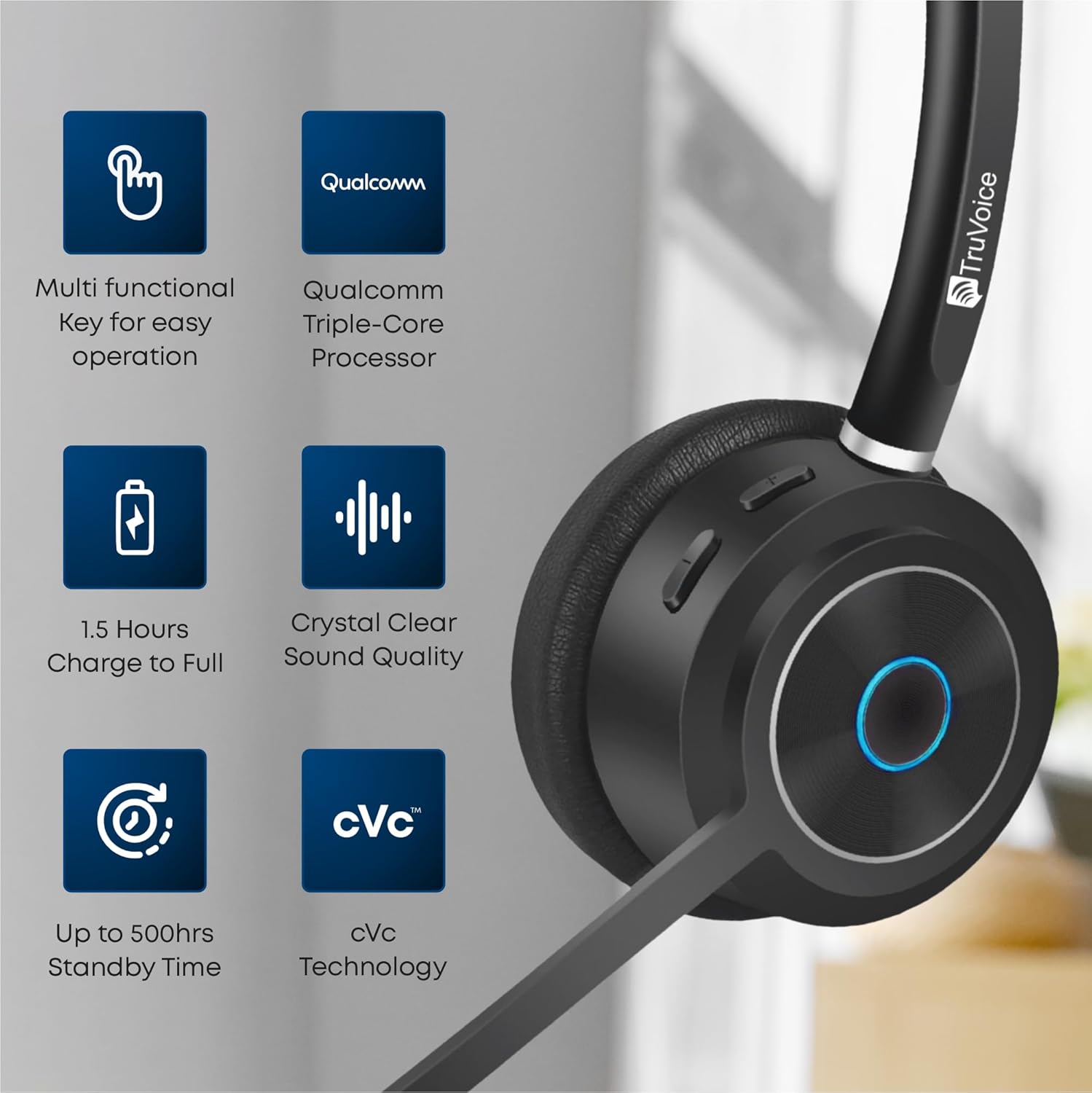
This image highlights the main features of the BT75 headset, including its multi-functional key, Qualcomm processor, fast charging capability, crystal clear sound quality, long standby time, and cVc technology.
આરામ અને ડિઝાઇન
Designed for all-day wear, the BT75 features premium leather plush ear cushions, a soft and wide silicone headband, and a 270° rotatable and flexible microphone for personalized fit and comfort.
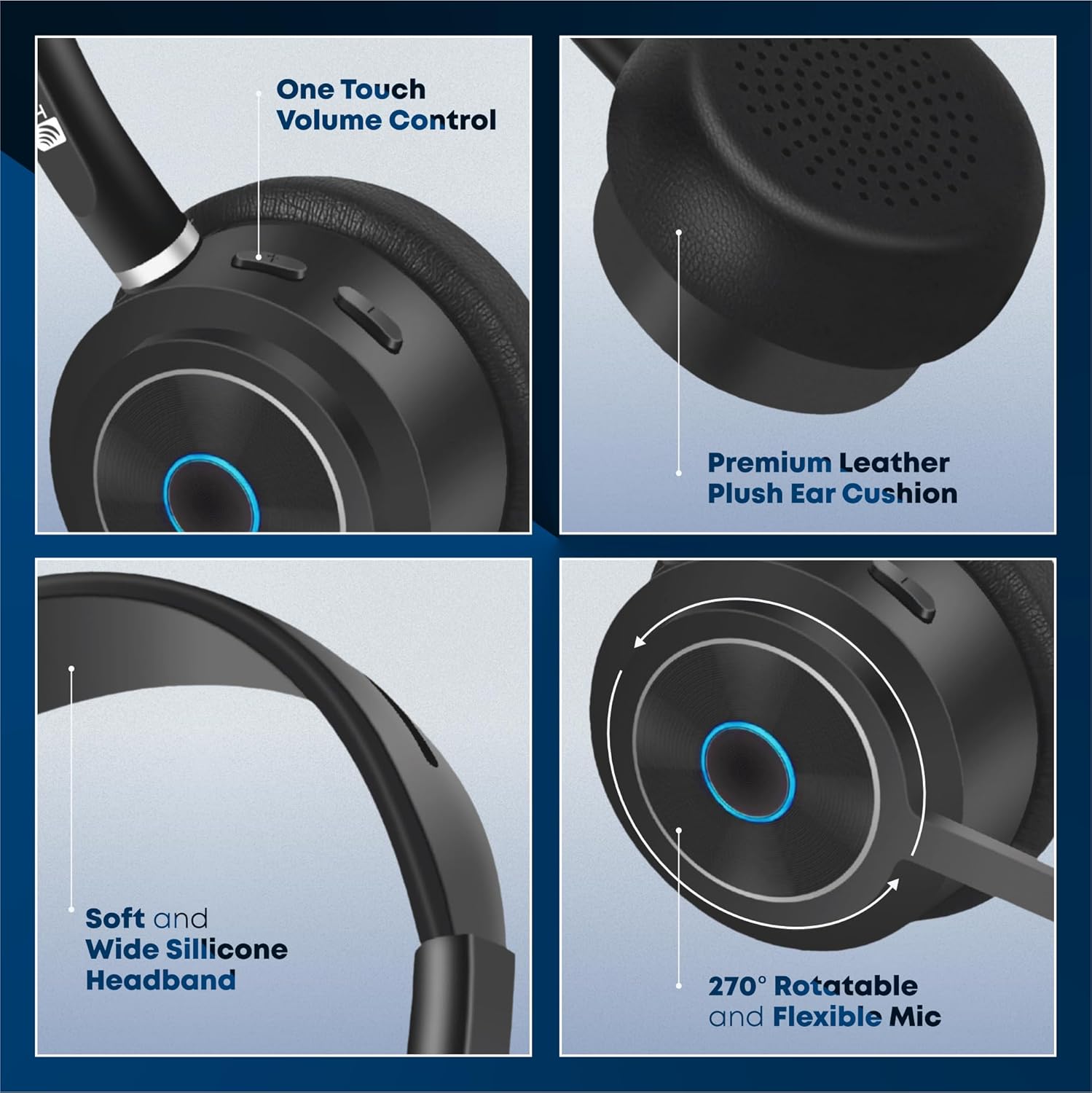
The image illustrates the ergonomic design elements of the headset, such as the one-touch volume control, premium leather ear cushion, soft silicone headband, and the highly adjustable microphone.
ફીચર વિડિઓ
આ વિડિઓ એક દ્રશ્ય પૂરું પાડે છેview of the key features and benefits of the TruVoice BT75 Wireless Headset, demonstrating its design and functionality.
૩. સેટઅપ અને કનેક્ટિવિટી
4.1. પ્રારંભિક જોડી
To pair your BT75 headset with a device, ensure the headset is in pairing mode (refer to the LED indicator for status). For computer connectivity, insert the included USB dongle into an available USB port. The headset will automatically connect to the dongle, providing a Bluetooth wireless range of up to 50 feet.
૬.૫. મલ્ટી-પોઇન્ટ કનેક્ટિવિટી
The BT75 headset supports multi-point connectivity, allowing it to connect and work with two Bluetooth devices simultaneously. This feature is ideal for seamless switching between a computer and a mobile phone or desk phone with Bluetooth capabilities.
4.3. સાર્વત્રિક સુસંગતતા
The BT75 headset is compatible with all major UC (Unified Communications) Computer Voice Platforms, including Microsoft Teams, Skype, Zoom, Avaya, Cisco, Ring Central, Vonage, Nextiva, and 3CX.

This image demonstrates the broad compatibility of the BT75 headset with leading communication platforms, ensuring versatile use across different software environments.
5. ઓપરેટિંગ સૂચનાઓ
5.1. પાવર ચાલુ/બંધ
- To power on: Press and hold the Multi-functional Key until the LED indicator lights up.
- To power off: Press and hold the Multi-functional Key until the LED indicator turns off.
5.2. કૉલ મેનેજમેન્ટ
- Answer/End Call: Short press the Multi-functional Key.
- Reject Call: Press and hold the Multi-functional Key for 2 seconds.
- Redial Last Number: Double-press the Multi-functional Key.
5.3. વોલ્યુમ નિયંત્રણ
- Increase Volume: Press the Volume Up button.
- Decrease Volume: Press the Volume Down button.
5.4. માઇક્રોફોન મ્યૂટ
- To mute/unmute the microphone: Press the Mute button on the microphone boom.
5.5. અવાજ રદ કરવો
The BT75 utilizes Qualcomm cVc Echo Canceling Noise Suppression Technology and a Uni-Directional Noise Cancellation Microphone. This technology works to reduce background noise, ensuring crystal clear voice quality during calls.
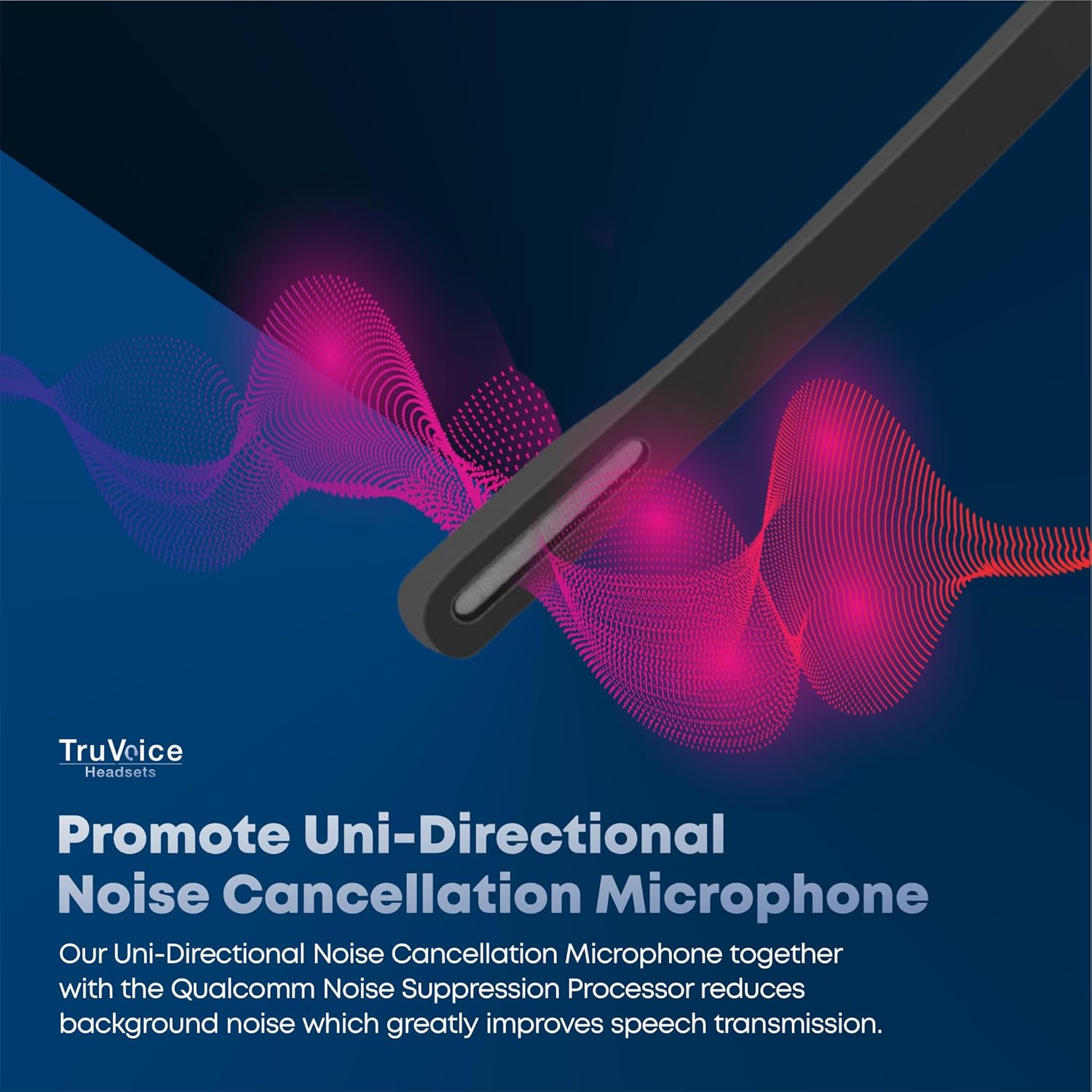
This image visually represents how the headset's uni-directional microphone and Qualcomm noise suppression processor work to minimize ambient noise for clearer conversations.
૩.૩. બેટરી અને ચાર્જિંગ
The BT75 headset is equipped with a powerful battery offering up to 500 hours of standby time, 22 hours of talk time, and 19 hours of media playing time. A full charge is achieved in approximately 90 minutes using the provided USB charging cable, which can be connected to a PC or a standard wall charger.
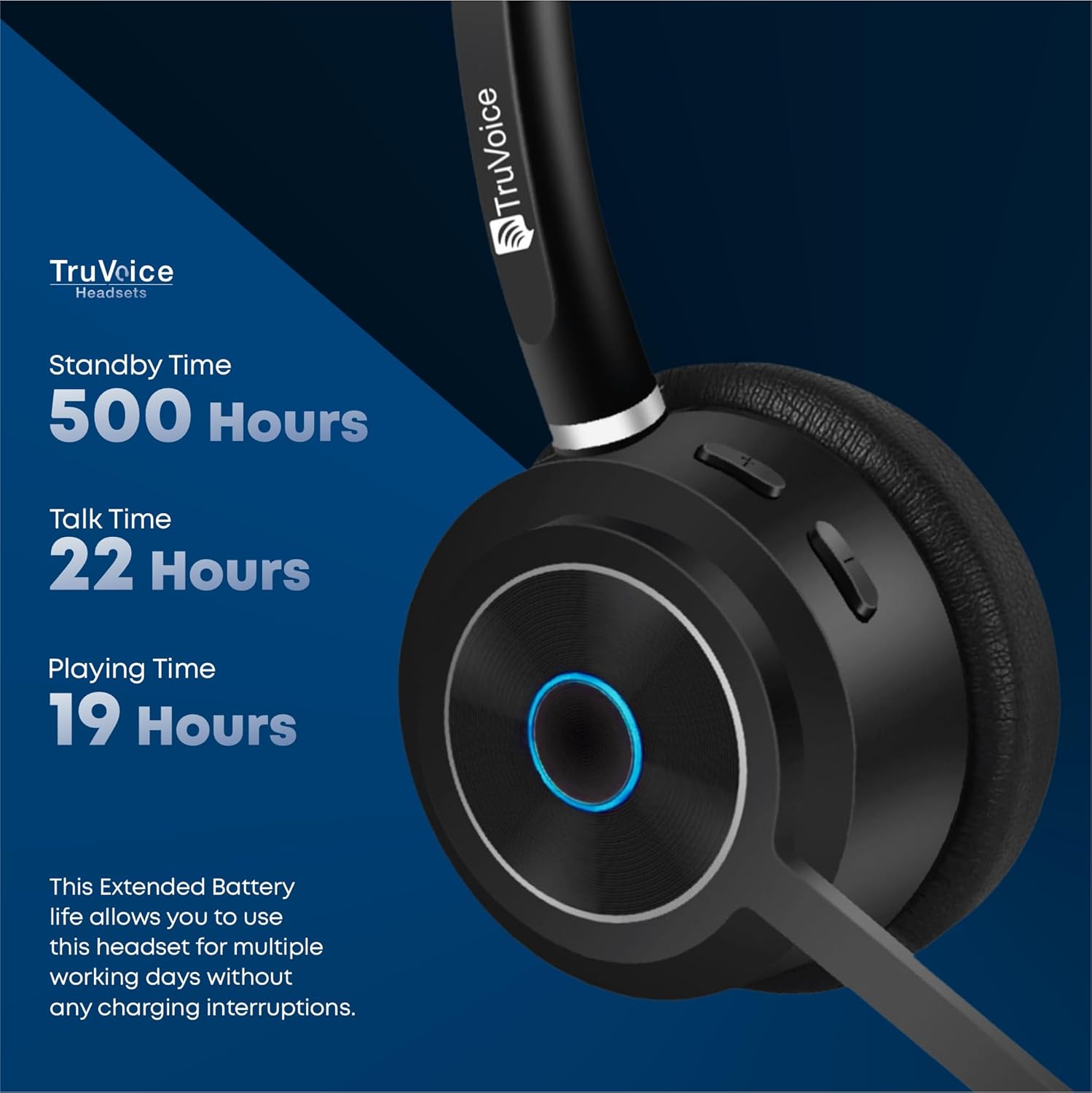
The image highlights the impressive battery life of the BT75 headset, detailing its standby, talk, and media playback durations, ensuring extended use without frequent recharging.
7. જાળવણી
- Clean the headset regularly with a soft, dry cloth. Avoid using harsh chemicals or abrasive materials.
- નુકસાન અટકાવવા માટે ઉપયોગમાં ન હોય ત્યારે હેડસેટને તેના રક્ષણાત્મક કેસમાં રાખો.
- હેડસેટને અતિશય તાપમાન, ભેજ અથવા સીધા સૂર્યપ્રકાશના સંપર્કમાં આવવાનું ટાળો.
- હેડસેટને ડિસએસેમ્બલ કરવાનો કે સુધારવાનો પ્રયાસ કરશો નહીં, કારણ કે આ વોરંટી રદ કરશે.
8. મુશ્કેલીનિવારણ
| સમસ્યા | સંભવિત કારણ | ઉકેલ |
|---|---|---|
| અવાજ અથવા નીચો અવાજ નથી | Headset not connected, volume too low, incorrect audio output selected. | Ensure headset is paired. Increase volume on headset and device. Check device's audio settings to select BT75 as output. |
| Cannot connect to device | Headset not in pairing mode, device's Bluetooth off, out of range. | Put headset in pairing mode. Enable Bluetooth on device. Move headset closer to device (within 50 ft). Restart both devices. |
| માઇક્રોફોન કામ કરતું નથી | Microphone muted, incorrect input device selected. | Unmute microphone. Check device's audio input settings to select BT75 microphone. |
| ટૂંકી બેટરી જીવન | બેટરી સંપૂર્ણપણે ચાર્જ થઈ નથી, બેટરી જૂની થઈ ગઈ છે. | Ensure full 90-minute charge. If issue persists, contact customer support. |
9. સ્પષ્ટીકરણો
| લક્ષણ | વિગત |
|---|---|
| મોડેલનું નામ | બ્લૂટૂથ વાયરલેસ હેડસેટ્સ |
| કનેક્ટિવિટી ટેકનોલોજી | વાયરલેસ (બ્લુટુથ V5.2) |
| બ્લૂટૂથ રેન્જ | 50 ફૂટ સુધી |
| બેટરી લાઇફ (ટોક ટાઇમ) | 22 કલાક |
| બેટરી લાઇફ (સંગીત સમય) | 19 કલાક |
| સ્ટેન્ડબાય સમય | 500 કલાક સુધી |
| ચાર્જ સમય | 90 Minutes (Full Charge) |
| માઇક્રોફોન | Uni-Directional Noise Cancellation |
| અવાજ નિયંત્રણ | Qualcomm cVc Echo Canceling Noise Suppression Technology |
| વજન | 85 grams (headset only) |
| સુસંગત ઉપકરણો | Communication Platforms (PC, Cell, Desk Phones with Bluetooth) |
| સમાવાયેલ ઘટકો | Cable, User Manual, Ear Cushions, Protective Case, Headband |
10. વોરંટી અને સપોર્ટ
For warranty information and technical support, please refer to the official TruVoice webસાઇટ પર જાઓ અથવા તેમની ગ્રાહક સેવાનો સીધો સંપર્ક કરો. કોઈપણ વોરંટી દાવા માટે તમારી ખરીદી રસીદ રાખો.
સંપર્ક માહિતી:
- ની મુલાકાત લો TruVoice Store on Amazon વધુ માહિતી અને સહાયક સંસાધનો માટે.
Ask a question about this manual
Ask about setup, troubleshooting, compatibility, parts, safety, or missing instructions. Manuals+ will review the question and use this page’s manual context to help answer it.