
પરિચય
Thank you for choosing the PATIKIL 3.2 Inch Wooden LED Light Base. This manual provides essential information for the proper setup, operation, and maintenance of your LED light base. Please read these instructions carefully before use and retain them for future reference.
ઉત્પાદન ઓવરview
The PATIKIL Wooden LED Light Base is designed to illuminate various decorative items such as crystal crafts, resin crafts, glass art, and aroma stones. It features a solid wood construction with a frosted acrylic light diffusion panel for soft, glare-free illumination.
મુખ્ય લક્ષણો:
- Solid wood material with natural grain.
- Frosted acrylic light diffusion panel for soft, even light.
- USB powered for versatile use.
- Simple one-button ON/OFF switch.
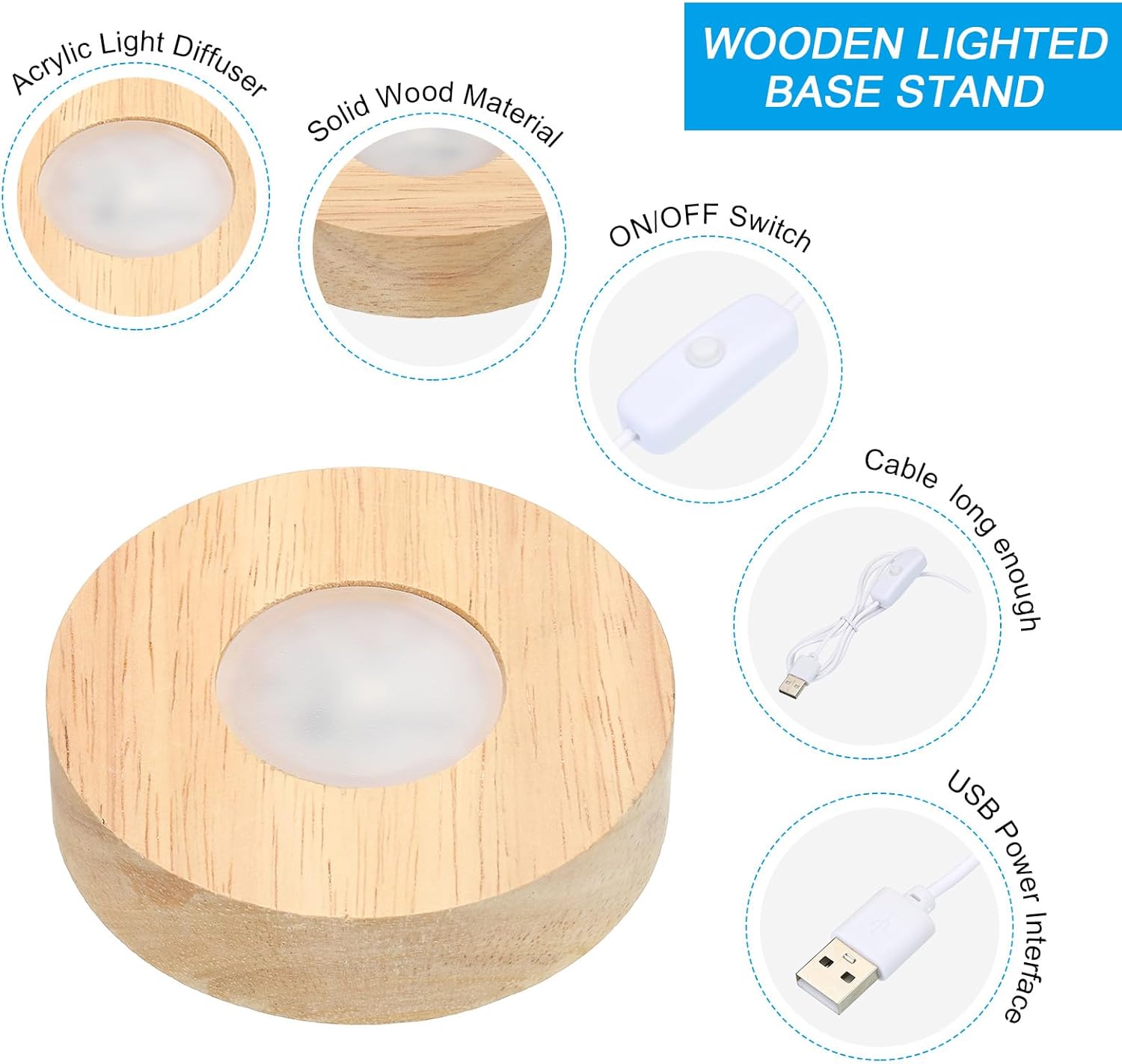
Figure 1: Product Components - This image illustrates the main parts of the LED light base, including the wooden base, light diffuser, and the USB cable with an integrated ON/OFF switch.
વિશિષ્ટતાઓ
| લક્ષણ | વિગત |
|---|---|
| સામગ્રી | Wood, Metal, Electronics |
| શેલ રંગ | લાકડાનો રંગ |
| આછો રંગ | સફેદ |
| રેટેડ વોલ્યુમtage | ડીસી 5 વી |
| Light Area Diameter | 37 મીમી / 1.46 ઇંચ |
| Total Size (D*H) | 80mm x 20mm / 3.2 ઇંચ x 0.8 ઇંચ |
| વાયર લંબાઈ | 1 મીટર / 3.28 ફૂટ |
| કનેક્ટિવિટી ટેકનોલોજી | યુએસબી |
| સ્વિચ પ્રકાર | બટન દબાવો |
| પાણી પ્રતિકાર સ્તર | વોટરપ્રૂફ |
| મોડલ નંબર | pta231121tt000555 |

Figure 2: Product Dimensions - This image provides detailed measurements of the LED light base and its components.
સેટઅપ સૂચનાઓ
Follow these steps to set up your PATIKIL Wooden LED Light Base:
- Place the Light Base: Position the wooden LED light base on a stable, flat surface where you intend to display your item.
- પાવરથી કનેક્ટ કરો: Connect the USB cable to a compatible 5V DC power source. This can be a computer USB port, a power bank, or a phone adapter. Ensure the power source provides the correct voltage.
- ચાલુ કરો: Press the button switch located on the USB cable to turn on the light.
- Place Your Item: Carefully place your crystal, glass art, aroma stone, or other decorative item onto the illuminated area of the base.

Figure 3: Easy Installation Steps - A visual guide to quickly set up your LED light base.

Figure 4: Compatible Power Sources - The LED base can be powered by various USB sources like power banks, computers, and phone chargers.
ઓપરેટિંગ સૂચનાઓ
Operating the PATIKIL Wooden LED Light Base is straightforward:
- પાવર ચાલુ: Press the button switch on the USB cable to turn the LED light on.
- પાવર બંધ: Press the button switch again to turn the LED light off.
The light base provides a consistent white light when activated.
જાળવણી
To ensure the longevity and optimal performance of your LED light base, follow these maintenance guidelines:
- સફાઈ: Wipe the wooden base with a soft, dry cloth. For the acrylic light diffusion panel, use a slightly damp cloth if necessary, then dry immediately. Avoid abrasive cleaners or solvents.
- સંગ્રહ: When not in use, store the light base in a cool, dry place away from direct sunlight and extreme temperatures.
- હેન્ડલિંગ: Handle the base with care to prevent damage to the wood or internal electronics.
મુશ્કેલીનિવારણ
If you encounter any issues with your LED light base, refer to the following common solutions:
- લાઈટ ચાલુ થતી નથી:
- Ensure the USB cable is securely connected to both the light base and the power source.
- Verify that the power source (computer, power bank, adapter) is functioning correctly and providing 5V DC.
- Press the button switch firmly to ensure it engages.
- Light Flickers or is Dim:
- Check the power source. An unstable or insufficient power supply can cause flickering or dimming.
- ખાતરી કરો કે USB કેબલ ક્ષતિગ્રસ્ત કે વાંકીચૂકી ન હોય.
- Base Feels Warm:
- It is normal for the light base to feel slightly warm after long hours of operation. If it becomes excessively hot, disconnect it from the power source and contact customer support.
સલામતી માહિતી
- લાગુ વોલ્યુમtage for this device is ડીસી 5 વી. Always provide a voltage that matches the rated voltage of the light to prevent damage.
- Do not expose the light base to extreme temperatures or humidity.
- બાળકો અને પાલતુ પ્રાણીઓની પહોંચથી દૂર રાખો.
- Do not attempt to disassemble or modify the product. This may void any potential warranty and could lead to electrical hazards.
- Although the product has a waterproof rating, avoid submerging it in water or exposing it to heavy rain.
વોરંટી અને આધાર
Information regarding product warranty and customer support was not provided in the product details. For any issues or inquiries, please refer to the seller or manufacturer's contact information available at the point of purchase.