
IDAKODU T78
IDAKODU બ્લૂટૂથ હેડસેટ DD97181-વ્હાઇટ-YC-150
વપરાશકર્તા માર્ગદર્શિકા
પરિચય
The IDAKODU T78 Wireless Bluetooth 5.0 Earbuds are designed to provide a superior audio experience with advanced features such as fast transmission speed, stable connectivity, and high-quality sound. This manual provides detailed instructions on how to set up, operate, and maintain your new earbuds.
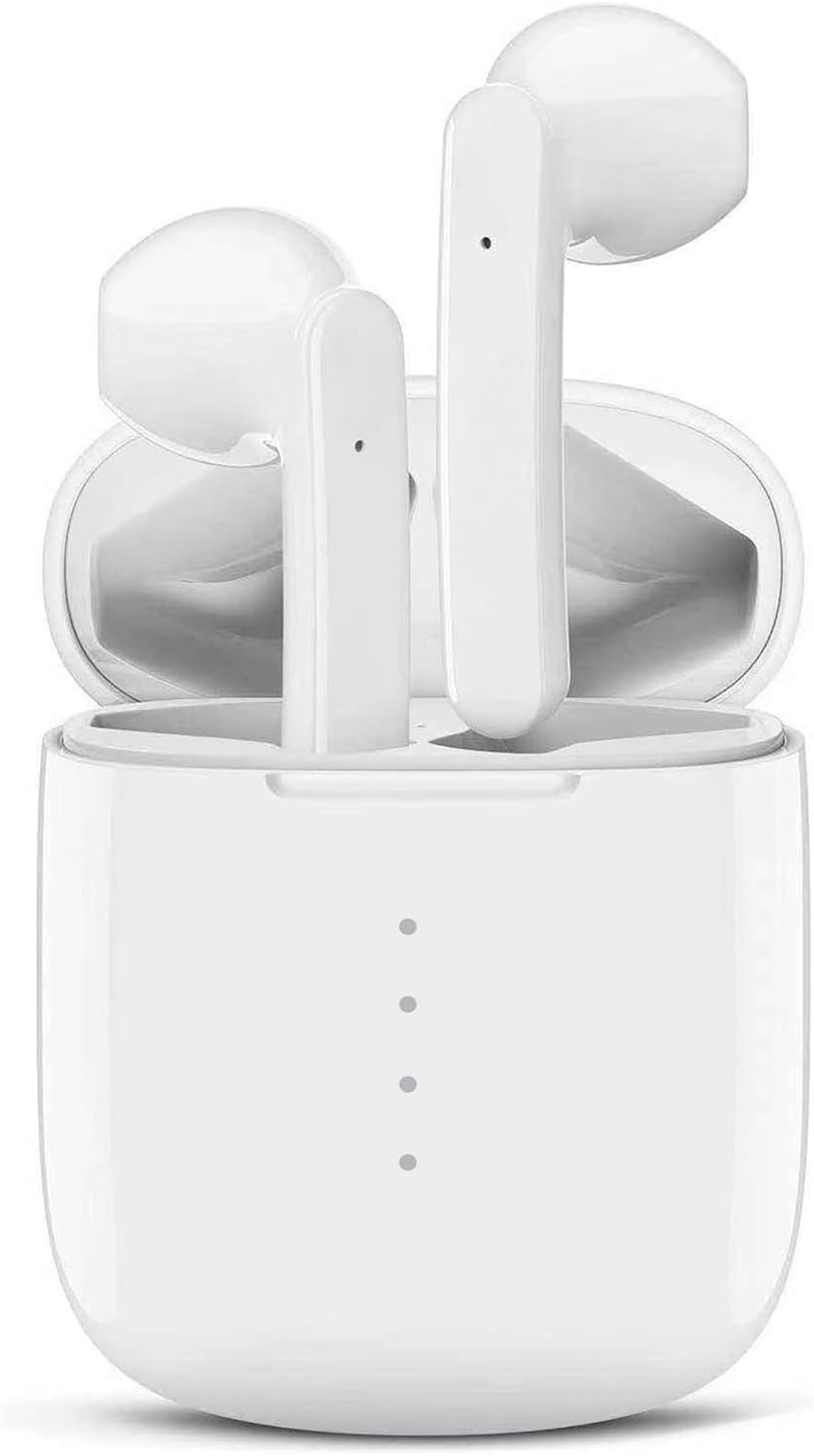
Image: The IDAKODU T78 Bluetooth Earbuds are shown resting inside their open white charging case, highlighting their compact and sleek design.
પેકેજ સામગ્રી
બધી વસ્તુઓ હાજર છે તેની ખાતરી કરવા માટે કૃપા કરીને પેકેજ કાળજીપૂર્વક તપાસો:
- Wireless Earbud × 2 (Left and Right)
- ચાર્જિંગ કેસ × 1
- USB Type C Data Cable × 1
- વપરાશકર્તા માર્ગદર્શિકા × 1
વિશિષ્ટતાઓ
| ઉત્પાદન નંબર | T78 |
| બ્લૂટૂથ સંસ્કરણ | વી 5.0 + ઇડીઆર |
| વાયરલેસ રેંજ | 15m (50ft) |
| ચાર્જિંગ કેસ બેટરી ક્ષમતા | 350mAh |
| Earbud બેટરી ક્ષમતા | 30mAh |
| કામ કરવાનો સમય | ૮ કલાક (એક વાર ચાર્જ કરીને) |
| કુલ રમવાનો સમય (ચાર્જિંગ કેસ સાથે) | 30 કલાક |
| ચાર્જિંગ સમય (ઇયરબડ્સ) | 1 કલાક |
| ઝડપી ચાર્જિંગ | 15 minutes charge for 2 hours use |
| સામગ્રી | પ્લાસ્ટિક |
| વોટરપ્રૂફ રેટિંગ | IPX8 |
સેટઅપ અને પેરિંગ
The IDAKODU T78 earbuds feature an automatic pairing system for a hassle-free experience.
- પ્રારંભિક જોડી: ચાર્જિંગ કેસ ખોલો. ઇયરબડ્સ આપમેળે ચાલુ થશે અને પેરિંગ મોડમાં પ્રવેશ કરશે.
- On your mobile phone or Bluetooth-enabled device, go to the Bluetooth settings.
- Look for "T78" in the list of available devices and select it to connect.
- Once connected, the light on the left earbud will stop flashing, indicating a successful connection.
- સ્વચાલિત પુનઃજોડાણ: After the initial pairing, the earbuds will automatically connect to the last paired device when you open the charging case.

Image: This illustration demonstrates the simple one-step pairing process: take the earbuds out of the case to pair, and put them back to charge. A smartphone screen shows "T78" connected in Bluetooth settings.
Operating and Controls
The IDAKODU T78 earbuds feature intuitive touch controls on each earbud, allowing you to manage music playback, calls, and voice assistants.
ટચ કંટ્રોલ ફંક્શન્સ:
- સિંગલ ક્લિક:
- સંગીત ચલાવો/થોભો: Click either earbud.
- કૉલનો જવાબ આપો: Click either earbud.
- હેંગ અપ કોલ: Click either earbud.
- Activate Siri (iOS only): Click either earbud.
- 2-Second Press:
- આગલું ગીત: દબાવો અને પકડી રાખો અધિકાર 2 સેકન્ડ માટે ઇયરબડ.
- પાછલું ગીત: દબાવો અને પકડી રાખો ડાબી 2 સેકન્ડ માટે ઇયરબડ.
- કૉલ નકારો: કોઈપણ ઇયરબડને 2 સેકન્ડ માટે દબાવી રાખો.
- Switch Call (between phone and earbuds): Press and hold either earbud for 2 seconds during a call.
- પાવર ચાલુ/બંધ: કોઈપણ ઇયરબડને 2 સેકન્ડ માટે દબાવી રાખો.
- વોલ્યુમ નિયંત્રણ:
- વોલ્યુમ વધારો: પર ડબલ-ક્લિક કરો અધિકાર ઇયરબડ
- વોલ્યુમ ઘટાડો: પર ડબલ-ક્લિક કરો ડાબી ઇયરબડ
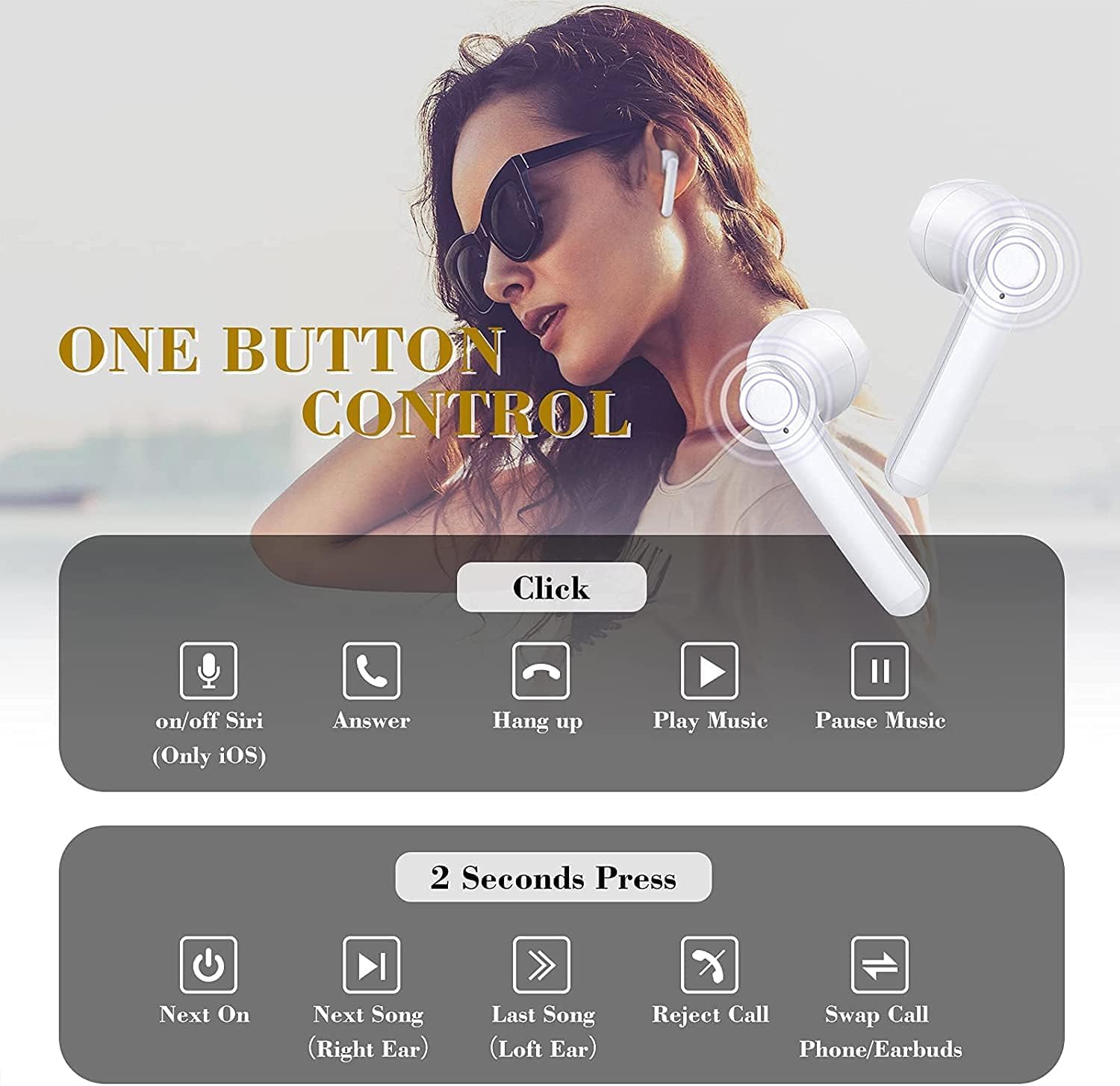
Image: This graphic illustrates the various touch control functions of the IDAKODU T78 earbuds, including single clicks for play/pause, answer/hang up calls, and Siri activation, and 2-second presses for next/previous song, rejecting calls, and power on/off.
Sound Quality and Compatibility
The IDAKODU T78 earbuds are engineered for superior audio performance and broad device compatibility.
શ્રેષ્ઠ અવાજ ગુણવત્તા:
Equipped with a built-in microphone, aptX audio coding, and CVC8.0 Noise Cancelling technology, these earbuds deliver crystal clear music with deep bass and clear definition. This technology also minimizes sound skipping and interruptions during calls, ensuring a high-quality audio experience.

છબી: એક વિસ્ફોટ view of an earbud's internal components, highlighting the speaker driver and sound technology responsible for crystal clear audio. Text overlays indicate 5 hours continuous playtime, 4 times full charge by charging case, and 25 hours extra long playtime.
વ્યાપક સુસંગતતા:
Thanks to Qualcomm Wireless Bluetooth 5.0, the T78 earbuds offer 2x faster transmission speed and a stable connection up to 50 feet (15 meters). They are widely compatible with various Bluetooth-enabled devices, including iPhones, Android phones, Samsung devices, iPads, tablets, laptops, and desktops.
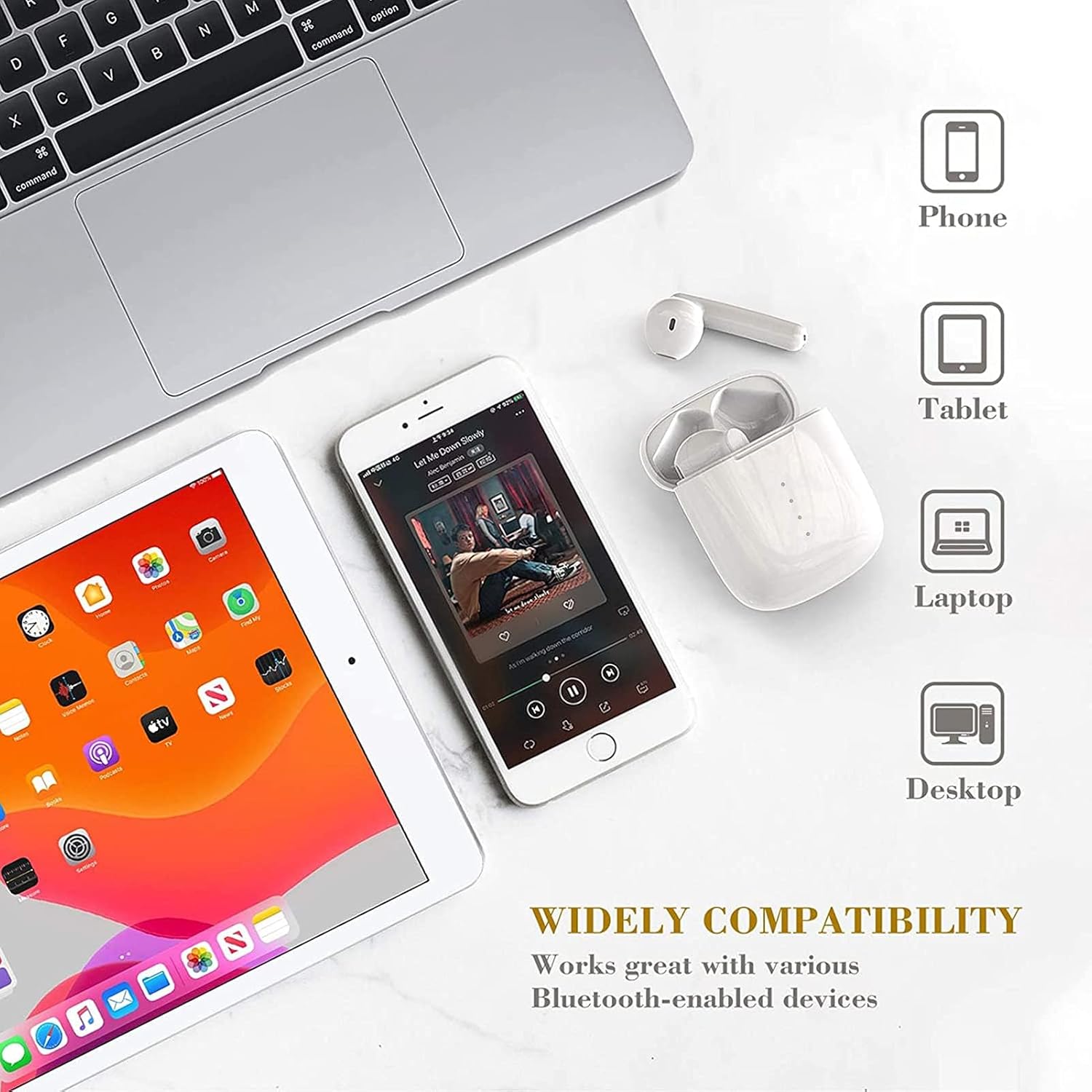
Image: This image showcases the wide compatibility of the IDAKODU T78 earbuds, depicting them alongside a smartphone, tablet, laptop, and desktop computer, indicating their ability to connect with various devices.
બેટરી અને ચાર્જિંગ
The IDAKODU T78 earbuds offer extended playtime and convenient charging options.
- રમવાનો સમય: Enjoy up to 5 hours of continuous use on a single charge. The charging case provides an additional 25 hours of playtime, totaling 30 hours.
- ચાર્જિંગ: The earbuds fully charge in approximately 1 hour. The charging case can be fully charged via the fast charge USB-C cable in about 1 hour.
- ઝડપી ચાર્જિંગ: A quick 15-minute charge provides up to 2 hours of listening time.
ટકાઉપણું અને ડિઝાઇન
The IDAKODU T78 earbuds are built for comfort and resilience.
એર્ગોનોમિક ડિઝાઇન:
Designed for ultra-comfortable wearing, these earbuds reduce pressure on the ear, ensuring they remain comfortable even during long periods of use. They are suitable for various modes of use, including single ear, binaural, and share mode.
IPX8 Waterproof Effect:
With an IPX8 waterproof rating, the earbuds offer strong resistance against sweat and water. This makes them an ideal partner for gym workouts, outdoor sports, and other activities where exposure to moisture is possible.
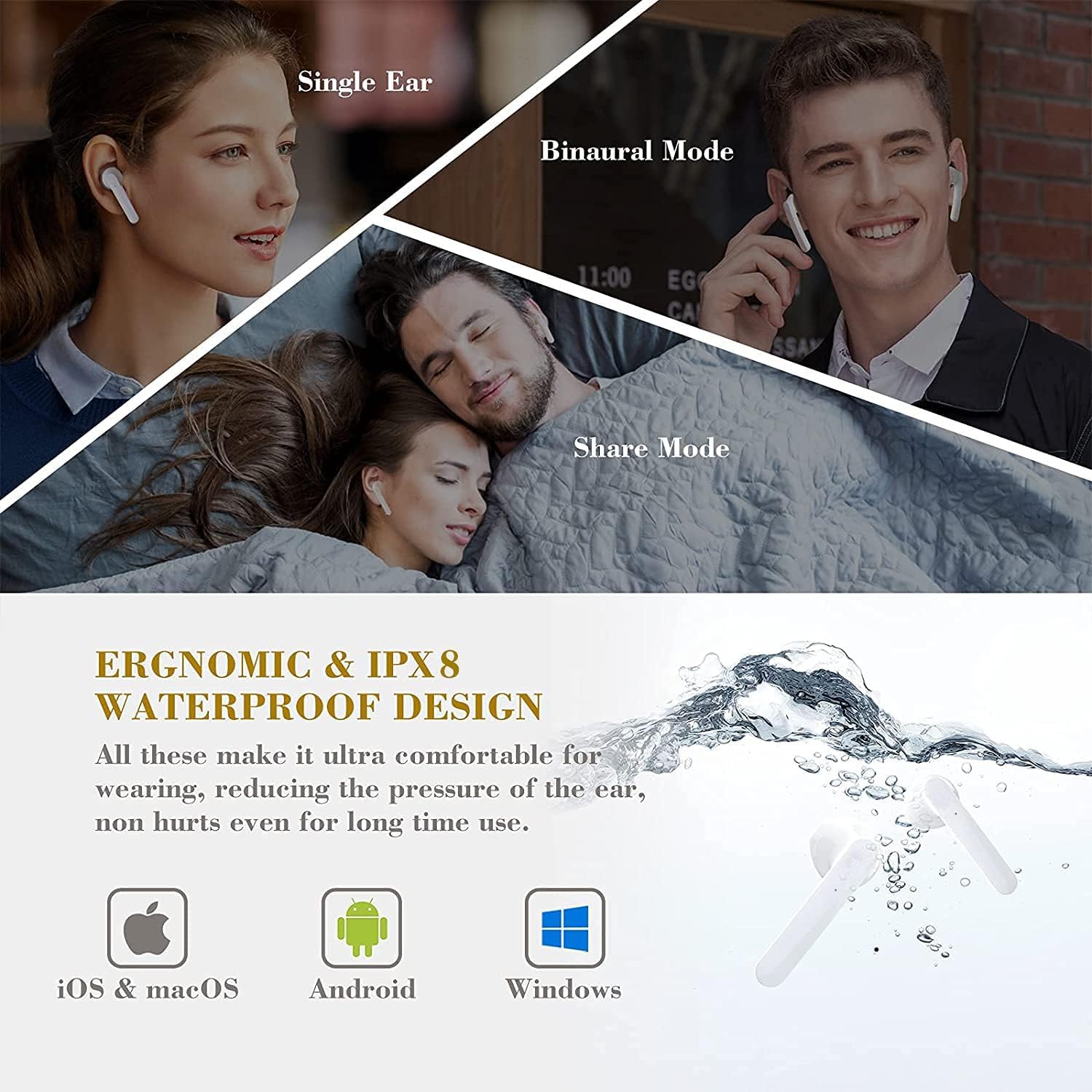
Image: This image highlights the ergonomic and IPX8 waterproof design of the IDAKODU T78 earbuds. It shows the earbuds being used in single ear, binaural, and share modes, and depicts them submerged in water to illustrate their waterproof capability. Compatibility with iOS, macOS, Android, and Windows is also indicated.
જાળવણી
યોગ્ય જાળવણી તમારા ઇયરબડ્સના લાંબા સમય સુધી ટકી રહેવા અને શ્રેષ્ઠ કામગીરીની ખાતરી આપે છે.
- સફાઈ: ઇયરબડ્સ અને ચાર્જિંગ કેસને નિયમિતપણે નરમ, સૂકા, લિન્ટ-ફ્રી કપડાથી સાફ કરો. ઘર્ષક ક્લીનર્સ અથવા સોલવન્ટનો ઉપયોગ કરશો નહીં.
- સંગ્રહ: જ્યારે ઉપયોગમાં ન હોય, ત્યારે ઇયરબડ્સને ધૂળ અને નુકસાનથી બચાવવા માટે તેમના ચાર્જિંગ કેસમાં સંગ્રહિત કરો. અતિશય તાપમાનથી દૂર ઠંડી, સૂકી જગ્યાએ સંગ્રહિત કરો.
- ચાર્જિંગ: Always use the provided USB Type C cable for charging. Avoid using damaged cables or chargers.
- પાણીનો સંપર્ક: While IPX8 rated, avoid prolonged submersion or exposure to saltwater or other corrosive liquids. Ensure earbuds are dry before placing them back in the charging case.
મુશ્કેલીનિવારણ
If you encounter any issues with your IDAKODU T78 earbuds, refer to the following common solutions:
- ઇયરબડ્સ જોડી રહ્યા નથી:
- ખાતરી કરો કે બંને ઇયરબડ ચાર્જ થયા છે.
- બંને ઇયરબડ્સને ચાર્જિંગ કેસમાં પાછા મૂકો, ઢાંકણ બંધ કરો, થોડીવાર રાહ જુઓ, પછી ફરીથી ઢાંકણ ખોલો.
- તમારા ઉપકરણનું બ્લૂટૂથ બંધ કરીને ચાલુ કરો.
- Forget "T78" from your device's Bluetooth list and try pairing again.
- ફક્ત એક જ ઇયરબડ કામ કરી રહ્યું છે:
- ખાતરી કરો કે બંને ઇયરબડ ચાર્જ થયા છે.
- બંને ઇયરબડ્સને ચાર્જિંગ કેસમાં પાછા મૂકો, ઢાંકણ બંધ કરો અને પછી તેને ફરીથી ખોલો. આ ઘણીવાર તેમને ફરીથી સિંક કરે છે.
- If the issue persists, try resetting the earbuds (refer to the full user manual if a specific reset procedure is available, otherwise, a full re-pairing might be needed).
- કોઈ અવાજ નહીં અથવા ઓછો અવાજ નહીં:
- તમારા ડિવાઇસ અને ઇયરબડ બંને પર વૉલ્યૂમ લેવલ ચેક કરો.
- ખાતરી કરો કે ઇયરબડ્સ તમારા ઉપકરણ સાથે યોગ્ય રીતે જોડાયેલા છે.
- ઇયરબડ સ્પીકર્સમાંથી કોઈપણ કચરો સાફ કરો.
- ચાર્જિંગ સમસ્યાઓ:
- ખાતરી કરો કે ચાર્જિંગ કેબલ કેસ અને પાવર સ્ત્રોત બંને સાથે સુરક્ષિત રીતે જોડાયેલ છે.
- કોઈ અલગ USB-C કેબલ અથવા પાવર એડેપ્ટર અજમાવી જુઓ.
- ઇયરબડ અને કેસની અંદરના ચાર્જિંગ કોન્ટેક્ટ બંનેને સાફ કરો.
વોરંટી અને આધાર
IDAKODU products are manufactured to high quality standards. For information regarding warranty coverage, technical support, or service inquiries, please refer to the warranty card included in your package or visit the official IDAKODU webસાઇટ. વોરંટી દાવાઓ માટે કૃપા કરીને તમારી ખરીદીનો પુરાવો રાખો.
Ask a question about this manual
Ask about setup, troubleshooting, compatibility, parts, safety, or missing instructions. Manuals+ will review the question and use this page’s manual context to help answer it.