
Svetaecho A100
Svetaecho A100 Dual Controller Charger Station User Manual
Model: A100 | Brand: Svetaecho
ઉત્પાદન ઓવરview
The Svetaecho A100 Dual Controller Charger Station is designed to provide efficient and convenient charging for your Xbox controllers. Featuring a unique robot helmet-inspired design with LED indicators, it ensures your controllers are always ready for extended gaming sessions. This kit includes two high-capacity 5520mWh rechargeable battery packs, eliminating the need for disposable batteries.

Image: The Svetaecho A100 Dual Controller Charger Station, showcasing its design with two Xbox controllers docked and two rechargeable battery packs.
બૉક્સમાં શું છે
- 2 x 5520mWh Xbox One Rechargeable Batteries
- 1 x Charger Dock for Xbox Series X Rechargeable Battery Pack
- 1 x યુએસબી-સી ચાર્જિંગ કેબલ
- 4 x Battery Covers (for various Xbox controller models)
- 1 x વપરાશકર્તા માર્ગદર્શિકા

છબી: એક સંપૂર્ણ view of all items included in the package: the charging dock, two rechargeable batteries, a USB-C cable, and four different battery covers.
સેટઅપ સૂચનાઓ
- બેટરી પેક ઇન્સ્ટોલ કરો:
Open the battery compartment on your Xbox controller. Insert one of the provided 5520mWh rechargeable battery packs, ensuring proper alignment with the contacts. Close the compartment with the appropriate battery cover for your controller model.

Image: Visual instructions demonstrating how to remove the old battery cover, insert the new rechargeable battery pack, and attach the compatible battery cover.
- Connect Charging Station:
Connect the included USB-C charging cable to the port on the back of the charger dock. Plug the other end of the USB-C cable into a compatible USB power source (e.g., Xbox console, USB wall adapter).
- Place Controllers on Dock:
Carefully place your Xbox controllers onto the charging slots of the dock. Ensure the controllers are seated correctly and the charging contacts align. The robot helmet's LED indicators will illuminate to show the charging status.
ઓપરેટિંગ સૂચનાઓ
એલઇડી સૂચકાંકો
The charger station features clear LED indicators on the robot helmet design to show the charging status of each controller:
- Red Breathing Light: સૂચવે છે કે નિયંત્રક હાલમાં ચાર્જ થઈ રહ્યું છે.
- ઘન લીલો પ્રકાશ: Indicates that the controller is fully charged or in standby mode.
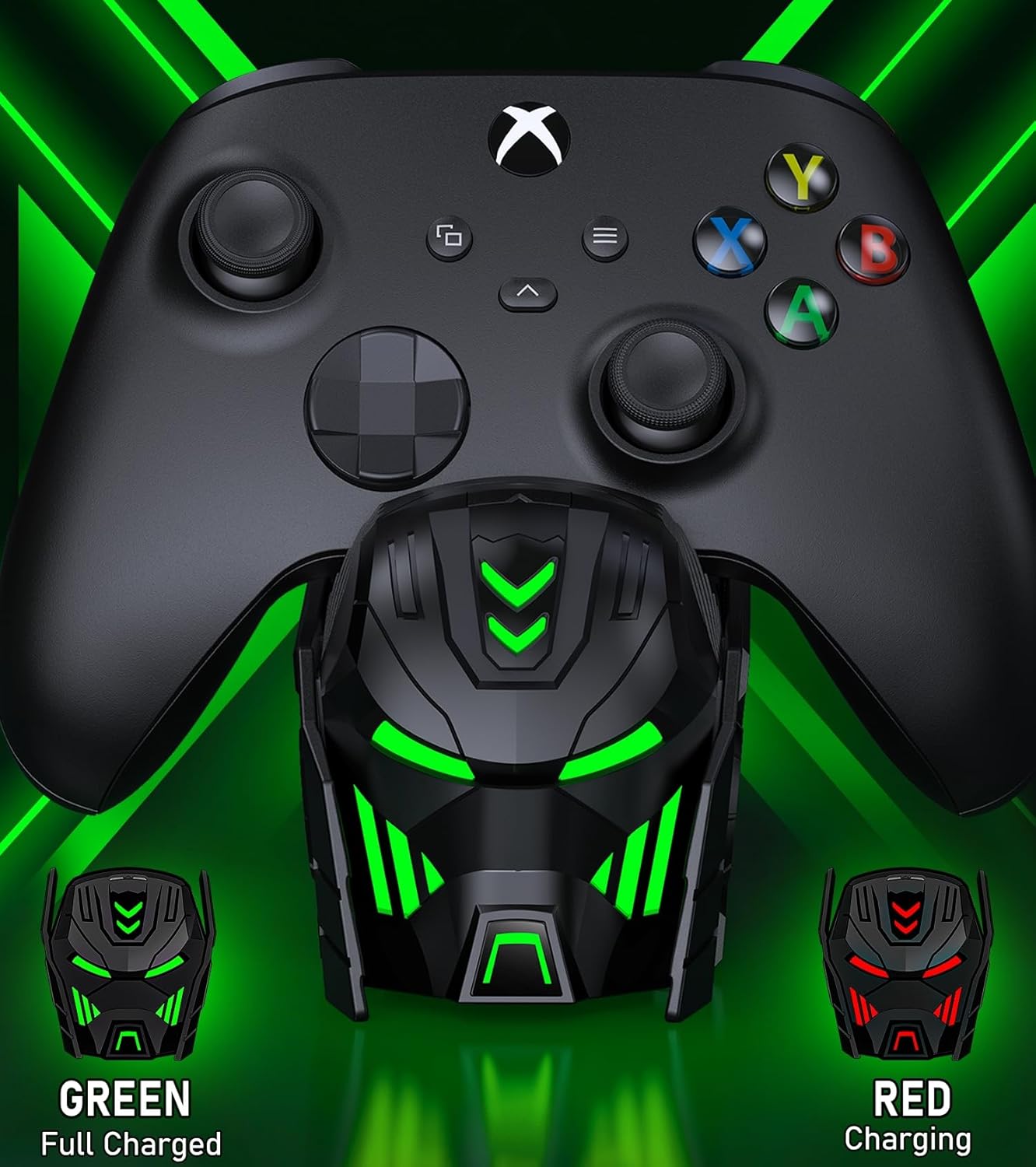
Image: Close-up of the charger station's robot helmet face, illustrating the red light for charging and the green light for a fully charged or standby state.
લાઇટ કંટ્રોલ બટન
A touch button is integrated into the design, allowing you to control the LED ambient light. You can switch between charging indicators (red/green) or turn the LED lights off completely.
ઉત્પાદન સુવિધાઓ અને લાભો
- વિસ્તૃત રમવાનો સમય: Each 5520mWh battery pack provides 18-25 hours of continuous playtime, ensuring uninterrupted gaming sessions.
- ઝડપી ચાર્જિંગ: It takes approximately 4-5 hours to fully charge both battery packs simultaneously.
- લાંબી બેટરી જીવન: The rechargeable batteries can be recharged up to 2000 times, offering a cost-effective and environmentally friendly alternative to disposable AA batteries.
- બુદ્ધિશાળી રક્ષણ: Built with an intelligent charging board, the dock provides overheating, short-circuit, over-voltage, and over-current protection to safeguard your batteries and controllers.
- સ્ટાઇલિશ ડિઝાઇન: The robot helmet-inspired aesthetic with cool LED ambient light adds a unique and appealing look to your gaming setup.

Image: Key performance metrics of the charger, highlighting its fast charging, high battery capacity, and long playing time.
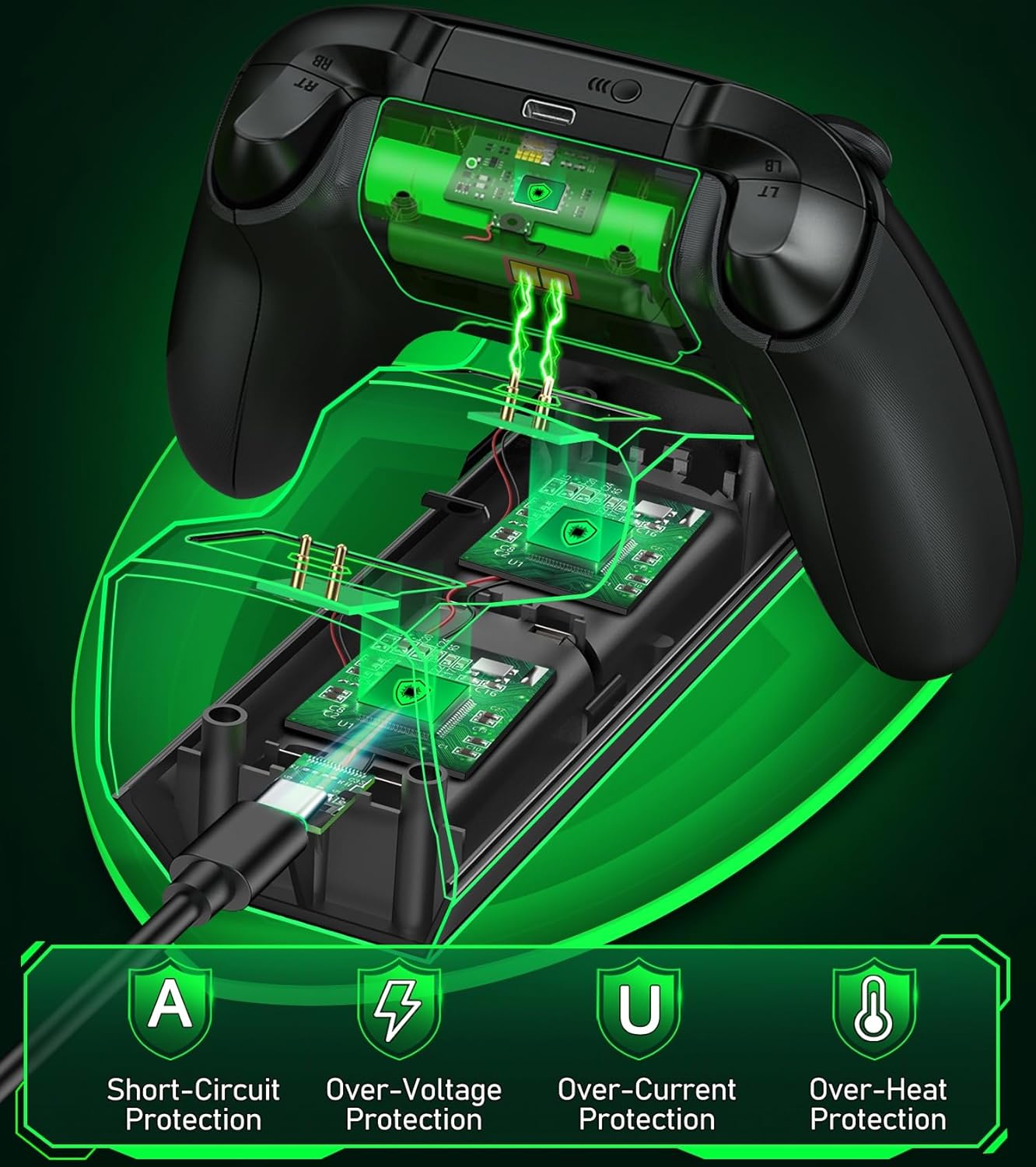
Image: A visual representation of the multiple safety protections integrated into the charging station, including short-circuit, over-voltage, over-current, and over-heat protection.
સુસંગતતા
The Svetaecho A100 Dual Controller Charger Station is compatible with a wide range of Xbox controllers, including:
- Xbox Series X/S Controllers
- Xbox One Controllers
- Xbox One X Controllers
- Xbox One S Controllers
- Xbox Elite Controllers

Image: A compatibility chart illustrating different Xbox controller models and the corresponding battery covers provided for each, ensuring broad compatibility.
જાળવણી
- Keep the charging station and batteries dry and clean.
- નરમ, સૂકા કપડાથી સપાટીઓ સાફ કરો. ઘર્ષક ક્લીનર્સ અથવા સોલવન્ટનો ઉપયોગ કરવાનું ટાળો.
- સીધા સૂર્યપ્રકાશ અને અતિશય તાપમાનથી દૂર ઠંડી, સૂકી જગ્યાએ સ્ટોર કરો.
- Do not disassemble the product or attempt repairs yourself. Contact customer support if issues arise.
મુશ્કેલીનિવારણ
- Controllers not charging:
- Ensure the USB-C cable is securely connected to both the charging station and the power source.
- Verify that the power source is active and providing sufficient power.
- Check if the battery packs are correctly inserted into the controllers and the controllers are properly seated on the charging dock.
- Ensure the charging contacts on both the controller and the dock are clean and free of debris.
- LED સૂચકાંકો કામ કરતા નથી:
- Press the light control button to ensure the LEDs are not turned off.
- ચાર્જિંગ સ્ટેશન પાવર મેળવી રહ્યું છે તેની ખાતરી કરો.
- Short battery life after charging:
- Ensure the batteries are fully charged (solid green LED).
- લાંબા સમય સુધી ઉપયોગ કરવાથી બેટરીનું પ્રદર્શન સમય જતાં ઘટી શકે છે.
વિશિષ્ટતાઓ
| લક્ષણ | વિગત |
|---|---|
| મોડલ નંબર | A100 |
| બેટરી ક્ષમતા | 2 x 5520mWh |
| ચાર્જિંગ સમય | આશરે. 4-5 કલાક |
| ચાર્જ દીઠ રમવાનો સમય | 18-25 કલાક |
| Recharge Cycles | 2000 વખત સુધી |
| ઇનપુટ | યુએસબી-સી |
| ઉત્પાદન પરિમાણો | 7.99 x 3.5 x 2.83 ઇંચ |
| વસ્તુનું વજન | 15.2 ઔંસ |
| ઉત્પાદક | Svetaecho |
સત્તાવાર ઉત્પાદન વિડિઓ
Video: An official product video from Svetaecho demonstrating the features and functionality of the Xbox Controller Charger Station with Robot Helmet design, including LED indicators, battery storage, and fast charging capabilities.
વોરંટી અને આધાર
For warranty information and customer support, please refer to the warranty card included in your package or visit the official Svetaecho store on Amazon:
વિસ્તૃત કવરેજ માટે સુરક્ષા યોજનાઓ પણ ઉપલબ્ધ છે:
- ૪-વર્ષીય સુરક્ષા યોજના: ખરીદી માટે ઉપલબ્ધ.
- ૪-વર્ષીય સુરક્ષા યોજના: ખરીદી માટે ઉપલબ્ધ.
- સંપૂર્ણ સુરક્ષા: માસિક યોજના જે પાત્ર ભૂતકાળ અને ભવિષ્યની ખરીદીઓને આવરી લે છે.
Ask a question about this manual
Ask about setup, troubleshooting, compatibility, parts, safety, or missing instructions. Manuals+ will review the question and use this page’s manual context to help answer it.