
1. પરિચય
This manual provides comprehensive instructions for the setup, operation, and maintenance of your Lecoo WS208 Wireless Mouse. Please read this manual carefully before using the product to ensure proper function and longevity. Keep this manual for future reference.
2. ઉત્પાદન ઓવરview
The Lecoo WS208 is a wireless optical mouse designed for comfort and efficiency. It features a 1200 DPI sensor for precise tracking and a silent click mechanism for a quiet user experience.
મુખ્ય લક્ષણો:
- ૮,૫૦૦ DPI ઓપ્ટિકલ સેન્સર: Provides accurate and responsive cursor control.
- 3-બટન ડિઝાઇન: Standard left, right, and scroll wheel buttons for essential functions.
- સાયલન્ટ ક્લિક: Reduces click noise for a quieter working environment.
- વાયરલેસ કનેક્ટિવિટી: Operates via a 2.4GHz USB receiver, offering a range of up to 10 meters.
- Ergonomic and Compact Design: Lightweight (54g) and shaped for comfortable use over extended periods.
- લાંબી બેટરી જીવન: Powered by one AA battery, providing up to 6 months of usage depending on conditions.
- સાર્વત્રિક સુસંગતતા: Supports Windows XP/7/8/10/11, Mac OS X 10.4+, Linux Kernel 2.6+, and Android devices.
પેકેજ સામગ્રી:
- Lecoo WS208 Wireless Mouse
- USB Mini Receiver
- વપરાશકર્તા માર્ગદર્શિકા
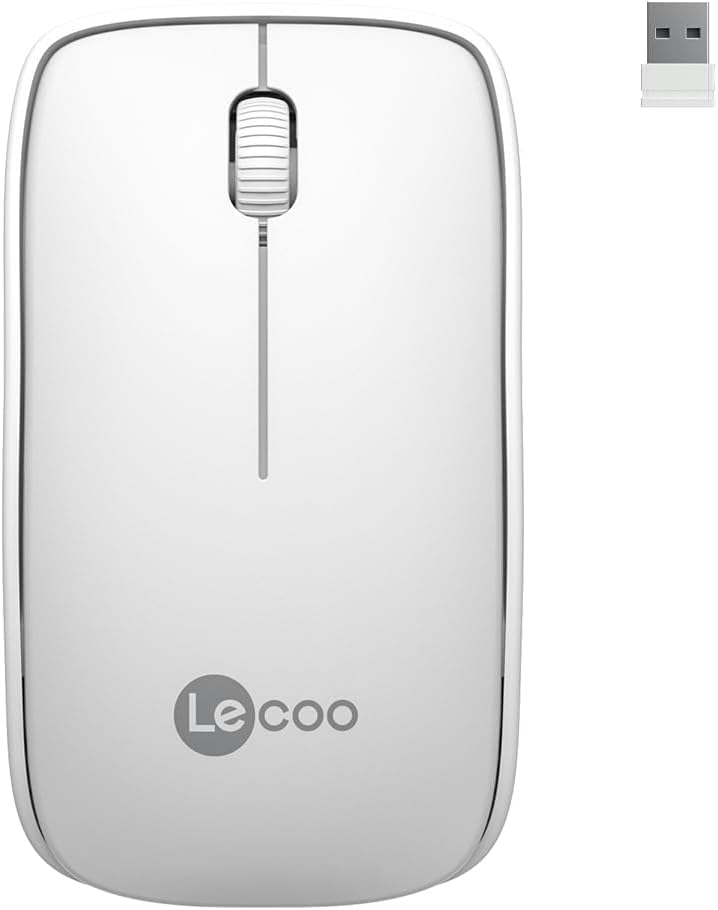
Image: Lecoo WS208 Wireless Mouse and its USB receiver.

Image: Diagram illustrating the components of the Lecoo WS208 mouse. Key features include the scroll wheel, left and right buttons, optical sensor, and USB dongle storage slot.
3. સેટઅપ
3.1 બેટરી ઇન્સ્ટોલેશન
- Locate the battery compartment cover on the bottom of the mouse.
- ડબ્બો ખોલવા માટે કવરને ધીમેથી સ્લાઇડ કરો અથવા ઉપાડો.
- Insert one AA battery (not included) into the compartment, ensuring the positive (+) and negative (-) terminals align correctly with the indicators.
- બેટરી કમ્પાર્ટમેન્ટ કવરને ત્યાં સુધી બદલો જ્યાં સુધી તે સુરક્ષિત રીતે જગ્યાએ ન આવે.
૩.૨ યુએસબી રીસીવરને કનેક્ટ કરવું
- Remove the USB mini receiver from its storage slot, usually located inside the battery compartment or on the bottom of the mouse.
- Plug the USB receiver into an available USB port on your computer (PC, Mac, Laptop) or compatible device.
- તમારી ઓપરેટિંગ સિસ્ટમ આપમેળે જરૂરી ડ્રાઇવરો શોધી કાઢશે અને ઇન્સ્ટોલ કરશે. આમાં થોડો સમય લાગી શકે છે.
3.3 Powering On the Mouse
After installing the battery and plugging in the receiver, the mouse should automatically power on. Some models may have a power switch on the bottom; ensure it is in the 'ON' position if present.
4. ઓપરેટિંગ સૂચનાઓ
4.1 મૂળભૂત કાર્યો
- ડાબું બટન: Primary click function (e.g., select items, open links).
- જમણું બટન: Secondary click function (e.g., open context menus).
- સ્ક્રોલ વ્હીલ: દસ્તાવેજો દ્વારા ઉપર અથવા નીચે સ્ક્રોલ કરો અને web pages. The scroll wheel also functions as a middle button when pressed.
4.2 DPI Sensitivity
The Lecoo WS208 operates at a fixed 1200 DPI (Dots Per Inch) sensitivity, providing a balanced speed and precision for most daily tasks. No manual DPI adjustment is available on this model.
4.3 ઓપરેટિંગ રેન્જ
The mouse maintains a stable connection within a 10-meter range from the USB receiver. Performance may vary depending on environmental factors and obstacles.

Image: Icons representing universal compatibility with Android, Apple (macOS), Windows, Linux, and ChromeOS.
5. જાળવણી
5.1 સફાઈ
- સફાઈ કરતા પહેલા ખાતરી કરો કે માઉસ બંધ છે.
- માઉસની સપાટી સાફ કરવા માટે નરમ, સૂકા, લિન્ટ-ફ્રી કાપડનો ઉપયોગ કરો.
- હઠીલા ગંદકી માટે, સહેજ ડીampપાણી અથવા હળવા, ઘર્ષક ન હોય તેવા ક્લીનરથી કપડાને સાફ કરો. વધુ પડતો ભેજ ટાળો.
- કઠોર રસાયણો, દ્રાવકો અથવા ઘર્ષક પદાર્થોનો ઉપયોગ કરશો નહીં, કારણ કે આ ઉંદરના ફિનિશને નુકસાન પહોંચાડી શકે છે.
5.2 બેટરી રિપ્લેસમેન્ટ
When the mouse's performance degrades or it stops responding, it may be time to replace the AA battery. Follow the battery installation steps in Section 3.1.
6. મુશ્કેલીનિવારણ
સામાન્ય સમસ્યાઓ અને ઉકેલો:
- માઉસ જવાબ આપતો નથી:
- ખાતરી કરો કે બેટરી યોગ્ય રીતે ઇન્સ્ટોલ કરેલી છે અને પૂરતી ચાર્જ છે. જો જરૂરી હોય તો બદલો.
- ખાતરી કરો કે USB રીસીવર કાર્યરત USB પોર્ટમાં સુરક્ષિત રીતે પ્લગ થયેલ છે. એક અલગ USB પોર્ટ અજમાવી જુઓ.
- ખાતરી કરો કે માઉસ રીસીવરની 10-મીટર ઓપરેટિંગ રેન્જમાં છે.
- તમારા કમ્પ્યુટરને ફરીથી પ્રારંભ કરો.
- Erratic or jumpy cursor movement:
- માઉસના તળિયે આવેલા ઓપ્ટિકલ સેન્સરને નરમ, સૂકા કપડાથી સાફ કરો.
- ખાતરી કરો કે તમે માઉસનો ઉપયોગ યોગ્ય સપાટી પર કરી રહ્યા છો. ખૂબ પ્રતિબિંબિત અથવા પારદર્શક સપાટીઓ ટાળો.
- અન્ય વાયરલેસ ઉપકરણોની દખલગીરી માટે તપાસો.
- કનેક્શન સમસ્યાઓ:
- USB રીસીવરને અનપ્લગ કરો અને ફરીથી પ્લગ કરો.
- માઉસને USB રીસીવરની નજીક ખસેડો.
7. સ્પષ્ટીકરણો
| બ્રાન્ડ | લેકુ |
| મોડલ | WS208 |
| કનેક્ટિવિટી ટેકનોલોજી | Wireless (2.4GHz USB Receiver) |
| ચળવળ શોધ | ઓપ્ટિકલ |
| DPI સંવેદનશીલતા | 1200 DPI |
| બટનોની સંખ્યા | ૩ (ડાબે, જમણે, સ્ક્રોલ વ્હીલ/મધ્યમ) |
| ઓપરેટિંગ રેન્જ | 10 મીટર સુધી |
| બેટરીનો પ્રકાર | 1 x AA બેટરી (શામેલ નથી) |
| બેટરી જીવન | ૧૨ મહિના સુધી (ઉપયોગ પર આધાર રાખીને) |
| પરિમાણો (L x W x H) | 95mm x 54mm x 31mm |
| વજન | 54g (mouse only) |
| સુસંગતતા | Windows XP/7/8/10/11, Mac OS X 10.4+, Linux Kernel 2.6+, Android |

Image: Visual representation of the Lecoo WS208 mouse dimensions (95mm length, 54mm width, 31mm height) and weight (54g).
8. વોરંટી અને સપોર્ટ
Lecoo products are designed for reliability and performance. For warranty information or technical support, please refer to the warranty card included with your product or visit the official Lecoo webસાઇટ. વોરંટી દાવાઓ માટે ખરીદીના પુરાવા તરીકે તમારી ખરીદી રસીદ રાખો.