
1. પરિચય
ખરીદી બદલ આભારasing the ZEBRONICS Music Bomb 2 Party Speaker. This manual provides essential information for the safe and efficient use of your speaker. Please read it thoroughly before operating the device and retain it for future reference.
વિડિઓ ૧: ઓવરview of the ZEBRONICS Music Bomb 2 Party Speaker, highlighting its key features and design.
2. સલામતી સૂચનાઓ
- સ્પીકરને પાણી અથવા ભેજ માટે ખુલ્લા ન કરો.
- સ્પીકરને ગરમીના સ્ત્રોતોની નજીક અથવા સીધા સૂર્યપ્રકાશમાં રાખવાનું ટાળો.
- સ્પીકરને જાતે ડિસએસેમ્બલ કરવાનો કે રિપેર કરવાનો પ્રયાસ કરશો નહીં. બધી સર્વિસિંગ લાયક કર્મચારીઓને સોંપો.
- ફક્ત ઉલ્લેખિત ચાર્જિંગ કેબલ અને એડેપ્ટરનો ઉપયોગ કરો.
- સ્પીકરને બાળકો અને પાલતુ પ્રાણીઓથી દૂર રાખો.
- ઓવરહિટીંગને રોકવા માટે યોગ્ય વેન્ટિલેશનની ખાતરી કરો.
3. પેકેજ સામગ્રી
પેકેજમાં નીચેની વસ્તુઓ શામેલ છે:
- ZEBRONICS Music Bomb 2 Party Speaker - 1 unit
- Wireless Microphone - 1 unit
- Type-C Charging Cable - 1 unit
- AUX Cable - 1 unit
- Detachable Carry Strap - 1 unit
- User Manual (this document) - 1 unit
4. ઉત્પાદન ઓવરview
The Music Bomb 2 features a robust design with intuitive controls and multiple connectivity options. Familiarize yourself with the various parts of the speaker.

છબી 1: આગળ view of the ZEBRONICS Music Bomb 2 Party Speaker, showcasing its grille and overall design.
છબી 2: પાછળ view of the speaker, highlighting the Type-C charging port, USB, mSD, AUX, and microphone/guitar input jacks.

Image 3: Close-up of the top control panel, featuring bass and volume knobs, and media control buttons.
5. સેટઅપ
૩.૧ સ્પીકરને ચાર્જ કરવું
Before first use, fully charge the speaker. Connect the provided Type-C charging cable to the speaker's charging port and the other end to a compatible USB power adapter (not included). The charging indicator will show the charging status.
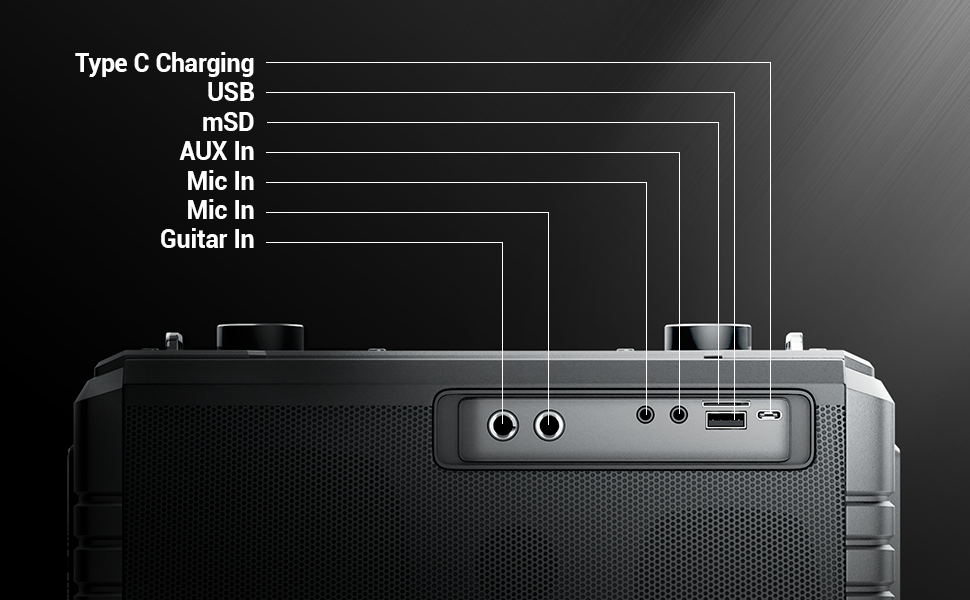
Image 4: Illustration of the speaker being charged via its Type-C port.
5.2 પાવરિંગ ચાલુ/બંધ
Press and hold the power button on the control panel to turn the speaker on or off. A sound indicator will confirm the action.
6. ઓપરેશન
6.1 Bluetooth Connectivity (BT v5.1)
- Turn on the speaker. It will automatically enter Bluetooth pairing mode.
- Enable Bluetooth on your mobile device and search for "ZEB-MUSIC BOMB 2".
- Select the speaker from the list to pair. A confirmation tone will sound upon successful connection.

Image 5: Visual representation of the speaker's Bluetooth 5.1 capability alongside other input options.
6.2 USB/mSD Playback
Insert a USB drive or mSD card (up to 32GB) into the respective port. The speaker will automatically detect and play audio files from the storage device. Use the media control buttons to navigate tracks.
6.3 AUX ઇનપુટ
Connect an external audio device using the provided 3.5mm AUX cable to the AUX input port. The speaker will switch to AUX mode automatically. Ensure the volume on both the speaker and the connected device is adjusted appropriately.
6.4 Guitar Input
Connect your guitar to the 6.3mm guitar input port. Adjust the volume on your guitar and the speaker for optimal sound. This feature allows for direct amplification of your instrument.
Video 2: Demonstration of connecting a guitar to the ZEBRONICS Music Bomb 2 speaker and playing music.
6.5 Microphone Input (Karaoke)
Connect the wireless microphone or a wired microphone (6.3mm or 3.5mm) to the respective input ports. The speaker supports karaoke functionality, allowing you to sing along with your music. Adjust microphone volume and echo effects using the dedicated controls.

છબી 6: વિગતવાર view of the speaker's control panel and the included wireless microphone.
૫.૪ TWS (ટ્રુ વાયરલેસ સ્ટીરિયો) ફંક્શન
To experience True Wireless Stereo, you need two ZEBRONICS Music Bomb 2 speakers. Follow these steps:
- બંને સ્પીકર્સ ચાલુ કરો.
- Ensure neither speaker is connected to any Bluetooth device.
- On one speaker, press and hold the 'TWS' button. It will search for the other speaker.
- Once connected, a confirmation tone will sound, and the TWS indicator will light up.
- Now, connect your mobile device to one of the speakers via Bluetooth. Both speakers will play audio in stereo.
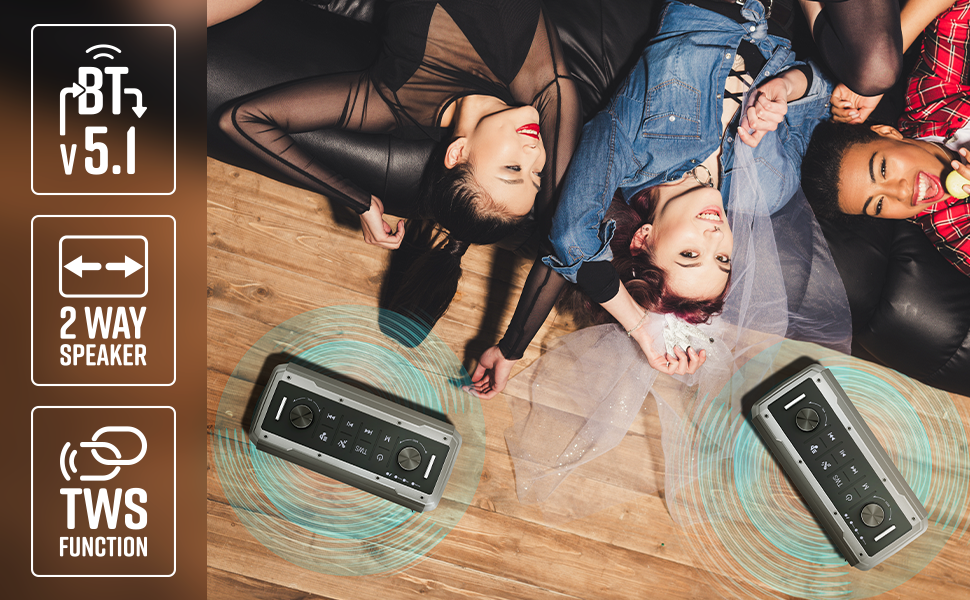
Image 7: Illustration of two Music Bomb 2 speakers paired using the TWS function for an immersive stereo audio experience.
7. નિયંત્રણો
The speaker features a user-friendly control panel. Here's a breakdown of the main controls:
| નિયંત્રણ | કાર્ય |
|---|---|
| પાવર બટન | Press and hold to turn the speaker ON/OFF. Short press to change modes (BT/USB/mSD/AUX). |
| TWS બટન | Press and hold to initiate TWS pairing with another Music Bomb 2 speaker. |
| એમ (મોડ) બટન | Short press to switch between input modes (Bluetooth, USB, mSD, AUX). |
| પાછલો ટ્રેક / વોલ્યુમ ડાઉન | પાછલા ટ્રેક માટે ટૂંકું દબાવો. વોલ્યુમ ઘટાડવા માટે લાંબા સમય સુધી દબાવો. |
| ચલાવો/થોભો | ઑડિયો ચલાવવા અથવા થોભાવવા માટે ટૂંકું દબાવો. |
| નેક્સ્ટ ટ્રૅક/વોલ્યુમ અપ | આગામી ટ્રેક માટે ટૂંકું દબાવો. વોલ્યુમ વધારવા માટે લાંબા સમય સુધી દબાવો. |
| બાસ નોબ | બાસ સ્તરને સમાયોજિત કરવા માટે ફેરવો. |
| વોલ્યુમ નોબ | માસ્ટર વોલ્યુમ સ્તરને સમાયોજિત કરવા માટે ફેરવો. |
| માઇક વોલ્યુમ નોબ | કનેક્ટેડ માઇક્રોફોનના વોલ્યુમને સમાયોજિત કરે છે. |
| ઇકો નોબ | માઇક્રોફોન માટે ઇકો ઇફેક્ટને સમાયોજિત કરે છે. |
8. જાળવણી
- સફાઈ: સ્પીકરને સાફ કરવા માટે નરમ, સૂકા કપડાનો ઉપયોગ કરો. ઘર્ષક ક્લીનર્સ અથવા સોલવન્ટનો ઉપયોગ કરશો નહીં.
- સંગ્રહ: સ્પીકરને સીધા સૂર્યપ્રકાશ અને અતિશય તાપમાનથી દૂર ઠંડી, સૂકી જગ્યાએ સંગ્રહિત કરો.
- બેટરી સંભાળ: બેટરી લાઇફ વધારવા માટે, સ્પીકરને વારંવાર સંપૂર્ણપણે ડિસ્ચાર્જ કરવાનું ટાળો. તેને નિયમિતપણે ચાર્જ કરો, ભલે લાંબા સમય સુધી ઉપયોગમાં ન હોય.
9. મુશ્કેલીનિવારણ
| સમસ્યા | ઉકેલ |
|---|---|
| કોઈ શક્તિ નથી | Ensure the speaker is charged. Connect the Type-C charging cable and allow it to charge for some time before attempting to power on. |
| કોઈ અવાજ નથી | Check the volume levels on both the speaker and the connected device. Ensure the correct input mode is selected. Verify cable connections for AUX/Guitar inputs. |
| બ્લૂટૂથ પેરિંગ નિષ્ફળ જાય છે | Ensure the speaker is in pairing mode. Disable and re-enable Bluetooth on your device. Move the speaker closer to your device. Clear previous Bluetooth connections on your device. |
| માઇક્રોફોન કામ કરતું નથી | Ensure the microphone is powered on (if wireless) and properly connected. Adjust the microphone volume and echo knobs. |
| TWS કનેક્શન સમસ્યાઓ | Ensure both speakers are not connected to any other Bluetooth device. Follow the TWS pairing steps carefully. |
10. સ્પષ્ટીકરણો
| લક્ષણ | વિગત |
|---|---|
| આઉટપુટ પાવર | 80W RMS |
| બ્લૂટૂથ સંસ્કરણ | v5.1 |
| કનેક્ટિવિટી વિકલ્પો | Bluetooth, USB, mSD, AUX, 6.3mm Guitar Input, 6.3mm & 3.5mm Mic Inputs |
| બેટરી જીવન | 10 કલાક સુધી (50% વોલ્યુમ પર) |
| ચાર્જિંગનો પ્રકાર | ટાઈપ-સી |
| સ્પીકરનો પ્રકાર | 2-વે સ્પીકર સિસ્ટમ |
| પરિમાણો (L x W x H) | 17.3 x 27.4 x 33.3 સેન્ટિમીટર |
| વજન | 4040 ગ્રામ |
| આવર્તન પ્રતિભાવ | 20 હર્ટ્ઝ (ન્યૂનતમ) |
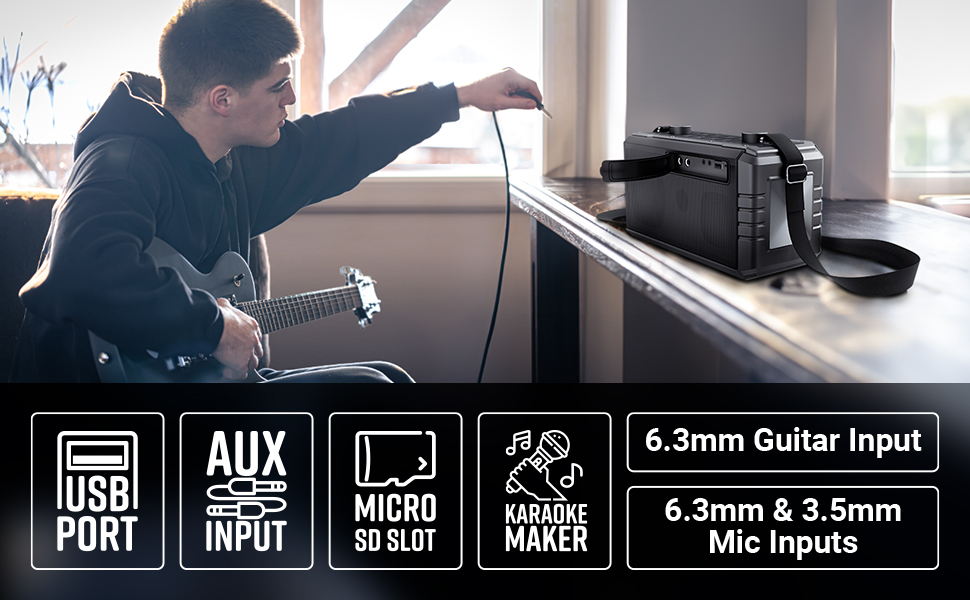
Image 8: Visual summary of the speaker's technical specifications.

Image 9: Diagram illustrating the length, width, and height of the ZEBRONICS Music Bomb 2 speaker.
11. વોરંટી અને સપોર્ટ
The ZEBRONICS Music Bomb 2 Party Speaker comes with a 1-year carry-in warranty to the service center. For warranty claims or technical support, please contact ZEBRONICS customer service. Keep your purchase receipt as proof of purchase.
ઉત્પાદક સંપર્ક માહિતી: 13/7, Smith Road, Royapettah CHENNAI-600002, Zebronics India Private Limited
વધુ માહિતી માટે, અધિકારીની મુલાકાત લો ZEBRONICS Store on Amazon.