
1. પરિચય
This manual provides detailed instructions for the safe and effective use of your AWEI T25 Wireless Earbuds. Please read this manual thoroughly before using the product and retain it for future reference.
2. પેકેજ સામગ્રી
ખાતરી કરો કે બધી વસ્તુઓ પેકેજમાં હાજર છે:
- AWEI T25 Wireless Bluetooth Headset (Left and Right Earbuds)
- AWEI T25 Wireless Bluetooth Headset Charging Case
- USB-C ચાર્જિંગ કેબલ
- User Instructions (This Manual)
3. ઉત્પાદન ઓવરview
Familiarize yourself with the components of your AWEI T25 Wireless Earbuds.
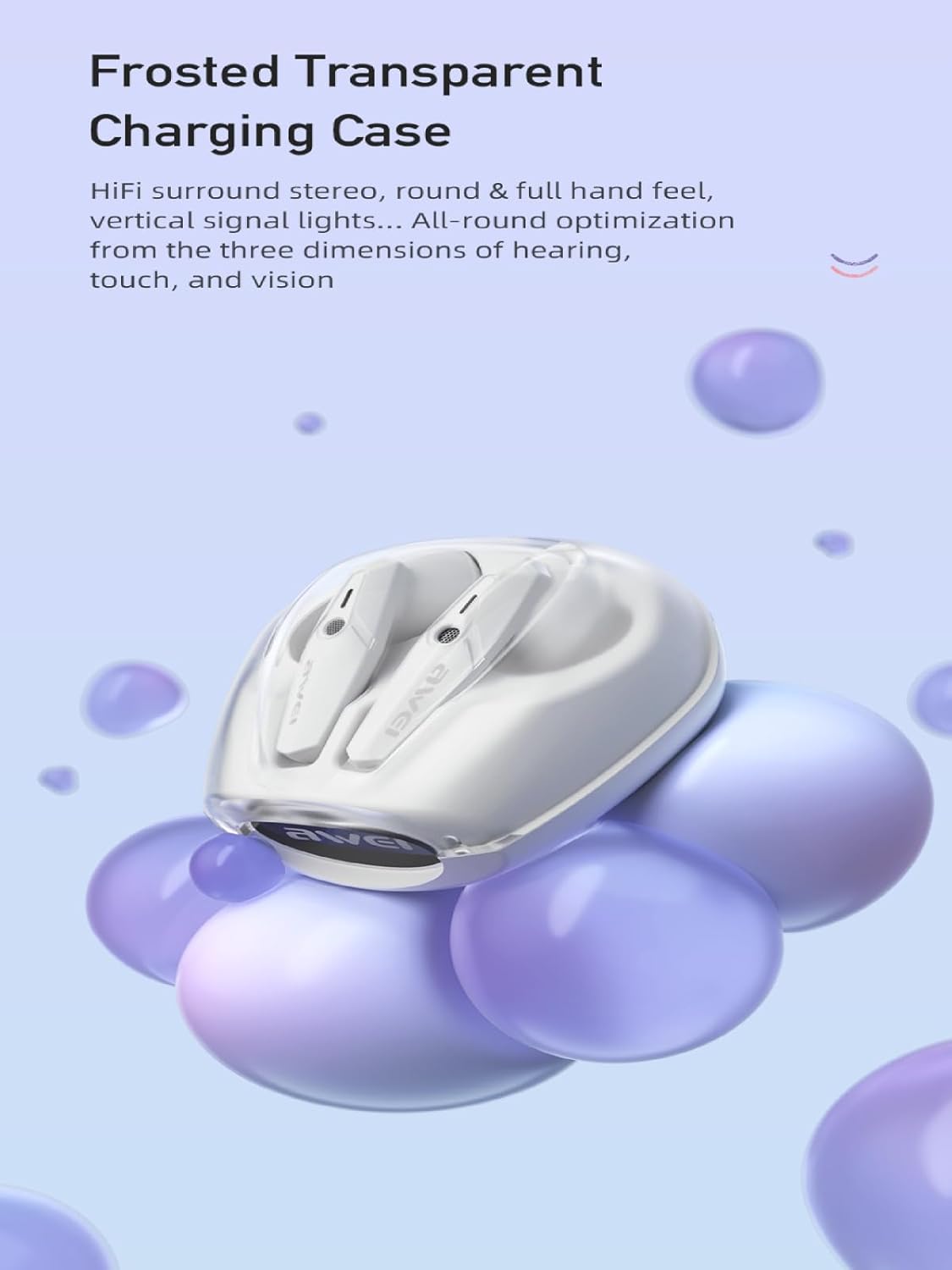
Image: AWEI T25 Wireless Earbuds housed within their frosted transparent charging case, showcasing the design and charging contacts.
The earbuds feature an in-ear design for a comfortable and secure fit. The charging case protects the earbuds and provides additional battery life.
4. સેટઅપ
4.1 Charging the Earbuds and Charging Case
પ્રથમ ઉપયોગ કરતા પહેલા, ઇયરબડ્સ અને ચાર્જિંગ કેસ બંનેને સંપૂર્ણપણે ચાર્જ કરો.
- ઇયરબડ્સને ચાર્જિંગ કેસમાં મૂકો, ખાતરી કરો કે તે યોગ્ય રીતે બેઠેલા છે.
- USB-C ચાર્જિંગ કેબલને કેસ પરના ચાર્જિંગ પોર્ટ સાથે અને બીજા છેડાને USB પાવર એડેપ્ટર (શામેલ નથી) અથવા કમ્પ્યુટરના USB પોર્ટ સાથે કનેક્ટ કરો.
- The indicator lights on the case will show the charging status. A full charge for the case takes approximately 1.5 hours.
- The earbuds will charge automatically when placed in the powered case.
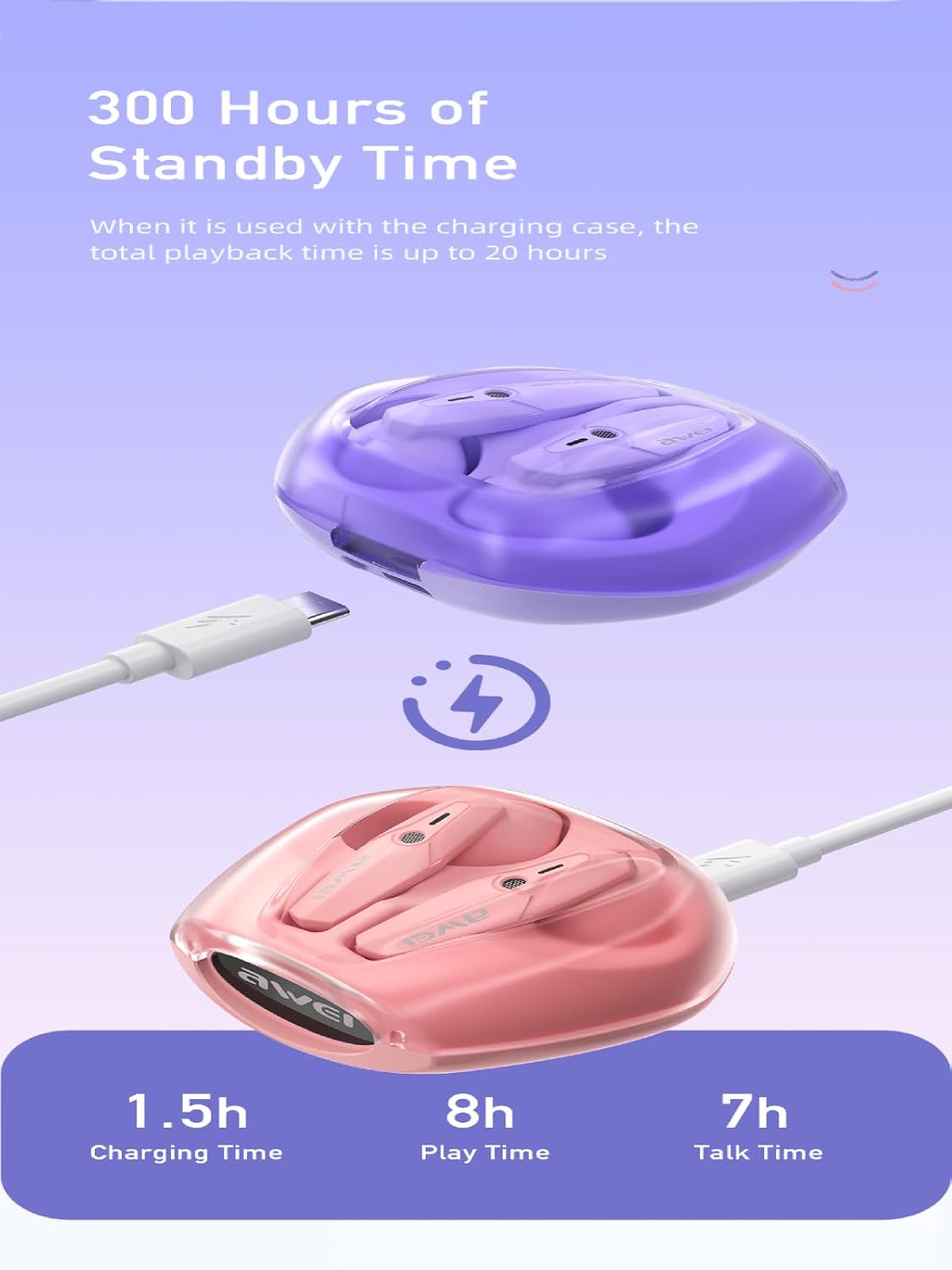
Image: The AWEI T25 charging case connected via a USB-C cable, illustrating the charging process and indicating charging time (1.5h), play time (8h), and talk time (7h).
A fully charged case provides multiple charges for the earbuds, extending total playback time up to 38 hours in dual-ear mode, or 76 hours in single-ear mode by alternating earbuds.
૩.૨ બ્લૂટૂથ ડિવાઇસ સાથે જોડી બનાવવી
The AWEI T25 earbuds utilize Bluetooth 5.3 technology for a stable connection.
- ચાર્જિંગ કેસ ખોલો. ઇયરબડ્સ આપમેળે ચાલુ થશે અને પેરિંગ મોડમાં પ્રવેશ કરશે.
- તમારા ઉપકરણ (સ્માર્ટફોન, ટેબ્લેટ, લેપટોપ) પર, બ્લૂટૂથ સક્ષમ કરો.
- માટે શોધો "AWEI T25" in the list of available Bluetooth devices.
- Select "AWEI T25" to connect. Once connected, you will hear a confirmation tone.
- જો ઉપકરણમાં બ્લૂટૂથ સક્ષમ હોય, તો ઇયરબડ્સ કેસમાંથી બહાર કાઢવામાં આવે ત્યારે છેલ્લા જોડીવાળા ઉપકરણ સાથે આપમેળે ફરીથી કનેક્ટ થઈ જશે.

Image: A visual representation of the Bluetooth 5.3 chipset, highlighting its role in stable and smooth wireless transmission with low power consumption.
5. ઓપરેટિંગ સૂચનાઓ
5.1 પાવર ચાલુ/બંધ
- પાવર ચાલુ: ચાર્જિંગ કેસ ખોલો, અથવા બંને ઇયરબડ પરના ટચ એરિયાને 3 સેકન્ડ સુધી દબાવી રાખો.
- પાવર બંધ: ઇયરબડ્સને ચાર્જિંગ કેસમાં પાછા મૂકો અને ઢાંકણ બંધ કરો, અથવા બંને ઇયરબડ્સ પરના ટચ એરિયાને 5 સેકન્ડ સુધી લાંબા સમય સુધી દબાવી રાખો.
5.2 ટચ કંટ્રોલ્સ
The AWEI T25 earbuds feature smart touch controls on each earbud. The functions are as follows:
| ક્રિયા | ડાબું ઇયરબડ (L) | જમણું ઇયરબડ (R) |
|---|---|---|
| સંગીત ચલાવો/થોભો | એક નળ | એક નળ |
| આગામી ગીત | ટ્રિપલ ટેપ | બે વાર ટેપ કરો |
| અગાઉનું ગીત | બે વાર ટેપ કરો | ટ્રિપલ ટેપ |
| વોલ્યુમ અપ | લાંબા સમય સુધી દબાવો | - |
| વોલ્યુમ ડાઉન | - | લાંબા સમય સુધી દબાવો |
| કૉલનો જવાબ આપો/સમાપ્ત કરો | એક નળ | એક નળ |
| કૉલ નકારો | લાંબા સમય સુધી દબાવો | લાંબા સમય સુધી દબાવો |
| વૉઇસ સહાયકને સક્રિય કરો | ચાર ગણો નળ | ચાર ગણો નળ |
The earbuds offer a low-latency mode, beneficial for gaming, providing synchronized sound and picture. This feature is automatically managed by the Bluetooth 5.3 chipset.

Image: A user engaged in mobile gaming while wearing AWEI T25 earbuds, illustrating the low-latency feature for an enhanced audio-visual experience.
૪.૩ સિંગલ ઇયરબડ મોડ
You can use either the left or right earbud independently. Simply take one earbud out of the case, and it will automatically connect to your device if previously paired. The other earbud can remain in the case or be used later.
6. જાળવણી
6.1 સફાઈ
- ઇયરબડ્સ અને ચાર્જિંગ કેસને નિયમિતપણે નરમ, સૂકા, લિન્ટ-ફ્રી કપડાથી સાફ કરો.
- ઘર્ષક ક્લીનર્સ, આલ્કોહોલ અથવા રાસાયણિક દ્રાવકોનો ઉપયોગ કરશો નહીં.
- Ensure charging contacts on both earbuds and case are clean and free of debris for optimal charging.
6.2 સંગ્રહ
- જ્યારે ઉપયોગમાં ન હોય, ત્યારે ઇયરબડ્સને સુરક્ષિત રાખવા અને ચાર્જ રાખવા માટે તેમના ચાર્જિંગ કેસમાં રાખો.
- ઠંડી, સૂકી જગ્યાએ, અતિશય તાપમાન અને સીધા સૂર્યપ્રકાશથી દૂર સંગ્રહ કરો.
૫.૪ પાણી પ્રતિકાર (IPX5)
The AWEI T25 earbuds are rated IPX5 waterproof, meaning they are protected against low-pressure water jets from any direction. This makes them suitable for sports and protection against sweat and light rain.
- ઇયરબડ્સને પાણીમાં ડુબાડશો નહીં.
- Do not expose them to strong water jets or wear them while swimming or showering.
- ચાર્જિંગ કેસ વોટરપ્રૂફ નથી.
- નુકસાન અટકાવવા માટે ચાર્જિંગ કેસમાં પાછા મૂકતા પહેલા ખાતરી કરો કે ઇયરબડ્સ સુકાઈ ગયા છે.
7. મુશ્કેલીનિવારણ
If you encounter issues with your AWEI T25 earbuds, refer to the following common problems and solutions:
- ઇયરબડ્સ જોડી રહ્યા નથી:
- ખાતરી કરો કે બંને ઇયરબડ ચાર્જ થયા છે.
- તમારા ઉપકરણ પર બ્લૂટૂથ બંધ કરો અને તેને પાછું ચાલુ કરો.
- તમારા ઉપકરણની બ્લૂટૂથ સૂચિમાંથી "AWEI T25" ભૂલી જાઓ અને ફરીથી જોડી બનાવવાનો પ્રયાસ કરો.
- ઇયરબડ્સને કેસમાં પાછા મૂકો, ઢાંકણ બંધ કરો, થોડીવાર રાહ જુઓ, પછી પેરિંગ મોડ ફરીથી શરૂ કરવા માટે ખોલો.
- ફક્ત એક જ ઇયરબડ કામ કરી રહ્યું છે:
- ખાતરી કરો કે બંને ઇયરબડ ચાર્જ થયા છે.
- Place both earbuds back into the charging case, close the lid, and then take them out together.
- Try resetting the earbuds (refer to specific reset instructions if available, or try forgetting the device and re-pairing).
- કોઈ અવાજ નથી:
- તમારા ડિવાઇસ અને ઇયરબડ્સ પર વૉલ્યૂમ લેવલ તપાસો.
- ખાતરી કરો કે ઇયરબડ્સ તમારા ઉપકરણ સાથે યોગ્ય રીતે જોડાયેલા છે.
- કોઈ અલગ એપ્લિકેશન અથવા ઉપકરણમાંથી ઑડિઓ ચલાવવાનો પ્રયાસ કરો.
- ચાર્જિંગ સમસ્યાઓ:
- ખાતરી કરો કે USB-C કેબલ કેસ અને પાવર સ્ત્રોત બંને સાથે સુરક્ષિત રીતે જોડાયેલ છે.
- કોઈ અલગ USB-C કેબલ અથવા પાવર એડેપ્ટર અજમાવી જુઓ.
- ઇયરબડ્સ પર અને કેસની અંદરના ચાર્જિંગ કોન્ટેક્ટ્સને સાફ કરો.
8. સ્પષ્ટીકરણો
Key technical specifications for the AWEI T25 Wireless Earbuds:
| લક્ષણ | વિગત |
|---|---|
| મોડલ | T25 |
| બ્રાન્ડ | અવેઇ |
| કનેક્ટિવિટી ટેકનોલોજી | વાયરલેસ (બ્લુટુથ 5.3) |
| બ્લૂટૂથ સંસ્કરણ | 5.3 |
| ઇયર પ્લેસમેન્ટ | કાન માં |
| નિયંત્રણ પ્રકાર | નિયંત્રણને ટચ કરો |
| સ્પીકરનું કદ | 13mm (Moving-Coil Horns) |
| ઇયરબડ બેટરી લાઇફ | Up to 8 hours (continuous use per charge) |
| ચાર્જિંગ કેસ બેટરી ક્ષમતા | 300mAh |
| કુલ પ્લેબેક સમય (કેસ સાથે) | Up to 38 hours (dual-ear mode), 76 hours (single-ear mode) |
| ચાર્જિંગ સમય (કેસ) | આશરે ૩.૫ કલાક (ટાઈપ-સી દ્વારા) |
| પાણી પ્રતિકાર સ્તર | IPX5 (ફક્ત ઇયરબડ્સ) |
| સામગ્રી | સિલિકોન |
| વસ્તુનું વજન | 90 ગ્રામ |
| સુસંગત ઉપકરણો | Smartphones, PCs, Tablets, Laptops, TVs |

છબી: એક વિસ્ફોટ view diagram illustrating the 13mm moving-coil horns within the AWEI T25 earbuds, responsible for dynamic treble, full mid-range, and deep bass sound.
9. વોરંટી અને સપોર્ટ
For warranty information or technical support, please refer to the warranty card included with your product or contact AWEI customer service through their official website or the retailer from whom you purchased the product. Please have your model number (T25) and purchase details ready.