
1. પરિચય
Thank you for choosing the Tribit XSound Go Portable Wireless Bluetooth Speaker. This manual provides essential information for setting up, operating, and maintaining your speaker to ensure optimal performance and longevity. Please read this manual thoroughly before use and retain it for future reference.

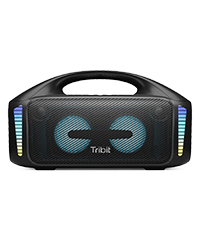
Image 1.1: Tribit XSound Go Portable Bluetooth Speaker (Red). This image shows the speaker from a slight angle, highlighting its compact, cylindrical design and the Tribit logo on the front grille.
2. ઉત્પાદન ઓવરview
2.1 પેકેજ સામગ્રી
- Tribit XSound Go Bluetooth Speaker
- USB-C ચાર્જિંગ કેબલ
- વપરાશકર્તા માર્ગદર્શિકા
૨.૨ સ્પીકરના ઘટકો અને નિયંત્રણો
Familiarize yourself with the buttons and ports on your Tribit XSound Go speaker:
છબી ૪.૧: બાજુ view of the Tribit XSound Go speaker, illustrating the USB-C charging port and AUX input, typically located under a protective flap.
- પાવર બટન: પાવર ચાલુ/બંધ કરવા માટે દબાવો અને પકડી રાખો.
- અવાજ ધીમો (-): વોલ્યુમ ઘટાડો.
- પ્લે/પોઝ બટન: Play or pause music. Answer/end calls.
- વોલ્યુમ વધારો (+): વોલ્યુમ વધારો.
- બ્લૂટૂથ બટન: પેરિંગ મોડમાં પ્રવેશવા માટે દબાવો.
- યુએસબી-સી ચાર્જિંગ પોર્ટ: સ્પીકર ચાર્જ કરવા માટે.
- AUX ઇનપુટ: વાયર્ડ ઓડિયો કનેક્શન માટે.
3. સેટઅપ
૩.૧ સ્પીકરને ચાર્જ કરવું
Before first use, fully charge your Tribit XSound Go speaker. Use the provided USB-C cable to connect the speaker to a 5V USB power adapter (not included) or a computer's USB port.
- LED સૂચક ચાર્જિંગ સ્થિતિ બતાવશે.
- A full charge provides up to 24 hours of continuous playtime.
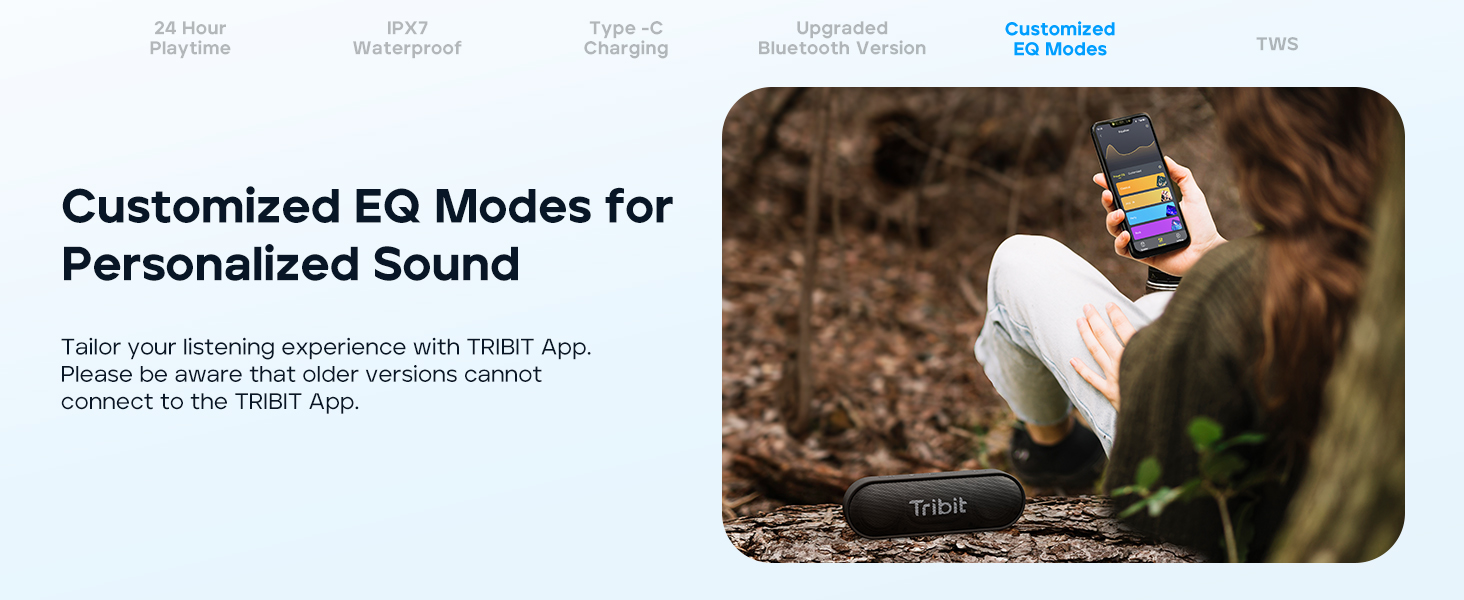
Image 3.1: Tribit XSound Go speaker connected to a USB-C charging cable. This image demonstrates the Type-C charging port in use.
3.2 બ્લૂટૂથ પેરિંગ
તમારા સ્પીકરને બ્લૂટૂથ-સક્ષમ ઉપકરણ સાથે કનેક્ટ કરવા માટે:
- Power on the speaker. The Bluetooth indicator will flash, indicating it's in pairing mode.
- તમારા ઉપકરણ (સ્માર્ટફોન, ટેબ્લેટ, વગેરે) પર, બ્લૂટૂથ સક્ષમ કરો અને ઉપલબ્ધ ઉપકરણો શોધો.
- Select "Tribit XSound Go" from the list.
- એકવાર કનેક્ટ થઈ ગયા પછી, બ્લૂટૂથ સૂચક ઘેરો વાદળી થઈ જશે, અને તમને એક શ્રાવ્ય પુષ્ટિ સંભળાશે.
The speaker features Bluetooth 5.3 for stable connectivity up to 150 feet (45 meters).
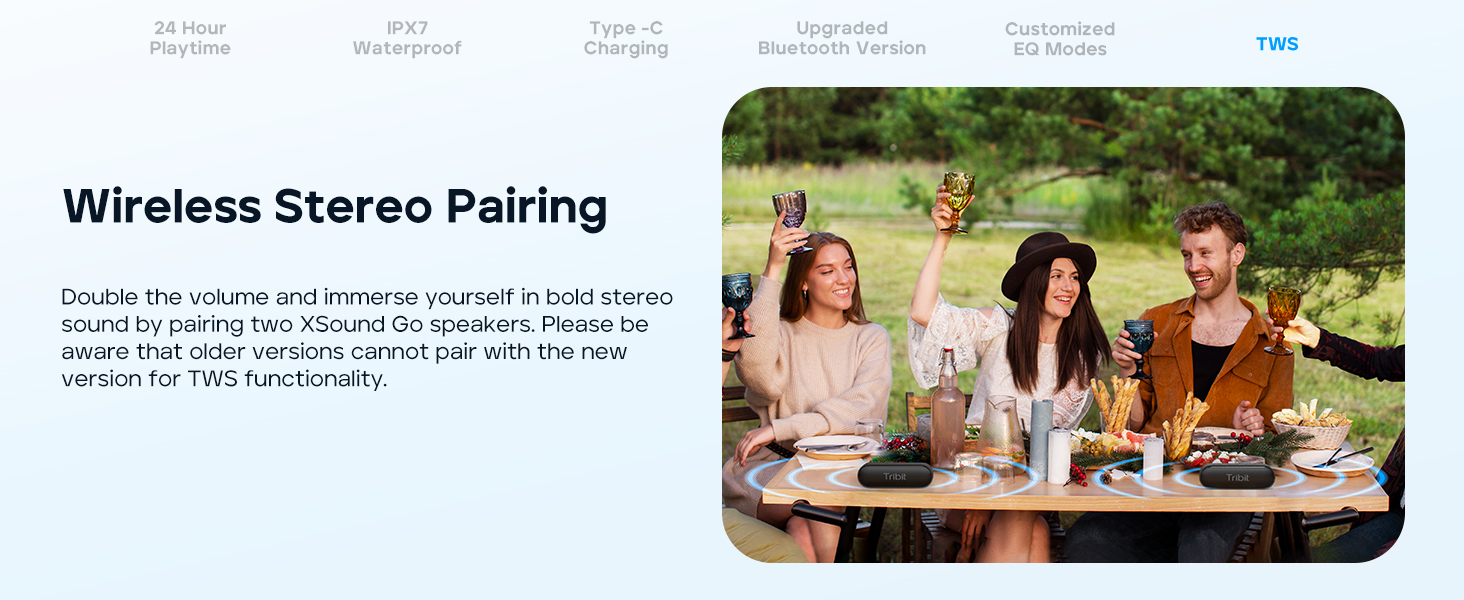
Image 3.2: Tribit XSound Go speaker on a wooden table, symbolizing its readiness for Bluetooth 5.3 connection.
૬.૪ ટ્રુ વાયરલેસ સ્ટીરિયો (TWS) પેરિંગ
You can pair two Tribit XSound Go speakers for a stereo sound experience. નોંધ: Older versions of the XSound Go may not be compatible with newer versions for TWS pairing.
- ખાતરી કરો કે બંને સ્પીકર્સ ચાલુ છે અને અન્ય કોઈ બ્લૂટૂથ ઉપકરણ સાથે જોડાયેલા નથી.
- On one speaker, press and hold the Bluetooth button for 3 seconds. It will enter TWS pairing mode.
- બીજા સ્પીકર પરની ક્રિયાનું પુનરાવર્તન કરો.
- The speakers will automatically connect to each other. Once connected, the main speaker's Bluetooth indicator will flash, and the secondary speaker's indicator will be solid.
- Connect your device to the main speaker via Bluetooth as described in Section 3.2.
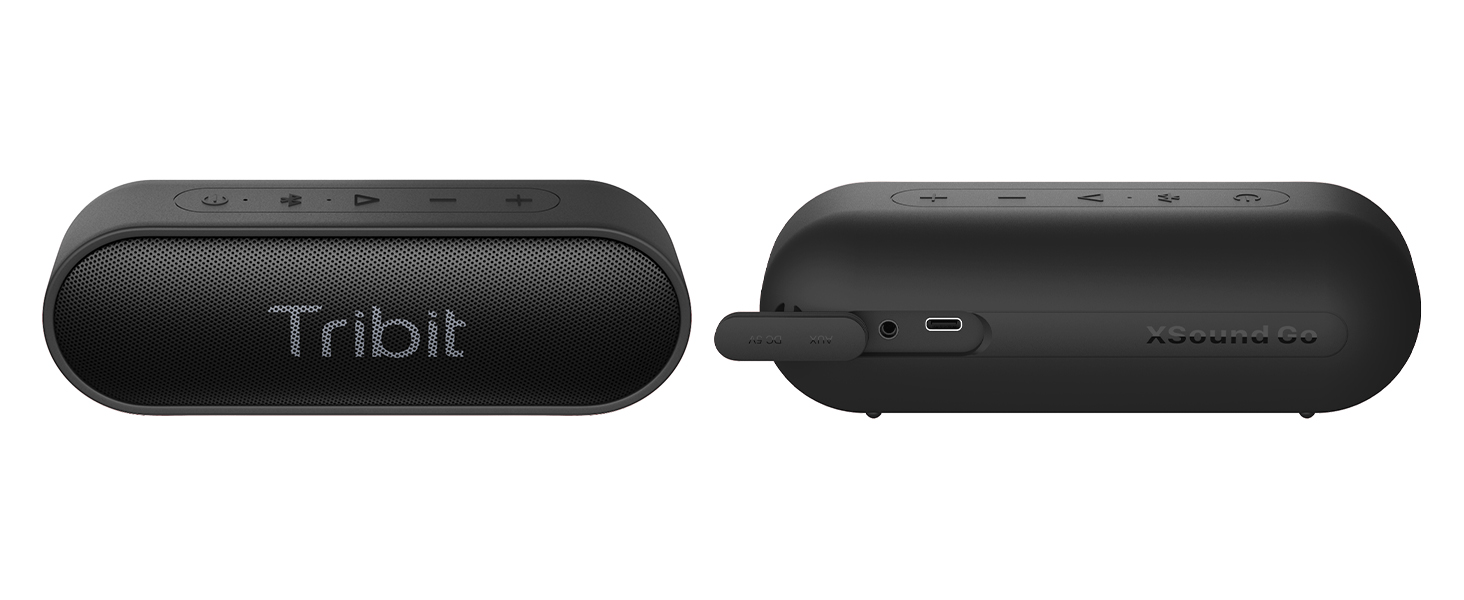
Image 3.3: Two Tribit XSound Go speakers placed on a table, demonstrating a True Wireless Stereo (TWS) setup for enhanced audio.
4. ઓપરેટિંગ સૂચનાઓ
4.1 મૂળભૂત કાર્યો
- પાવર ચાલુ/બંધ: પાવર બટન દબાવો અને પકડી રાખો.
- વોલ્યુમ નિયંત્રણ: '+' અથવા '-' બટનો દબાવો.
- ચલાવો/થોભો: એકવાર પ્લે/પોઝ બટન દબાવો.
- આગળનો ટ્રેક: પ્લે/પોઝ બટનને બે વાર દબાવો.
- પાછલો ટ્રેક: પ્લે/પોઝ બટનને ત્રણ વાર દબાવો.
- જવાબ/કૉલ સમાપ્ત કરો: ઇનકમિંગ કોલ દરમિયાન એકવાર પ્લે/પોઝ બટન દબાવો.
- કૉલ નકારો: ઇનકમિંગ કોલ દરમિયાન પ્લે/પોઝ બટન દબાવો અને પકડી રાખો.
- Activate Voice Assistant (Siri/Google Now): Press and hold the Play/Pause button when not on a call.
4.2 Customized EQ Modes
The Tribit XSound Go supports customized EQ modes for personalized sound. These can be accessed and adjusted via the Tribit App. Please ensure you have the latest version of the speaker for app compatibility.
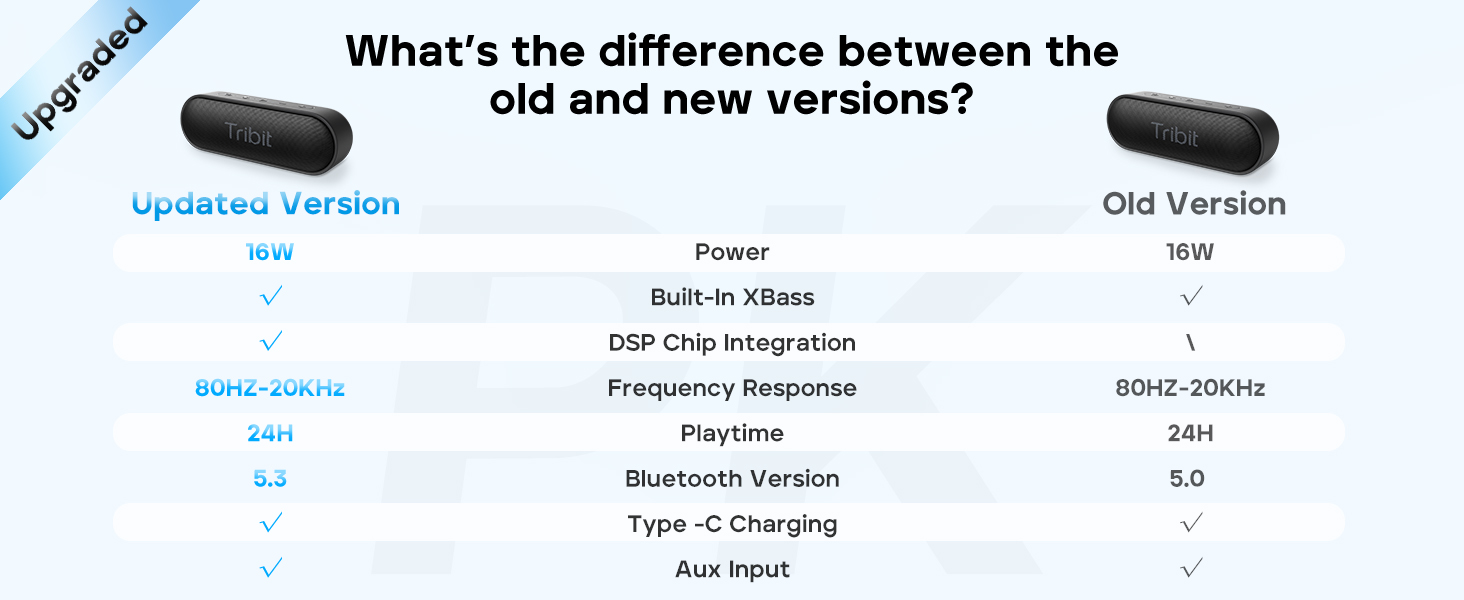
Image 4.1: A person interacting with a smartphone app to customize EQ settings for the Tribit XSound Go speaker.
5. જાળવણી
૫.૪ પાણી પ્રતિકાર (IPX7)
The Tribit XSound Go is IPX7 waterproof, meaning it can be submerged in water up to 1 meter for 30 minutes. To maintain its waterproof integrity:
- Ensure the rubber flap covering the charging port and AUX input is securely closed before exposure to water.
- Do not expose the speaker to saltwater or other chemicals. If exposed, rinse with fresh water and dry thoroughly.
- Avoid prolonged submersion or use in extreme water pressure.

Image 5.1: The Tribit XSound Go speaker partially submerged in water, showcasinતેની IPX7 વોટરપ્રૂફ ક્ષમતા.
5.2 સફાઇ અને સંગ્રહ
- સ્પીકરને સોફ્ટ, ડી થી સાફ કરોamp કાપડ ઘર્ષક ક્લીનર્સ અથવા સોલવન્ટનો ઉપયોગ કરશો નહીં.
- સ્પીકરને સીધા સૂર્યપ્રકાશ અને અતિશય તાપમાનથી દૂર ઠંડી, સૂકી જગ્યાએ સંગ્રહિત કરો.
- જો લાંબા સમય સુધી સ્ટોરેજ કરી રહ્યા હોવ, તો બેટરી લાઇફ બચાવવા માટે દર થોડા મહિને બેટરીને લગભગ 50% ચાર્જ કરો.
6. મુશ્કેલીનિવારણ
જો તમને તમારા સ્પીકરમાં સમસ્યાઓ આવે, તો નીચેના સામાન્ય ઉકેલોનો સંદર્ભ લો:
| સમસ્યા | ઉકેલ |
|---|---|
| સ્પીકર ચાલુ થતો નથી | ખાતરી કરો કે બેટરી ચાર્જ થઈ ગઈ છે. પાવર સ્ત્રોત સાથે કનેક્ટ કરો અને ફરી પ્રયાસ કરો. |
| બ્લૂટૂથ દ્વારા જોડી બનાવી શકાતી નથી | Ensure the speaker is in pairing mode (flashing blue LED). Turn off and on your device's Bluetooth. Forget "Tribit XSound Go" from your device's Bluetooth list and re-pair. Ensure no other devices are connected to the speaker. |
| અવાજ અથવા નીચો અવાજ નથી | Increase volume on both the speaker and your connected device. Ensure the speaker is properly paired. Check if the AUX cable is securely connected if using wired mode. |
| ધ્વનિ વિકૃતિ | Reduce the volume on both the speaker and your device. Ensure the speaker is not too far from your device (within Bluetooth range). |
| TWS જોડી નિષ્ફળ | Ensure both speakers are disconnected from other devices. Follow TWS pairing steps carefully. Note that older and newer versions may not be TWS compatible. |
7. સ્પષ્ટીકરણો
Key technical specifications for the Tribit XSound Go speaker:
| લક્ષણ | વિગત |
|---|---|
| મોડેલનું નામ | એક્સસાઉન્ડ ગો |
| આઇટમ મોડલ નંબર | BTS38 |
| બ્રાન્ડ | ટ્રિબિટ |
| કનેક્ટિવિટી ટેકનોલોજી | બ્લૂટૂથ 5.3 |
| વાયરલેસ કોમ્યુનિકેશન ટેકનોલોજી | બ્લૂટૂથ |
| સ્પીકર મહત્તમ આઉટપુટ પાવર | 16 વોટ્સ |
| ઓડિયો આઉટપુટ મોડ | સ્ટીરિયો |
| ઓડિયો ડ્રાઈવર પ્રકાર | ડાયનેમિક ડ્રાઈવર |
| ઑડિઓ ડ્રાઇવરનું કદ | 40 મિલીમીટર |
| બ્લૂટૂથ રેન્જ | ૬૬ ફૂટ (૨૦ મીટર) સુધી |
| પાવર સ્ત્રોત | બેટરી સંચાલિત (2 લિથિયમ આયન બેટરી શામેલ છે) |
| રમવાનો સમય | 24 કલાક સુધી |
| પાણી પ્રતિકાર સ્તર | IPX7 વોટરપ્રૂફ |
| ઉત્પાદન પરિમાણો | 6.7"W x 2.2"D x 2.3"H (17cm x 5.6cm x 5.8cm) |
| વસ્તુનું વજન | 13.7 ઔંસ (0.39 કિલોગ્રામ) |
| નિયંત્રણ પદ્ધતિ | અવાજ, બટન |
| ખાસ લક્ષણો | Built-in XBass Technology, TWS Pairing, Built-in MIC, DSP Chip Integration |

Image 7.1: Visual representation of the Tribit XSound Go speaker's dimensions.
8. વોરંટી અને સપોર્ટ
8.1 વોરંટી માહિતી
The Tribit XSound Go speaker comes with a limited warranty. Please refer to the warranty card included in your package or visit the official Tribit webવિગતવાર નિયમો અને શરતો માટે સાઇટ.
8.2 ગ્રાહક સપોર્ટ
For any questions, technical assistance, or support inquiries, please contact Tribit customer service. You can find contact information and FAQs on the official Tribit webસાઇટ અથવા તેમના એમેઝોન સ્ટોર પેજ દ્વારા: Tribit Official Store.
9. સલામતી માહિતી
- ઉત્પાદનને ડિસએસેમ્બલ, સમારકામ અથવા સંશોધિત કરશો નહીં.
- ઉત્પાદનને આગ અથવા ઊંચા તાપમાને ખુલ્લા પાડશો નહીં.
- ઉત્પાદનને મજબૂત ચુંબકીય ક્ષેત્રોથી દૂર રાખો.
- ફક્ત ઉલ્લેખિત ચાર્જિંગ વોલ્યુમનો ઉપયોગ કરોtage અને વર્તમાન.
- બાળકોની પહોંચથી દૂર રાખો.
- સ્થાનિક નિયમો અનુસાર જવાબદારીપૂર્વક ઉત્પાદનનો નિકાલ કરો.