
1. પરિચય
The BoxWave AccuPoint Active Stylus is designed to provide a precise and natural writing experience on your Hantek TO1154C device. This electronic stylus features an ultra-fine tip and requires no Bluetooth pairing, making it simple to use right out of the box. Its durable construction ensures reliability for daily tasks.
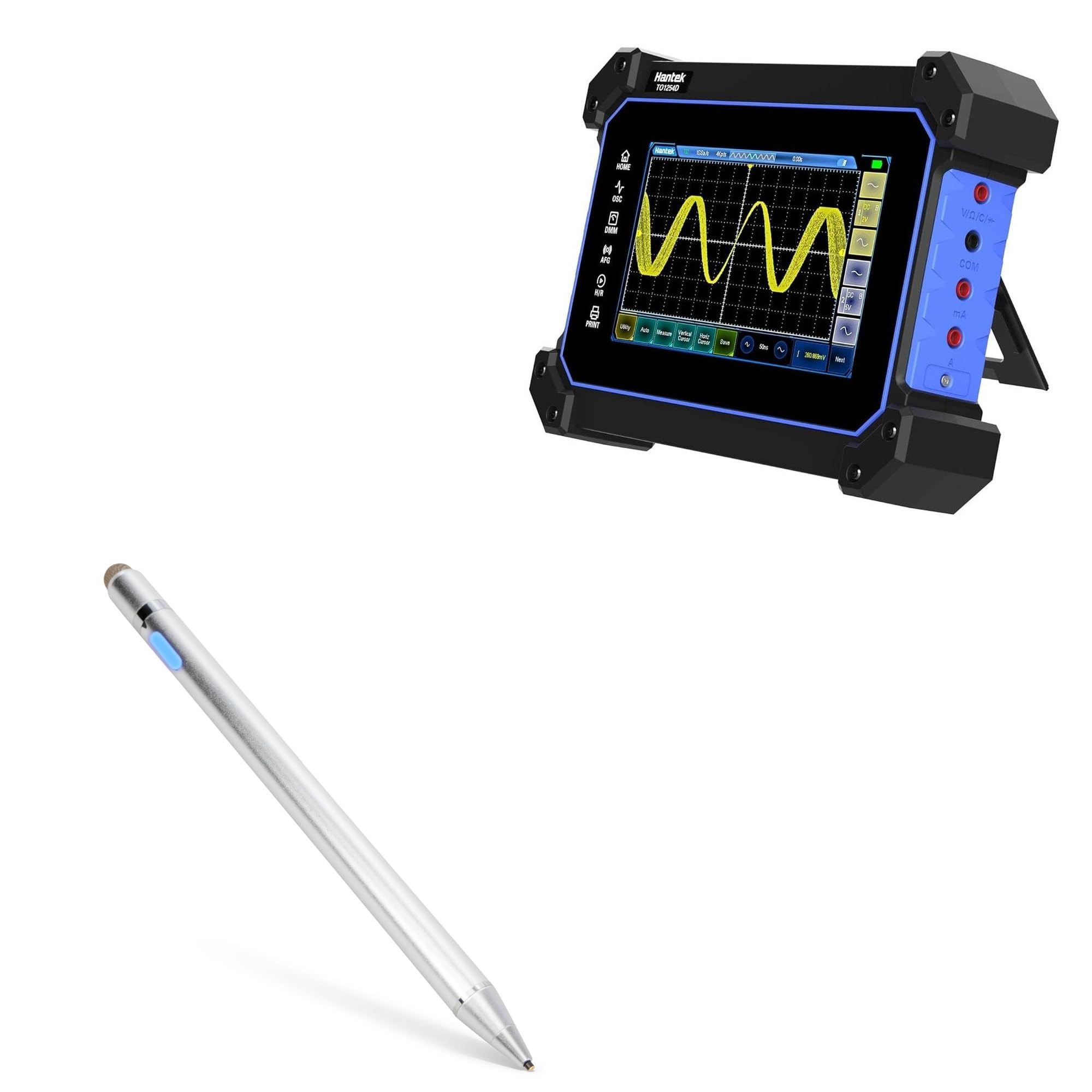
Image 1.1: The BoxWave AccuPoint Active Stylus Pen in Metallic Silver.

છબી 1.2: ઓવરview of the AccuPoint Active Stylus, highlighting its 2-in-1 functionality.
મુખ્ય લક્ષણો:
- કોઈ જોડી બનાવવાની જરૂર નથી: Simply press the power button to activate.
- Ultra Fine Tip: A 2mm tip allows for precise interaction with your screen.
- લાંબી બેટરી જીવન: Built-in battery provides up to 12 hours of continuous use.
- ટકાઉ બાંધકામ: Solid brushed aluminum barrel for strength and stability.
- રિચાર્જ કરવા યોગ્ય: Includes a MicroUSB cable for convenient charging.
નોંધ: The AccuPoint Active Stylus does not support Palm Rejection or Pressure Sensitivity.
2. સેટઅપ
Follow these steps to prepare your AccuPoint Active Stylus for first use:
- Charge the Stylus: Before initial use, fully charge the stylus using the provided MicroUSB cable. Connect the cable to the stylus's charging port and a standard USB power source (e.g., computer, wall adapter). The indicator light will show charging status.
- પાવર ચાલુ: Press the power button located on the stylus barrel. The indicator light will illuminate, signifying the stylus is active and ready for use.
- કોઈ જોડી નથી: The stylus does not require Bluetooth pairing. It emits electronic pulses to interact with your device's screen directly.

છબી 2.1: વિગતવાર view of the stylus features, including the charging port and indicator light.

Image 2.2: Visual representation of key features like the precise tip and rechargeable design.
3. ઓપરેટિંગ સૂચનાઓ
The AccuPoint Active Stylus is designed for intuitive use on your Hantek TO1154C. Once powered on, it functions like a traditional pen.
મૂળભૂત કામગીરી:
- લેખન અને ચિત્ર: Hold the stylus naturally and touch the ultra-fine tip to your device's screen to write, draw, or annotate.
- Tapping and Swiping: Use the stylus to tap on icons, select menu options, and swipe through content with enhanced precision.
- સૂચક પ્રકાશ: The indicator light will remain illuminated when the stylus is active.

Image 3.1: The stylus in use, demonstrating its accuracy and sensitivity.

Image 3.2: A hand operating the stylus on a tablet, showing precise interaction with applications.

Image 3.3: The stylus allows for natural tap, swipe, and writing motions without pairing.

Image 3.4: The stylus offers precise control across applications and features a comfortable, sleek design.
4. જાળવણી
Proper care and maintenance will extend the life of your AccuPoint Active Stylus.
ચાર્જિંગ:
- When the indicator light turns red, the battery is low and requires charging.
- Connect the provided MicroUSB cable to the stylus and a USB power source.
- The indicator light will be red during charging and turn green when fully charged.
- સંપૂર્ણ ચાર્જ લગભગ 12 કલાકનો ઉપયોગ પૂરો પાડે છે.

Image 4.1: Indicator light colors for power status and charging.

Image 4.2: The stylus connected to a laptop via MicroUSB for convenient charging.
સફાઈ અને સંગ્રહ:
- Wipe the stylus body with a soft, dry cloth. Avoid abrasive cleaners.
- Keep the tip clean and free from debris to ensure optimal performance.
- Store the stylus in a safe place to prevent damage to the tip when not in use.
5. મુશ્કેલીનિવારણ
If you encounter issues with your AccuPoint Active Stylus, refer to the following common solutions:
| સમસ્યા | સંભવિત કારણ | ઉકેલ |
|---|---|---|
| Stylus does not turn on. | ઓછી બેટરી. | Charge the stylus using the provided MicroUSB cable. |
| Stylus is unresponsive or inaccurate. | Stylus not powered on; dirty tip; device screen issue. | Ensure the stylus is powered on (blue indicator light). Clean the stylus tip and your device screen. Restart your Hantek TO1154C device. |
| Stylus not charging. | ખામીયુક્ત કેબલ અથવા પાવર સ્ત્રોત; ચાર્જિંગ પોર્ટ અવરોધ. | Try a different MicroUSB cable or USB power source. Check the charging port for any debris. |
6. સ્પષ્ટીકરણો
Detailed specifications for the BoxWave AccuPoint Active Stylus:

Image 6.1: Visual breakdown of the stylus's features and specifications.
| લક્ષણ | વિગત |
|---|---|
| મોડલ નંબર | bw-1434-50907-10305 |
| રંગ | મેટાલિક સિલ્વર |
| ટિપ સાઇઝ | 2mm (Ultra Fine Tip) |
| બેટરી જીવન | ઉપયોગના 12 કલાક સુધી |
| ચાર્જિંગ પોર્ટ | માઇક્રોયુએસબી |
| સામગ્રી | બ્રશ કરેલ એલ્યુમિનિયમ |
| વજન | 1.3 ઔંસ |
| બેટરી સમાવાયેલ | Yes (1 Product Specific battery) |
7. સપોર્ટ અને વોરંટી
For technical assistance or inquiries regarding your BoxWave AccuPoint Active Stylus, please refer to the following information:
ટેકનિકલ સપોર્ટ:
BoxWave provides limited 3rd party technical support for your device (up to 3 inquiries via messaging). Please note that BoxWave is not affiliated with or endorsed by Hantek.
વોરંટી માહિતી:
Please refer to the product packaging or the BoxWave official website for specific warranty terms and conditions. Keep your proof of purchase for any warranty claims.