
LEVOIT 5ddce951-f1e5-4fc2-b790-0e25bd06f240
LEVOIT 36" Bladeless Tower Fan & Air Purifier User Manual
Model: 5ddce951-f1e5-4fc2-b790-0e25bd06f240
Brand: LEVOIT
પરિચય
This manual provides detailed instructions for the safe and efficient operation, maintenance, and troubleshooting of your LEVOIT 36" Bladeless Tower Fan and LEVOIT Core Mini-P Air Purifier. Please read this manual thoroughly before use and retain it for future reference.
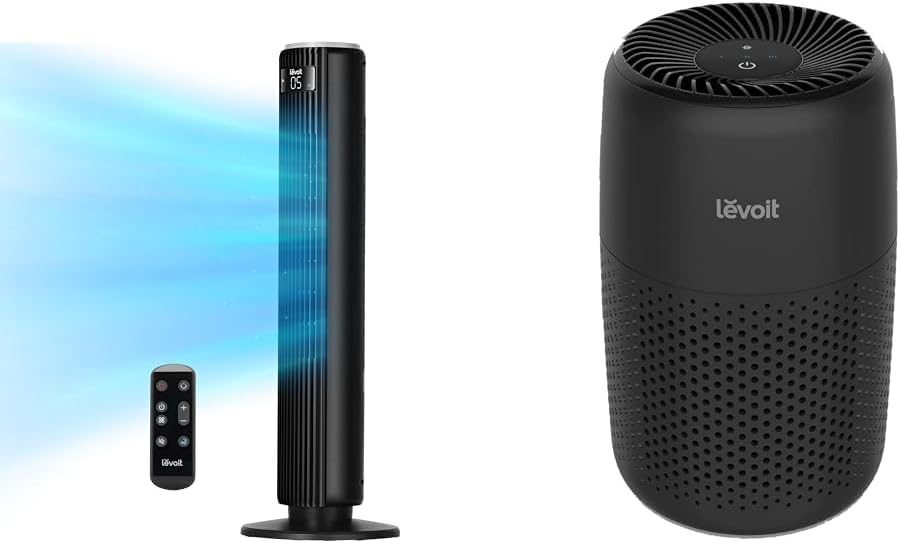
Image: The LEVOIT 36-inch Bladeless Tower Fan and the LEVOIT Core Mini-P Air Purifier shown together, highlighting their compact and modern design.
મહત્વપૂર્ણ સલામતી માહિતી
આગ, ઇલેક્ટ્રિક આંચકો અથવા ઈજાના જોખમને ઘટાડવા માટે, કૃપા કરીને નીચેની સલામતી સાવચેતીઓનું પાલન કરો:
- સફાઈ કરતા પહેલા અથવા કોઈપણ જાળવણી કરતા પહેલા હંમેશા ઉપકરણને અનપ્લગ કરો.
- ક્ષતિગ્રસ્ત કોર્ડ અથવા પ્લગ સાથે કોઈપણ પંખો ચલાવશો નહીં. પંખો કાઢી નાખો અથવા પરીક્ષા અને/અથવા સમારકામ માટે અધિકૃત સેવા સુવિધા પર પાછા ફરો.
- ગાલીચાની નીચે દોરી ન ચલાવો. કોર્ડને થ્રો રગ્સ, રનર્સ અથવા સમાન આવરણથી ઢાંકશો નહીં. કોર્ડને ટ્રાફિક વિસ્તારથી દૂર ગોઠવો અને જ્યાં તે ફસાઈ ન જાય.
- Do not insert or allow fingers or foreign objects to enter any ventilation or exhaust opening as this may cause an electric shock or damage the appliance.
- કોઈપણ રીતે હવાનું સેવન અથવા એક્ઝોસ્ટને અવરોધિત કરશો નહીં.
- આ મેન્યુઅલમાં વર્ણવ્યા મુજબ જ આ ઉપકરણનો ઉપયોગ કરો. ઉત્પાદક દ્વારા ભલામણ ન કરાયેલા અન્ય કોઈપણ ઉપયોગથી આગ, ઇલેક્ટ્રિક આંચકો અથવા વ્યક્તિઓને ઈજા થઈ શકે છે.
- બહારનો ઉપયોગ કરશો નહીં.
- આ ઉપકરણમાં પોલરાઇઝ્ડ પ્લગ છે (એક બ્લેડ બીજા કરતા પહોળી છે). ઇલેક્ટ્રિક શોકના જોખમને ઘટાડવા માટે, આ પ્લગનો હેતુ માત્ર એક જ રીતે પોલરાઇઝ્ડ આઉટલેટમાં ફિટ કરવાનો છે. જો પ્લગ આઉટલેટમાં સંપૂર્ણપણે ફિટ ન થાય, તો પ્લગને ઉલટાવો. જો તે હજી પણ બંધબેસતું નથી, તો યોગ્ય ઇલેક્ટ્રિશિયનનો સંપર્ક કરો. આ સુરક્ષા સુવિધાને હરાવવાનો પ્રયાસ કરશો નહીં.
પેકેજ સામગ્રી
- LEVOIT 36" Bladeless Tower Fan
- ટાવર ફેન માટે રીમોટ કંટ્રોલ
- LEVOIT Core Mini-P Air Purifier
- 3-in-1 Filtration Filter (Pre-installed in Air Purifier)
- Aroma Pad (Pre-installed in Air Purifier)
- Power Adapter for Air Purifier
- વપરાશકર્તા માર્ગદર્શિકા
ઉત્પાદન ઓવરview
LEVOIT 36" Bladeless Tower Fan

Image: The LEVOIT 36-inch Bladeless Tower Fan standing upright with its remote control. Blue lines illustrate the powerful airflow emanating from the fan's vertical vent.
The tower fan features a sleek, bladeless design for safety and easy cleaning. It includes a digital display on top, indicating settings such as speed and timer. The base provides stability, and the unit comes with a remote control for convenient operation.
LEVOIT Core Mini-P Air Purifier

છબી: ક્લોઝ-અપ view of the LEVOIT Core Mini-P Air Purifier. It is a compact, cylindrical device with a matte black finish and perforated sides for air intake, featuring control buttons on its top surface.
The Core Mini-P Air Purifier is a compact, cylindrical device designed for small to medium-sized rooms. It features a 3-stage filtration system and a fragrance sponge for aromatherapy. Control buttons are located on the top panel.
સેટઅપ
Setting up the Tower Fan
- Carefully remove the tower fan from its packaging.
- Ensure the base is securely attached. If not, align the base with the fan body and twist clockwise until it locks into place.
- પંખાને એક મજબૂત, સમતલ સપાટી પર મૂકો.
- પાવર કોર્ડને પ્રમાણભૂત ઇલેક્ટ્રિકલ આઉટલેટમાં પ્લગ કરો.
એર પ્યુરિફાયર સેટ કરી રહ્યું છે
- એર પ્યુરિફાયરને તેના પેકેજિંગમાંથી દૂર કરો.
- Turn the air purifier upside down and twist the base cover counter-clockwise to unlock and remove it.
- Remove the plastic packaging from the 3-in-1 filtration filter.
- Place the filter back into the air purifier, ensuring it is seated correctly.
- Replace the base cover and twist clockwise to lock it.
- Connect the power adapter to the air purifier and then plug it into a standard electrical outlet.
- To use the aromatherapy feature, add 2-3 drops of essential oil (not included) onto the aroma pad located at the bottom of the air purifier.
ઓપરેટિંગ સૂચનાઓ
Operating the Tower Fan
The tower fan can be operated using the control panel on top of the unit or the included remote control.
- પાવર બટન: પંખો ચાલુ અથવા બંધ કરવા માટે દબાવો.
- મોડ બટન: Cycle through 4 modes: Normal, Turbo, Sleep, and Auto.
- સામાન્ય મોડ: પસંદ કરેલી ગતિએ સતત હવા પ્રવાહ.
- ટર્બો મોડ: Maximum airflow for quick cooling.
- નિદ્રા સ્થિતિ: Gradually decreases fan speed for quiet operation.
- Autoટો મોડ: Adjusts fan speed based on ambient room temperature (detected by smart sensors).
- ઝડપ ગોઠવણ: Use the '+' and '-' buttons to select from 5 speed settings.
- ઓસિલેશન બટન: Press to activate or deactivate 90° oscillation, allowing the fan to sweep air across a wider area.
- ટાઈમર બટન: Set the fan to automatically turn off after a specified period (up to 12 hours). Each press adds 1 hour.
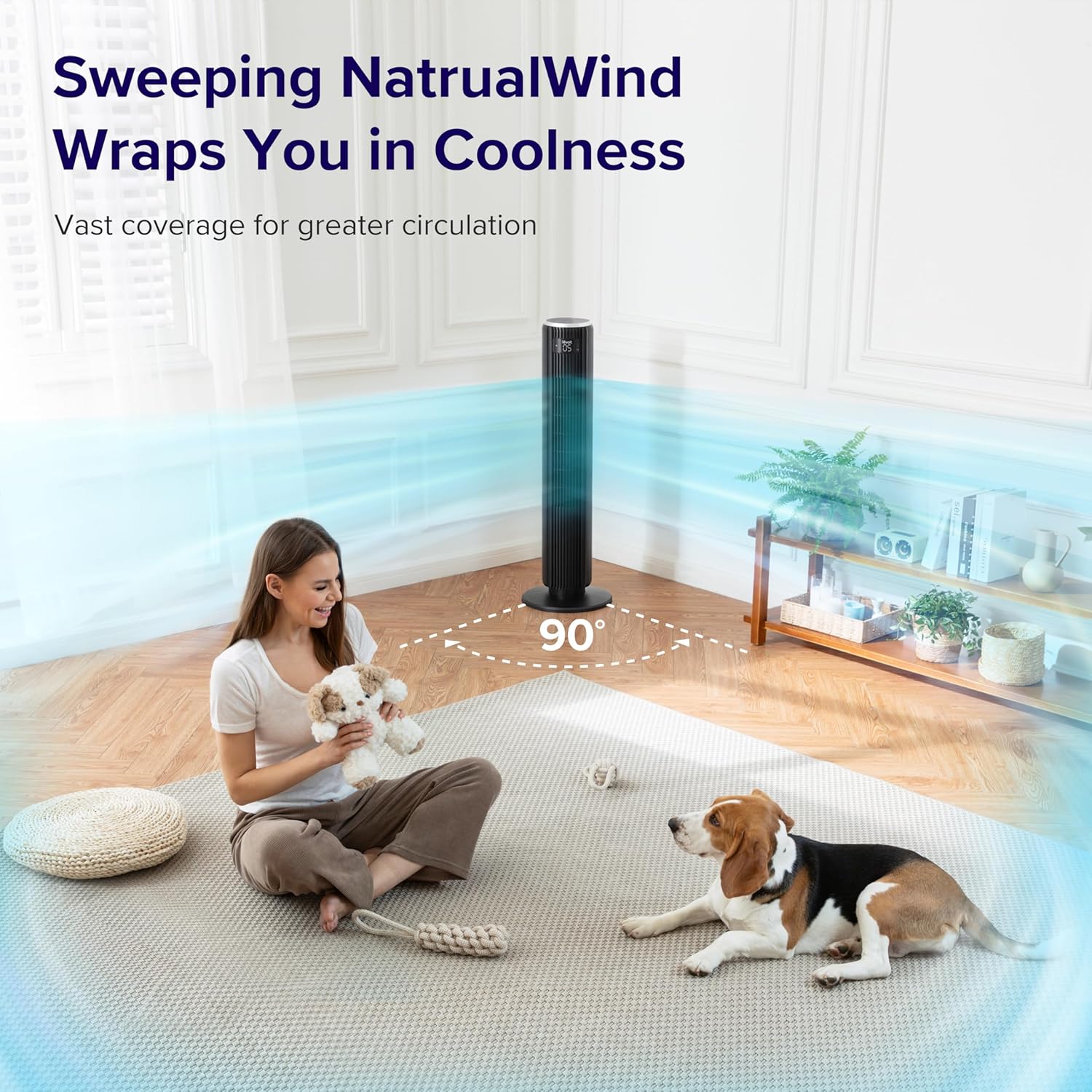
Image: The LEVOIT 36-inch Bladeless Tower Fan is shown oscillating 90 degrees, indicated by blue airflow lines covering a wide area in a living room setting. A person and a dog are comfortably within the fan's cooling range.

Image: The LEVOIT 36-inch Bladeless Tower Fan is positioned in a bedroom, emitting a gentle, natural-feeling breeze, illustrated by light blue airflow lines. A person is meditating peacefully in the background, emphasizing the fan's quiet operation and comfortable airflow.
એર પ્યુરિફાયરનું સંચાલન
The air purifier is controlled via the touch buttons on its top panel.
- પાવર બટન: Press to turn the air purifier on or off.
- ફેન સ્પીડ બટન: Cycle through 3 quiet fan speeds (Low, Medium, High).
- Aroma Feature: The aroma pad allows for the diffusion of essential oils. Add 2-3 drops of essential oil to the pad located at the bottom of the unit. The fan will then circulate the scent.

Image: The LEVOIT Core Mini-P Air Purifier is shown on a nightstand in a bedroom, with a mother and child in the background. Text overlays emphasize "Multi-Layered Protection" including Pre-Filter, Efficient Filter, and Activated Carbon Filter, illustrating its air purification capabilities.

Image: The LEVOIT Core Mini-P Air Purifier is placed on a table in a living room. A hand is shown adding essential oil drops to the aroma pad, demonstrating the "Refresh With Fragrance" feature for destressing and staying focused.
જાળવણી
ટાવર પંખાની સફાઈ
- સફાઈ કરતા પહેલા હંમેશા પંખાને અનપ્લગ કરો.
- સોફ્ટનો ઉપયોગ કરો, ડીamp પંખાની બાહ્ય સપાટી સાફ કરવા માટે કાપડ.
- ઘર્ષક ક્લીનર્સ અથવા સોલવન્ટનો ઉપયોગ કરશો નહીં.
- For dust accumulation in the air inlet/outlet, use a vacuum cleaner with a brush attachment to gently remove dust.
Cleaning and Filter Replacement for Air Purifier
- Unplug the air purifier before cleaning or replacing the filter.
- નરમ, સૂકા કપડાથી બાહ્ય ભાગ સાફ કરો.
- The 3-in-1 filtration filter should be replaced every 6-8 months, or sooner depending on air quality and usage.
- ફિલ્ટરને બદલવા માટે:
- Turn the air purifier upside down and twist the base cover counter-clockwise to unlock.
- જૂનું ફિલ્ટર કાઢી નાખો અને તેનો યોગ્ય રીતે નિકાલ કરો.
- Insert a new LEVOIT Core Mini-P replacement filter (ensure plastic packaging is removed).
- Replace the base cover and twist clockwise to lock.
- Clean the aroma pad as needed with a damp cloth and allow it to dry completely before reapplying essential oils.
મુશ્કેલીનિવારણ
| સમસ્યા | સંભવિત કારણ | ઉકેલ |
|---|---|---|
| Fan/Purifier does not turn on. | પ્લગ ઇન નથી; પાવર આઉટલેટ કામ કરતું નથી; પાવર બટન દબાયેલું નથી. | Ensure unit is securely plugged in. Test outlet with another device. Press the power button firmly. |
| Weak airflow from fan. | Fan speed too low; air inlet/outlet blocked. | Increase fan speed. Check for obstructions and clean air inlets/outlets. |
| Air purifier not effectively cleaning air. | Filter is dirty or expired; plastic packaging not removed from filter. | Replace the filter. Ensure all plastic packaging is removed from the new filter before installation. |
| પંખો ઘોંઘાટીયા છે. | Unit not on a level surface; internal obstruction. | Place the fan on a flat, stable surface. Check for any foreign objects inside the fan. |
| રીમોટ કંટ્રોલ કામ કરતું નથી. | Batteries are dead or incorrectly inserted; remote too far from fan. | Replace batteries. Ensure correct polarity. Use remote within range and point towards the fan's receiver. |
વિશિષ્ટતાઓ
LEVOIT 36" Bladeless Tower Fan
- મોડલ: 5ddce951-f1e5-4fc2-b790-0e25bd06f240
- પાવર સ્ત્રોત: કોર્ડેડ ઇલેક્ટ્રિક
- હવા પ્રવાહ ક્ષમતા: 1062 ઘન ફીટ પ્રતિ મિનિટ (CFM)
- હવાની ગતિ: 25 ફૂટ/સેકન્ડ સુધી
- ઓસિલેશન: 90°
- અવાજનું સ્તર: 28dB જેટલું ઓછું
- સ્થિતિઓ: Normal, Turbo, Sleep, Auto
- ઝડપ: 5
- ટાઈમર: 1-12 કલાક
- નિયંત્રણ પદ્ધતિ: રિમોટ, ટચ પેનલ
- ખાસ લક્ષણો: Bladeless, Temperature Sensor
LEVOIT Core Mini-P Air Purifier
- મોડલ: Core Mini-P (part of bundle)
- ગાળણ: 3-in-1 (Pre-Filter, Efficient Filter, Activated Carbon Filter)
- કવરેજ વિસ્તાર: ૩,૫૦૦ ફૂટ² સુધી
- અવાજનું સ્તર: 25-44dB
- ઝડપ: 3
- ખાસ લક્ષણો: Fragrance Sponge for Aromatherapy, Portable
વોરંટી અને આધાર
LEVOIT provides a limited warranty for this product. For detailed warranty information, including duration and coverage, please refer to the warranty card included in your product packaging or visit the official LEVOIT webસાઇટ
For technical support, troubleshooting assistance, or to inquire about replacement parts (such as air purifier filters), please contact LEVOIT Customer Support:
- Webસાઇટ: www.levoit.com
- ઈમેલ: સપોર્ટ@levoit.com
- ફોન: (Refer to LEVOIT website for regional contact numbers)
Please have your model number (5ddce951-f1e5-4fc2-b790-0e25bd06f240) and purchase information ready when contacting support.
Ask a question about this manual
Ask about setup, troubleshooting, compatibility, parts, safety, or missing instructions. Manuals+ will review the question and use this page’s manual context to help answer it.