
પરિચય
Thank you for choosing Topsung K-12 FRS Walkie Talkies. This manual provides essential information for the safe and efficient use of your new two-way radios. These rechargeable, long-range walkie talkies are designed for reliable communication in various environments, featuring NOAA weather alerts, hands-free iVOX operation, and a durable design. Please read this manual thoroughly before operation and retain it for future reference.
બૉક્સમાં શું છે
- 4 * American Multi-purpose Walkie Talkies
- 4 * Detachable Lanyards & Belt Clips
- 2 * Multi-port USB Charging Cables
- 4 * 4500mAh Rechargeable Batteries (pre-installed or separate)
- 1 * User Manual & 3 Year Manufacturer Service Information
ઉત્પાદન ઓવરview
Familiarize yourself with the components and controls of your Topsung K-12 Walkie Talkie:

- એન્ટેના: સિગ્નલો ટ્રાન્સમિટ કરવા અને પ્રાપ્ત કરવા માટે.
- Stepless Volume Knob: Rotate to adjust listening volume.
- HD Backlit LCD: Displays channel, battery status, and other settings.
- PTT (પુશ-ટુ-ટોક) બટન: Press and hold to transmit, release to listen.
- Call/Keypad Lock Button: Press to send a call tone. Press and hold to lock/unlock the keypad.
- મેનુ/પાવર બટન: Press to enter menu. Press and hold to power on/off.
- ઉપર/નીચે બટનો: Navigate menu options and change channels/settings.
- માઇક્રોફોન: Speak into this when transmitting.
- AAA Sound Speaker: સ્પષ્ટ ઓડિયો આઉટપુટ માટે.
- 2.5mm Earpiece Jack: For connecting compatible audio accessories.
- માઇક્રો યુએસબી જેક: For charging the walkie talkie.
સેટઅપ
1. બેટરી ઇન્સ્ટોલેશન
- Ensure the walkie talkie is powered off.
- Remove the belt clip by pushing the tab and sliding it upwards.
- Open the back cover by gently prying it open from the bottom notch.
- Insert the 4500mAh rechargeable battery pack, ensuring correct polarity.
- Replace the back cover and reattach the belt clip.
2. બેટરી ચાર્જ કરી રહી છે
Your walkie talkies come with a 4500mAh rechargeable battery. For optimal performance, fully charge the battery before first use.
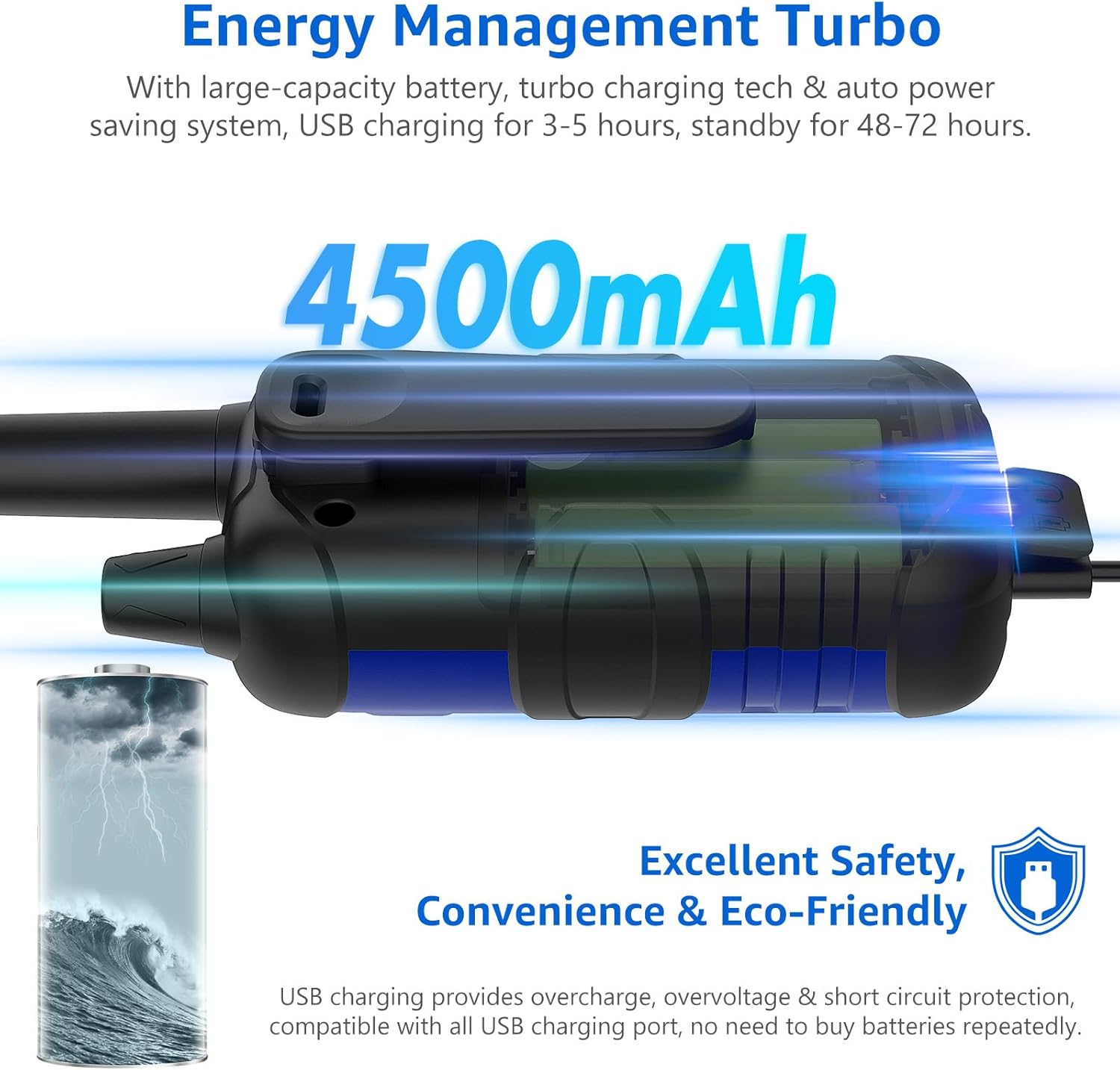
- Connect the micro USB charging cable to the Micro USB Jack on the walkie talkie.
- Plug the other end of the USB cable into a compatible USB power source (e.g., wall adapter, car charger, power bank, computer USB port).
- The charging indicator on the LCD will show charging status.
- A full charge typically takes 3-5 hours and provides approximately 48-72 hours of standby time.
3. Attaching Belt Clip and Lanyard
- Slide the belt clip onto the back of the walkie talkie until it clicks into place.
- Attach the lanyard to the designated loop on the walkie talkie for convenient carrying.
ઓપરેટિંગ સૂચનાઓ
1. પાવર ચાલુ/બંધ
- પાવર ચાલુ કરવા માટે, દબાવો અને પકડી રાખો મેનુ/પાવર button until the LCD screen illuminates.
- પાવર બંધ કરવા માટે, ને દબાવો અને હોલ્ડ કરો મેનુ/પાવર LCD સ્ક્રીન બંધ ન થાય ત્યાં સુધી બટન.
2. વોલ્યુમ એડજસ્ટ કરવું
- ફેરવો Stepless Volume Knob clockwise to increase volume and counter-clockwise to decrease volume.
3. ચેનલ પસંદ કરી રહ્યા છીએ
- દબાવો મેનુ/પાવર button once to enter channel selection mode. The channel number will flash.
- નો ઉપયોગ કરો UP or નીચે buttons to select one of the 22 available FRS channels.
- દબાવો પીટીટી બટન અથવા મેનુ/પાવર button again to confirm your selection and exit the menu.
4. Setting Privacy Codes (CTCSS/DCS)
Privacy codes help reduce interference from other users on the same channel. Both radios must be set to the same channel and privacy code to communicate.
- દબાવો મેનુ/પાવર button twice to enter privacy code selection mode. The privacy code will flash.
- નો ઉપયોગ કરો UP or નીચે buttons to select one of the 142 available privacy codes (CTCSS/DCS).
- દબાવો પીટીટી બટન અથવા મેનુ/પાવર તમારી પસંદગીની પુષ્ટિ કરવા માટે ફરીથી બટન.
૫.૩. ટ્રાન્સમિટિંગ અને રિસીવિંગ (PTT)
- ટ્રાન્સમિટ કરવા માટે, દબાવો અને પકડી રાખો પીટીટી બટન. માઇક્રોફોનમાં સ્પષ્ટ રીતે બોલો.
- રિલીઝ કરો પીટીટી પ્રતિભાવ સાંભળવા માટે બટન.
6. iVOX Hands-Free Operation
The iVOX feature allows for voice-activated transmission without pressing the PTT button.

- દબાવો મેનુ/પાવર button until the iVOX icon appears on the LCD.
- નો ઉપયોગ કરો UP or નીચે buttons to select the iVOX sensitivity level (e.g., 1-3, with 3 being most sensitive).
- દબાવો પીટીટી બટન અથવા મેનુ/પાવર પુષ્ટિ કરવા માટે બટન.
- When iVOX is active, the radio will transmit automatically when you speak.
7. NOAA હવામાન ચેતવણી
Stay informed about severe weather conditions with the integrated NOAA Weather Radio feature.

- દબાવો NOAA/Scan NOAA હવામાન ચેનલોને ઍક્સેસ કરવા માટે બટન.
- નો ઉપયોગ કરો UP or નીચે buttons to cycle through the available NOAA channels.
- The radio will automatically alert you to severe weather broadcasts when this feature is active.
8. કીપેડ લ .ક
- To prevent accidental changes to settings, press and hold the CALL/KEYPAD LOCK button until the lock icon appears on the LCD.
- અનલૉક કરવા માટે, દબાવો અને પકડી રાખો CALL/KEYPAD LOCK લોક આઇકન અદૃશ્ય થઈ જાય ત્યાં સુધી ફરીથી બટન દબાવો.
9. Scanning Channels
- દબાવો NOAA/Scan button (short press) to activate the auto-scan feature. The radio will scan all channels for activity.
- It will stop on an active channel. Press પીટીટી to transmit on that channel or NOAA/Scan again to resume scanning.
10. ટોન ક Tલ કરો
- ની ટૂંકી પ્રેસ CALL/KEYPAD LOCK button will send an audible call tone to other radios on the same channel and privacy code.
જાળવણી
- સફાઈ: સોફ્ટનો ઉપયોગ કરો, ડીamp વોકી ટોકીના બાહ્ય ભાગને સાફ કરવા માટે કાપડનો ઉપયોગ કરો. કઠોર રસાયણો અથવા ઘર્ષક ક્લીનર્સનો ઉપયોગ કરશો નહીં.
- બેટરી સંભાળ: To prolong battery life, avoid fully discharging the battery frequently. Store the walkie talkie with a partially charged battery if not used for extended periods.
- સંગ્રહ: Store the walkie talkie in a cool, dry place away from direct sunlight and extreme temperatures.
- પાણી પ્રતિકાર: આ વોકી ટોકી છે પાણી પ્રતિરોધક નથી. Avoid exposure to rain, splashes, or immersion in water.
મુશ્કેલીનિવારણ
| સમસ્યા | સંભવિત કારણ | ઉકેલ |
|---|---|---|
| કોઈ શક્તિ નથી | બેટરી ઓછી છે અથવા યોગ્ય રીતે ઇન્સ્ટોલ કરેલી નથી. | Charge the battery. Ensure the battery is correctly inserted with proper polarity. |
| ટ્રાન્સમિટ અથવા પ્રાપ્ત કરી શકાતું નથી | Different channels or privacy codes. Out of range. Keypad locked. | Ensure all radios are on the same channel and privacy code. Move closer to the other radio. Unlock the keypad. |
| નબળી ઑડિઓ ગુણવત્તા / સ્થિર | Weak signal. Interference. Volume too low. | Move to an open area. Adjust squelch level (if available in menu). Increase volume. |
| મર્યાદિત શ્રેણી | Obstructions (buildings, hills). Environmental factors. | Range can be significantly reduced by terrain and structures. For optimal range, use in open areas with clear line of sight. The advertised maximum range is under ideal conditions. |
| કીપેડ પ્રતિભાવવિહીન | કીપેડ લોક છે. | દબાવો અને પકડી રાખો CALL/KEYPAD LOCK કીપેડ અનલૉક કરવા માટેનું બટન. |
વિશિષ્ટતાઓ
| લક્ષણ | વિગત |
|---|---|
| બ્રાન્ડ | ટોપસંગ |
| મોડલ નંબર | b0d3ab2e-c7c0-4cd3-acdb-7baf16851dfe |
| રંગ | Blue Green Red Yellow |
| ચેનલોની સંખ્યા | 22 FRS ચેનલો |
| ગોપનીયતા કોડ્સ | ૧૨૧ (સીટીસીએસએસ/ડીસીએસ) |
| આવર્તન શ્રેણી | FRS |
| વાત કરવાની રેન્જ મહત્તમ | Up to 5 Miles (under ideal conditions) |
| બેટરી ક્ષમતા | ૪૦૦mAh (રિચાર્જેબલ) |
| ચાર્જિંગ સમય | 3-5 કલાક |
| સ્ટેન્ડબાય સમય | 48-72 કલાક |
| ખાસ લક્ષણો | iVOX Hands-Free, NOAA Weather Service, Keypad Lock, Auto Squelch, Auto Memory, Auto Scan, Auto Power Saver, Low Battery Alert, Turbo Charging Tech, Drop Protection |
| પાણી પ્રતિકાર સ્તર | પાણી પ્રતિરોધક નથી |
| વસ્તુનું વજન | ૧.૧૮ પાઉન્ડ (પેક માટે) |
| પેકેજ પરિમાણો | 8.74 x 6.81 x 2.56 ઇંચ |
વોરંટી અને આધાર
Your Topsung K-12 FRS Walkie Talkies are covered by a 3-Year Manufacturer's Service.
For any product-related concerns, technical assistance, or warranty claims, please contact Topsung Technology directly. Seller customer service is often more knowledgeable about the product and can provide personalized after-sales support, including single piece or accessory replacement.
How to Get Timely Reply from Seller:
- Locate the store name "topsung technology" on the product detail page (usually below the "Add to Cart" button).
- Click on "topsung technology".
- Click "Ask a question".
- Follow the Messaging Assistant instructions, selecting "An item for sale" — "Something else" — "Other".
- Send your message detailing your concern.