
1. પરિચય
This manual provides essential information for the installation, operation, and maintenance of your XPG CORE Reactor II VE 850W Power Supply Unit (PSU). Please read this manual thoroughly before installation and retain it for future reference. The XPG CORE Reactor II VE is an 80 Plus Gold certified power supply designed for stable and efficient power delivery to your computer system.
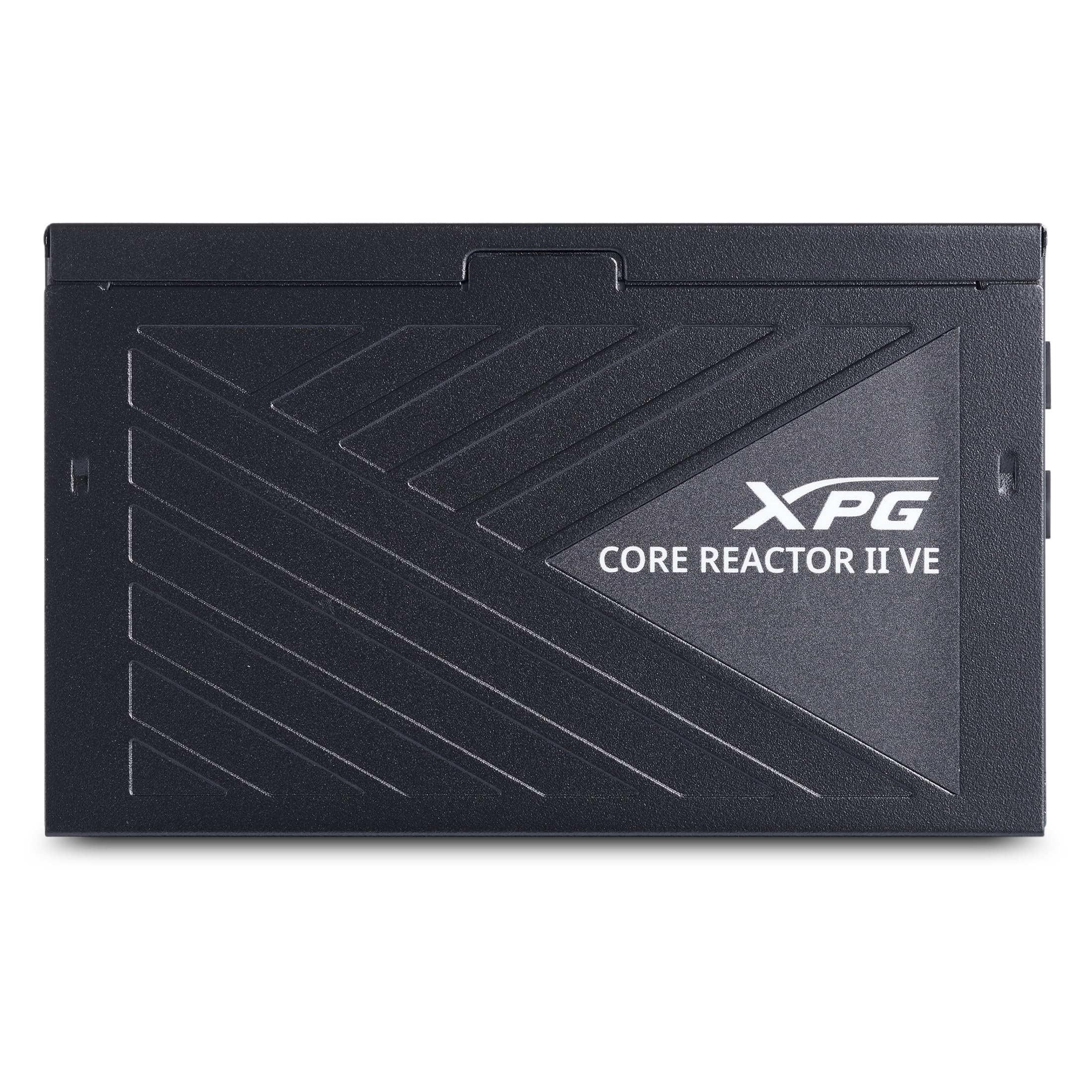
Image 1.1: XPG CORE Reactor II VE 850W Power Supply Unit, showcasinતેની કોમ્પેક્ટ ડિઝાઇન.
2. મુખ્ય લક્ષણો
- ૮૦ પ્લસ ગોલ્ડ સર્ટિફિકેશન: Ensures high power efficiency, reducing energy waste and operating costs.
- 12V-2x6 Connector: Provides direct and efficient power delivery to critical components, enhancing system stability and performance.
- DC-DC Circuit Design: Maximizes efficiency and reliability by converting power directly to the required output voltage, reducing heat and prolonging hardware lifespan.
- Low Ripple Noise Design: Features ripple levels below 60mV at +12V and below 40mV at +5V and +3.3V, ensuring stable power delivery and minimizing electrical interference.
- >15ms Hold Up Time: Exceeds Intel's standards for uninterrupted power delivery, ensuring reliable operation under challenging conditions.
- 8 Industrial Protections: Comprehensive protection suite including Over-Voltage Protection (OVP), Under-Voltage Protection (UVP), Over-Current Protection (OCP), Short-Circuit Protection (SCP), Over-Power Protection (OPP), Over-Temperature Protection (OTP), Surge & Inrush Protection (SIP), and No Load Operation (NLO).
- કોમ્પેક્ટ 140 મીમી લંબાઈ: Maximizes space efficiency for easy integration into various PC setups and chassis.
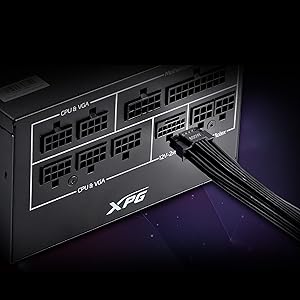
Image 2.1: Close-up of the 12V-2x6 connector for modern GPUs.
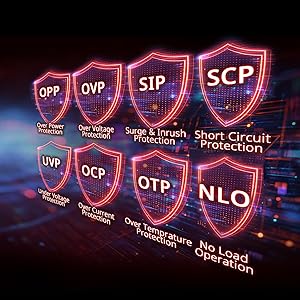
Image 2.2: Visual representation of the 8 industrial-grade protections.
3. સેટઅપ અને ઇન્સ્ટોલેશન
Before installing the XPG CORE Reactor II VE PSU, ensure your computer system is powered off and disconnected from the main power outlet. Refer to your PC case and motherboard manuals for specific installation instructions.
3.1 અનપેકિંગ
Carefully remove the PSU and all included cables from the packaging. Verify that all components listed in the product documentation are present.

Image 3.1: XPG CORE Reactor II VE PSU with its modular cables.
3.2 Mounting the PSU
- Position the PSU in the designated PSU bay of your PC case.
- PSU પરના સ્ક્રુ છિદ્રોને કેસ પરના છિદ્રો સાથે સંરેખિત કરો.
- આપેલા સ્ક્રૂનો ઉપયોગ કરીને PSU ને સુરક્ષિત કરો.
3.3 કનેક્ટિંગ કેબલ્સ
The XPG CORE Reactor II VE is a fully modular PSU, allowing you to connect only the cables you need. This helps improve airflow and cable management within your PC case.

Image 3.2: Modular cable connection ports on the XPG CORE Reactor II VE PSU.
- 24-પિન ATX કેબલને તમારા મધરબોર્ડ સાથે જોડો.
- Connect the 8-pin (4+4) EPS/CPU cable(s) to your motherboard.
- Connect the 6+2 pin PCIe cables to your graphics card(s). The 12V-2x6 connector is specifically designed for modern high-power GPUs.
- Connect SATA power cables to your storage drives (HDDs/SSDs) and other SATA-powered devices.
- Connect Molex cables to any peripherals requiring them.
- ખાતરી કરો કે બધા જોડાણો સુરક્ષિત અને યોગ્ય રીતે બેઠા છે.
4. ઓપરેટિંગ સૂચનાઓ
Once the PSU is installed and all components are connected, you can power on your system.
- Ensure the power switch on the back of the PSU is in the "OFF" (0) position.
- Connect the AC power cord to the PSU and then to a wall outlet or surge protector.
- Flip the power switch on the PSU to the "ON" (I) position.
- સિસ્ટમ શરૂ કરવા માટે તમારા કમ્પ્યુટર કેસ પર પાવર બટન દબાવો.
The XPG CORE Reactor II VE is designed for continuous, stable operation. Its FDB 120mm fan provides efficient cooling while maintaining low noise levels.
5. જાળવણી
યોગ્ય જાળવણી તમારા PSU ની આયુષ્ય અને શ્રેષ્ઠ કામગીરીની ખાતરી આપે છે.
- ધૂળ દૂર કરવી: Periodically clean the PSU fan and ventilation grilles to prevent dust buildup, which can impede airflow and lead to overheating. Use compressed air for this purpose, ensuring the system is powered off and unplugged.
- કેબલ મેનેજમેન્ટ: ખાતરી કરો કે કેબલ વ્યવસ્થિત રીતે રૂટ કરેલા છે અને પીસી કેસની અંદર હવાના પ્રવાહને અવરોધે નહીં.
- પર્યાવરણીય પરિસ્થિતિઓ: Operate the PSU in a well-ventilated area, away from direct sunlight, excessive heat, and moisture.
6. મુશ્કેલીનિવારણ
If you encounter issues with your XPG CORE Reactor II VE PSU, refer to the following common troubleshooting steps:
- કોઈ શક્તિ નથી:
- તપાસો કે AC પાવર કોર્ડ PSU અને વોલ આઉટલેટ બંને સાથે સુરક્ષિત રીતે જોડાયેલ છે કે નહીં.
- Ensure the PSU's power switch is in the "ON" (I) position.
- Verify that the 24-pin ATX and 8-pin EPS/CPU cables are correctly seated in the motherboard.
- વોલ આઉટલેટમાં પાવર છે કે નહીં તેની ખાતરી કરવા માટે તેને બીજા ઉપકરણથી ચકાસો.
- સિસ્ટમ અસ્થિરતા/ક્રેશ:
- Ensure all power connectors to components (motherboard, CPU, GPU, drives) are firmly connected.
- Check for any loose cables or short circuits within the case.
- If possible, test the PSU with a different set of components or in another system to isolate the issue.
- અતિશય અવાજ:
- Check if the PSU fan is obstructed by dust or cables.
- કંપન અટકાવવા માટે ખાતરી કરો કે PSU સુરક્ષિત રીતે માઉન્ટ થયેલ છે.
- If the noise persists and is unusual, contact customer support.
If troubleshooting steps do not resolve the issue, contact XPG customer support for further assistance.
7. સ્પષ્ટીકરણો
| લક્ષણ | વિગત |
|---|---|
| મોડેલનું નામ | COREREACTORIIVE850G-BKCUS |
| બ્રાન્ડ | XPG |
| આઉટપુટ વોટtage | 850 વોટ્સ |
| ફોર્મ ફેક્ટર | એટીએક્સ |
| ઠંડક પદ્ધતિ | હવા |
| આઇટમના પરિમાણો (L x W x H) | 5.51 x 5.9 x 3.38 ઇંચ |
| વસ્તુનું વજન | 5 પાઉન્ડ |
| પાવર સપ્લાય ડિઝાઇન | સંપૂર્ણ મોડ્યુલર |
| ચાહકોની સંખ્યા | 1 |
| મહત્તમ ઇનપુટ વોલ્યુમtage | 240 વોલ્ટ (AC) |
| ન્યૂનતમ ઇનપુટ વોલ્યુમtage | 216 વોલ્ટ (AC) |
| યુપીસી | 842243032468 |
8. વોરંટી અને સપોર્ટ
The XPG CORE Reactor II VE 850W PSU comes with a 7 વર્ષની ઉત્પાદક વોરંટી. For warranty claims or technical support, please visit the official XPG webસાઇટ અથવા તેમના ગ્રાહક સેવા વિભાગનો સંપર્ક કરો.
વધારાના સંસાધનો અને ઉત્પાદન માહિતી માટે, તમે મુલાકાત લઈ શકો છો XPG Store on Amazon.
૫.૩. પ્રોડક્ટ વિડિઓઝ
Below are relevant product videos for the XPG CORE Reactor II VE Power Supply Unit. These videos provide additional visual information regarding the product's features and installation.
XPG Core Reactor Power Supply Review
વિડિઓ ૧: વિગતવાર સમીક્ષાview of the XPG Core Reactor Power Supply, covering its features, design, and performance. This video is provided by Consumer Tech Review.
Core Reactor Review
વિડિઓ ૧: એક ઓવરview of the Core Reactor PSU, highlighting its integration into a PC build and general performance. This video is provided by Brayden Abear.