
એઓટેડર 220
Aotedor Electric Wheelchair User Manual
મોડલ: 220
1. પરિચય
This manual provides essential instructions for the safe and effective operation, maintenance, and care of your Aotedor Electric Wheelchair, Model 220. Please read this manual thoroughly before using the wheelchair to ensure proper function and user safety. Keep this manual for future reference.
2. મહત્વપૂર્ણ સલામતી માહિતી
Failure to follow these safety instructions may result in injury or damage to the wheelchair.
- Always ensure the wheelchair is fully unfolded and locked in place before use.
- મહત્તમ વજન ક્ષમતા ૧૧૦.૦ પાઉન્ડ (૫૦.૦ કિગ્રા) થી વધુ ન રાખો.
- Exercise caution when navigating uneven terrain, inclines, or obstacles. Avoid slopes steeper than recommended in the specifications.
- The intelligent electromagnetic braking system automatically engages when the joystick is released, providing immediate stopping power.
- Anti-tip rear wheels are installed for enhanced stability and security.
- Automatic tilt prevention activates if the user's hands are removed from the control lever on an incline.
- Always wear the safety belt provided.
For detailed safety certifications, refer to the relevant documentation provided with your product.
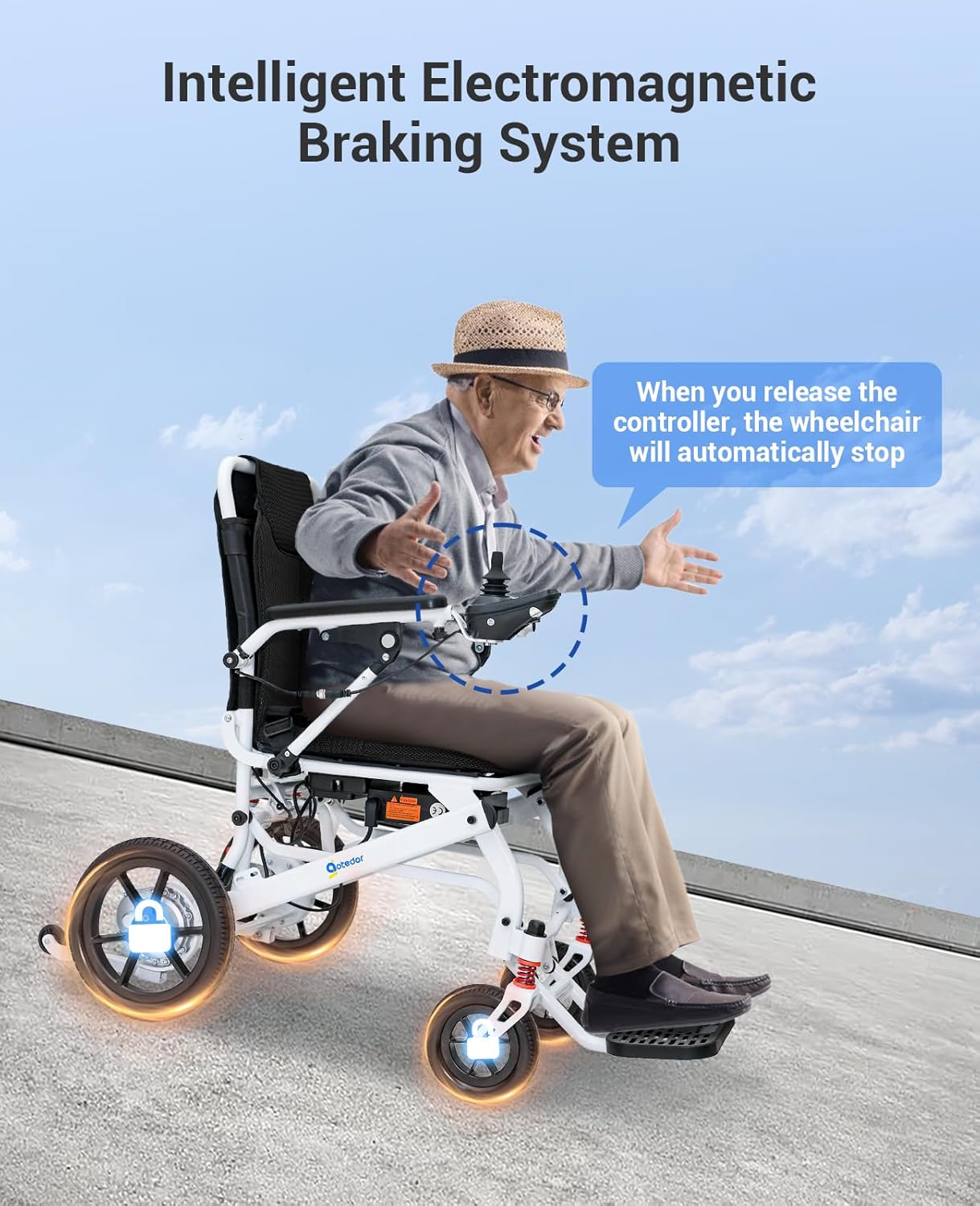
Image: The electromagnetic braking system automatically stops the wheelchair when the joystick is released.

Image: Comparison of Electromagnetic Brake (used in this model) and Electronic Brake, detailing safety and performance benefits.
૪. સેટઅપ અને પ્રારંભિક તૈયારી
3.1 Unfolding the Wheelchair
- ફોલ્ડ કરેલી વ્હીલચેરને સપાટ, સ્થિર સપાટી પર મૂકો.
- ફ્રેમ સ્થાને લૉક ન થાય ત્યાં સુધી બેકરેસ્ટને ધીમેથી ઉપર તરફ ખેંચો.
- Ensure all locking mechanisms are securely engaged before sitting in the wheelchair.
3.2 ગોઠવણો
- સીટની ઊંચાઈ: Adjust the seat to a comfortable height for the user.
- આર્મરેસ્ટ્સ: Adjust the armrests for optimal support and comfort.
- ફૂટરેસ્ટ: Ensure the footrest is in a comfortable and safe position.
3.3 કંટ્રોલર સેટઅપ
- The joystick controller can be mounted on either the left or right armrest, depending on user preference.
- To switch the controller side, consult the detailed instructions in the included quick start guide or contact customer support.

Image: The controller can be switched between the left and right armrests for user convenience.
4. ઓપરેટિંગ સૂચનાઓ
4.1 પાવરિંગ ચાલુ/બંધ
- Press the power button on the joystick controller to turn the wheelchair on.
- To turn off, press and hold the power button until the indicators shut down.
4.2 Driving the Wheelchair
- Use the joystick to control direction and speed. Pushing the joystick forward moves the wheelchair forward, pulling back moves it backward, and moving it left or right steers the wheelchair.
- The 360-degree joystick allows for smooth maneuvering and precise control, even in confined spaces.
- Adjust speed using the speed acceleration and deceleration buttons on the controller. The wheelchair features 5 adjustable speed settings.
- To brake, simply release the joystick. The electromagnetic brakes will engage automatically.

Image: The intuitive joystick controller with clearly marked functions for easy operation.
4.3 Electric/Manual Mode Switch
- The wheelchair can be easily switched between electric and manual modes.
- To engage manual mode, disengage the motor locks (typically levers located near the rear wheels). This allows a caregiver to push the wheelchair.
- To return to electric mode, re-engage the motor locks.

Image: Easily switch between electric and manual modes for versatile use.
5. બેટરી ચાર્જિંગ
The Aotedor Electric Wheelchair is equipped with two 10AH lithium batteries, providing a travel range of up to 22 miles. Each battery takes approximately 3 hours to fully charge.
5.1 ચાર્જિંગ પદ્ધતિઓ
- ડાયરેક્ટ ચાર્જિંગ: Plug the charger directly into the charging port on the wheelchair.
- Off-Board Charging: Remove the batteries from the wheelchair and charge them separately using the provided charger. This allows for charging one battery while using the other, or charging both simultaneously if you have two chargers.
Always use the original Aotedor charger provided with your wheelchair. Do not use damaged chargers or batteries.

Image: Two convenient methods for charging your wheelchair batteries.

Image: Dual 10AH lithium batteries provide extended range and efficient charging.
6. ફોલ્ડિંગ અને અનફોલ્ડિંગ
The Aotedor Electric Wheelchair features an ultra-lightweight and foldable design, making it convenient for transport and storage.
6.1 Folding the Wheelchair
- Ensure the wheelchair is powered off.
- Lift the seat cushion.
- Locate the folding button/lever (typically on the backrest or frame).
- Press the button and gently push the backrest forward until the wheelchair folds compactly. This process can be completed in approximately 3 seconds.
6.2 પરિવહન અને સંગ્રહ
When folded, the wheelchair occupies minimal space, making it suitable for storage in car trunks, living spaces, or for transport on public transit and aircraft (airline approval recommended to verify with specific airlines).

Image: The wheelchair folds easily for convenient storage and transport.

Image: The lightweight design allows for easy lifting and portability.
7. જાળવણી અને સંભાળ
Regular maintenance ensures the longevity and optimal performance of your Aotedor Electric Wheelchair.
- સફાઈ: Wipe down the wheelchair regularly with a damp કાપડ ઘર્ષક ક્લીનર્સ અથવા વધુ પડતા પાણીનો ઉપયોગ કરવાનું ટાળો.
- ટાયર: Periodically check tire pressure and condition. Ensure tires are free from debris and punctures.
- બેટરી સંભાળ: Charge batteries as needed and avoid fully depleting them. Store the wheelchair and batteries in a dry, clean place.
- વ્હીલ જાળવણી: Regularly inspect wheels for any buildup of hair or debris, especially around the axles, and clear as necessary to prevent operational issues.
- સામાન્ય નિરીક્ષણ: Periodically check all bolts, screws, and connections to ensure they are secure. A basic tool kit is often included for minor adjustments.
8. મુશ્કેલીનિવારણ
This section addresses common issues you might encounter with your Aotedor Electric Wheelchair.
| સમસ્યા | સંભવિત કારણ | ઉકેલ |
|---|---|---|
| વ્હીલચેર ચાલુ થતી નથી. | બેટરી ઓછી છે અથવા કનેક્ટેડ નથી. | Ensure batteries are fully charged and properly inserted. Check all cable connections. |
| Wheelchair moves slowly or inconsistently. | Low battery charge; debris in wheels; motor issue. | Charge batteries. Inspect wheels for obstructions and clear any debris. If issue persists, contact support. |
| બ્રેક્સ યોગ્ય રીતે જોડાતા નથી. | Joystick not fully released; electrical fault. | Ensure joystick is fully released. If the problem continues, cease use and contact customer support immediately. |
| Wheelchair does not fold correctly. | Obstruction; mechanism not aligned. | Check for any obstructions preventing folding. Ensure all parts are aligned as per folding instructions. Do not force. |
If you encounter issues not listed here or if solutions do not resolve the problem, please contact Aotedor customer support.
9. ટેકનિકલ વિશિષ્ટતાઓ
| લક્ષણ | વિગત |
|---|---|
| મોડલ નંબર | 220 |
| ખુલ્લા પરિમાણો (L x W x H) | ૭૦.૫" x ૨૪.૫" x ૬૦.૫" (૧૭૯ સેમી x ૬૨ સેમી x ૧૫૪ સેમી) |
| Folded Dimensions (H x W) | ૧૭.૧" x ૧૭.૧" (૪૩.૪ સેમી x ૪૩.૪ સેમી) |
| વસ્તુનું વજન | 39 lbs (17.7 કિગ્રા) |
| વજન ક્ષમતા | 220 lbs (100 કિગ્રા) |
| મુસાફરી શ્રેણી | 22 માઇલ (35 કિમી) સુધી |
| બેટરીઓ | Two 10AH Lithium Batteries |
| ચાર્જિંગ સમય | બેટરી દીઠ આશરે 3 કલાક |
| મોટર્સ | Dual Brushless Motors |
| બ્રેકિંગ સિસ્ટમ | Intelligent Electromagnetic Braking |
| ફ્રેમ સામગ્રી | એવિએશન-ગ્રેડ એલ્યુમિનિયમ એલોય |

Image: Detailed dimensions and key specifications of the wheelchair.

Image: Dual brushless motors provide efficient and powerful performance for all-terrain use.
10. વોરંટી અને ગ્રાહક સપોર્ટ
10.1 વોરંટી માહિતી
Aotedor provides comprehensive quality support for your electric wheelchair:
- Frame Support: 5 વર્ષ
- બેટરી સેવા: 2 વર્ષ
- નિયંત્રક: 2 વર્ષ
- ઇલેક્ટ્રિક મોટર: 5 વર્ષ
- ખેંચો: 1 વર્ષ
- ચાર્જર: 2 વર્ષ
A 30-day free return policy is offered, with Aotedor providing a prepaid return label. Please retain your proof of purchase for warranty claims.

Image: Aotedor's commitment to product quality and extended support.
11. ગ્રાહક આધાર
For any questions, assistance, or warranty claims, please contact our dedicated customer support team:
- ઇમેઇલ સપોર્ટ: support@aotedor.com (Available 24 hours a day)
- ટેલિફોન સપોર્ટ: +1 888 817 9815 (Monday - Sunday, 9 AM - 5 PM EST)

Image: Aotedor's professional and reliable customer service team is available to assist you.