Youshiko Radio Controlled Wall Clock (UK/Ireland Version)
Model: B0DC6XWBFR
પરિચય
This manual provides detailed instructions for the setup, operation, and maintenance of your Youshiko Radio Controlled Wall Clock. This clock is designed for the UK and Ireland, utilizing the MSF radio signal for automatic time synchronization. It features a large LCD display, indoor temperature reading, date, day of the week, and a dual alarm function.
ઉત્પાદન લક્ષણો
સ્પષ્ટ વાંચનક્ષમતા માટે મોટો LCD ડિસ્પ્લે.
Radio-controlled time (MSF signal for UK/Ireland) for automatic and accurate time setting.
Automatic adjustment for Daylight Saving Time (DST).
Displays date with full day of the week and 3-digit month.
Selectable 12 or 24-hour time format.
Indoor temperature display in Celsius (°C) or Fahrenheit (°F).
Dual alarm with snooze function.
Wall-mountable or free-standing design.
સેટઅપ
૧. ઘડિયાળ ચાલુ કરવી
The clock can be powered via a power cable (not explicitly mentioned if included, but implied by specifications) or batteries.
બેટરી ઇન્સ્ટોલેશન: Open the battery compartment cover on the back of the clock. Insert the required batteries (typically AA or AAA, check the compartment for markings) according to the polarity indicators (+ and -). Close the cover securely.
પાવર વાયર: If using a power cable, connect it to the appropriate port on the clock and plug it into a wall outlet.
છબી: પાછળનો ભાગ view of the clock, highlighting the battery compartment and control buttons.
2. Initial Time Synchronization (MSF Signal)
Upon powering on, the clock will automatically attempt to receive the MSF radio signal from Cumbria, UK, to set the correct time.
Place the clock near a window, away from electronic devices that might cause interference.
The signal reception icon (often a radio tower symbol) will flash during synchronization.
Once the signal is successfully received, the icon will become solid, and the time will be set automatically. This process may take several minutes or up to 24 hours depending on signal strength.
If the signal is not received, try repositioning the clock.
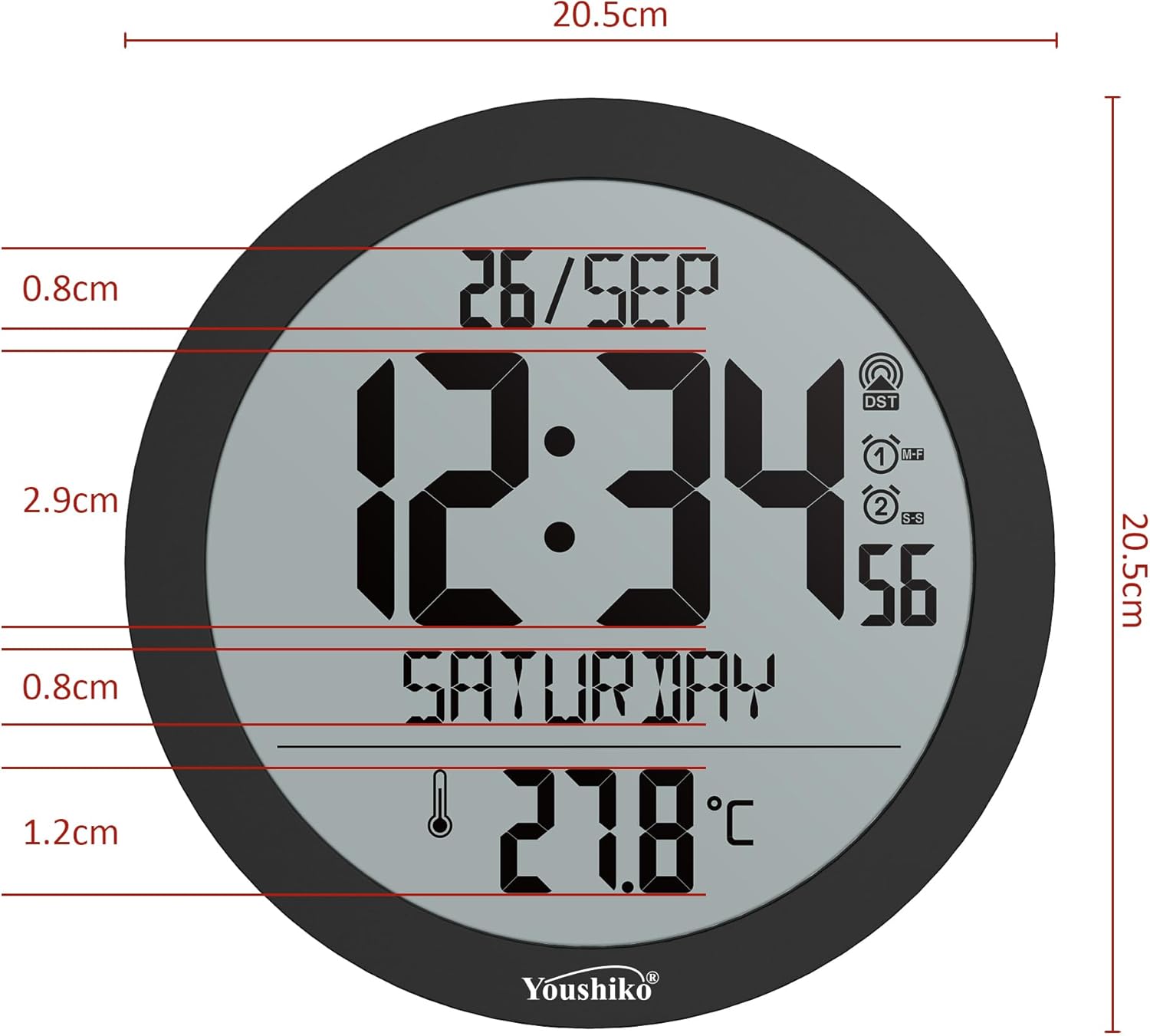
Image: Front display of the clock, showing the radio signal icon (top right).
3. માઉન્ટિંગ વિકલ્પો
વોલ માઉન્ટિંગ: Use the integrated keyhole slot on the back of the clock to hang it securely on a wall hook or screw.
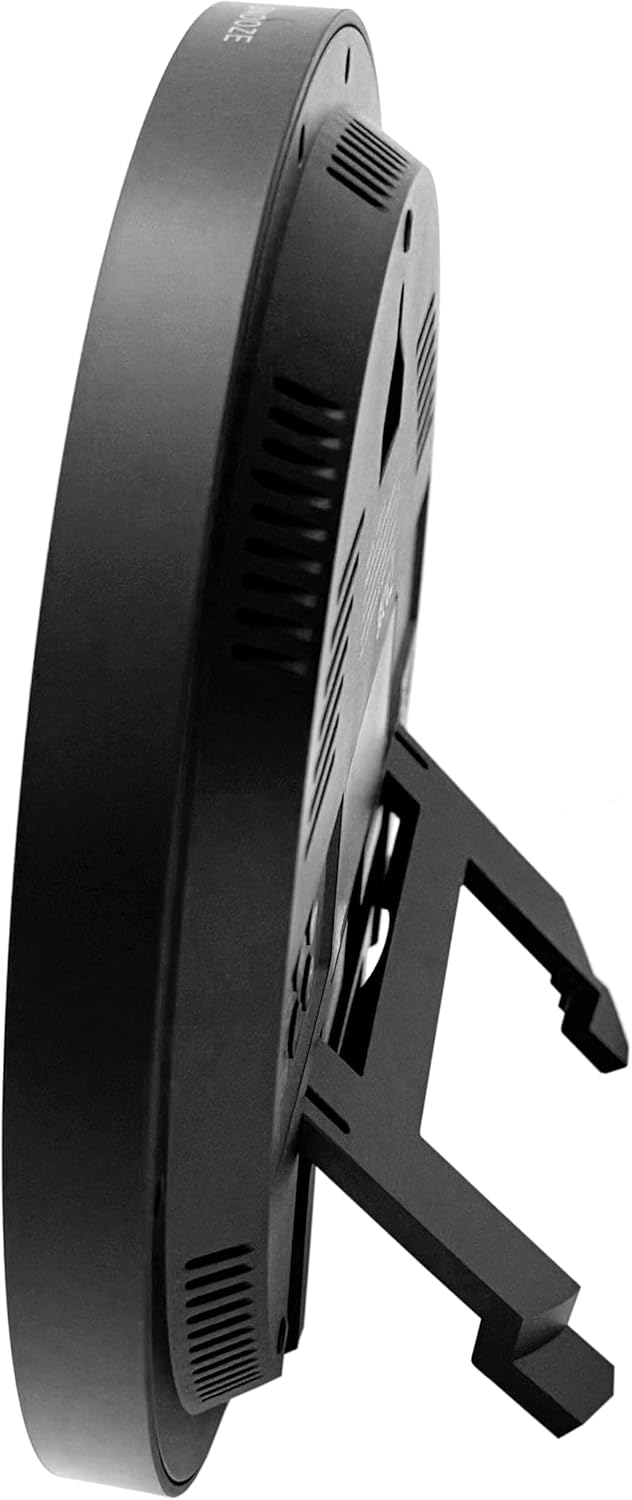
ટેબલટોપ સ્ટેન્ડ: Extend the built-in stand on the back of the clock to place it on a flat surface.
છબી: બાજુ view of the clock, demonstrating the extended tabletop stand.
છબી: બીજી બાજુ view of the clock, illustrating its design and stand.
ઓપરેટિંગ સૂચનાઓ
1. ડિસ્પ્લે ઓવરview
The large LCD display shows the current time, date (day/month), day of the week, and indoor temperature.
છબી: વિગતવાર view of the clock's display, indicating various information segments.
Image: Clear front view of the clock's digital display.
2. Setting Time Format and Temperature Unit
Use the control buttons on the back of the clock to adjust settings. Refer to the button layout image for specific button functions.
12/24 કલાકનું ફોર્મેટ: Press the 'MODE' or 'SET' button (refer to your clock's specific button labels) to cycle through time display options.
તાપમાન એકમ (°C/°F): Press the '°C/°F' button (if available) or a combination of 'MODE' and '+' buttons to switch between Celsius and Fahrenheit.
Image: Close-up of the clock's rear control buttons for settings adjustment.
3. એલાર્મ સુયોજિત કરી રહ્યા છે
The clock features a dual alarm with snooze.
Press the 'ALARM' button (or similar, refer to button labels) to enter alarm setting mode.
Use the '+' and '-' buttons to adjust the alarm time.
Press 'ALARM' again to confirm and set the second alarm if applicable.
To activate/deactivate the alarm, press the 'ALARM ON/OFF' button.
When the alarm sounds, press the 'SNOOZE' button (located on top or back) to temporarily silence it. The alarm will sound again after a few minutes.
એલાર્મને સંપૂર્ણપણે બંધ કરવા માટે, કોઈપણ અન્ય બટન દબાવો અથવા તેને સંપૂર્ણ સમય માટે વાગવા દો.
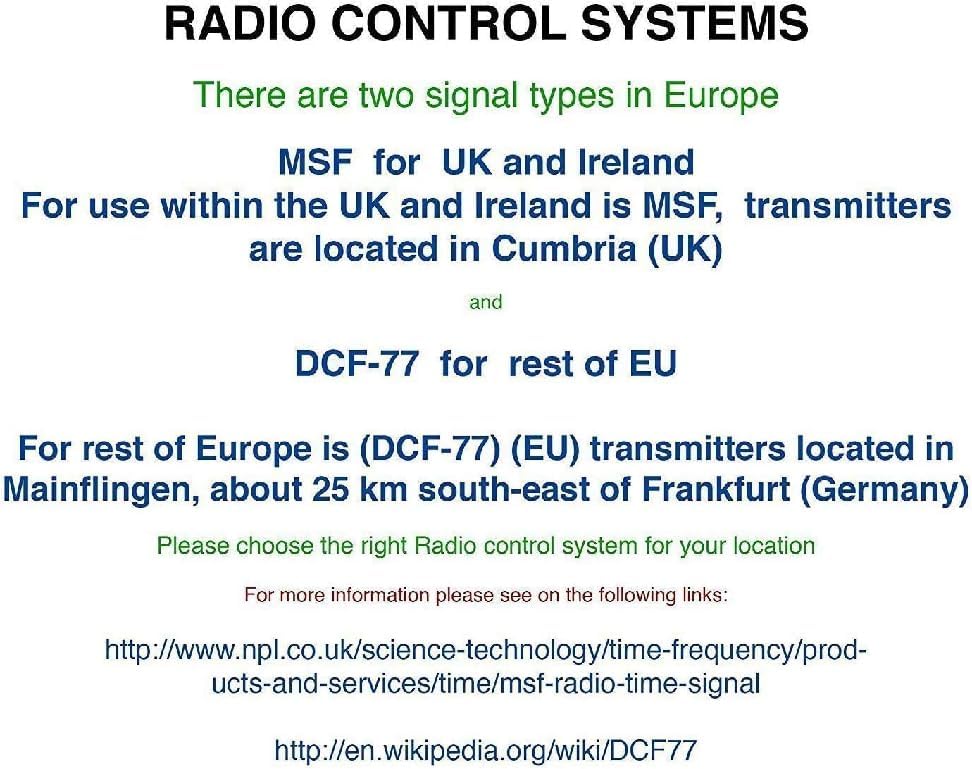
4. Radio Control Systems in Europe
It is important to understand the different radio control signals used in Europe to ensure your clock functions correctly in your region.
Image: Explanation of radio control systems (MSF for UK/Ireland, DCF-77 for rest of EU).
MSF (UK and Ireland): Transmitters are located in Cumbria, UK. This clock is specifically designed for the MSF signal.
DCF-77 (Rest of EU): Transmitters are located in Mainflingen, Germany. This clock is not designed to receive the DCF-77 signal.
Ensure you have the correct radio-controlled clock version for your geographical location.
જાળવણી
સફાઈ: Wipe the clock's surface with a soft, dry cloth. Do not use abrasive cleaners or solvents, as these may damage the display or casing.
બેટરી રિપ્લેસમેન્ટ: If the display dims or the clock loses time frequently, replace the batteries. Ensure to use fresh batteries of the specified type and dispose of old batteries responsibly.
પર્યાવરણ: Avoid exposing the clock to extreme temperatures, direct sunlight, or high humidity, which can affect its performance and lifespan.
મુશ્કેલીનિવારણ
સમસ્યા
સંભવિત કારણ
ઉકેલ
Clock not displaying time / blank screen.
No power or dead batteries.
Check power cable connection or replace batteries.
Incorrect time displayed.
Poor MSF signal reception or incorrect region setting.
Ensure the clock is placed in an area with good signal reception (e.g., near a window).
Avoid placing near electronic devices that may cause interference.
પ્રારંભિક સિંક્રનાઇઝેશન માટે 24 કલાક સુધીનો સમય આપો.
Confirm you have the UK/Ireland version for MSF signal.
એલાર્મ વાગતું નથી.
એલાર્મ સક્રિય થયેલ નથી અથવા ખોટી રીતે સેટ થયેલ નથી.
Verify alarm settings and ensure the alarm is turned ON.
તાપમાન વાંચન ખોટું લાગે છે.
Clock exposed to direct heat/cold sources.
Relocate the clock away from direct sunlight, vents, or other temperature-influencing factors.
વિશિષ્ટતાઓ
મોડલ: B0DC6XWBFR
બ્રાન્ડ: યુશિકો
રંગ: કાળો
ડિસ્પ્લે પ્રકાર: ડિજિટલ એલસીડી
પરિમાણો: 20.5 x 3.81 x 20.5 સેમી (8.07 x 1.5 x 8.07 ઇંચ)
વજન: 430 ગ્રામ (0.95 lbs)
પાવર સ્ત્રોત: Cable electrico (Power cable) / Batteries (Not included, type to be confirmed by compartment)
ખાસ લક્ષણો: Automatic time adjustment (MSF), Temperature display, Dual alarm, Snooze function.
રૂમનો પ્રકાર: Home, office, large halls, bedrooms, children's classrooms, kitchen, dining room, study room.
આકાર: રાઉન્ડ
ઉપયોગ: ઇન્ડોર
વોરંટી અને આધાર
For warranty information and customer support, please refer to the documentation included with your purchase or visit the official Youshiko webસાઇટ
Ask about setup, troubleshooting, compatibility, parts, safety, or missing instructions. Manuals+ will review the question and use this page’s manual context to help answer it.