
Litime L-HYBINV-48V3KW-S
LiTime 3500W Pure Sine Wave Solar Inverter Charger User Manual
Model: L-HYBINV-48V3KW-S | Brand: LiTime
1. પરિચય
This manual provides detailed instructions for the installation, operation, and maintenance of your LiTime 3500W Pure Sine Wave Solar Inverter Charger. This all-in-one unit integrates an MPPT controller, inverter, and charger, designed for efficient off-grid power, home energy storage, and cabin use. It features a peak surge of up to 6000W and delivers pure sine wave output. Please read this manual thoroughly before installation and use to ensure proper function and safety.
2. પેકેજ સામગ્રી
Upon unboxing, verify that all components listed below are present and undamaged. The inverter is securely packaged with foam padding to prevent damage during transit.
Video 2.1: LiTime 3500W Pure Sine Wave Solar Inverter Charger Unboxing and Overview. This video demonstrates the unboxing process and provides an initial look at the inverter unit and its included accessories.
- LiTime 3500W Pure Sine Wave Solar Inverter Charger Unit
- ઝડપી પ્રારંભ માર્ગદર્શિકા
- વપરાશકર્તા માર્ગદર્શિકા
- Accessory Bag containing:
- Copper Wire Connectors (8 pcs)
- M6*25/64"[10mm] Battery Post Bolts (2 pcs)
- M6 Battery Wire Lugs (2 pcs)
- Terminal Panel Spare Screws (4 pcs)
- MC4 Connectors (2 pairs)
- પ્લાસ્ટિક એન્કર
- Self-tapping Screws (for Panel Mount) (2 pcs)
- Slotted Screwdriver (1 pc)
- Heat Shrink Tubing (for PV&AC) (8 pcs)
- Heat Shrink Tubing (for Battery) (2 pcs)

Figure 2.1: Additional Components. This image displays the various connectors, screws, and tools included in the accessory bag for installation.
3. ઉત્પાદન સુવિધાઓ
- All-in-One Space Saving Design: Integrates an MPPT controller, inverter, and charger into a single unit, optimizing installation space. Offers a peak surge of up to 6000W for efficient auto solar tracking and pure sine wave output.
- Smart Energy Manager: Supports four charging modes (Solar Only, Utility Priority, Solar Priority, Hybrid) and multiple output modes (Inverter Priority, PV Priority, Utility Priority) for flexible energy use and cost savings.
- યુપીએસ કાર્ય: Built-in Uninterruptible Power Supply (UPS) function ensures continuous power by automatically switching to battery backup during outages. Compatible with 48V lead-acid, lithium, and user-defined battery types.
- Reliable and Protective Design: Features intelligent cooling fans and comprehensive protection against short-circuit, over-temperature, and overload for stable and long-lasting performance.
- Advanced Communication & Integration: Supports RS485 for monitoring battery status (undervoltage/overvoltage/overcurrent) and includes a built-in LCD display for real-time monitoring of battery, solar, and AC status.

Figure 3.1: Inverter Components. This image highlights key components such as the LCD Screen, LED Indicators, Operation Buttons, Air Inlet Vent, AC Input Breaker, and Terminal Panel.
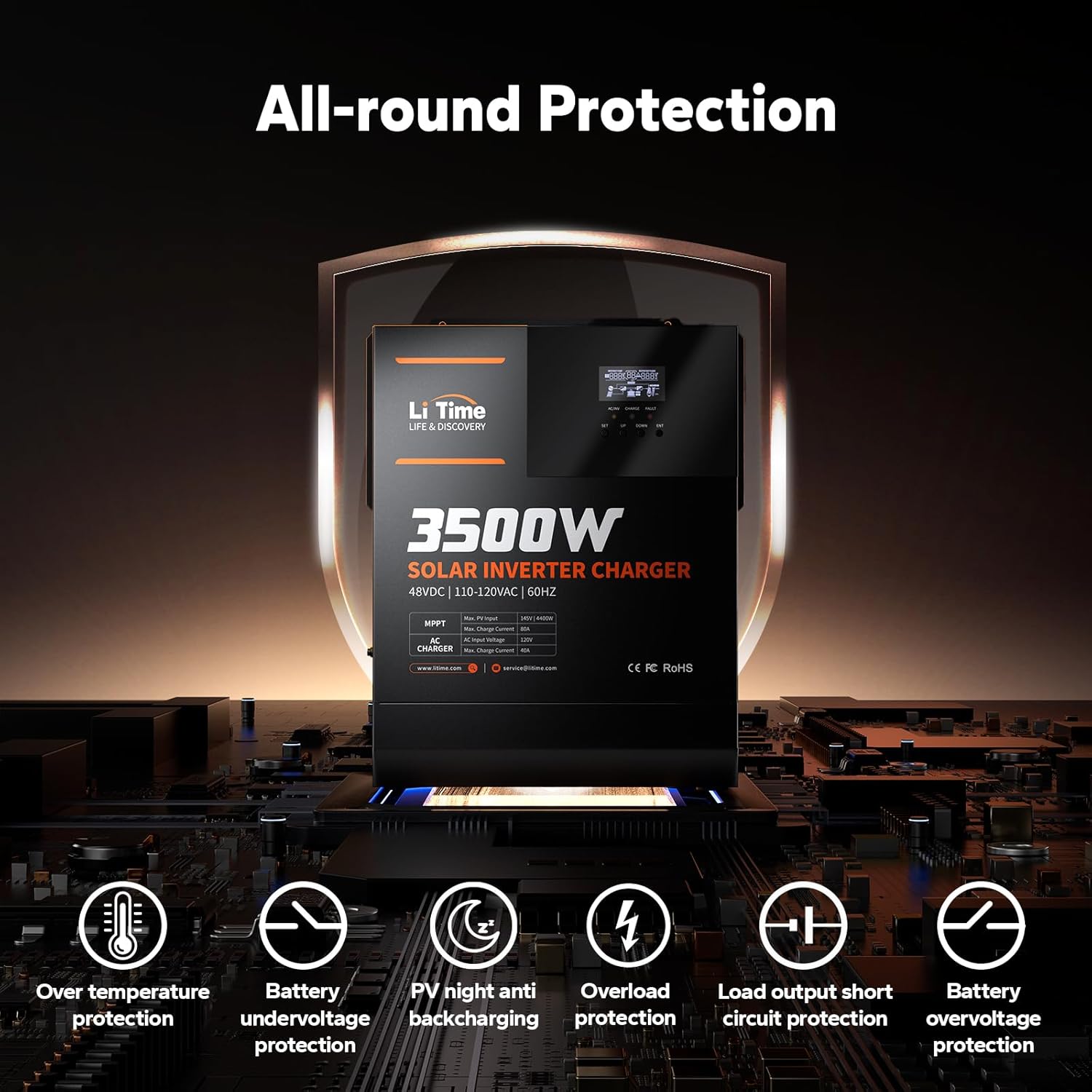
Figure 3.2: All-round Protection. Illustrates the inverter's protection mechanisms including over-temperature, battery undervoltage, PV night anti-backcharging, overload, load output short circuit, and battery overvoltagઇ રક્ષણ.
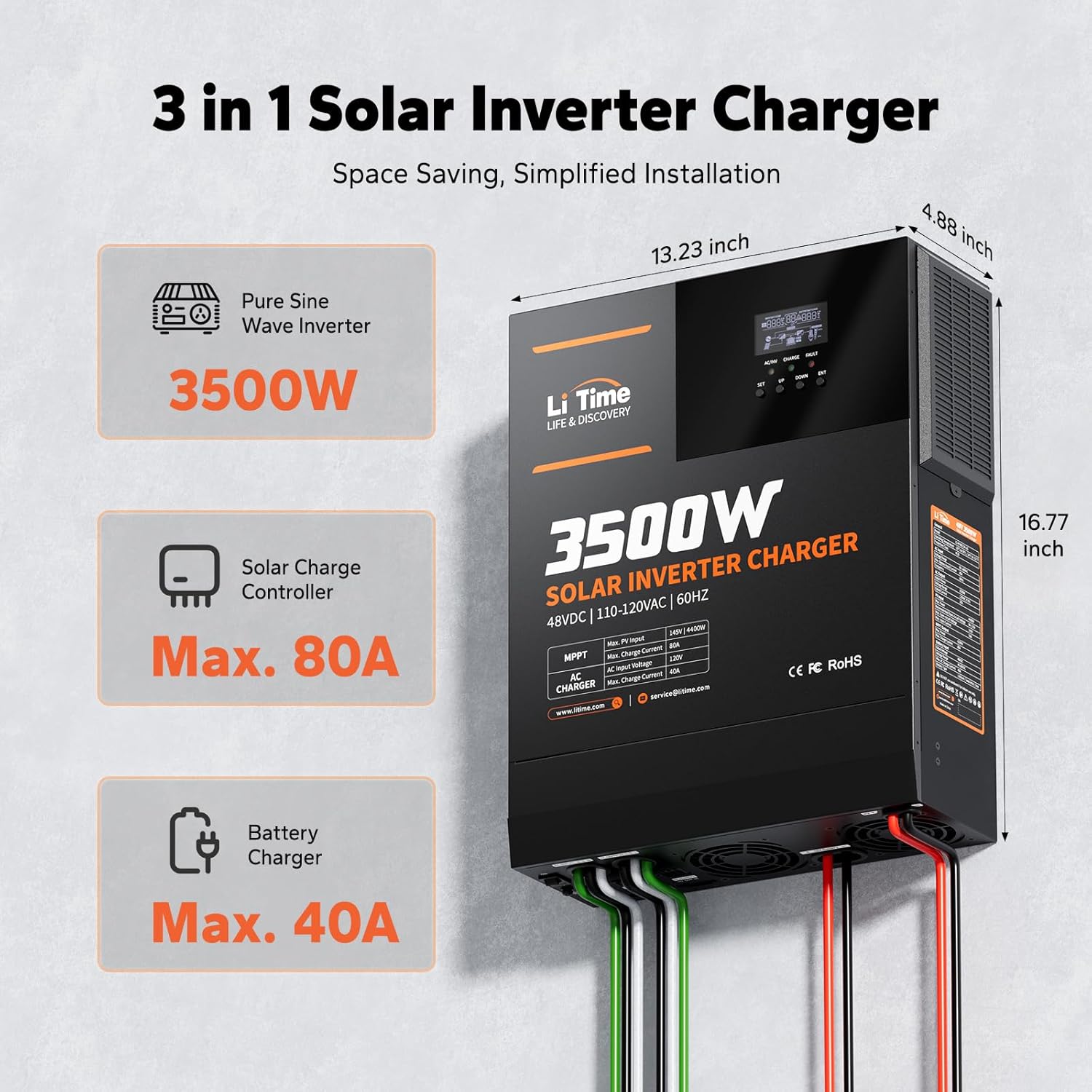
Figure 3.3: 3-in-1 Solar Inverter Charger. This diagram shows the integrated Pure Sine Wave Inverter (3500W), Solar Charge Controller (Max. 80A), and Battery Charger (Max. 40A), along with the unit's dimensions.
4. સેટઅપ અને ઇન્સ્ટોલેશન
Proper installation is crucial for the safe and efficient operation of your inverter. Ensure all connections are secure and follow local electrical codes.
4.1 ઇન્વર્ટર માઉન્ટ કરવાનું
Mount the inverter on a non-flammable surface in a well-ventilated area. Use the provided mounting bracket and screws. Ensure sufficient clearance around the unit for airflow.

આકૃતિ 4.1: પાછળના પેનલ કનેક્શન્સ. This image labels the On/Off Switch, Ground Terminal, AC Input/Output Terminal Blocks, USB-B Port, RS485 Port, Dry Contact Ports, Cooling Fans, Battery Positive and Negative Terminals, and PV Input Terminals.
4.2 વાયરિંગ કનેક્શન્સ
Before making any connections, ensure the inverter is turned OFF and all power sources (solar, battery, AC grid) are disconnected. Connect the battery, solar panels, and AC input/output according to the diagram below. Use appropriate cable sizes and circuit breakers as recommended in the specifications.

Figure 4.2: Typical System Wiring Diagram. This diagram illustrates how the inverter connects to solar panels, a battery system, AC grid, a generator, and household loads. Note that utility power and generator AC cannot be used simultaneously.
- બેટરી કનેક્શન: Connect the 48V battery bank to the designated battery terminals. Ensure correct polarity.
- પીવી ઇનપુટ: Connect your solar panel array to the PV input terminals. Verify that the open-circuit voltage and maximum power of your solar array are within the inverter's specified limits.
- એસી ઇનપુટ: Connect the AC grid or a generator to the AC input terminal block.
- એસી આઉટપુટ: Connect your household loads or distribution panel to the AC output terminal block.
- ગ્રાઉન્ડિંગ: વિદ્યુત જોખમોને રોકવા માટે ખાતરી કરો કે ઇન્વર્ટર યોગ્ય રીતે ગ્રાઉન્ડ થયેલ છે.
Warning: Avoid mismatched voltages to prevent system damage. The utility power and generator AC cannot be connected to AC input simultaneously.
5. ઓપરેટિંગ મોડ્સ
The LiTime inverter offers flexible charging and output modes to optimize energy management.
5.1 ચાર્જિંગ મોડ્સ
- માત્ર સૌર: ચાર્જિંગ માટે સૌર ઉર્જાને પ્રાથમિકતા આપે છે.
- ઉપયોગિતા પ્રાથમિકતા: Prioritizes AC utility power for charging.
- સૌર પ્રાથમિકતા: Uses solar power first, then supplements with utility power if needed.
- વર્ણસંકર: Combines solar and utility power for optimal charging.
5.2 આઉટપુટ મોડ્સ
- ઇન્વર્ટર પ્રાધાન્યતા: Prioritizes battery power through the inverter.
- પીવી પ્રાથમિકતા: લોડ માટે સૌર ઉર્જાને પ્રાથમિકતા આપે છે.
- ઉપયોગિતા પ્રાથમિકતા: Prioritizes AC utility power for loads.

Figure 5.1: Comprehensive Energy Management Solution. This diagram visually explains the four charging modes and three output modes available for flexible energy use.
6. સ્પષ્ટીકરણો
| લક્ષણ | મૂલ્ય |
|---|---|
| મોડેલનું નામ | 3500W 48V All-in-One Solar Inverter Charger |
| વાટtage | 3500 વોટ |
| પાવર સ્ત્રોત | Grid/Solar/Battery Powered |
| ભલામણ કરેલ ઉપયોગો | Home, Off-grid Cabin |
| ઉત્પાદન પરિમાણો | 16.77 x 13.22 x 4.88 ઇંચ |
| વસ્તુનું વજન | 23.1 પાઉન્ડ |
| આઇટમ મોડલ નંબર | L-HYBINV-48V3KW-S |
| ઓપરેટિંગ તાપમાન | -10°C થી 55°C / 14°F થી 131°F |
| રક્ષણ વર્ગ | IP20 |
| એસી ઇનપુટ વોલ્યુમtage રેન્જ | 90-140VAC |
| મહત્તમ ઇનપુટ કરંટ બાયપાસ કરો | 40A |
| AC Output Rated Power | 3500W |
| એસી આઉટપુટ વોલ્યુમtage | 120VAC ± 5% |
| મહત્તમ પીવી ઇનપુટ પાવર | 4400W |
| Recommended Open-circuit Voltage | 60-115V |
| Max. Open-circuit Voltage | 145 વી |
| મહત્તમ ઇનપુટ વર્તમાન | 50A |
| MPPT Output Max. Power | 4200W |
| મહત્તમ ચાર્જ કરંટ | 80A |
| Battery Input Rated Voltage | 48વીડીસી |
| બેટરી ઇનપુટ વોલ્યુમtage રેન્જ | 40-60VDC |
| મહત્તમ એસી ચાર્જ કરંટ | 40A |
| બેટરીનો પ્રકાર | Lithium / Lead Acid / User |
7. જાળવણી
Regular maintenance ensures the longevity and optimal performance of your LiTime inverter.
- વેન્ટિલેશન: Ensure the air inlet vents are clear of dust and debris to maintain proper cooling.
- પર્યાવરણ: Keep the inverter in a dry, well-ventilated area, away from direct sunlight and moisture.
- જોડાણો: સમયાંતરે બધા વાયરિંગ કનેક્શન્સની કડકતા અને કાટના ચિહ્નો માટે તપાસો.
- સફાઈ: Clean the exterior of the inverter with a dry, soft cloth. Do not use liquid cleaners.
- નિરીક્ષણ: Regularly inspect the unit for any visible damage or unusual operation.
Warning: Do not disassemble the inverter. Refer to qualified personnel for any internal repairs.
8. મુશ્કેલીનિવારણ
If you encounter issues with your inverter, refer to the following basic troubleshooting steps. For complex problems, contact customer support.
- પાવર/ડિસ્પ્લે નહીં: Check battery connections, main power switch, and any external circuit breakers.
- ભૂલ કોડ્સ: The LCD display will show error codes for specific issues. Consult the full user manual for a complete list of codes and their remedies. For example, Error Code 58 typically indicates a low battery condition or an overvoltage alarm if battery settings are incorrect.
- કોઈ AC આઉટપુટ નથી: Verify that the inverter is turned on, battery voltage is sufficient, and no overload or short-circuit conditions are present. Check AC output connections.
- કોઈ ચાર્જિંગ નથી: Ensure solar panels are connected and receiving sunlight, or AC input is active. Check charging mode settings.
- ઓવરલોડ પ્રોટેક્શન: If the inverter shuts down due to overload, reduce the connected load and restart the unit.
9. વોરંટી અને સપોર્ટ
LiTime is committed to providing reliable products and excellent customer service.
- વોરંટી: The product comes with a comprehensive warranty. Please refer to the warranty card included in your package or visit the official LiTime website for details on coverage and duration (up to 5-Year Service is available).
- ગ્રાહક આધાર: For technical assistance, troubleshooting, or warranty claims, please contact LiTime customer support.
- Webસાઇટ: www.litime.com
- ઈમેલ: service@litime.com
- Support is available with a 24-hour prompt response.
10. અરજીઓ
The LiTime 3500W Solar Inverter Charger is versatile and suitable for various applications requiring reliable off-grid power.
- હોમ એનર્જી સ્ટોરેજ સિસ્ટમ્સ
- Off-grid Cabins and Remote Residences
- RV and Marine Applications
- બેકઅપ પાવર સોલ્યૂશન્સ
- Solar Power Systems
- Garages and Workshops

Figure 10.1: Wide Application. This image demonstrates the diverse environments where the LiTime inverter can be effectively utilized, including residential homes, farms, dedicated solar systems, and garages.
Ask a question about this manual
Ask about setup, troubleshooting, compatibility, parts, safety, or missing instructions. Manuals+ will review the question and use this page’s manual context to help answer it.