
પરિચય
Thank you for choosing the LOLARAN N71 Money Counter Machine. This manual provides detailed instructions for the safe and efficient operation, maintenance, and troubleshooting of your device. Please read this manual thoroughly before use to ensure optimal performance and longevity of your money counter.
The LOLARAN N71 is designed for high-speed, accurate counting of mixed denominations with advanced counterfeit detection capabilities, supporting multiple currencies.
પેકેજ સામગ્રી
અનપેક કરતી વખતે, કૃપા કરીને ચકાસો કે નીચે સૂચિબદ્ધ બધી વસ્તુઓ શામેલ છે અને સારી સ્થિતિમાં છે:
- 1 x LOLARAN N71 Bill Counter
- 1 x External Display
- 1 x પાવર કોર્ડ
- 1 x IR Calibration Paper
- ૧ x નાયલોન બ્રશ
- 1 x સફાઈ કાપડ
- 1 એક્સ ફ્યુઝ
- ૧ x વપરાશકર્તા માર્ગદર્શિકા (આ દસ્તાવેજ)
- 8 x Currency Straps
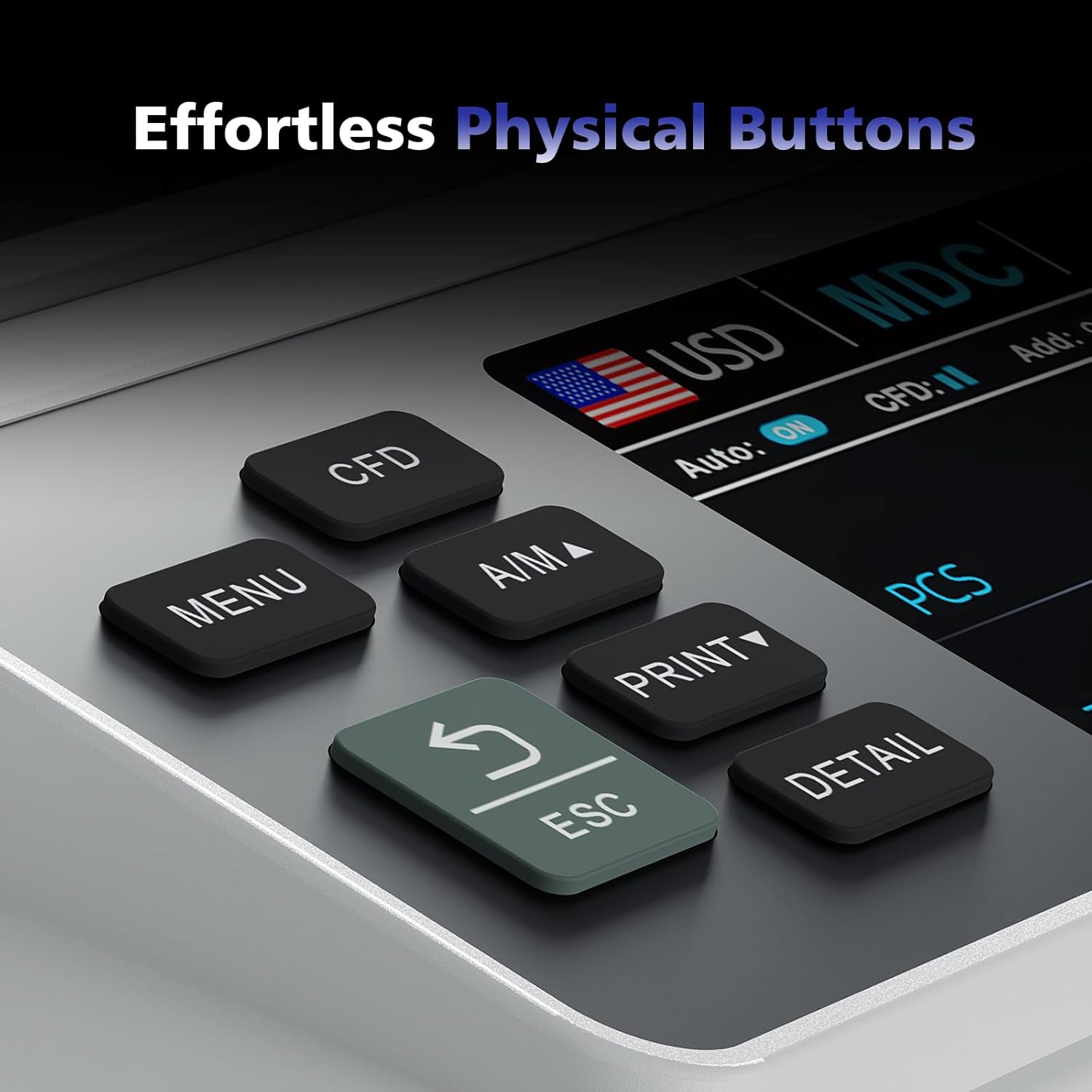
Image: LOLARAN N71 Money Counter with all included accessories laid out, including the bill counter, external display, power cord, IR calibration paper, nylon brush, cleaning cloth, fuse, user manual, and currency straps.
સેટઅપ
- અનપેકીંગ: Carefully remove the money counter and all accessories from the packaging.
- પ્લેસમેન્ટ: Place the machine on a stable, flat, and dry surface, ensuring adequate ventilation around the unit.
- પાવર કનેક્શન: Connect the provided power cord to the power input port on the back of the money counter, then plug the other end into a suitable power outlet.
- External Display Connection (Optional): If using the external display, connect its cable to the designated port on the money counter.
- પ્રારંભિક પાવર ચાલુ: Press the power button to turn on the machine. The display will illuminate, and the machine will perform a self-check.
ઓપરેટિંગ મોડ્સ
The N71 Money Counter offers several counting modes to suit various needs:
- Mixed Denomination (MDC) Mode: Counts mixed denominations of a single currency and provides a total value.
- Single Denomination Mode: Counts bills of a single denomination.
- Total Count Mode: Provides a simple piece count of all bills.
- બેચ મોડ: Allows counting bills into preset batches (e.g., 100 bills per batch).
- સંચય મોડ: Adds the count of multiple runs together.
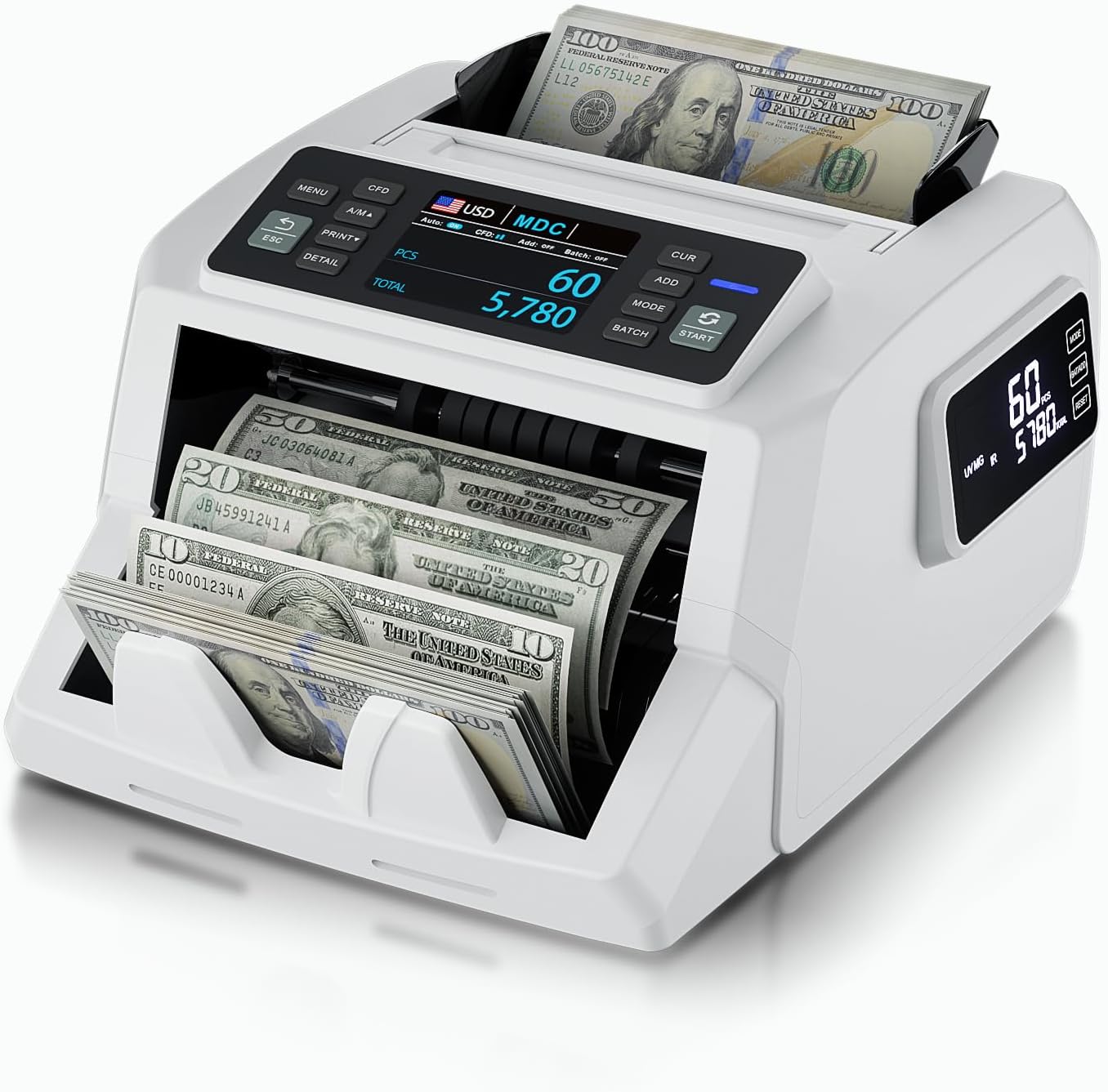
Image: The LOLARAN N71 Money Counter in operation, showing bills being fed into the hopper and collected in the stacker. The main display shows counting progress.
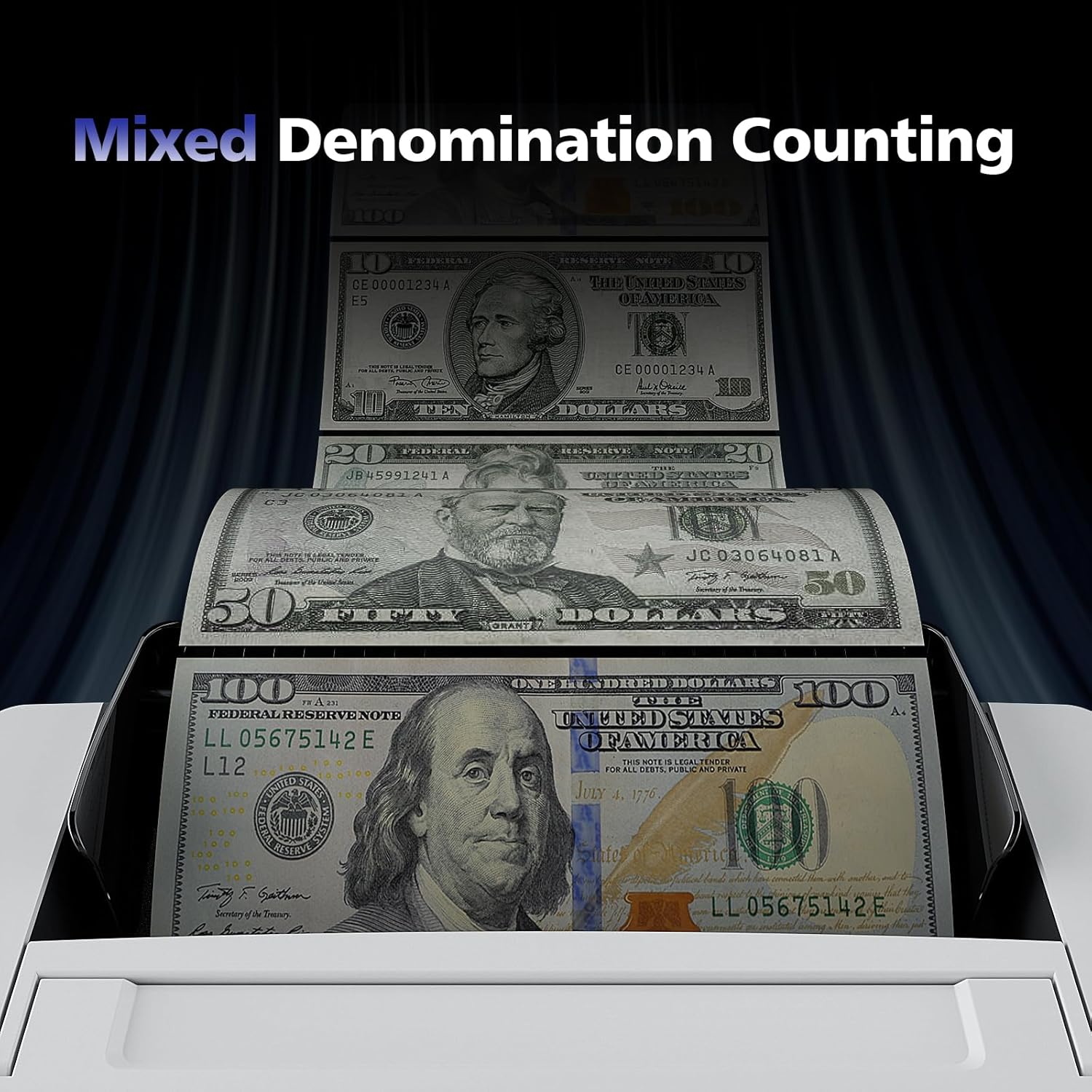
છબી: ક્લોઝ-અપ view of various denominations of currency (e.g., $100, $50, $20) being fed into the money counter, illustrating its mixed denomination counting capability.
ઓપરેશન
Basic Counting Procedure:
- Prepare Bills: Ensure bills are neatly stacked, free from folds, tears, or foreign objects.
- Place Bills: Place the stack of bills into the hopper at the top of the machine.
- મોડ પસંદ કરો: Use the "MODE" button to select your desired counting mode (e.g., MDC, Single, Total).
- ગણતરી શરૂ કરો: Press the "START" button. The machine will begin feeding and counting the bills.
- View પરિણામો: The main display and side screen will show the count and total value (if in MDC mode).
- Retrieve Bills: Once counting is complete, retrieve the counted bills from the stacker.
નકલી શોધ:
The N71 employs multiple detection methods:
- IR (Infrared) Detection: Checks for infrared ink patterns.
- UV (Ultraviolet) Detection: Detects UV features on bills.
- MG (Magnetic) Detection: Verifies magnetic ink properties.
- DD (Dimension Detection): Checks for correct bill dimensions.
If a suspicious bill is detected, the machine will stop, and an error code will be displayed. Remove the suspicious bill and press "START" to resume counting.

Image: An illustrative diagram highlighting the Magnetic (MG), Ultraviolet (UV), and Infrared (IR) detection points within the money counter, demonstrating its bank-grade counterfeit detection capabilities.

છબી: વિગતવાર view of the physical control buttons on the LOLARAN N71, including MENU, CFD, A/M, PRINT, DETAIL, ESC, CUR, ADD, MODE, BATCH, and START, indicating an intuitive user interface.
Supported Currencies:
The N71 Money Counter supports counting and detection for the following currencies:
- USD (United States Dollar)
- EUR (Euro)
- MXN (Mexican Peso)
- GBP (British Pound)
- CAD (Canadian Dollar)

Image: The LOLARAN N71 Money Counter surrounded by flags representing the supported currencies: USD, EUR, MXN, GBP, and CAD, highlighting its multi-currency capability.
પ્રદર્શન વિડિઓ:
Video: A demonstration of the LOLARAN N71 Money Counter in action, showcasing its mixed denomination counting feature and how the display updates with the total count and value. This video is provided by a customer and illustrates practical use.
જાળવણી
Regular maintenance ensures the longevity and accuracy of your money counter.
સફાઈ:
- આવર્તન: Clean the machine regularly, especially after heavy use or if counting dusty bills.
- પાવર બંધ: Always turn off and unplug the machine before cleaning.
- ધૂળ દૂર કરવી: Use the provided nylon brush and cleaning cloth to remove dust and debris from the bill pathways, sensors, and rollers.
- સેન્સર સફાઈ: Gently wipe the sensors with the cleaning cloth to ensure accurate detection.
Structural Upgrading:
The N71 features a structurally upgraded design to significantly reduce banknote jamming, contributing to smoother operation and less frequent maintenance interruptions.

છબી: એક આંતરિક view of the LOLARAN N71 money counter, illustrating its structurally upgraded components designed to minimize banknote jamming during operation.
મુશ્કેલીનિવારણ
આ વિભાગ તમને આવી શકે તેવી સામાન્ય સમસ્યાઓ અને તેમના ઉકેલોને સંબોધિત કરે છે.
| સમસ્યા | સંભવિત કારણ | ઉકેલ |
|---|---|---|
| મશીન ચાલુ નથી | Power cord not connected; Power outlet issue; Blown fuse. | Check power cord connection; Try a different outlet; Replace fuse (use provided spare). |
| Bills jamming frequently | Bills are wrinkled/folded; Dust/debris in pathway; Worn rollers. | Straighten bills; Clean bill pathway and sensors; Contact support if rollers are worn. |
| અચોક્કસ ગણતરી | Dirty sensors; Bills not properly aligned. | Clean sensors; Ensure bills are neatly stacked and aligned in the hopper. |
| Counterfeit detection errors (false positives) | Dirty sensors; Bills are very old/worn; Currency type not selected correctly. | Clean sensors; Try counting the bill manually; Ensure correct currency is selected. |
For issues not covered here, please refer to the contact information in the "Customer Support" section.
વિશિષ્ટતાઓ
- મોડલ: N71
- બ્રાન્ડ: લોલરન
- ગણતરીની ઝડપ: પ્રતિ મિનિટ 1,200 બિલ સુધી
- Detection Technologies: IR, UV, MG, DD
- પ્રદર્શન: 3.5" TFT Main Display, Side Screen
- Supported Currencies: USD, EUR, MXN, GBP, CAD
- ઉત્પાદન પરિમાણો: 12.4 x 10.63 x 14.37 ઇંચ
- વસ્તુનું વજન: 12.25 પાઉન્ડ
વોરંટી અને ગ્રાહક આધાર
LOLARAN is committed to providing continuous product support and free software upgrades to ensure your money counting machine performs at its best.
For technical assistance, warranty claims, or any questions regarding your N71 Money Counter, please contact LOLARAN customer support through the retailer's platform or visit the official LOLARAN store on Amazon for more information.
Official LOLARAN Store: Visit the LOLARAN Store on Amazon