
પરિચય
This manual provides detailed instructions for the safe and effective use of your Acouto F6 Three-Axis Handheld Stabilizer. Please read this manual thoroughly before operating the device and retain it for future reference.
The Acouto F6 is designed to provide enhanced stability for smartphone video recording, eliminating unwanted picture shake with its high-precision brushless motor and advanced anti-shake technology. It supports both horizontal and vertical shooting modes and offers intelligent tracking features for dynamic content creation.
ઉત્પાદન ઘટકો
Carefully unpack your Acouto F6 Stabilizer and ensure all components are present:
- Acouto F6 Three-Axis Handheld Stabilizer
- મીની ત્રપાઈ
- યુએસબી ચાર્જિંગ કેબલ
- વપરાશકર્તા માર્ગદર્શિકા (આ દસ્તાવેજ)

Image: The Acouto F6 Three-Axis Handheld Stabilizer, mini tripod, USB charging cable, and a small instruction booklet.
સેટઅપ માર્ગદર્શિકા
1. સ્ટેબિલાઇઝર ચાર્જ કરવું
Before first use, fully charge the stabilizer. Connect the provided USB charging cable to the charging port on the stabilizer and to a 5V USB power adapter (not included). The charging time is approximately 2.5 hours.
2. Attaching the Mini Tripod (Optional)
For stable standing, live broadcasting, or time-lapse photography, attach the mini tripod to the 1/4-inch screw hole located at the bottom of the stabilizer handle. Rotate clockwise until secure.
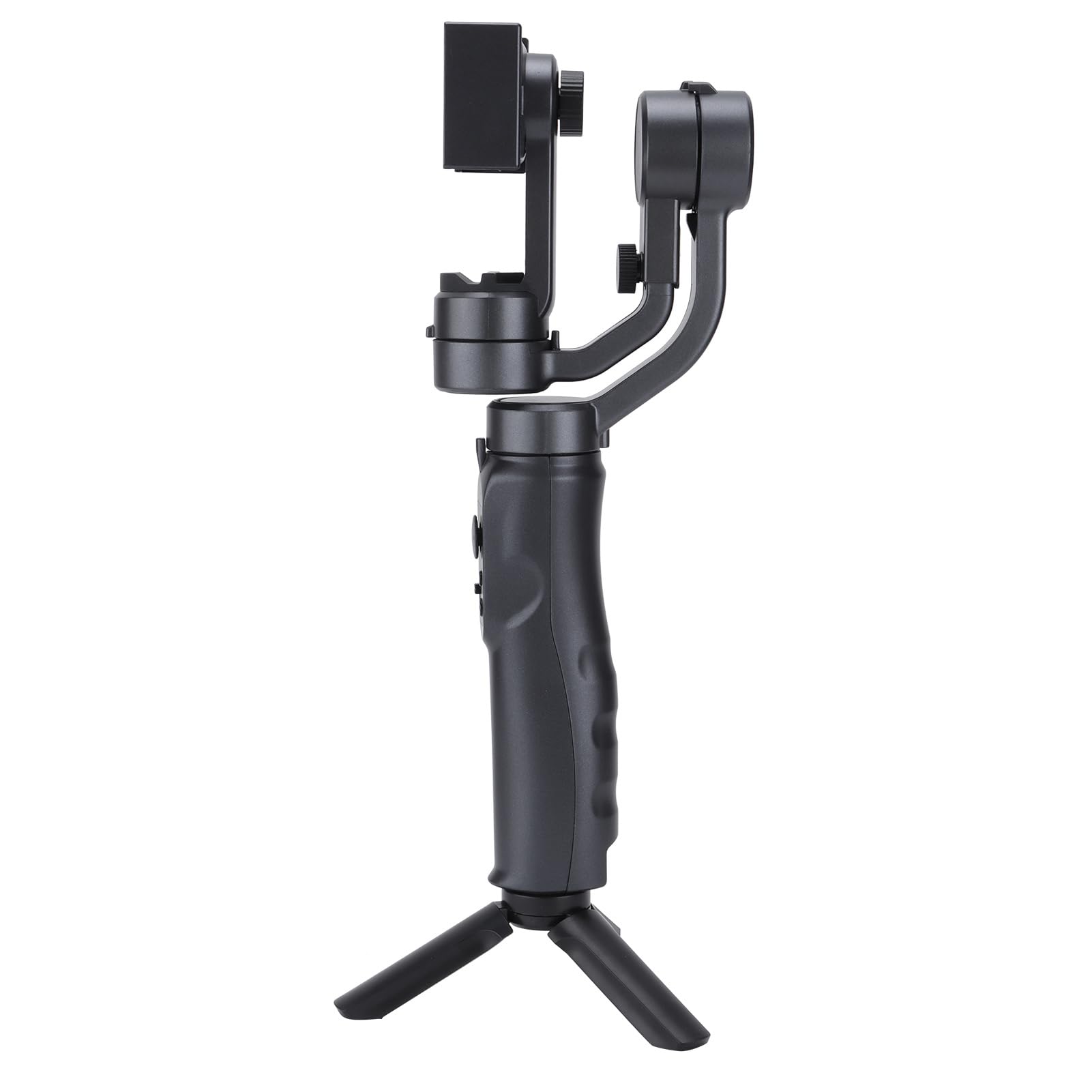
Image: The Acouto F6 Stabilizer shown upright with the mini tripod attached to its base.
3. તમારા સ્માર્ટફોનને માઉન્ટ કરવો
- ફોન સીલ લંબાવોamp on the stabilizer.
- તમારા સ્માર્ટફોનને કાળજીપૂર્વક કચરાપેટીમાં મૂકો.amp, ખાતરી કરો કે તે કેન્દ્રિત અને સુરક્ષિત છે.
- Adjust the horizontal bar by stretching it to quickly level the screen, whether for horizontal or vertical orientation. The stabilizer supports phones up to 280g.

છબી: ક્લોઝ-અપ view ફોન ક્લાર્કનોamp mechanism on the Acouto F6 Stabilizer, ready to hold a smartphone.
ઓપરેટિંગ સૂચનાઓ
1. પાવર ચાલુ/બંધ
Locate the power button on the handle. Press and hold for a few seconds to power on or off the stabilizer.

છબી: વિગતવાર view of the control panel on the Acouto F6 Stabilizer handle, showing buttons and ports.
2. Switching Between Horizontal and Vertical Modes
The stabilizer allows seamless switching between horizontal (landscape) and vertical (portrait) shooting modes. When your arm tilts to the left more than 70 degrees, the stabilizer can automatically rotate the phone to vertical portrait mode. You can also manually adjust as needed.

Image: The Acouto F6 Stabilizer displayed with a smartphone mounted in both horizontal and vertical orientations, demonstrating its versatility.
3. Anti-Shake and Tracking Features
The high-precision brushless motor provides real-time compensation to eliminate picture shake. In full follow mode, the DC stepping motor upgrades to 150°/SEC, allowing quick locking onto targets.
The stabilizer also features accurate human face tracking and object tracking, ensuring your subjects remain in focus during recording.
4. Using the Companion App
Connect your smartphone to the stabilizer's companion app (if available, check your phone's app store for "Acouto Stabilizer" or similar). The app may offer additional features such as:
- સમય વીતી ગયેલી ફોટોગ્રાફી
- Slow-motion photography
- Advanced camera controls
જાળવણી
To ensure the longevity and optimal performance of your Acouto F6 Stabilizer, follow these maintenance guidelines:
- સફાઈ: Use a soft, dry cloth to wipe the stabilizer. Do not use harsh chemicals or abrasive materials.
- સંગ્રહ: Store the stabilizer in a cool, dry place away from direct sunlight and extreme temperatures.
- બેટરી સંભાળ: For long-term storage, charge the battery to approximately 50% every three months to prevent deep discharge.
- અસર ટાળો: Protect the stabilizer from drops and impacts, which can damage internal components.
મુશ્કેલીનિવારણ
If you encounter issues with your Acouto F6 Stabilizer, refer to the following common problems and solutions:
- Stabilizer does not power on:
- ખાતરી કરો કે બેટરી સંપૂર્ણપણે ચાર્જ થઈ છે.
- Press and hold the power button for the required duration.
- Phone is not stable/shaking:
- Ensure the smartphone is properly centered and securely clampસંપાદન
- Verify the horizontal bar is stretched to level the phone correctly.
- Check if the phone's weight exceeds the maximum load capacity (280g).
- Gimbal motors are unresponsive:
- Restart the stabilizer.
- ખાતરી કરો કે મોટર ગતિશીલતાને અવરોધતા કોઈ અવરોધો નથી.
- એપ્લિકેશન સાથે કનેક્ટ થઈ શકતું નથી:
- ખાતરી કરો કે તમારા સ્માર્ટફોન પર બ્લૂટૂથ સક્ષમ છે.
- Restart both the stabilizer and your smartphone.
- એપ્લિકેશન નવીનતમ સંસ્કરણ પર અપડેટ થયેલ છે કે નહીં તે તપાસો.
If problems persist, please contact Acouto customer support.
વિશિષ્ટતાઓ
| આઇટમ પ્રકાર | Three-axis Handheld Stabilizer |
| બ્રાન્ડ | એકાઉટો |
| મોડલ | Acouto4smwt0ihg1 |
| રંગ | કાળો |
| સામગ્રી | ABS |
| વજન | આશરે 595 ગ્રામ / 21 ઔંસ |
| વર્તમાન કામ | Minimum 80mA, Standard 120mA, Maximum 3000mA |
| કાર્ય ભાગtage | 5V |
| કાર્યકારી તાપમાન | ૦°સે - ૪૫°સે |
| Pitch Axis Movement Range | -165° થી +165° |
| Roll Axis Movement Range | -90° થી +90° |
| Yaw Axis Movement Range | -165° થી +165° |
| ચાર્જિંગ સમય | 2.5 કલાક |
| કામ કરવાનો સમય | 6-8 Hours (depending on balance and phone size) |
| મહત્તમ લોડ ક્ષમતા | 280 ગ્રામ |
| સુસંગત ઉપકરણો | સ્માર્ટફોન |
સલામતી માહિતી
કૃપા કરીને નીચેની સલામતી સાવચેતીઓનું પાલન કરો:
- Do not disassemble or modify the stabilizer.
- ઉપકરણને પાણી અને અન્ય પ્રવાહીથી દૂર રાખો.
- Avoid exposing the stabilizer to extreme temperatures or direct heat sources.
- ફક્ત આપેલ ચાર્જિંગ કેબલ અથવા પ્રમાણિત સમકક્ષનો ઉપયોગ કરો.
- બાળકોની પહોંચથી દૂર રાખો.