
1. પરિચય
Thank you for choosing the AWEI T58 Wireless Bluetooth Earbuds. These earbuds are designed to provide a high-quality audio experience with advanced features such as Bluetooth 5.3 connectivity, IPX6 waterproofing, and intuitive touch controls. This manual will guide you through the setup, operation, and maintenance of your new earbuds.

Image: The AWEI T58 Wireless Bluetooth Earbuds with their transparent charging case, showcasinતેમની ડિઝાઇન.
2. બોક્સમાં શું છે
બધી વસ્તુઓ હાજર છે તેની ખાતરી કરવા માટે કૃપા કરીને પેકેજની સામગ્રી તપાસો:
- વાયરલેસ ઇયરબડ્સ (ડાબે અને જમણે)
- ચાર્જિંગ કેસ
- USB ચાર્જિંગ કેબલ (ટાઈપ-સી)
- ઇયરટિપ્સ (વિવિધ કદ)
- વપરાશકર્તા માર્ગદર્શિકા (આ દસ્તાવેજ)
3. સેટઅપ
૫.૧ ઇયરબડ્સ અને કેસ ચાર્જ કરવા
પ્રથમ ઉપયોગ કરતા પહેલા, ઇયરબડ્સ અને ચાર્જિંગ કેસને સંપૂર્ણપણે ચાર્જ કરો.
- Connect the provided USB Type-C cable to the charging port on the case and to a USB power adapter (not included).
- The LED indicators on the charging case will show the charging status. Red lights indicate charging, and blue lights indicate decorative ambient lighting.
- Place the earbuds into the charging case. Ensure they are properly seated; the earbuds will automatically begin charging.
- A full charge for the case takes approximately 1.5 hours. The earbuds provide up to 7 hours of continuous use per charge. The charging case extends total playtime to 35 hours in dual-ear mode, or up to 70 hours in single-ear mode by alternating earbuds.

Image: The AWEI T58 charging case displaying its LED ambient and charging lights.
૧.૩ તમારા ઉપકરણ સાથે જોડી બનાવવી
The earbuds utilize Bluetooth 5.3 technology for a stable and efficient connection.
- ચાર્જિંગ કેસ ખોલો. ઇયરબડ્સ આપમેળે પેરિંગ મોડમાં પ્રવેશ કરશે.
- તમારા સ્માર્ટફોન, ટેબ્લેટ અથવા અન્ય બ્લૂટૂથ-સક્ષમ ઉપકરણ પર, બ્લૂટૂથ સેટિંગ્સ પર જાઓ.
- માટે શોધો available devices and select "AWEI T58" from the list.
- એકવાર કનેક્ટ થઈ ગયા પછી, તમને એક શ્રાવ્ય પુષ્ટિ સંભળાશે, અને ઇયરબડ્સ ઉપયોગ માટે તૈયાર થઈ જશે.
- જો ઉપકરણમાં બ્લૂટૂથ સક્ષમ હોય, તો કેસમાંથી દૂર કર્યા પછી ઇયરબડ્સ આપમેળે છેલ્લા જોડીવાળા ઉપકરણ સાથે ફરીથી કનેક્ટ થઈ જશે.
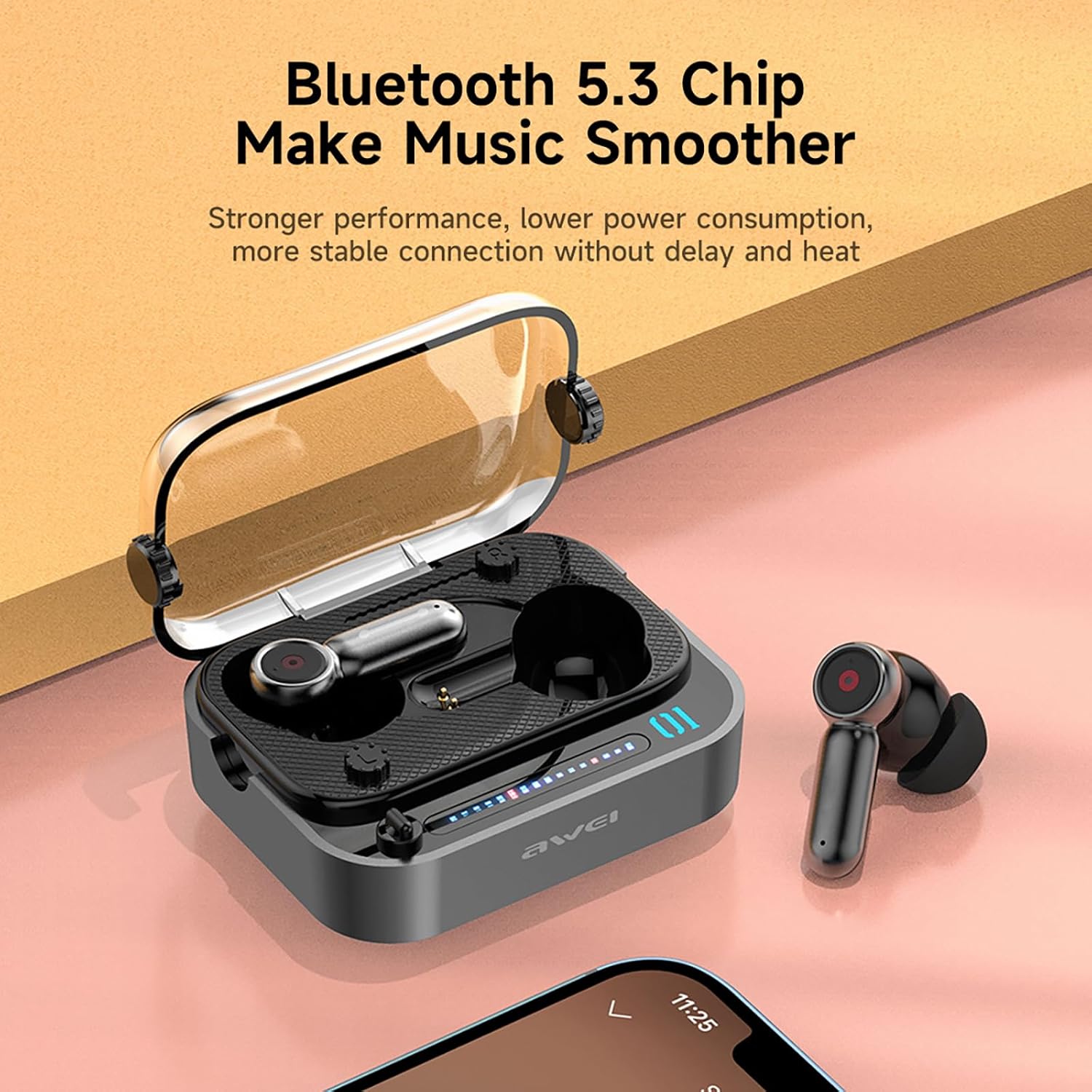
Image: The AWEI T58 earbuds in their charging case, highlighting the Bluetooth 5.3 chip for stable connection.
૫.૧ ઇયરબડ્સ પહેરવા
શ્રેષ્ઠ અવાજ ગુણવત્તા અને આરામ માટે, યોગ્ય ફિટની ખાતરી કરો.
- Select the eartip size that best fits your ear canal.
- Gently insert each earbud into your ear, twisting slightly until it feels secure and comfortable.
- The ergonomic design is intended for a snug fit without discomfort.
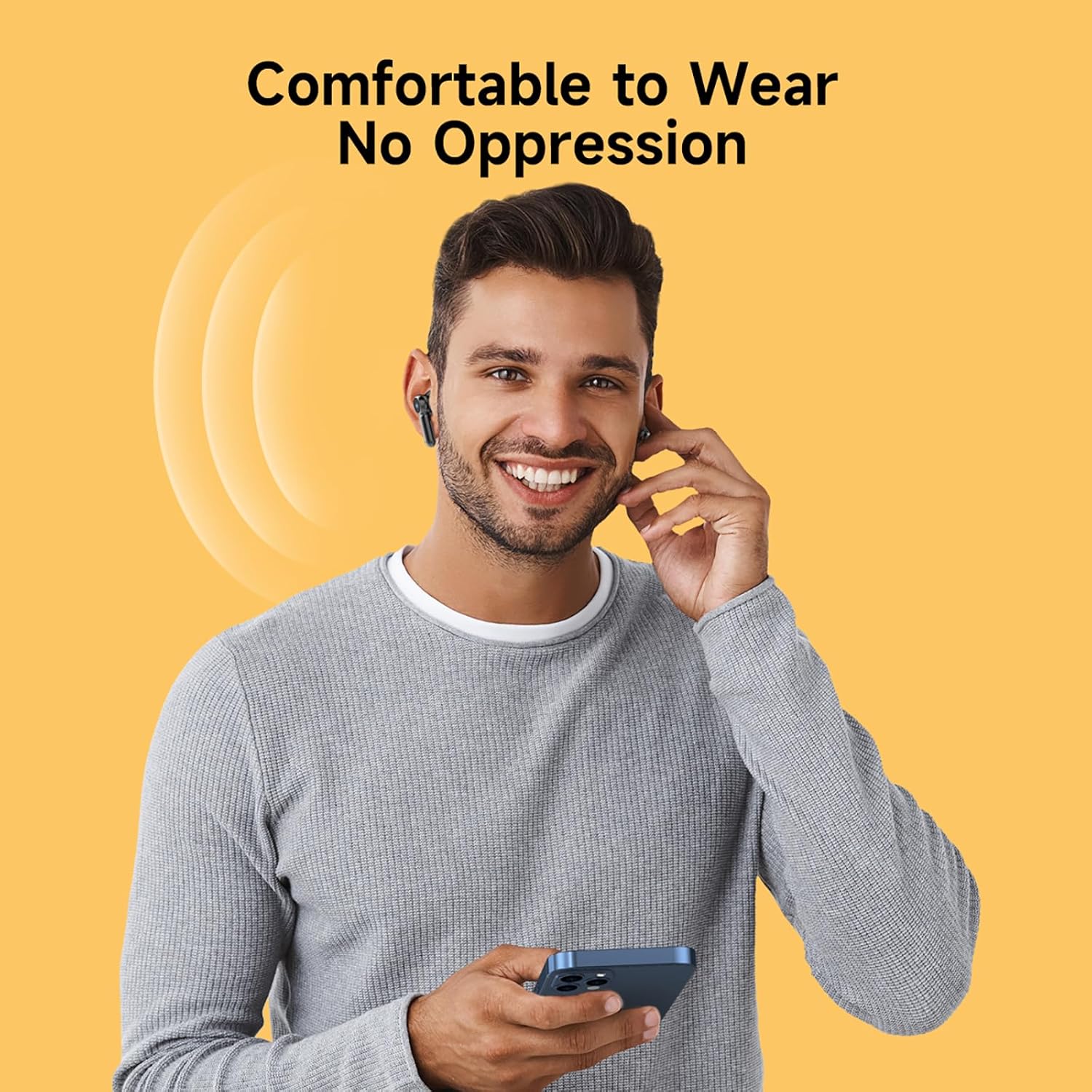
Image: A person wearing the AWEI T58 earbuds, demonstrating their comfortable and secure fit.
4. ઇયરબડ્સનું સંચાલન
4.1 ટચ કંટ્રોલ્સ
The AWEI T58 earbuds feature sensitive touch controls on both the left and right earbuds for easy management of audio and calls.
| ક્રિયા | ડાબું ઇયરબડ | જમણું ઇરબડ |
|---|---|---|
| ચલાવો/થોભો | સિંગલ ટેપ | સિંગલ ટેપ |
| આગામી ગીત | ડબલ ટેપ કરો | ડબલ ટેપ કરો |
| અગાઉનું ગીત | ટ્રિપલ ટેપ | ટ્રિપલ ટેપ |
| કૉલનો જવાબ આપો/સમાપ્ત કરો | સિંગલ ટેપ | સિંગલ ટેપ |
| કૉલ નકારો | લાંબા સમય સુધી દબાવો (2 સે) | લાંબા સમય સુધી દબાવો (2 સે) |
| વૉઇસ સહાયકને સક્રિય કરો | લાંબા સમય સુધી દબાવો (2 સે) | લાંબા સમય સુધી દબાવો (2 સે) |
| વોલ્યુમ અપ | N/A | લાંબો સમય દબાવો (જમણે) |
| વોલ્યુમ ડાઉન | લાંબો સમય દબાવો (ડાબે) | N/A |

Image: The AWEI T58 earbuds illustrating the touch-sensitive control area.
4.2 Single and Dual Earbud Mode
The AWEI T58 earbuds support both single and dual earbud usage:
- ડ્યુઅલ ઇયરબડ મોડ: Both earbuds connect to your device for stereo sound.
- સિંગલ એરબડ મોડ: Either the left or right earbud can be used independently. Simply take one earbud out of the case, and it will connect to your device. The other earbud can remain in the case or be used by another person.
4.3 Hi-Fi Sound Quality and Noise Cancellation
Equipped with 13mm speakers, the earbuds deliver deep bass, clear vocals, and bright treble. The integrated ANC (Active Noise Cancellation) technology specifically enhances call clarity by reducing ambient noise during phone conversations, ensuring clear communication whether indoors or outdoors.
વિડિઓ: એક ઓવરview of the AWEI T58 Wireless Bluetooth Headset, demonstrating its features and design.
5. જાળવણી
5.1 સફાઈ
શ્રેષ્ઠ કામગીરી અને સ્વચ્છતા જાળવવા માટે:
- ઇયરબડ્સ અને ચાર્જિંગ કેસને નિયમિતપણે નરમ, સૂકા, લિન્ટ-ફ્રી કપડાથી સાફ કરો.
- ઇયરટીપ્સ દૂર કરો અને તેમને હળવા સાબુ અને પાણીથી સાફ કરો, પછી ફરીથી જોડતા પહેલા સારી રીતે સૂકવો.
- ઘર્ષક સામગ્રી, દ્રાવક અથવા કઠોર રસાયણોનો ઉપયોગ કરવાનું ટાળો.
૫.૪ પાણી પ્રતિકાર (IPX6)
The AWEI T58 earbuds are rated IPX6 waterproof, meaning they are protected against high-pressure water jets from any direction. This makes them suitable for use during workouts or in light rain.
- ઇયરબડ્સને પાણીમાં ડુબાડશો નહીં.
- Ensure the charging port on the case is dry before charging.
- The IPX6 rating applies to the earbuds, not the charging case.

Image: The AWEI T58 earbuds and case with water droplets, illustrating their IPX6 waterproof capability.
5.3 સંગ્રહ
જ્યારે ઉપયોગમાં ન હોય, ત્યારે ઇયરબડ્સને સુરક્ષિત રાખવા અને ચાર્જ રાખવા માટે તેમના ચાર્જિંગ કેસમાં રાખો.
6. મુશ્કેલીનિવારણ
If you encounter issues with your AWEI T58 earbuds, please refer to the following common solutions:
- ઇયરબડ્સ જોડી રહ્યા નથી:
- ખાતરી કરો કે બંને ઇયરબડ ચાર્જ થયા છે.
- તમારા ઉપકરણ પર બ્લૂટૂથ બંધ કરો, પછી તેને પાછું ચાલુ કરો.
- Forget "AWEI T58" in your device's Bluetooth settings and attempt to pair again.
- ઇયરબડ્સને કેસમાં પાછા મૂકો, ઢાંકણ બંધ કરો, થોડીવાર રાહ જુઓ, પછી પેરિંગ મોડમાં ફરીથી પ્રવેશવા માટે ખોલો.
- ફક્ત એક જ ઇયરબડ કામ કરી રહ્યું છે:
- ખાતરી કરો કે બંને ઇયરબડ ચાર્જ થયા છે.
- Place both earbuds back into the charging case, close the lid, then open it again. This often resets the connection between them.
- જો સમસ્યા ચાલુ રહે, તો ઇયરબડ્સ રીસેટ કરવાનો પ્રયાસ કરો (ઉત્પાદકના webજો અહીં આવરી લેવામાં ન આવે તો ચોક્કસ રીસેટ સૂચનાઓ માટે સાઇટ જુઓ).
- કોઈ અવાજ નહીં અથવા ઓછો અવાજ નહીં:
- તમારા ડિવાઇસ અને ઇયરબડ બંને પર વૉલ્યૂમ લેવલ ચેક કરો.
- ખાતરી કરો કે ઇયરબડ્સ તમારા ઉપકરણ સાથે યોગ્ય રીતે જોડાયેલા છે.
- ઇયરબડ સ્પીકર્સમાંથી કોઈપણ કચરો સાફ કરો.
- ચાર્જિંગ સમસ્યાઓ:
- ખાતરી કરો કે ચાર્જિંગ કેબલ કેસ અને પાવર સ્ત્રોત બંને સાથે સુરક્ષિત રીતે જોડાયેલ છે.
- એક અલગ USB કેબલ અથવા પાવર એડેપ્ટર અજમાવો.
- ખાતરી કરો કે ઇયરબડ્સ પર અને કેસની અંદરના ચાર્જિંગ કોન્ટેક્ટ્સ સ્વચ્છ અને કચરોથી મુક્ત છે.
7. સ્પષ્ટીકરણો
| લક્ષણ | સ્પષ્ટીકરણ |
|---|---|
| મોડેલનું નામ | T58 |
| બ્રાન્ડ | AWEI |
| બ્લૂટૂથ સંસ્કરણ | 5.3 |
| બ્લૂટૂથ રેન્જ | 10 મીટર (33 ફૂટ) સુધી |
| ઇયર પ્લેસમેન્ટ | કાન માં |
| નિયંત્રણ પ્રકાર | નિયંત્રણને ટચ કરો |
| સ્પીકરનું કદ | 13 મીમી |
| ઇયરબડ રમવાનો સમય | ૧૦ કલાક સુધી (એક વાર ચાર્જ કરીને) |
| કુલ રમવાનો સમય (કેસ સાથે) | Up to 35 hours (dual-ear mode), 70 hours (single-ear alternating) |
| ચાર્જિંગ કેસ બેટરી | 300mAh |
| ચાર્જિંગ સમય (કેસ) | આશરે 1.5 કલાક (ટાઈપ-સી) |
| પાણી પ્રતિકાર | IPX6 (ફક્ત ઇયરબડ્સ) |
| અવાજ રદ | ANC for calling |
| વધારાની સુવિધાઓ | Fast Charging, Lightweight, Rechargeable Battery, Touch Control |
8. વોરંટી અને સપોર્ટ
8.1 વોરંટી માહિતી
The AWEI T58 Wireless Bluetooth Earbuds come with a 1-year manufacturer's warranty. This warranty covers defects in materials and workmanship under normal use. It does not cover damage caused by misuse, accidents, unauthorized modifications, or normal wear and tear.
8.2 ગ્રાહક સપોર્ટ
For technical assistance, warranty claims, or further inquiries, please contact AWEI customer support through their official website or the retailer from whom you purchased the product. Please have your product model number (T58) and proof of purchase ready.