
1. પરિચય
The Awei H15 Smartwatch is designed to integrate seamlessly into your daily life, offering health monitoring, communication features, and smart notifications. This manual provides essential information for setting up, operating, and maintaining your device.
2. બોક્સમાં શું છે
- 1 x Awei H15 Smartwatch
- 1 x ચાર્જિંગ કેબલ
- ૧ x વપરાશકર્તા માર્ગદર્શિકા (આ દસ્તાવેજ)
3. ઉત્પાદન ઓવરview
Familiarize yourself with the key components of your Awei H15 Smartwatch.
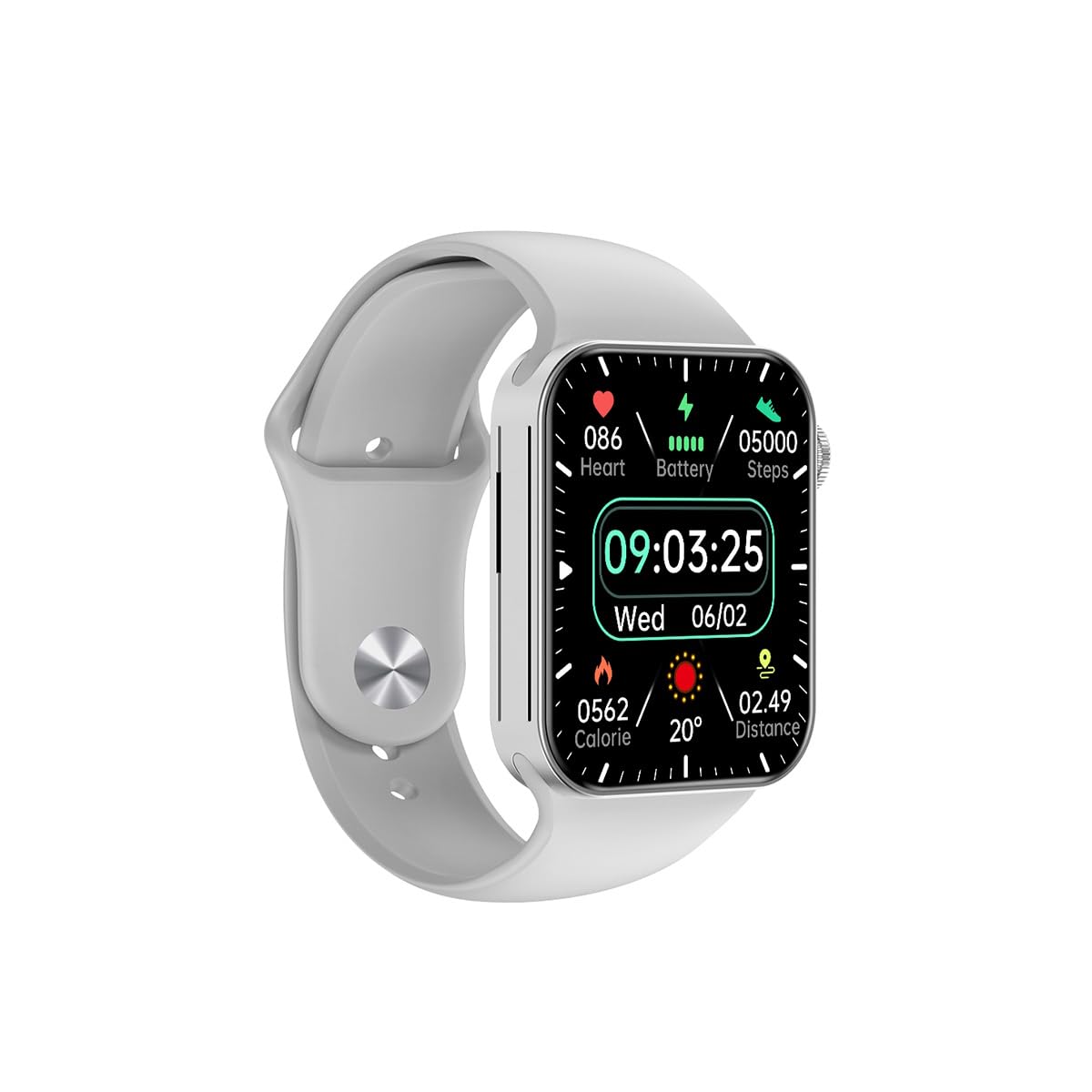
આકૃતિ 3.1: આગળ view of the Awei H15 Smartwatch display, illustrating various health metrics and time.

આકૃતિ 3.2: બાજુ view of the smartwatch, highlighting the rotary crown for navigation and an additional button.
4. સેટઅપ
૪.૧ સ્માર્ટવોચ ચાર્જ કરવી
Before first use, fully charge your Awei H15 Smartwatch. Connect the provided charging cable to the charging port on the back of the watch and to a standard USB power adapter (not included).
- ચાર્જિંગ સમય: સંપૂર્ણ ચાર્જ માટે આશરે 2-3 કલાક.
- Battery Life: Up to 7 days with calls, up to 15 days without calls.
4.2 પાવર ચાલુ/બંધ
- પાવર ચાલુ કરવા માટે: Press and hold the side button until the Awei logo appears.
- પાવર ઓફ કરવા માટે: બાજુનું બટન દબાવો અને પકડી રાખો, પછી સ્ક્રીન પર 'પાવર ઓફ' પસંદ કરો.
૪.૩ તમારા સ્માર્ટફોન સાથે જોડી બનાવવી
The Awei H15 Smartwatch uses Dual Bluetooth 3.0/5.0 for stable connectivity. To unlock full features, download the companion app (refer to the packaging or quick start guide for app name) from your smartphone's app store.
- Ensure your smartwatch is powered on and fully charged.
- તમારા સ્માર્ટફોન પર બ્લૂટૂથ સક્ષમ કરો.
- Open the companion app and follow the on-screen instructions to search for and connect to your Awei H15 Smartwatch.
- તમારા સ્માર્ટફોન અને સ્માર્ટવોચ બંને પર જોડી બનાવવાની વિનંતીની પુષ્ટિ કરો.
5. ઓપરેટિંગ સૂચનાઓ
૨.૧ મૂળભૂત નેવિગેશન
- ટચ સ્ક્રીન: મેનુ અને સ્ક્રીન પર નેવિગેટ કરવા માટે ડાબે, જમણે, ઉપર અથવા નીચે સ્વાઇપ કરો. આઇટમ પસંદ કરવા માટે ટેપ કરો.
- રોટરી ક્રાઉન: Rotate the crown to scroll through lists or zoom in/out (where applicable). Press the crown to return to the home screen or confirm selections.
5.2 Multi-Dial Switching
Customize your smartwatch's appearance by switching between various watch faces.

આકૃતિ 5.1: Examples of different watch faces available on the Awei H15 Smartwatch.
ઘડિયાળનો ચહેરો બદલવા માટે:
- From the home screen, press and hold the display.
- ઉપલબ્ધ ઘડિયાળના ચહેરાઓ બ્રાઉઝ કરવા માટે ડાબે અથવા જમણે સ્વાઇપ કરો.
- Tap on a watch face to select it.
5.3 આરોગ્ય દેખરેખ
The Awei H15 Smartwatch tracks various health metrics to support your active lifestyle.
- હાર્ટ રેટ: દિવસભર તમારા હૃદયના ધબકારાને મોનિટર કરો.
- પ્રવૃત્તિ ટ્રેકિંગ: The built-in G-Sensor (MSA311) accurately tracks steps, distance, and calories burned.
- સ્લીપ મોનિટરિંગ: Track your sleep patterns (light sleep, deep sleep, wake-up times).
Access detailed health data through the companion app on your smartphone.
૧.૨.૨ સ્માર્ટ સુવિધાઓ
- કૉલ્સ: Make and receive calls directly from your smartwatch when connected to your phone via Bluetooth.
- સૂચનાઓ: સંદેશાઓ, ઇમેઇલ્સ અને એપ્લિકેશન સૂચનાઓ માટે ચેતવણીઓ પ્રાપ્ત કરો.
- હવામાન અપડેટ્સ: રીઅલ-ટાઇમ હવામાન માહિતી મેળવો.
- સંગીત નિયંત્રણ: તમારા સ્માર્ટફોન પર સંગીત પ્લેબેકને નિયંત્રિત કરો.
6. જાળવણી
6.1 સફાઈ
Regularly clean your smartwatch to ensure optimal performance and hygiene.
- નરમ, લિન્ટ-ફ્રી કપડાથી સ્ક્રીન અને શરીર સાફ કરો.
- હઠીલા ગંદકી માટે, સહેજ ડીampપાણીથી ભરેલું કાપડ. કઠોર રસાયણો ટાળો.
- સારા કનેક્શનની ખાતરી કરવા માટે ચાર્જિંગ કોન્ટેક્ટ્સને સમયાંતરે સાફ કરો.
૫.૧ પાણી પ્રતિકાર (IP67)
The Awei H15 Smartwatch is IP67 water-resistant, meaning it is protected against dust and can withstand immersion in water up to 1 meter for 30 minutes.
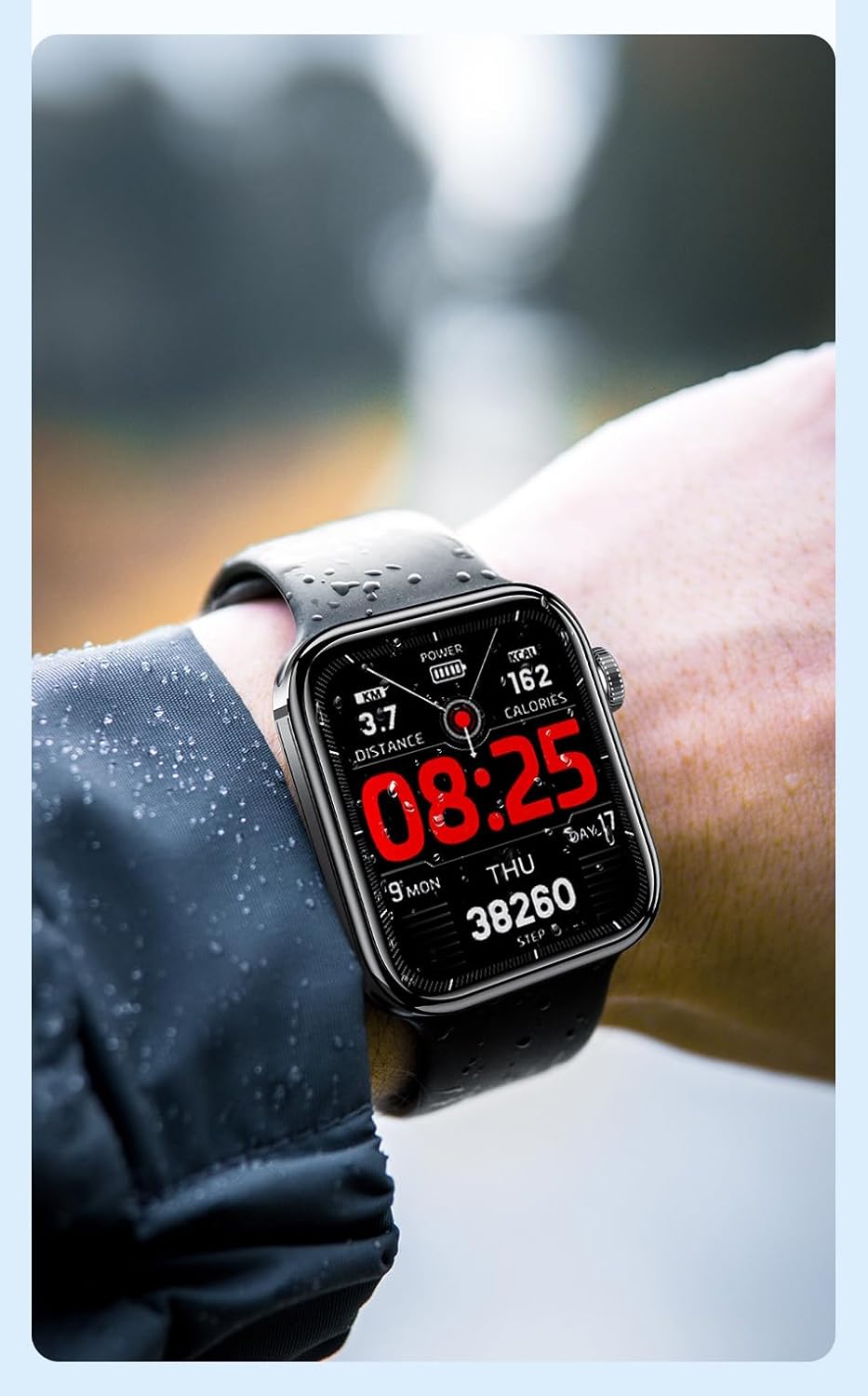
આકૃતિ 6.1: The Awei H15 Smartwatch is designed to withstand splashes and dust.
Important: IP67 rating does not mean the watch is suitable for swimming, showering, or diving. Avoid exposing the watch to hot water, steam, or high-velocity water.
7. મુશ્કેલીનિવારણ
- ઘડિયાળ ચાલુ નથી થઈ રહી: ખાતરી કરો કે ઘડિયાળ સંપૂર્ણપણે ચાર્જ થયેલ છે. તેને ઓછામાં ઓછા 30 મિનિટ માટે ચાર્જર સાથે કનેક્ટ કરો.
- સ્માર્ટફોન સાથે જોડી શકાતી નથી:
- ખાતરી કરો કે તમારા ફોન અને ઘડિયાળ પર બ્લૂટૂથ સક્ષમ છે.
- ખાતરી કરો કે ઘડિયાળ તમારા ફોનની રેન્જમાં છે.
- ઘડિયાળ અને તમારા ફોન બંનેને રીસ્ટાર્ટ કરો.
- તપાસો કે સાથી એપ્લિકેશન નવીનતમ સંસ્કરણ પર અપડેટ થયેલ છે કે નહીં.
- અચોક્કસ આરોગ્ય ડેટા: ખાતરી કરો કે ઘડિયાળ તમારા કાંડા પર ચુસ્તપણે પહેરેલી છે, ખૂબ ચુસ્ત કે ખૂબ ઢીલી નહીં. ઘડિયાળની પાછળના સેન્સરને સાફ કરો.
- ટૂંકી બેટરી જીવન: Reduce screen brightness, disable unnecessary notifications, and limit continuous heart rate monitoring.
8. સ્પષ્ટીકરણો
| લક્ષણ | સ્પષ્ટીકરણ |
|---|---|
| મોડલ | H15 |
| કનેક્ટિવિટી ટેકનોલોજી | બ્લૂટૂથ 3.0/5.0 |
| પાણી પ્રતિકાર | IP67 |
| બેટરી ક્ષમતા | 260mAh |
| ચાર્જિંગ સમય | 2-3 કલાક |
| વપરાશ સમય | Up to 7 days (with calls), 15 days (without calls) |
| જી-સેન્સર | MSA311 |
| પરિમાણો | 36.8 × 42.5 × 13.2 મીમી |
| કાંડાબંધ લંબાઈ | 270 મીમી |
| ઉત્પાદક | અવેઇ |
9. વોરંટી અને સપોર્ટ
Your Awei H15 Smartwatch comes with a 6-મહિનાની વોરંટી ખરીદીની તારીખથી. આ વોરંટી સામાન્ય ઉપયોગ હેઠળ ઉત્પાદન ખામીઓને આવરી લે છે.
For warranty claims or technical support, please contact your retailer or the official Awei customer service. Keep your proof of purchase for warranty validation.