
પરિચય
Thank you for choosing BUGANI True Wireless Earbuds. This manual provides detailed instructions on how to set up, operate, and maintain your earbuds to ensure the best possible audio experience. Please read this manual carefully before use and keep it for future reference.

Image: BUGANI True Wireless Earbuds and their charging case.
બૉક્સમાં શું છે
Your BUGANI True Wireless Earbuds package should contain the following items:
- 1 x BUGANI B09 Wireless Earbuds
- 1 x યુએસબી-સી ચાર્જિંગ કેબલ
- 3 x Different Sizes of Eartips (S, M, L)
- 3 x Different Sizes of Silicone Earwings (S, M, L)
- ૧ x વપરાશકર્તા માર્ગદર્શિકા (આ દસ્તાવેજ)
ઉત્પાદન ઓવરview અને મુખ્ય લક્ષણો
The BUGANI B09 earbuds are designed for superior sound and user convenience. Here are some of their main features:
Immersive Sound Quality & Extra Deep Bass
Experience rich, powerful audio with oversized 10mm dynamic drivers. These earbuds deliver enhanced bass, clear trebles, and balanced mids for an immersive listening experience across music, movies, and games.

છબી: એક વિસ્ફોટ view of the earbud, highlighting its internal audio components and dynamic driver for superior sound.
ENC Enhanced Crystal-Clear Calls
Equipped with a BUGANI intelligent noise reduction algorithm and built-in dual microphones, these earbuds precisely pick up your voice while effectively blocking out background noise. This ensures clear communication during calls, video chats, and live sessions.

Image: A woman smiling while wearing the earbuds, illustrating their use for crystal-clear calls with the microphone highlighted.
Extended Playtime & IPX6 Water-Resistant
Enjoy up to 6 hours of listening on a single charge, with the compact charging case providing an additional 3 charges for a total of 24 hours of playtime. The IPX6 water-resistant rating protects your earbuds from sweat, splashes, and light rain, making them ideal for workouts and outdoor activities. Note: Do not submerge in water.

Image: The earbuds in their charging case, illustrating the 24-hour total playtime with the case and 6 hours on a single charge.

Image: A woman exercising, demonstrating the IPX6 waterproof and sweatproof capabilities of the earbuds.
Lightweight & Comfortable Fit
Designed ergonomically, these earbuds ensure comfortable wear for extended periods. They come with three sizes of ear tips and earwings (S, M, L) to help you find the perfect, secure fit for optimal sound performance.

Image: An earbud shown in an ear, alongside various ear tip and earwing sizes to illustrate the customizable and secure fit.
Bluetooth 5.3 and One-Step Pairing
Featuring the latest Bluetooth 5.3 technology, the earbuds offer improved transmission speed and a low-latency listening experience. They automatically connect to your device quickly after the initial pairing, thanks to their memory function.

Image: Earbuds and their charging case positioned near a smartphone and laptop, illustrating the one-step pairing process and wide compatibility.
સેટઅપ
ઇયરબડ્સ અને ચાર્જિંગ કેસને ચાર્જ કરી રહ્યાં છીએ
પ્રથમ ઉપયોગ કરતા પહેલા, ઇયરબડ્સ અને ચાર્જિંગ કેસ બંનેને સંપૂર્ણપણે ચાર્જ કરો.
- ઇયરબડ્સને ચાર્જિંગ કેસમાં મૂકો. ખાતરી કરો કે તેઓ તેમના સંબંધિત સ્લોટમાં યોગ્ય રીતે બેઠેલા છે (ડાબે માટે L, જમણે માટે R).
- USB-C ચાર્જિંગ કેબલને કેસ પરના ચાર્જિંગ પોર્ટ સાથે અને બીજા છેડાને USB પાવર એડેપ્ટર (શામેલ નથી) અથવા કમ્પ્યુટરના USB પોર્ટ સાથે કનેક્ટ કરો.
- ચાર્જિંગ કેસ પરની સૂચક લાઇટ ચાર્જિંગ સ્થિતિ બતાવશે. એકવાર સંપૂર્ણ ચાર્જ થઈ ગયા પછી, લાઇટ પૂર્ણ થવાનો અથવા બંધ થવાનો સંકેત આપશે.
- કેસને સંપૂર્ણ ચાર્જ થવામાં લગભગ 1.5 કલાક લાગે છે.
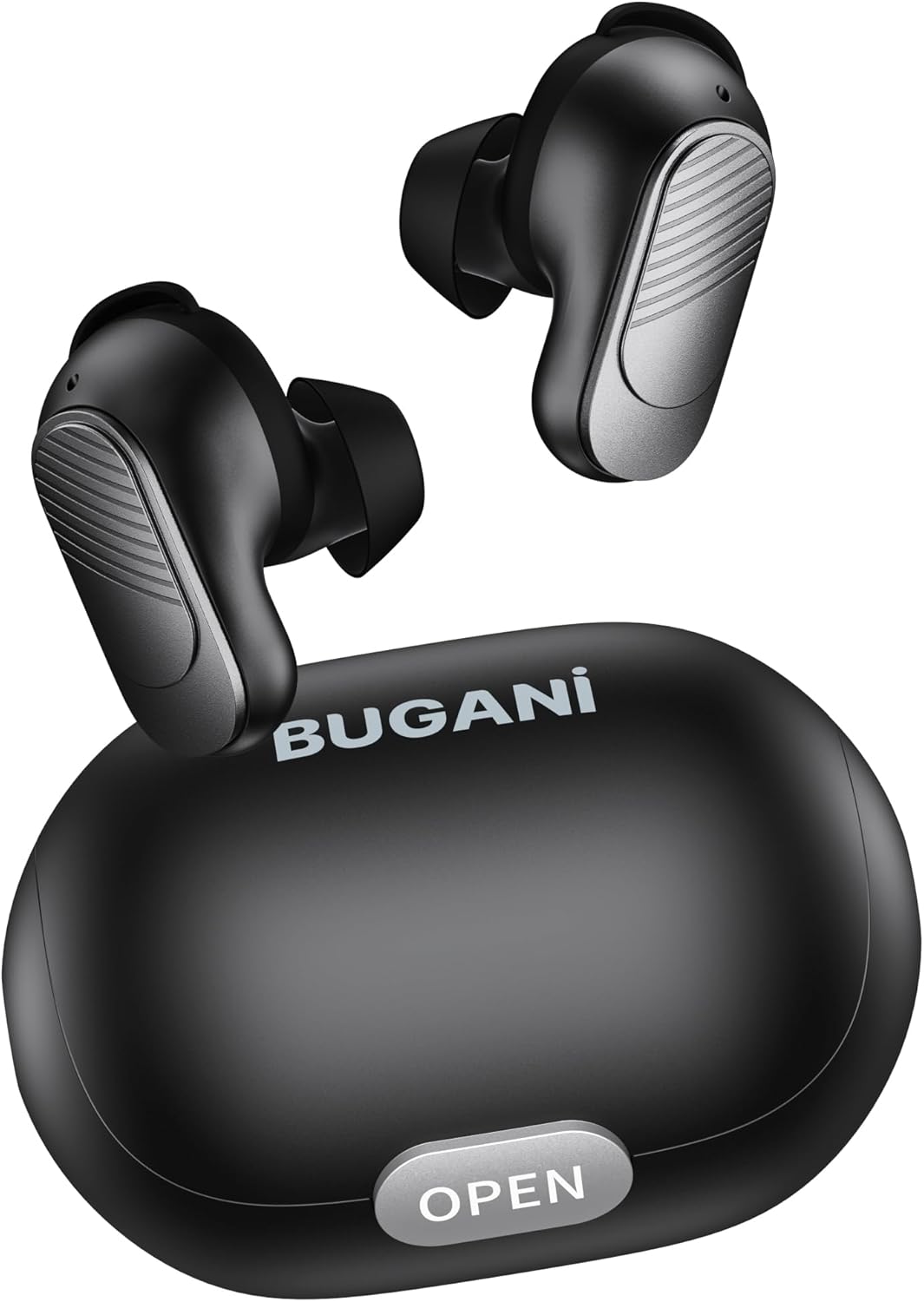
Image: The BUGANI earbuds placed inside their open charging case, ready for charging.
તમારા ઉપકરણ સાથે જોડી બનાવી રહ્યા છીએ
Follow these steps for initial pairing:
- ખાતરી કરો કે ઇયરબડ્સ ચાર્જ થયા છે.
- ચાર્જિંગ કેસ ખોલો. ઇયરબડ્સ આપમેળે ચાલુ થશે અને પેરિંગ મોડમાં પ્રવેશ કરશે.
- તમારા સ્માર્ટફોન અથવા બ્લૂટૂથ-સક્ષમ ઉપકરણ પર, બ્લૂટૂથ સેટિંગ્સમાં જાઓ અને બ્લૂટૂથ ચાલુ કરો.
- માટે શોધો available devices. Select "BUGANI B09" from the list.
- એકવાર કનેક્ટ થઈ ગયા પછી, તમને પુષ્ટિકરણ સ્વર સંભળાશે, અને ઇયરબડ્સની સૂચક લાઇટ બદલાઈ જશે.
- પછીના ઉપયોગો માટે, કેસમાંથી બહાર કાઢવા પર ઇયરબડ્સ આપમેળે છેલ્લા જોડીવાળા ઉપકરણ સાથે કનેક્ટ થઈ જશે.
તમારા ઇયરબડ્સનું સંચાલન
નિયંત્રણોને ટચ કરો
The BUGANI B09 earbuds feature intuitive touch controls on each earbud. Refer to the diagram below for specific functions:

Image: A visual guide detailing the touch control functions for the BUGANI earbuds, including power, playback, call management, volume, and voice assistant.
- પાવર ચાલુ: L/R Long press for 3 seconds.
- પાવર બંધ: L/R Long press for 5 seconds.
- ચલાવો/થોભો: L/R Touch 1 quickly.
- આગલું ગીત: R Touch 2 quickly.
- પાછલું ગીત: L Touch 2 quickly.
- અવાજ વધારો: R Touch 3 quickly.
- અવાજ ધીમો: L Touch 3 quickly.
- કૉલનો જવાબ આપો: L/R Touch 1 quickly.
- હેંગ અપ કોલ: L/R Touch 1 quickly.
- કૉલ નકારો: L/R Touch 2 quickly.
- અવાજ સહાયક: L/R Long press for 2 seconds.
- ફરીથી સેટ કરો: L & R Touch 5 quickly.
જાળવણી
To ensure the longevity and optimal performance of your BUGANI earbuds, follow these maintenance guidelines:
- સફાઈ: ઇયરબડ્સ અને ચાર્જિંગ કેસને નિયમિતપણે નરમ, સૂકા, લિન્ટ-ફ્રી કપડાથી સાફ કરો. કઠોર રસાયણો અથવા ઘર્ષક સામગ્રીનો ઉપયોગ કરશો નહીં.
- કાનની ટીપ્સ: જાહેરાત સાથે સમયાંતરે કાનની ટીપ્સ દૂર કરો અને સાફ કરોamp કાપડ. ફરીથી જોડતા પહેલા ખાતરી કરો કે તે સંપૂર્ણપણે સુકાઈ ગયા છે.
- ચાર્જિંગ પોર્ટ: USB-C ચાર્જિંગ પોર્ટને ધૂળ અને કાટમાળથી મુક્ત રાખો.
- સંગ્રહ: જ્યારે ઉપયોગમાં ન હોય, ત્યારે ઇયરબડ્સને ધૂળ અને નુકસાનથી બચાવવા માટે તેમના ચાર્જિંગ કેસમાં રાખો.
- આત્યંતિક શરતો ટાળો: ઇયરબડ્સને લાંબા સમય સુધી અતિશય તાપમાન, ઉચ્ચ ભેજ અથવા સીધા સૂર્યપ્રકાશમાં ખુલ્લા ન રાખો.
- પાણીનો સંપર્ક: While IPX6 water-resistant, avoid submerging the earbuds in water. Dry them thoroughly if they get wet from sweat or splashes.
મુશ્કેલીનિવારણ
If you encounter any issues with your BUGANI earbuds, try the following solutions:
- ઇયરબડ્સ જોડી રહ્યા નથી:
- ખાતરી કરો કે બંને ઇયરબડ ચાર્જ થયા છે.
- તમારા ઉપકરણ પર બ્લૂટૂથ બંધ કરો, પછી તેને પાછું ચાલુ કરો.
- Forget/delete "BUGANI B09" from your device's Bluetooth list and try pairing again.
- Perform a factory reset on the earbuds (refer to 'Reset' in Touch Controls section).
- ફક્ત એક જ ઇયરબડ કામ કરી રહ્યું છે:
- બંને ઇયરબડ્સને પાછા ચાર્જિંગ કેસમાં મૂકો, ઢાંકણ બંધ કરો, થોડીવાર રાહ જુઓ, પછી તેમને ફરીથી બહાર કાઢો.
- ખાતરી કરો કે બંને ઇયરબડ ચાર્જ થયા છે.
- ફેક્ટરી રીસેટ કરો.
- કોઈ અવાજ નહીં અથવા ઓછો અવાજ નહીં:
- તમારા ડિવાઇસ અને ઇયરબડ બંને પર વૉલ્યૂમ ગોઠવો.
- ખાતરી કરો કે ઇયરબડ્સ તમારા ઉપકરણ સાથે યોગ્ય રીતે જોડાયેલા છે.
- ઇયરબડ મેશમાંથી કોઈપણ કચરો સાફ કરો.
- ચાર્જિંગ સમસ્યાઓ:
- ચાર્જિંગ કેબલ અને એડેપ્ટરને નુકસાન થયું છે કે નહીં તે તપાસો.
- Ensure the charging port on the case is clean.
- ખાતરી કરો કે ઇયરબડ્સ ચાર્જિંગ કેસમાં યોગ્ય રીતે બેઠેલા છે.
If the issue persists after trying these steps, please contact BUGANI customer support.
વિશિષ્ટતાઓ
| લક્ષણ | વિગત |
|---|---|
| મોડેલનું નામ | BUGANI B09 |
| કનેક્ટિવિટી ટેકનોલોજી | વાયરલેસ (બ્લુટુથ 5.3) |
| ઇયર પ્લેસમેન્ટ | કાન માં |
| ઓડિયો ડ્રાઈવર પ્રકાર | ડાયનેમિક ડ્રાઇવર (૧૬.૧ મીમી) |
| બેટરી લાઇફ (ઇયરબડ્સ) | 6 કલાક સુધી |
| કુલ રમવાનો સમય (કેસ સાથે) | 24 કલાક સુધી |
| ચાર્જિંગ સમય (કેસ) | આશરે. 1.5 કલાક |
| પાણી પ્રતિકાર સ્તર | IPX6 (પાણી પ્રતિરોધક) |
| નિયંત્રણ પ્રકાર | નિયંત્રણને ટચ કરો |
| માઇક્રોફોન્સ | Built-in 2 mics with ENC Noise Cancelling |
| વજન | 4.2 ounces (total item weight) |
| સામગ્રી | પ્લાસ્ટિક |
વોરંટી અને આધાર
BUGANI products are designed for reliability and performance. For warranty information and customer support, please refer to the warranty card included in your package or visit the official BUGANI website. If you have any questions or require assistance, do not hesitate to contact our support team.
Thank you for choosing BUGANI.