
પરિચય
This manual provides comprehensive instructions for the Generic FV-Q301 Mechanical Gaming Keyboard. It covers essential information regarding setup, operation, maintenance, troubleshooting, and detailed product specifications. Please read this manual carefully to ensure proper use and longevity of your keyboard.
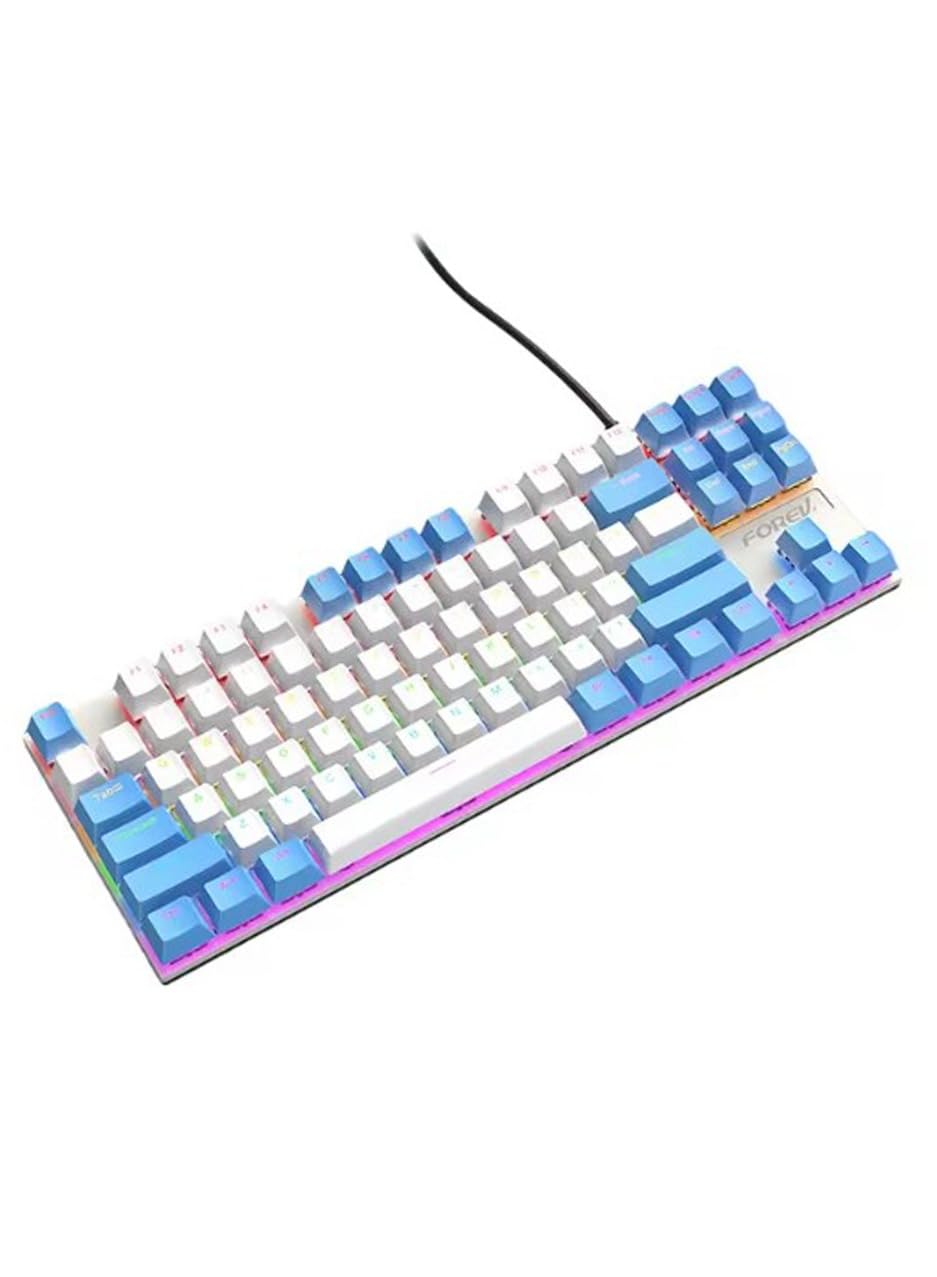
Image: The Generic FV-Q301 Mechanical Gaming Keyboard, featuring its compact TKL design and blue/white color scheme.
સેટઅપ
પેકેજ સામગ્રી
- Generic FV-Q301 Mechanical Gaming Keyboard
- USB Cable (attached or separate, depending on model variant)
- વપરાશકર્તા માર્ગદર્શિકા (આ દસ્તાવેજ)
કીબોર્ડને કનેક્ટ કરી રહ્યું છે
- તમારા કમ્પ્યુટર અથવા લેપટોપ પર ઉપલબ્ધ USB પોર્ટ શોધો.
- કીબોર્ડ કેબલના USB કનેક્ટરને USB પોર્ટમાં પ્લગ કરો.
- ઓપરેટિંગ સિસ્ટમ આપમેળે જરૂરી ડ્રાઇવરો શોધી કાઢશે અને ઇન્સ્ટોલ કરશે. આ પ્રક્રિયામાં થોડો સમય લાગી શકે છે.
- Once installation is complete, the keyboard is ready for use.
The keyboard is designed for plug-and-play functionality, requiring no additional software installation for basic operation.
ઓપરેટિંગ સૂચનાઓ
મૂળભૂત કાર્યો
The FV-Q301 is a standard 87-key QWERTY mechanical keyboard. All keys function as labeled for typing and general computer input.
ખાસ લક્ષણો
- એર્ગોનોમિક ડિઝાઇન: The keyboard features an ergonomic design with a comfortable typing angle, intended to reduce wrist strain during extended use.
- એડજસ્ટેબલ ટિલ્ટ લેગ્સ: Utilize the height-adjustable tilt legs located on the underside of the keyboard to customize your typing angle for optimal comfort.
- Blue Switches: Equipped with clicky blue mechanical switches, providing tactile feedback and an audible click for a distinct typing experience.
સુસંગતતા
This mechanical keyboard offers wide compatibility with various operating systems, including Windows 10, Windows 8, Windows 7, Windows XP, and Windows Vista. Please note that full functionality may not be guaranteed for Mac OS and Chrome OS systems.
જાળવણી
સફાઈ
- સાફ કરતા પહેલા તમારા કમ્પ્યુટરથી કીબોર્ડ ડિસ્કનેક્ટ કરો.
- કીબોર્ડની સપાટી સાફ કરવા માટે નરમ, સૂકા કપડાનો ઉપયોગ કરો.
- હઠીલા ગંદકી માટે, થોડો ડીamp હળવા સફાઈ દ્રાવણવાળા કાપડનો ઉપયોગ કરી શકાય છે, ખાતરી કરો કે કીબોર્ડમાં કોઈ પ્રવાહી પ્રવેશે નહીં.
- કીકેપ્સ વચ્ચેથી ધૂળ અને કચરો દૂર કરવા માટે સંકુચિત હવાનો ઉપયોગ કરો.
સંગ્રહ
Store the keyboard in a clean, dry environment away from extreme temperatures and direct sunlight. Avoid placing heavy objects on the keyboard to prevent damage.
મુશ્કેલીનિવારણ
કીબોર્ડ પ્રતિસાદ આપતું નથી
- ખાતરી કરો કે USB કેબલ કીબોર્ડ અને કમ્પ્યુટર બંને સાથે સુરક્ષિત રીતે જોડાયેલ છે.
- તમારા કમ્પ્યુટર પર કીબોર્ડને બીજા USB પોર્ટમાં પ્લગ કરવાનો પ્રયાસ કરો.
- તમારા કમ્પ્યુટરને ફરીથી પ્રારંભ કરો.
- સમસ્યા કીબોર્ડમાં છે કે મૂળ કમ્પ્યુટરમાં છે તે નક્કી કરવા માટે બીજા કમ્પ્યુટર પર કીબોર્ડનું પરીક્ષણ કરો.
ચોક્કસ કી કામ કરતી નથી
- Ensure no debris is lodged under the keycap. Gently remove the keycap (if designed to be removable) and clean the switch area.
- જો સમસ્યા ચાલુ રહે, તો ગ્રાહક સપોર્ટનો સંપર્ક કરો.
વિશિષ્ટતાઓ
| બ્રાન્ડ નામ | સામાન્ય |
| મોડલ | FV-Q301 |
| સુસંગત ઉપકરણો | Computer, Laptop |
| કનેક્ટિવિટી ટેકનોલોજી | યુએસબી |
| કીબોર્ડ વર્ણન | યાંત્રિક |
| ભલામણ કરેલ ઉપયોગો | ગેમિંગ |
| ખાસ લક્ષણો | આરામદાયક ડિઝાઇન |
| રંગ | સફેદ અને વાદળી |
| સામગ્રી | ધાતુ |
| પાવર સ્ત્રોત | યુએસબી પાવર |
| સ્વિચ પ્રકાર | Blue Switch (Clicky) |
| કીબોર્ડ લેઆઉટ | QWERTY કીબોર્ડ |
| હેન્ડ ઓરિએન્ટેશન | અસ્પષ્ટ |
| ન્યૂનતમ OS જરૂરી | વિન્ડોઝ 10 |
| સુસંગત ઓએસ ફેમિલી | વિન્ડોઝ |
| કીની સંખ્યા | 87 |
| એકમ ગણતરી | 1 ગણતરી |
| ઉત્પાદક | સામાન્ય |
| મૂળ દેશ | ચીન |
| વસ્તુનું વજન | 30 ગ્રામ |
વોરંટી અને આધાર
વોરંટી માહિતી
This product is provided without an explicit warranty. Please refer to your retailer's return policy for any issues upon purchase.
ગ્રાહક આધાર
For further assistance or inquiries not covered in this manual, please contact your point of purchase or the manufacturer's customer service channels.