
1. પરિચય
This manual provides comprehensive instructions for the BoxWave AllCharge miniSync Retractable Portable USB Cable. It covers product features, setup, operation, maintenance, troubleshooting, and technical specifications. Please read this manual thoroughly to ensure proper use and longevity of your cable.

2. ઉત્પાદન ઓવરview
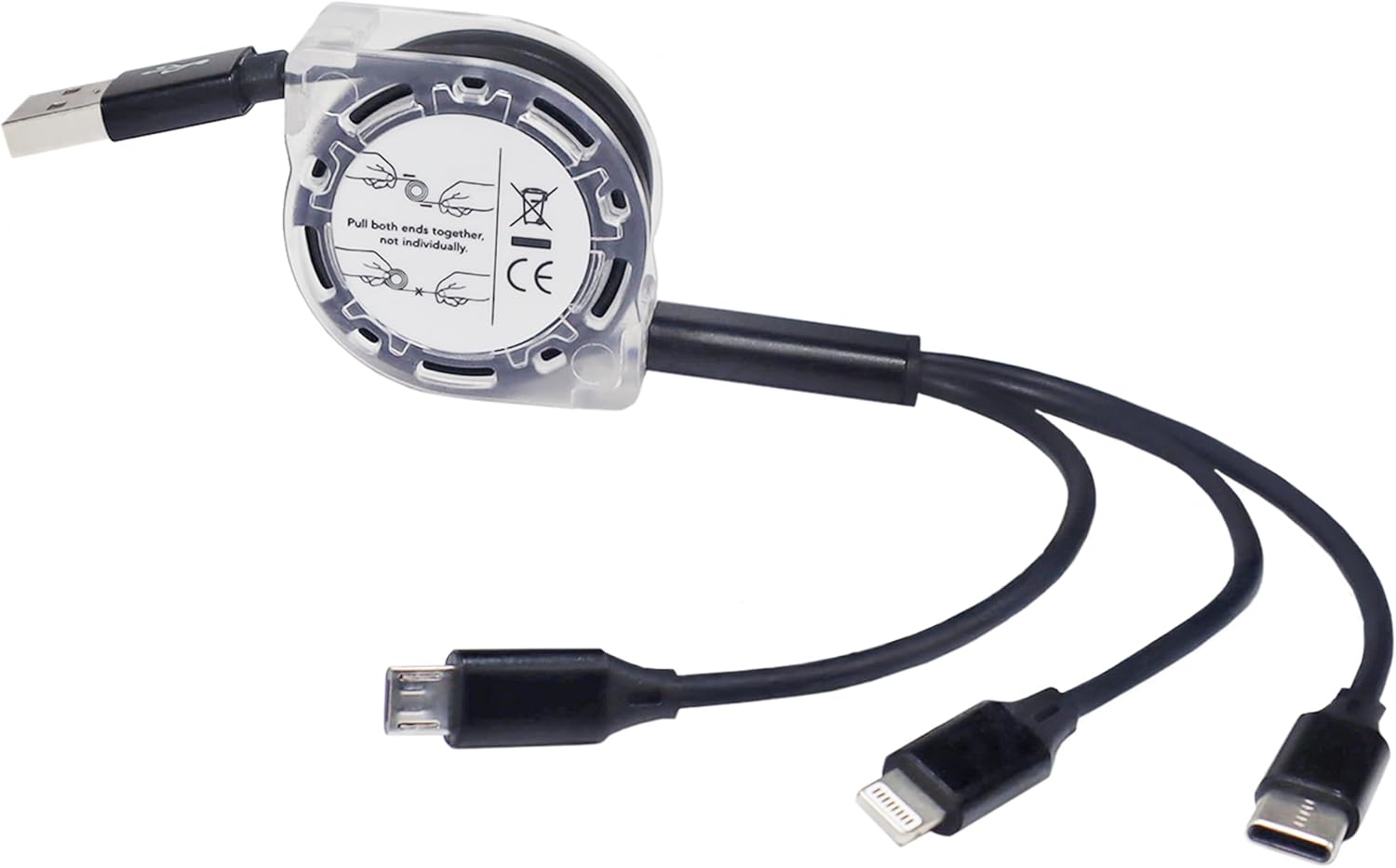
The BoxWave AllCharge miniSync is a versatile retractable USB cable designed for convenience and compatibility. It features a unique retraction mechanism to prevent tangles and offers multiple connector types for various devices.
મુખ્ય લક્ષણો:
- પાછી ખેંચી શકાય તેવી ડિઝાઇન: Innovative mechanism keeps the cable organized and tangle-free.
- સાર્વત્રિક સુસંગતતા: Includes Micro USB, USB Type-C, and Apple connectors.
- એક સાથે ચાર્જિંગ: Capable of charging up to three devices concurrently.
- એડજસ્ટેબલ લંબાઈ: Extends up to 3 feet with multiple pre-set lengths.
- ટકાઉ બાંધકામ: Made with high-quality polycarbonate and heavy-duty ribbon-style cable.
- પોર્ટેબલ: Retracts to a minuscule 3 inches for easy transport.


3. સેટઅપ
The AllCharge miniSync cable requires minimal setup. Follow these steps to prepare your cable for use:
- અનપેકીંગ: Carefully remove the cable from its packaging.
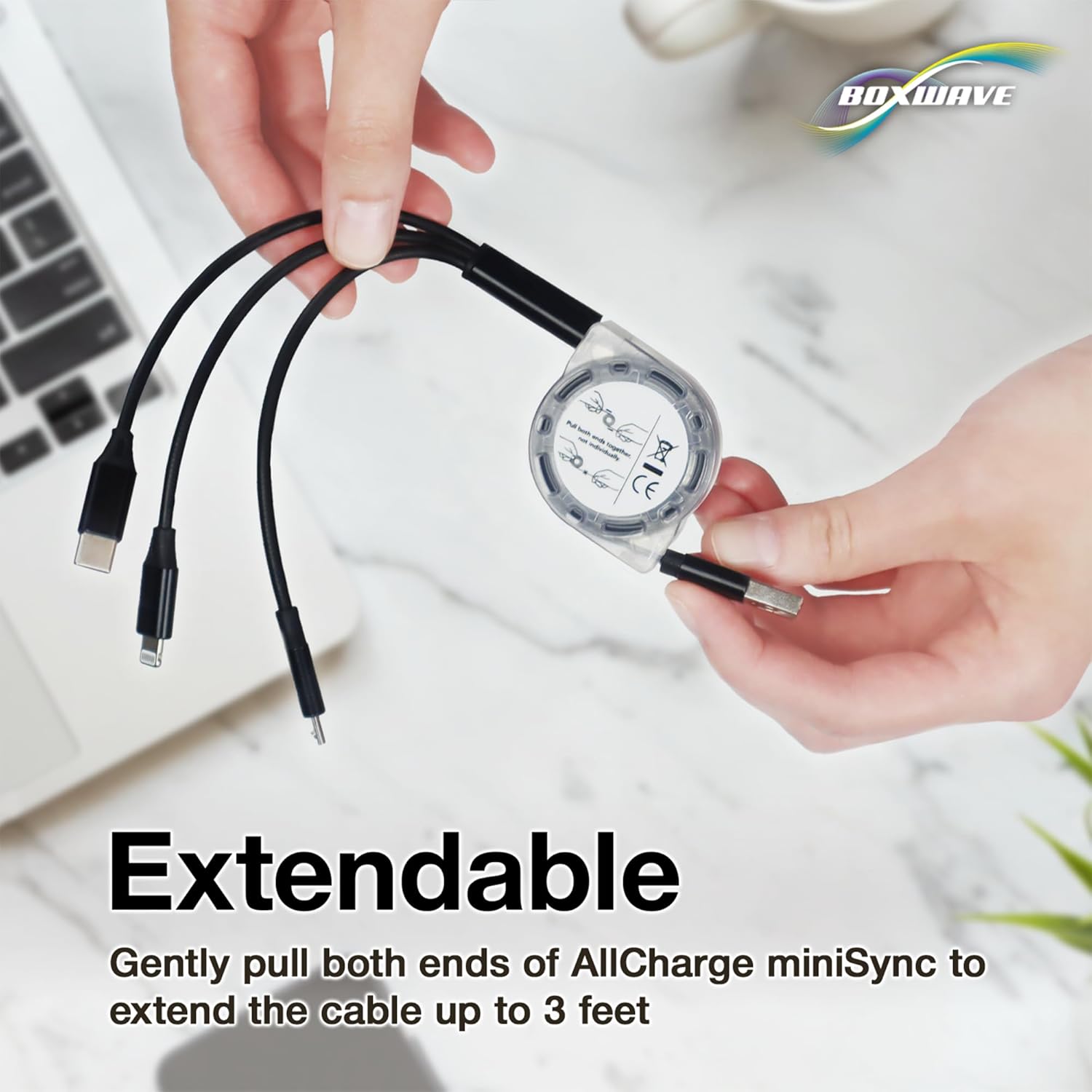
- વિસ્તરણ: To extend the cable, gently pull both ends of the cable simultaneously until it reaches your desired length. The cable has 5 pre-set lengths. Do not pull only one end, as this can damage the retraction mechanism.
- પાછું ખેંચવું: To retract the cable, give a quick, gentle tug on both ends simultaneously. The cable will automatically retract into its compact form.
4. ઓપરેટિંગ સૂચનાઓ
The AllCharge miniSync cable is designed for charging and syncing various devices. Ensure your device is compatible with one of the three available connectors.
૬.૩ ચાર્જિંગ ડિવાઇસીસ
- પાવર સ્રોત સાથે કનેક્ટ કરો: Plug the standard USB-A end of the AllCharge miniSync cable into a compatible USB power adapter, computer USB port, or power bank.
- ઉપકરણ સાથે કનેક્ટ કરો: Select the appropriate connector (Micro USB, USB Type-C, or Apple Connector) for your device and plug it into the device's charging port.
- એક સાથે ચાર્જિંગ: You can connect up to three devices to the respective connectors and charge them simultaneously from a single power source.

4.2 Data Syncing
When connected to a computer, the AllCharge miniSync cable supports data transfer for compatible devices. Connect the appropriate connector to your device and the USB-A end to your computer's USB port. Your device should then be recognized for data syncing.
4.3 Adjusting Cable Length
The cable offers five pre-set lengths for optimal use. To adjust the length, gently pull both ends of the cable until it clicks into the next desired length. To fully retract, give a quick tug on both ends.

5. જાળવણી
To ensure the longevity and optimal performance of your AllCharge miniSync cable, follow these maintenance guidelines:
- સંગ્રહ: Always retract the cable fully when not in use to prevent tangles and damage.
- સફાઈ: કેબલ અને કનેક્ટર્સને નરમ, સૂકા કપડાથી સાફ કરો. કઠોર રસાયણો અથવા ઘર્ષક સામગ્રીનો ઉપયોગ કરવાનું ટાળો.
- હેન્ડલિંગ: Avoid excessive force when pulling or retracting the cable. Always pull both ends simultaneously.
- પર્યાવરણ: Store the cable in a cool, dry place away from direct sunlight, extreme temperatures, and moisture.
6. મુશ્કેલીનિવારણ
6.1 Cable Not Charging
- કનેક્શન્સ તપાસો: Ensure all connectors are securely plugged into both the power source and the device.
- પાવર સ્ત્રોત ચકાસો: Confirm that the USB power adapter or computer USB port is functioning correctly. Try a different power source if necessary.
- ઉપકરણ સુસંગતતા: Ensure the correct connector type is being used for your specific device.
- કેબલ તપાસો: Check for any visible damage to the cable or connectors. If damaged, discontinue use.
6.2 Cable Not Retracting Properly
- Pull Both Ends: Always pull both ends of the cable simultaneously to initiate retraction. Pulling only one end can cause the mechanism to jam.
- અવરોધો સાફ કરો: Ensure there are no obstructions preventing the cable from retracting smoothly.
7. સ્પષ્ટીકરણો
| લક્ષણ | વિગત |
|---|---|
| મોડેલનું નામ | AllCharge miniSync |
| બ્રાન્ડ | બોક્સવેવ |
| કનેક્ટર્સ | USB-A (input), Micro USB, USB Type-C, Apple Connector (outputs) |
| કેબલ લંબાઈ | Up to 3 feet (approx. 91 cm) extended, 5 pre-set lengths |
| Retracted Size | Approx. 3 inches (approx. 7.6 cm) |
| વસ્તુનું વજન | ૧૧.૩ ઔંસ (આશરે ૩૨૦ ગ્રામ) |
| ઉત્પાદક | બોક્સવેવ |
8. વોરંટી અને સપોર્ટ
For warranty information or technical support, please refer to the official BoxWave webસાઇટ પર જાઓ અથવા તેમની ગ્રાહક સેવાનો સીધો સંપર્ક કરો. ખરીદીના પુરાવા તરીકે તમારી ખરીદી રસીદ રાખો.
BoxWave Customer Service:
- મુલાકાત www.boxwave.com સહાયક સંસાધનો માટે.
- Refer to the product packaging for specific contact details.