
1. પરિચય
Thank you for choosing the AWEI T21 Bluetooth Earbuds. These wireless earbuds are designed to provide a high-quality audio experience with advanced features such as Bluetooth 5.3 connectivity, smart touch controls, and IPX6 waterproofing. This manual will guide you through the setup, operation, and maintenance of your new earbuds.

છબી: ઓવરview of AWEI T21 Earbuds key features including Bluetooth 5.3, TWS, HD Microphone, comfortable fit, Type-C fast charging, and touch control.
2. પેકેજ સામગ્રી
- AWEI T21 Wireless Bluetooth Headset (Left and Right Earbuds)
- ચાર્જિંગ કેસ
- USB-C ચાર્જિંગ કેબલ
- User Instructions (This Manual)
3. સેટઅપ
3.1 પ્રારંભિક ચાર્જિંગ
Before first use, fully charge the earbuds and the charging case. Connect the provided USB-C cable to the charging port on the case and to a power source. The charging case has a 300mAh capacity and takes approximately 1.5 hours to fully charge.

Image: The AWEI T21 charging case with its Type-C fast-fill port, shown connected to a power source.

Image: The AWEI T21 multi-function charging case highlighting its 300mAh capacity, 2.5 hours play time, and 130 hours standby time.
3.2 ઉપકરણ સાથે જોડી બનાવવી
- ચાર્જિંગ કેસ ખોલો. ઇયરબડ્સ આપમેળે ચાલુ થશે અને પેરિંગ મોડમાં પ્રવેશ કરશે.
- તમારા ઉપકરણ (સ્માર્ટફોન, ટેબ્લેટ, લેપટોપ) પર, બ્લૂટૂથ સક્ષમ કરો.
- માટે શોધો "AWEI T21" in the list of available Bluetooth devices and select it to connect.
- એકવાર કનેક્ટ થઈ ગયા પછી, તમને પુષ્ટિકરણ સ્વર સંભળાશે, અને ઇયરબડ્સ ઉપયોગ માટે તૈયાર થઈ જશે.
The earbuds feature Bluetooth 5.3 technology for a fast and stable connection, with a range of up to 10 meters.

Image: AWEI T21 earbuds in their charging case, illustrating instant connection via Bluetooth 5.3 upon removal.
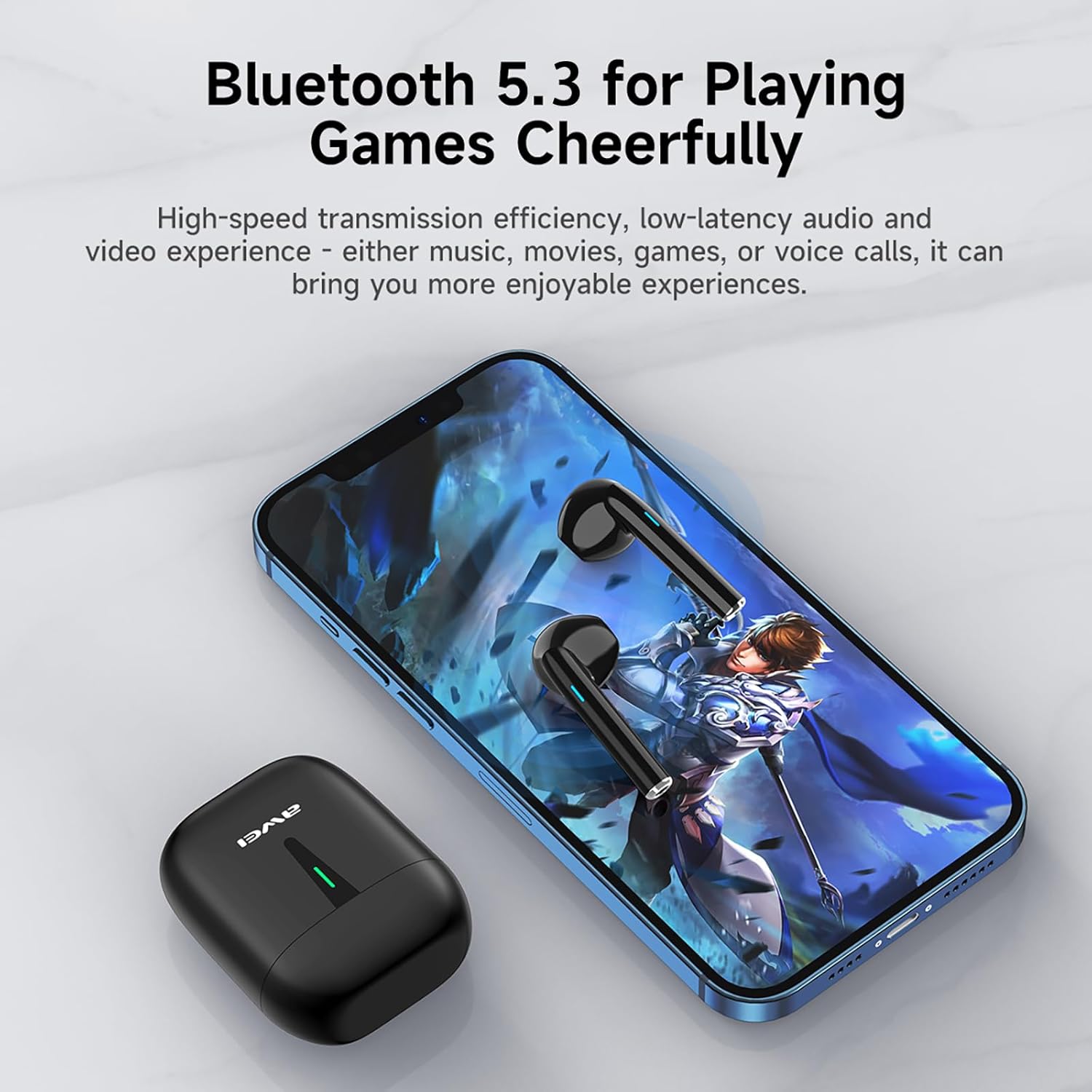
Image: A smartphone displaying a game, with AWEI T21 earbuds and their charging case nearby, emphasizing Bluetooth 5.3 for low-latency audio.
4. ઓપરેટિંગ સૂચનાઓ
4.1 પાવર ચાલુ/બંધ
- પાવર ચાલુ: ચાર્જિંગ કેસમાંથી દૂર કર્યા પછી ઇયરબડ્સ આપમેળે ચાલુ થઈ જાય છે.
- પાવર બંધ: ઇયરબડ્સને ચાર્જિંગ કેસમાં પાછા મૂકો જેથી તે આપમેળે બંધ થઈ જાય અને ચાર્જ થવાનું શરૂ થાય.
૪.૨ સ્માર્ટ ટચ કંટ્રોલ્સ
The AWEI T21 earbuds feature intuitive touch controls on each earbud. Specific touch functions may vary slightly by device, but common controls include:
- ચલાવો/થોભો: બંને ઇયરબડ પર એક વાર ટેપ કરો.
- આગલું ગીત: જમણા ઇયરબડ પર બે વાર ટૅપ કરો.
- પાછલું ગીત: ડાબા ઇયરબડ પર બે વાર ટૅપ કરો.
- જવાબ/કૉલ સમાપ્ત કરો: બંને ઇયરબડ પર એક વાર ટેપ કરો.
- કૉલ નકારો: કોઈપણ ઇયરબડને 2 સેકન્ડ માટે દબાવી રાખો.
- વોલ્યુમ નિયંત્રણ: (Specific gesture not detailed in product info, typically long press or multiple taps. Refer to device settings if needed.)
- વ Voiceઇસ સહાયકને સક્રિય કરો: (Specific gesture not detailed in product info, typically triple tap or long press.)
4.3 Monaural and Binaural Modes
The earbuds support both single-ear (monaural) and dual-ear (binaural) usage modes.
- મોનોરલ મોડ: Use one earbud independently while the other is in the charging case. This extends total listening time by allowing you to alternate earbuds.
- બાયનોરલ મોડ: Use both earbuds simultaneously for stereo sound.

Image: Illustration of AWEI T21 earbuds in both monaural (single earbud connected) and binaural (both earbuds connected for stereo) modes.
5. જાળવણી
5.1 સફાઈ
- નરમ, સૂકા, લિન્ટ-ફ્રી કપડાથી ઇયરબડ્સ અને ચાર્જિંગ કેસને હળવેથી સાફ કરો.
- ઘર્ષક ક્લીનર્સ, સોલવન્ટ્સ અથવા એરોસોલ સ્પ્રેનો ઉપયોગ કરશો નહીં.
- ખાતરી કરો કે ઇયરબડ અને કેસ બંને પર ચાર્જિંગ કોન્ટેક્ટ સ્વચ્છ અને સૂકા છે.
૨.૭ પાણી પ્રતિકાર
The AWEI T21 earbuds are rated IPX6 waterproof, meaning they are protected against high-pressure water jets from any direction. This makes them suitable for use during workouts or in light rain. However, they are not designed for submersion in water. Ensure earbuds are dry before placing them back in the charging case.
5.3 સંગ્રહ
જ્યારે ઉપયોગમાં ન હોય, ત્યારે ઇયરબડ્સને સુરક્ષિત રાખવા અને ચાર્જ રાખવા માટે તેમના ચાર્જિંગ કેસમાં રાખો. અતિશય તાપમાનથી દૂર ઠંડી, સૂકી જગ્યાએ સ્ટોર કરો.
6. મુશ્કેલીનિવારણ
| સમસ્યા | શક્ય ઉકેલ |
|---|---|
| ઇયરબડ્સ ડિવાઇસ સાથે જોડાઈ રહ્યા નથી. |
|
| માત્ર એક ઇયરબડ કામ કરી રહ્યું છે. |
|
| ઇયરબડ્સ ચાર્જ થતા નથી. |
|
| Low sound quality or intermittent connection. |
|
7. સ્પષ્ટીકરણો
| મોડેલનું નામ | T21 |
| બ્રાન્ડ | અવેઇ |
| કનેક્ટિવિટી ટેકનોલોજી | વાયરલેસ (બ્લુટુથ) |
| બ્લૂટૂથ સંસ્કરણ | 5.3 |
| બ્લૂટૂથ રેન્જ | 10 મીટર |
| ઇયર પ્લેસમેન્ટ | કાન માં |
| નિયંત્રણ પ્રકાર | નિયંત્રણને ટચ કરો |
| પાણી પ્રતિકાર સ્તર | IPX6 વોટરપ્રૂફ |
| ઇયરબડ બેટરી લાઇફ | 6 Hours (continuous use) |
| ચાર્જિંગ કેસ ક્ષમતા | 300mAh |
| કુલ રમવાનો સમય (કેસ સાથે) | Up to 36 Hours (dual-ear mode), Up to 72 Hours (single-ear alternating) |
| ચાર્જિંગ સમય (કેસ) | 1.5 Hours (via Type-C) |
| ઓડિયો ડ્રાઈવર પ્રકાર | Dynamic Driver (10mm speaker) |
| સામગ્રી | Silicone (ear caps) |
| વસ્તુનું વજન | 0.09 કિલોગ્રામ |
| સમાવાયેલ ઘટકો | USB-C Charging Cable, Wireless Bluetooth Headset, User Instructions, Wireless Bluetooth Headset Charging Case |
8. વોરંટી માહિતી
The AWEI T21 Bluetooth Earbuds come with a 1 વર્ષની વોરંટી from the date of purchase. This warranty covers manufacturing defects. Please retain your proof of purchase for warranty claims. The warranty does not cover damage caused by misuse, accidents, unauthorized modifications, or normal wear and tear.
9. ગ્રાહક આધાર
For further assistance, technical support, or warranty inquiries, please contact Awei customer service through the retailer where you purchased the product or visit the official Awei webસંપર્ક માહિતી માટે સાઇટ.