
1. પરિચય
This manual provides detailed instructions for the installation, operation, and maintenance of your Generic A8025-20RB-3BN-F1 Cooler Master 8025 Chassis Cooling Fan. This fan is designed to provide efficient cooling for computer chassis, ensuring optimal performance and longevity of internal components. Please read this manual thoroughly before installation and use to ensure proper function and safety.
2. સલામતી સૂચનાઓ
- Always disconnect power from the computer before installing or servicing the fan.
- Handle the fan by its frame; avoid touching the fan blades directly to prevent damage or injury.
- ઇલેક્ટ્રિકલ જોખમોને રોકવા માટે યોગ્ય ગ્રાઉન્ડિંગની ખાતરી કરો.
- પંખાને પાણી અને વધુ પડતા ભેજથી દૂર રાખો.
- Do not attempt to modify the fan or its components. Unauthorized modifications can void the warranty and pose safety risks.
- પેકેજિંગ સામગ્રીને બાળકોથી દૂર રાખો.
3. પેકેજ સામગ્રી
પેકેજ ખોલતી વખતે કૃપા કરીને તેની સામગ્રી તપાસો. જો કોઈ વસ્તુ ખૂટે છે અથવા ક્ષતિગ્રસ્ત છે, તો ગ્રાહક સપોર્ટનો સંપર્ક કરો.
- 1 x Generic A8025-20RB-3BN-F1 Cooler Master 8025 Chassis Cooling Fan
- 4 x માઉન્ટિંગ સ્ક્રૂ
4. સેટઅપ અને ઇન્સ્ટોલેશન
Follow these steps to properly install your chassis cooling fan:
- તમારા કમ્પ્યુટરને તૈયાર કરો: Power off your computer and disconnect it from the power outlet. Open the computer case to access the internal components.
- Identify mounting location: Locate an available 80mm fan mounting position within your computer chassis. Ensure the fan's airflow direction is appropriate for your cooling needs (typically intake or exhaust).
- Mount the fan: Position the fan in the desired mounting location. Use the provided mounting screws to secure the fan to the chassis. Do not overtighten the screws.
- પાવર કેબલને કનેક્ટ કરો: Connect the fan's 3-pin power connector to an available 3-pin fan header on your motherboard or a compatible fan controller. Ensure the connector is oriented correctly.
- જોડાણો ચકાસો: બધા કનેક્શન સુરક્ષિત છે તેની ખાતરી કરવા માટે બે વાર તપાસો.
- Close the computer case: Once installation is complete, close the computer case and reconnect the power.
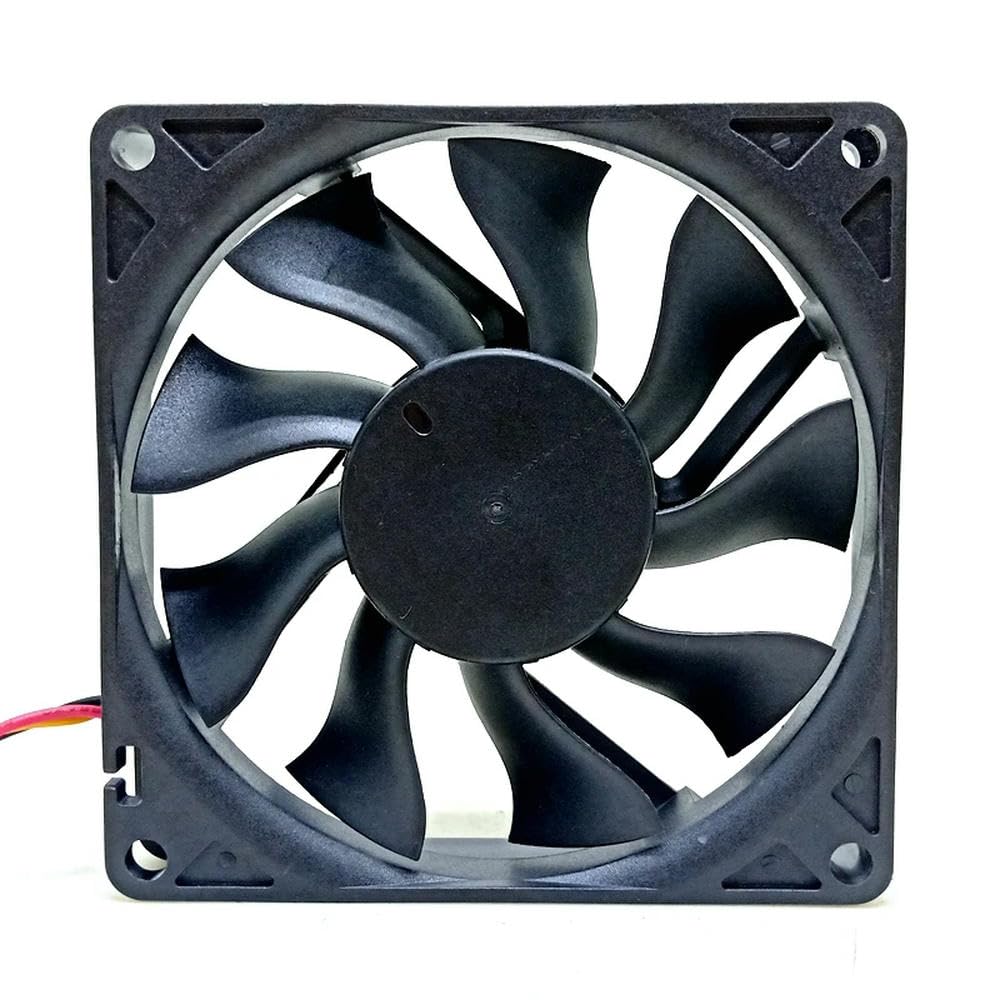
Figure 1: Generic A8025-20RB-3BN-F1 Cooler Master 8025 Chassis Cooling Fan. This image shows the fan from a front-facing angle, highlighting its black frame and blades, and the 3-pin power connector.
5. ઓપરેટિંગ સૂચનાઓ
Once installed, the fan will begin operating automatically when the computer is powered on. The fan speed is typically controlled by the motherboard's BIOS/UEFI settings or dedicated fan control software, depending on the fan header type and motherboard capabilities.
- પાવર ચાલુ: Turn on your computer. The fan should start spinning, providing airflow.
- Speed Control (if applicable): For 3-pin fans, speed control is often achieved through voltage regulation. Consult your motherboard manual for instructions on adjusting fan speeds in the BIOS/UEFI settings.
- દેખરેખ: Use system monitoring software to check the fan's RPM and ensure it is functioning correctly and contributing to optimal system temperatures.
6. જાળવણી
Regular maintenance helps ensure the longevity and efficiency of your cooling fan.
- સફાઈ: Periodically (every 3-6 months, or more frequently in dusty environments) power off your computer and disconnect it from the power source. Use compressed air to gently blow dust off the fan blades and frame. Hold the fan blades to prevent them from spinning rapidly during cleaning, which can damage the bearings.
- નિરીક્ષણ: Check for any signs of wear, such as loose wires, damaged blades, or unusual noises during operation.
- Avoid Lubrication: The fan bearings are factory-sealed and do not require lubrication. Attempting to lubricate them may cause damage.
7. મુશ્કેલીનિવારણ
| સમસ્યા | સંભવિત કારણ | ઉકેલ |
|---|---|---|
| પંખો ફરતો નથી |
|
|
| પંખો અસામાન્ય અવાજ કરે છે |
|
|
| નબળી ઠંડક કામગીરી |
|
|
8. સ્પષ્ટીકરણો
| લક્ષણ | વિગત |
|---|---|
| મોડલ | A8025-20RB-3BN-F1 |
| પ્રકાર | Chassis Cooling Fan |
| કદ | 80 મીમી |
| ભાગtage | 12 વી |
| વર્તમાન | 0.18A |
| કનેક્ટર | 3-પિન |
| ઉત્પાદક | સામાન્ય |
| ASIN | B0DPFN9C5J |
| આઇટમ મોડલ નંબર | 6224672134144 |
9. વોરંટી માહિતી
This product is covered by a standard manufacturer's warranty against defects in materials and workmanship. The specific terms and duration of the warranty may vary. Please retain your proof of purchase for warranty claims. For detailed warranty information, please refer to the seller's policy or contact customer support.
10. ગ્રાહક આધાર
If you encounter any issues or have questions regarding your Generic A8025-20RB-3BN-F1 Cooler Master 8025 Chassis Cooling Fan that are not addressed in this manual, please contact the seller or manufacturer's customer support for assistance. Please have your product model number (A8025-20RB-3BN-F1) and proof of purchase ready when contacting support.
સામાન્ય પૂછપરછ માટે, તમે મુલાકાત લઈ શકો છો એમેઝોન ગ્રાહક સેવા પૃષ્ઠ