
1. પરિચય
Thank you for choosing the NOENNULL Sports Stopwatch Timer. This manual provides detailed instructions for the setup, operation, and maintenance of your new device. Please read this manual thoroughly before use to ensure proper functionality and to maximize your product experience.
પેકેજ સામગ્રી:
- 1 x NOENNULL Sports Stopwatch Timer (Model: XL-013A)
- 1 x લેનયાર્ડ
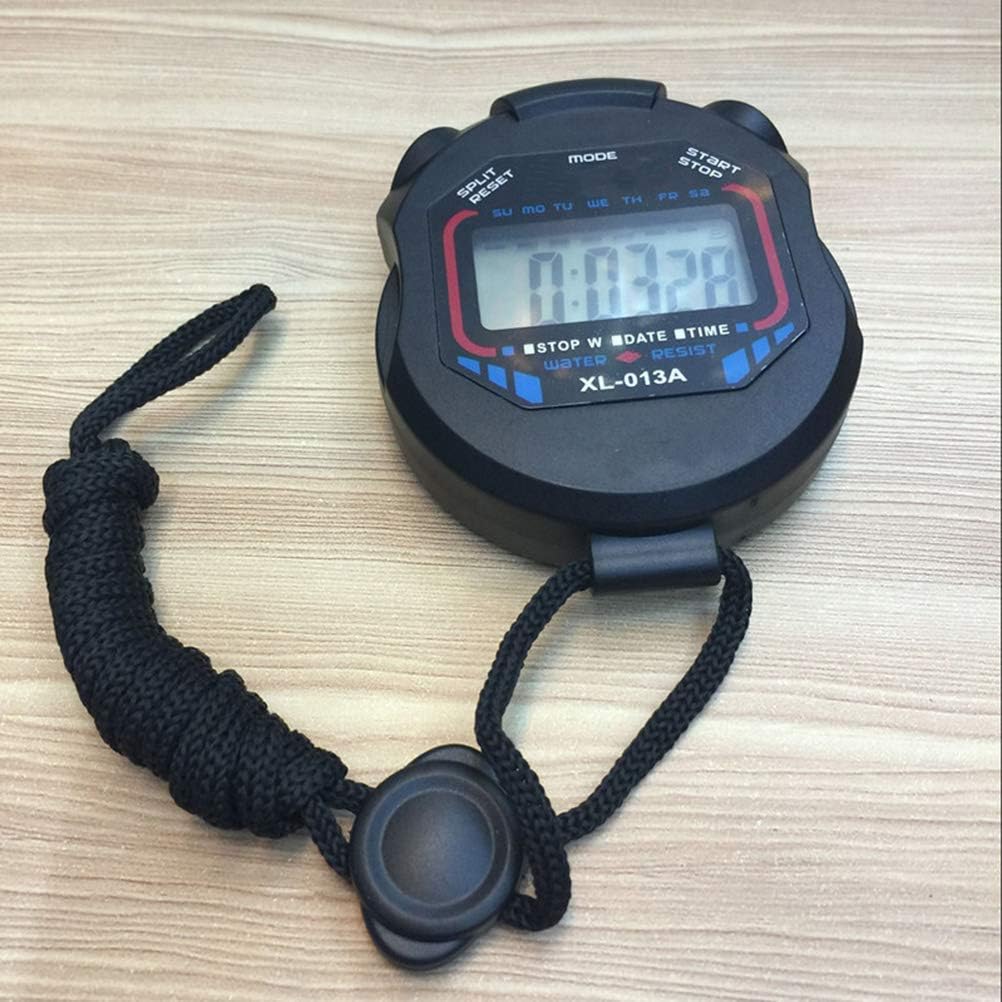
Image 1.1: The NOENNULL Sports Stopwatch Timer, showing the device with its attached lanyard.
2. ઉત્પાદન ઓવરview અને લક્ષણો
The NOENNULL Sports Stopwatch Timer is designed for athletes, coaches, and fitness enthusiasts, offering precise time measurement and multiple display modes. Its compact and durable design makes it suitable for various activities.
મુખ્ય લક્ષણો:
- મલ્ટીફંક્શન ડિસ્પ્લે: Features 3 display modes for checking time, date, and setting alarms.
- ટકાઉ બાંધકામ: Made of plastic material for long-lasting use.
- પોર્ટેબલ ડિઝાઇન: Compact size and lightweight design make it easy and portable to carry.
- લેનયાર્ડ શામેલ છે: Comes with a lanyard for convenient carrying during sports activities.
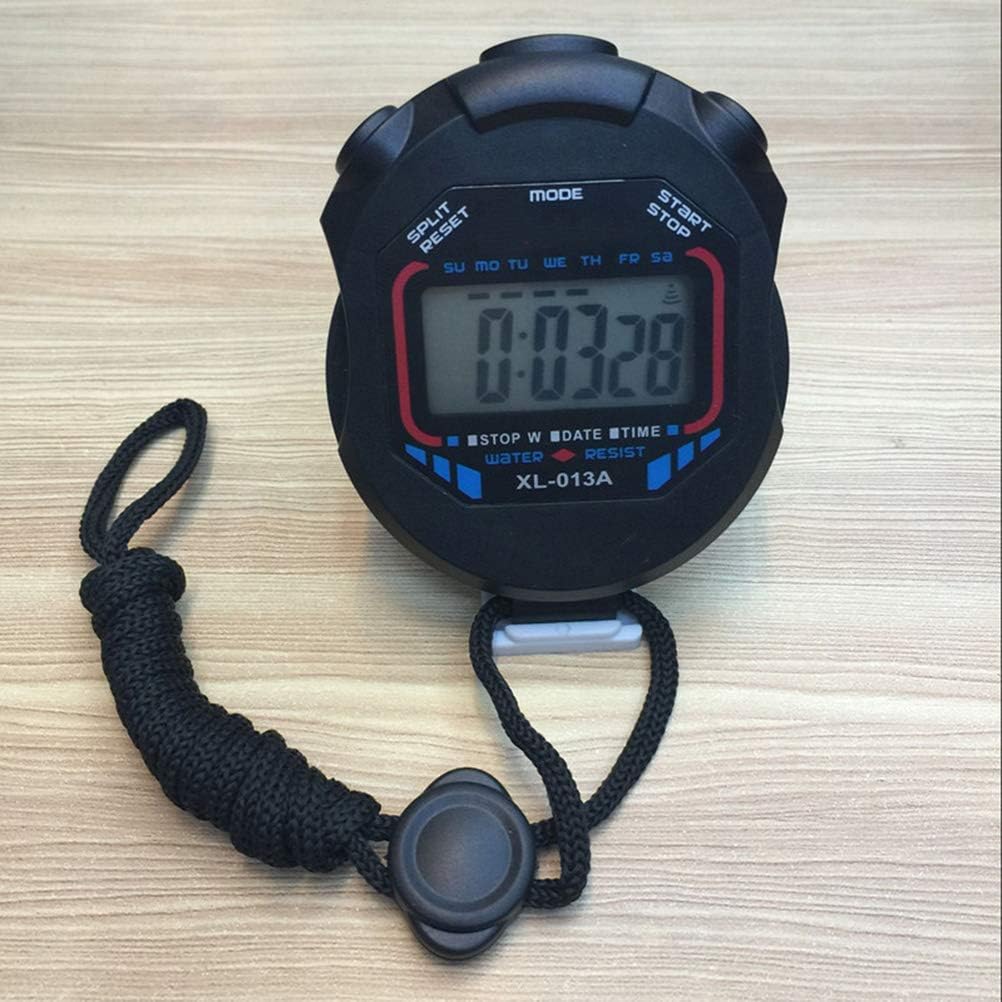
છબી 2.1: આગળ view of the stopwatch, highlighting the digital display and control buttons.
3. સેટઅપ
૪.૨ ડોર જોડવું
- Locate the small loop on the top or side of the stopwatch casing.
- Thread the thin end of the lanyard through this loop.
- Pass the larger loop of the lanyard over the stopwatch and pull it tight to secure the lanyard.
3.2 Initial Power-On and Battery
The stopwatch typically comes with a pre-installed battery. If the display is blank, gently press any button to activate it. If the display remains blank, the battery may need replacement (refer to Section 5.2 for battery replacement instructions).
4. ઓપરેટિંગ સૂચનાઓ
The stopwatch features three primary buttons: મોડ, સ્ટાર્ટ/સ્ટોપ, અને સ્પેલિટ / રીસેટ. These buttons control all functions of the device.
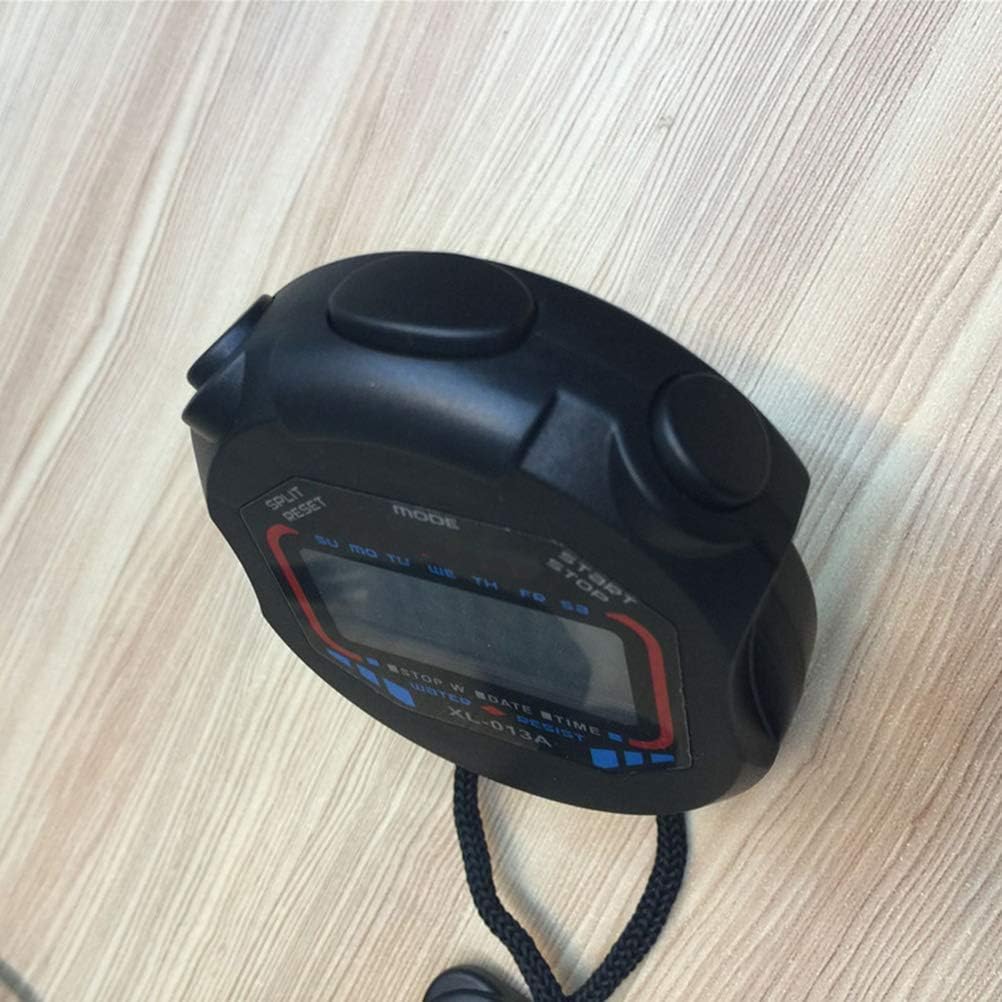
છબી ૧.૧: ટોચ view of the stopwatch, indicating the positions of the MODE, START/STOP, and SPLIT/RESET buttons.
4.1 સ્વિચિંગ મોડ્સ
દબાવો મોડ button to cycle through the available display modes:
- સમય/તારીખ પ્રદર્શન: Shows current time, day of the week, and date.
- સ્ટોપવોચ ફંક્શન: Used for timing events.
- એલાર્મ સેટિંગ: For setting and activating the alarm.
4.2 સમય અને તારીખ સેટ કરવી
To set the current time and date:
- Ensure the stopwatch is in સમય/તારીખ ડિસ્પ્લે મોડ
- દબાવો અને પકડી રાખો સ્ટાર્ટ/સ્ટોપ button for a few seconds until the time digits begin to flash.
- નો ઉપયોગ કરો સ્પેલિટ / રીસેટ ફ્લેશિંગ અંક (કલાકો, મિનિટ, સેકન્ડ) ને સમાયોજિત કરવા માટે બટન.
- દબાવો મોડ button to move to the next digit or setting (e.g., from hours to minutes, then to date).
- Repeat steps 3 and 4 until all desired settings (time, date, day of week) are adjusted.
- દબાવો સ્ટાર્ટ/સ્ટોપ button again to confirm and exit the setting mode.

Image 4.2: The stopwatch display showing the current time and day of the week.
4.3 Using the Stopwatch Function
To use the stopwatch for timing events:
- દબાવો મોડ જ્યાં સુધી તમે પહોંચો ત્યાં સુધી બટન સ્ટોપવોચ કાર્ય display (usually indicated by '0:00:00' or similar).
- દબાવો સ્ટાર્ટ/સ્ટોપ સમય શરૂ કરવા માટે.
- To record a split time (lap time) without stopping the main timer, press સ્પેલિટ / રીસેટ. The display will show the split time while the timer continues in the background. Press સ્પેલિટ / રીસેટ ફરીથી રનિંગ ટાઈમ પર પાછા ફરવા માટે.
- દબાવો સ્ટાર્ટ/સ્ટોપ again to pause the timer.
- સમય ફરી શરૂ કરવા માટે, દબાવો સ્ટાર્ટ/સ્ટોપ.
- To reset the stopwatch to zero, ensure it is paused, then press સ્પેલિટ / રીસેટ.
૪.૨ એલાર્મ સેટ કરવો અને તેનો ઉપયોગ કરવો
To set and activate the alarm:
- દબાવો મોડ જ્યાં સુધી તમે પહોંચો ત્યાં સુધી બટન એલાર્મ સેટિંગ મોડ
- દબાવો અને પકડી રાખો સ્ટાર્ટ/સ્ટોપ એલાર્મ સમયના અંકો ફ્લેશ થવા લાગે ત્યાં સુધી બટન.
- નો ઉપયોગ કરો સ્પેલિટ / રીસેટ button to adjust the flashing digit (hours, minutes).
- દબાવો મોડ button to move between hours and minutes.
- દબાવો સ્ટાર્ટ/સ્ટોપ again to confirm the alarm time.
- In Alarm Setting mode, press સ્પેલિટ / રીસેટ to toggle the alarm ON/OFF. An alarm icon will typically appear on the display when the alarm is active.
- When the alarm sounds, press any button to silence it.
5. જાળવણી
5.1 સફાઈ
To clean your stopwatch, use a soft, dry cloth. For stubborn dirt, a slightly damp cloth with mild soap can be used, followed by a dry cloth. Do not use abrasive cleaners, solvents, or harsh chemicals, as these can damage the casing અથવા ડિસ્પ્લે.
5.2 બેટરી રિપ્લેસમેન્ટ
The stopwatch uses a standard button-cell battery (e.g., AG13 or LR44, specific type may vary). When the display becomes dim or unresponsive, the battery may need replacement.
- Locate the battery compartment on the back of the stopwatch. This may require a small screwdriver to open.
- જૂની બેટરીને કાળજીપૂર્વક દૂર કરો.
- Insert a new battery of the correct type, ensuring the positive (+) side is facing up.
- બેટરી કમ્પાર્ટમેન્ટને સુરક્ષિત રીતે બંધ કરો.
નોંધ: સ્થાનિક નિયમો અનુસાર જૂની બેટરીઓનો જવાબદારીપૂર્વક નિકાલ કરો.
5.3 સંગ્રહ
Store the stopwatch in a cool, dry place away from direct sunlight, extreme temperatures, and high humidity. Avoid dropping or subjecting the device to strong impacts.
6. મુશ્કેલીનિવારણ
- ડિસ્પ્લે ખાલી અથવા ઝાંખું છે:
બેટરી તપાસો. જો જરૂરી હોય તો બદલો (વિભાગ 5.2 જુઓ). - બટનો પ્રતિભાવવિહીન છે:
Ensure the stopwatch is not in a locked mode (if applicable, though this model typically does not have a lock). Try removing and reinserting the battery to perform a soft reset. - ખોટો સમય/તારીખ:
Follow the instructions in Section 4.2 to reset the time and date. - Stopwatch not starting/stopping:
Ensure you are in the correct Stopwatch Function mode (Section 4.3) and pressing the સ્ટાર્ટ/સ્ટોપ બટન
7. સ્પષ્ટીકરણો
| બ્રાન્ડ | NOENNULL |
| Model Name (as shown on product) | XL-013A |
| વસ્તુ મોડેલ નંબર (આંતરિક) | NOENNULL3ip19dgft5-67 |
| ઉત્પાદન પરિમાણો | 3.93 x 2.75 x 1.18 ઇંચ (7 x 6 x 2.5 સેમી) |
| વસ્તુનું વજન | 1.8 ઔંસ |
| સામગ્રી | પ્લાસ્ટિક |
| ડિસ્પ્લે મોડ્સ | Time, Date, Alarm, Stopwatch |
| ઉત્પાદક | NOENNULL |
| તારીખ પ્રથમ ઉપલબ્ધ | 2 ડિસેમ્બર, 2024 |
8. વોરંટી અને સપોર્ટ
This product is covered by a standard manufacturer's warranty. For specific warranty details, please refer to the product packaging or contact your retailer. If you encounter any issues or require technical assistance, please contact NOENNULL customer support through your purchase platform or the contact information provided with the product.