
1. પરિચય
Thank you for choosing the KOORUI N07 27-inch 4K UHD Monitor. This monitor is designed to provide a superior visual experience with its 3840x2160 resolution, IPS panel, 60Hz refresh rate, HDR10 support, and Adaptive Sync technology. This manual provides essential information for setting up, operating, and maintaining your monitor to ensure optimal performance and longevity. Please read this manual thoroughly before using the product.
2. સલામતી માહિતી
- મોનિટરને હંમેશા સ્થિર, સપાટ સપાટી પર રાખો.
- વેન્ટિલેશનના પ્રારંભને અવરોધિત કરશો નહીં.
- ઉત્પાદક દ્વારા પૂરા પાડવામાં આવેલ પાવર એડેપ્ટરનો જ ઉપયોગ કરો.
- મોનિટરને પાણી અને વધુ પડતા ભેજથી દૂર રાખો.
- Avoid exposing the monitor to direct sunlight or high temperatures.
- વીજળીના તોફાન દરમિયાન અથવા લાંબા સમય સુધી ઉપયોગ ન કરવામાં આવે ત્યારે પાવર કેબલ ડિસ્કનેક્ટ કરો.
3. પેકેજ સામગ્રી
પેકેજ ખોલતી વખતે કૃપા કરીને તેની સામગ્રી તપાસો. જો કોઈ વસ્તુ ખૂટે છે અથવા ક્ષતિગ્રસ્ત છે, તો તમારા રિટેલરનો સંપર્ક કરો.
- KOORUI N07 27-inch 4K UHD Monitor
- મોનિટર સ્ટેન્ડ (બેઝ અને નેક)
- પાવર એડેપ્ટર અને પાવર કેબલ
- HDMI કેબલ
- ડિસ્પ્લેપોર્ટ કેબલ
- વપરાશકર્તા માર્ગદર્શિકા
4. Monitor Assembly and Setup
૨.૧ સ્ટેન્ડ જોડવું
- સ્ક્રેચમુદ્દે બચવા માટે મોનિટરનો ચહેરો નરમ, સ્વચ્છ કપડા પર કાળજીપૂર્વક નીચે રાખો.
- Attach the stand neck to the back of the monitor, aligning the mounting points.
- Secure the stand neck with the provided screws.
- સ્ટેન્ડ બેઝને સ્ટેન્ડ નેક સાથે જોડો અને થમ્બ સ્ક્રૂને કડક કરો.

આકૃતિ 4.1: પાછળ view of the monitor showing VESA mount and tilt adjustment.
4.2 કનેક્ટિંગ કેબલ્સ
The KOORUI N07 monitor offers versatile connectivity options. Ensure your computer is turned off before making any connections.
- પાવર કનેક્શન: Connect the power adapter to the monitor's DC input port, then plug the power cable into a power outlet.
- વિડિઓ કનેક્શન: Connect one end of the HDMI or DisplayPort cable to the corresponding port on your computer's graphics card and the other end to an HDMI (HDMI1 or HDMI2) or DisplayPort (DP) input on the monitor.
- ઓડિયો આઉટપુટ: If desired, connect external speakers or headphones to the 3.5mm audio output port on the monitor.

Figure 4.2: Connectivity options for the KOORUI N07 monitor.
4.3 પાવરિંગ ચાલુ
After connecting all necessary cables, press the power button on the monitor to turn it on. The monitor will automatically detect the active input source.
5. ઓપરેટિંગ સૂચનાઓ
૪.૧ ઓન-સ્ક્રીન ડિસ્પ્લે (OSD) મેનુ
The OSD menu allows you to adjust various monitor settings. Use the buttons located on the bottom right of the monitor to navigate and select options.
- પાવર બટન: મોનિટર ચાલુ/બંધ કરે છે.
- મેનુ બટન: OSD મેનૂ ખોલે છે.
- નેવિગેશન બટનો: મેનુ વિકલ્પોમાંથી આગળ વધવા અને મૂલ્યોને સમાયોજિત કરવા માટે વપરાય છે.
- બહાર નીકળો બટન: ઓએસડી મેનૂમાંથી બહાર નીકળે છે.
૩.૨ કી OSD સેટિંગ્સ
- ચિત્ર સેટિંગ્સ: તેજ, કોન્ટ્રાસ્ટ, શાર્પનેસ અને રંગ તાપમાનને સમાયોજિત કરો.
- રંગ મોડ્સ: Select from various preset modes like Standard, Movie, Game, and Eye Care.
- ઇનપુટ સ્ત્રોત: Manually select between HDMI1, HDMI2, or DisplayPort inputs.
- અનુકૂલનશીલ સમન્વયન: Enable or disable Adaptive Sync for smoother gameplay.
- HDR10: Activate HDR10 for enhanced dynamic range with compatible content.
6. ફીચર્સ ઓવરview
6.1 4K UHD Resolution (3840x2160)
Experience incredible detail and clarity with a resolution four times higher than Full HD. This monitor provides 8.3 million pixels for a sharper and more colorful image.

આકૃતિ 6.1: 4K UHD રિઝોલ્યુશનની વિગતવાર સરખામણી.
6.2 IPS Panel Technology
The IPS panel offers a wide 178° viewing angle and vibrant color reproduction (90% DCI-P3, 99% sRGB), ensuring consistent image quality from almost any perspective. This is ideal for graphic designers, gamers, and movie enthusiasts.

Figure 6.2: IPS panel with 99% sRGB color accuracy.
૬.૩ HDR10 સપોર્ટ
Enjoy content with enhanced dynamic range. HDR10 provides brighter whites, deeper blacks, and more vivid colors, bringing your favorite movies and games to life with greater realism.

Figure 6.3: HDR10 technology for improved image quality.
6.4 Adaptive Sync Technology
Adaptive Sync eliminates screen tearing and stuttering, providing a smoother and more fluid visual experience, especially during fast-paced gaming or video playback.

Figure 6.4: Adaptive Sync in action, preventing screen tearing.
૬.૭ આંખની સંભાળ ટેકનોલોજી
The monitor features a Blue Light Filter and Flicker-Free technology to reduce eye strain during prolonged use. The Eye Care mode optimizes settings to minimize blue light emission, promoting visual comfort.
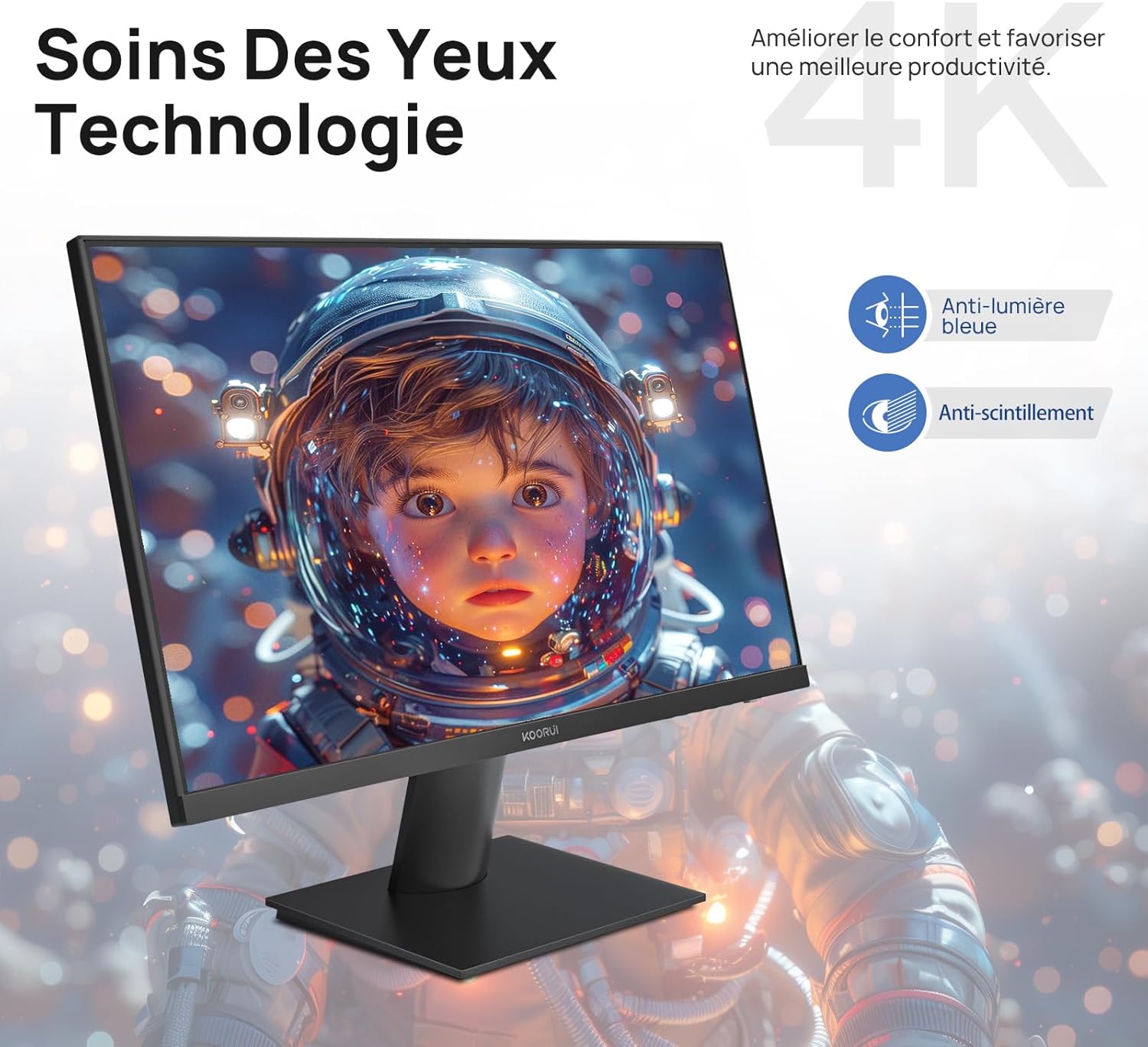
Figure 6.5: Eye Care technology for reduced eye strain.
૫.૬ એર્ગોનોમિક ડિઝાઇન
The monitor stand allows for tilt adjustment from -5° to 20°, enabling you to find the most comfortable viewing angle for your posture.
૩.૩ VESA માઉન્ટ સુસંગતતા
The KOORUI N07 supports 100x100mm VESA mounting, allowing you to easily attach it to a wall mount or an articulated monitor arm for a flexible and clutter-free workspace.

Figure 6.6: VESA mount compatibility for flexible setup.
૫.૮. પ્રોડક્ટ વિડીયો ઓવરview
વિડિઓ ૧: એક ઓવરview of the KOORUI N07 27-inch 4K UHD monitor, highlighting its key features such as 4K resolution, DCI-P3 color gamut, HDR10 support, versatile usage for creation, viewing, and gaming, adjustable tilt, and VESA mounting capabilities.
8. મુશ્કેલીનિવારણ
જો તમને તમારા મોનિટરમાં સમસ્યાઓ આવે, તો કૃપા કરીને નીચેની સામાન્ય સમસ્યાઓ અને ઉકેલોનો સંદર્ભ લો:
| સમસ્યા | શક્ય ઉકેલ |
|---|---|
| સ્ક્રીન પર કોઈ છબી નથી | Ensure power cable is securely connected. Check video cable connection (HDMI/DP) to both monitor and computer. Verify correct input source is selected in OSD. |
| છબી ઝાંખી અથવા વિકૃત છે | Check display resolution settings on your computer. Ensure it is set to 3840x2160. Adjust sharpness in the OSD menu. |
| રંગો ખોટા દેખાય છે | Adjust color temperature and color settings in the OSD menu. Try resetting picture settings to factory defaults. |
| સ્ક્રીન ફ્લિકરિંગ | Ensure the video cable is securely connected. Disable Adaptive Sync if enabled, or update your graphics card drivers. |
9. સ્પષ્ટીકરણો
| લક્ષણ | વિગત |
|---|---|
| બ્રાન્ડ | KOORUI |
| મોડલ નંબર | N07 |
| સ્ક્રીન માપ | 27 ઇંચ |
| ઠરાવ | 4K UHD (3840 x 2160 પિક્સેલ્સ) |
| પેનલ પ્રકાર | આઈપીએસ |
| તાજું દર | 60 હર્ટ્ઝ |
| પ્રતિભાવ સમય | 4 મિલીસેકન્ડ |
| પાસા રેશિયો | 16:9 |
| કોન્ટ્રાસ્ટ રેશિયો | 1000:1 |
| તેજ | 300 cd/m² |
| Viewએન્ગલ | 178 ડિગ્રી |
| કનેક્ટિવિટી | 2x HDMI 2.0, 1x DisplayPort 1.4, 1x Audio Out |
| VESA સુસંગતતા | 100x100 મીમી |
| ખાસ લક્ષણો | Blue Light Filter, Tilt Adjustment, Frameless, Flicker-Free, Adaptive Sync, HDR10 |
| પરિમાણો (D x W x H) | ૨૮.૭પ x ૧૧૧.૬લીક્સ ૭૧.૫એચ સેન્ટિમીટર |
| વજન | 3 કિલોગ્રામ |
10. જાળવણી
To ensure the longevity and optimal performance of your KOORUI N07 monitor, follow these maintenance guidelines:
- સ્ક્રીનની સફાઈ: નરમ, લિન્ટ-ફ્રી કાપડથી સ્ક્રીનને ધીમેથી સાફ કરો. હઠીલા નિશાનો માટે, dampen the cloth slightly with water or a specialized screen cleaner. Never spray liquid directly onto the screen.
- સી સાફ કરવુંasing: મોનિટર સાફ કરવા માટે નરમ, સૂકા કપડાનો ઉપયોગ કરો casing. ઘર્ષક ક્લીનર્સ અથવા સોલવન્ટ્સ ટાળો.
- વેન્ટિલેશન: ઓવરહિટીંગ અટકાવવા માટે ખાતરી કરો કે મોનિટર પરના વેન્ટિલેશન ઓપનિંગ્સ બ્લોક ન હોય.
- પાવર બંધ: લાંબા સમય સુધી ઉપયોગમાં ન હોય ત્યારે મોનિટર બંધ કરો.
11. વોરંટી અને સપોર્ટ
The KOORUI N07 monitor comes with a ૧ વર્ષની ઉત્પાદકની વોરંટી. This warranty covers defects in materials and workmanship under normal use. For warranty claims or technical support, please contact KOORUI customer service or your retailer with your proof of purchase.
For additional support, troubleshooting guides, and driver downloads, please visit the official KOORUI webસાઇટ