
1. પરિચય
Thank you for choosing the Lekaby Q22 Bluetooth Headphones. This manual provides essential information for setting up, operating, and maintaining your new headphones. Please read it carefully before use to ensure optimal performance and longevity of your device.
પેકેજ સામગ્રી
- 2 x Lekaby Q22 Bluetooth Headphones
- 1 x 2600 mAh Charging Case
- 1 x Type-C ચાર્જિંગ કેબલ
- ૬ x કાનના ટોપીઓ (S/M/L કદ)
- 1 x વપરાશકર્તા માર્ગદર્શિકા
2. સેટઅપ
૬.૧ હેડફોન અને કેસ ચાર્જ કરવા
પ્રથમ ઉપયોગ કરતા પહેલા, હેડફોન અને ચાર્જિંગ કેસ બંનેને સંપૂર્ણપણે ચાર્જ કરો.
- Place the headphones into the charging case. Ensure they are correctly seated to initiate charging.
- ટાઇપ-સી ચાર્જિંગ કેબલને કેસ પરના ચાર્જિંગ પોર્ટ અને USB પાવર સ્ત્રોત સાથે કનેક્ટ કરો.
- The LED digital display on the charging case will indicate the battery level of the case and the charging status of each earbud.
- A full charge provides approximately 8 hours of playtime for the headphones, and the 2600 mAh charging case can recharge the headphones multiple times for a total of up to 128 hours of playback.
- The headphones support fast charging: 10 minutes of charging provides approximately 2 hours of use.

Image: The Lekaby Q22 headphones in their charging case, highlighting the 128-hour battery life with the case and Type-C fast charging capability.
2.2 પાવરિંગ ચાલુ/બંધ
- પાવર ચાલુ: ચાર્જિંગ કેસમાંથી હેડફોન દૂર કર્યા પછી તે આપમેળે ચાલુ થઈ જાય છે.
- પાવર બંધ: Place the headphones back into the charging case to automatically power them off and begin charging.
2.3 બ્લૂટૂથ પેરિંગ
The Lekaby Q22 headphones feature Bluetooth 5.3 technology for stable and fast connections.
- પ્રથમ વખતની જોડી:
- Remove both headphones from the charging case. They will automatically enter pairing mode.
- તમારા ઉપકરણ (સ્માર્ટફોન, ટેબ્લેટ, વગેરે) પર, બ્લૂટૂથ સક્ષમ કરો અને ઉપલબ્ધ ઉપકરણો શોધો.
- Select "Q22" from the list of found devices to connect.
- Once connected, you will hear a confirmation prompt, and the headphones will be ready for use.
- સ્વચાલિત પુનઃજોડાણ: After the initial pairing, the headphones will automatically connect to the last paired device when removed from the charging case, provided Bluetooth is enabled on the device.

Image: A smartphone screen displaying the 'Q22' device ready for connection in the Bluetooth settings, with the headphones and charging case nearby, illustrating the one-step pairing process.
૧.૪ ઇયરબડ્સ ફિટ કરવા
The Q22 headphones are designed with flexible ear hooks and come with three sizes of silicone ear caps (S/M/L) to ensure a secure and comfortable fit.
- Choose the ear caps that best fit your ear canal for optimal sound quality and comfort.
- ઇયરબડને ધીમેથી તમારા કાનની નહેરમાં મૂકો.
- Adjust the flexible ear hook over your ear to secure the headphone in place. This design is ideal for sports and active use.

Image: A visual representation of the Lekaby Q22 headphones being worn, emphasizing the flexible ear hooks for a secure fit and the location of the button control.
3. ઓપરેટિંગ સૂચનાઓ
૪.૨ સ્માર્ટ ટચ કંટ્રોલ્સ
The Q22 headphones feature intuitive touch controls on each earbud. The specific functions may vary slightly between the left and right earbud.
| ક્રિયા | કાર્ય |
|---|---|
| સિંગલ ટેપ | સંગીત ચલાવો/થોભાવો, ક Answerલનો જવાબ આપો/સમાપ્ત કરો |
| બે વાર ટેપ કરો (ડાબું ઇયરબડ) | પાછલો ટ્રેક |
| બે વાર ટેપ કરો (જમણું ઇયરબડ) | નેક્સ્ટ ટ્રૅક |
| ટ્રિપલ ટેપ (ડાબું ઇયરબડ) | વોલ્યુમ ડાઉન |
| ટ્રિપલ ટેપ (જમણું ઇયરબડ) | વોલ્યુમ અપ |
| લાંબા સમય સુધી દબાવો (2 સેકંડ) | Activate Voice Assistant (Siri, Google Assistant, etc.), Reject call |
Image: An illustration detailing the various smart touch control functions available on the Lekaby Q22 headphones, including play/pause, track navigation, volume adjustment, call handling, and voice assistant activation.
3.2 Emergency Power Bank Function
The 2600mAh charging case can also serve as an emergency power bank for other devices.
- Connect your smartphone or other compatible device to the Type-C output port on the charging case using an appropriate cable.
- The charging case can provide over 30% charge to a typical mobile phone when fully charged, offering a convenient power solution on the go.
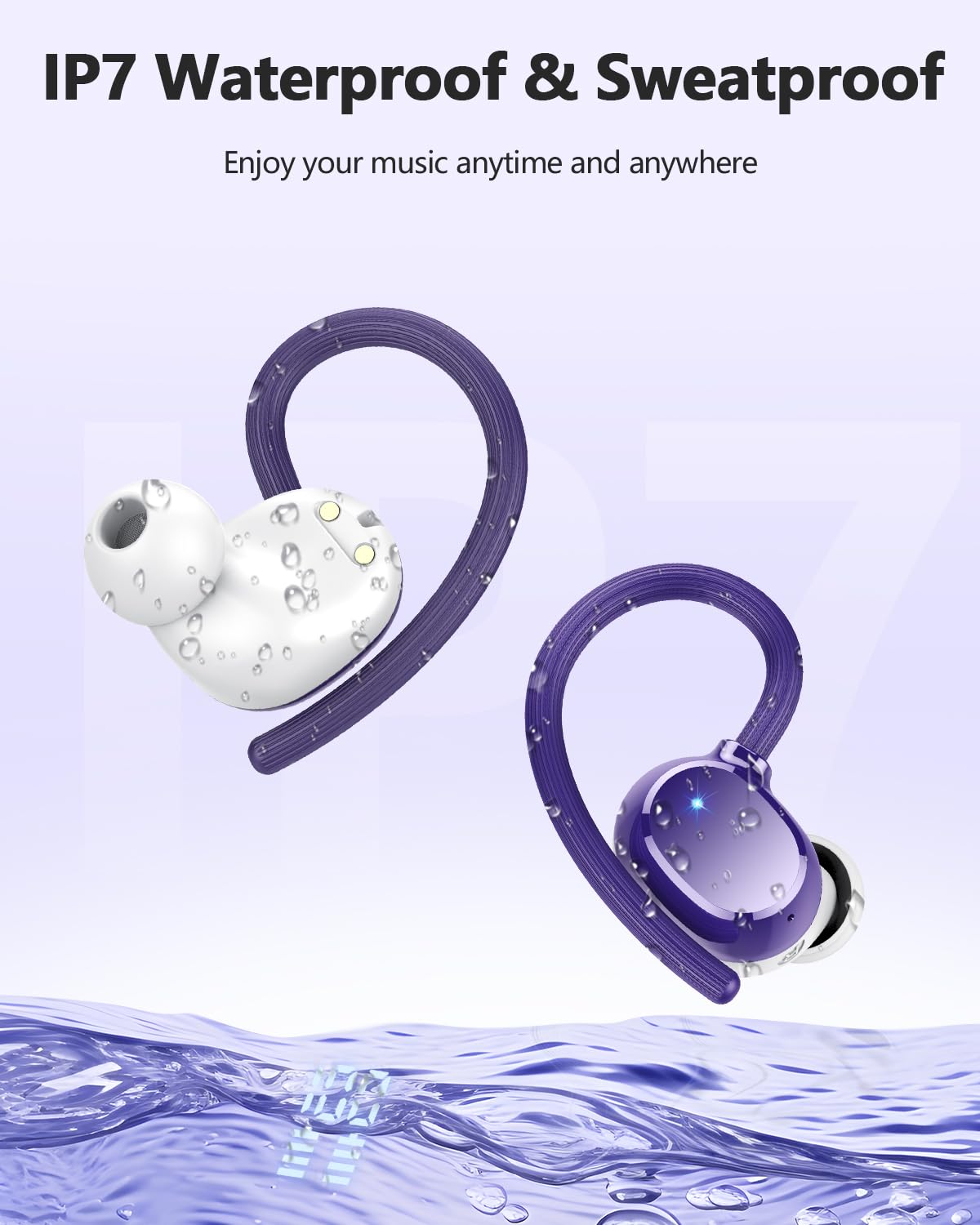
Image: The Lekaby Q22 charging case connected via a USB-C cable to a smartphone, demonstrating its emergency power bank capability.
4. જાળવણી
4.1 સફાઈ
- Regularly clean the earbuds, ear caps, and charging contacts with a soft, dry, lint-free cloth.
- ઘર્ષક ક્લીનર્સ, સોલવન્ટ્સ અથવા એરોસોલ સ્પ્રેનો ઉપયોગ કરશો નહીં.
- Remove ear caps and clean them with mild soap and water if necessary, ensuring they are completely dry before reattaching.
૫.૪ પાણી પ્રતિકાર (IPX7)
The Lekaby Q22 headphones are IPX7 waterproof, meaning they can withstand immersion in water up to 1 meter for 30 minutes. They are resistant to sweat and rain, making them suitable for sports and outdoor activities.
- Do not intentionally submerge the charging case, as it is not waterproof.
- Ensure the headphones are dry before placing them back into the charging case to prevent damage to the charging contacts.

Image: The Lekaby Q22 headphones depicted with water droplets, illustrating their IPX7 waterproof and sweatproof capabilities.
4.3 સંગ્રહ
જ્યારે ઉપયોગમાં ન હોય, ત્યારે હેડફોનને સુરક્ષિત રાખવા અને ચાર્જ રાખવા માટે તેમના ચાર્જિંગ કેસમાં રાખો. અતિશય તાપમાનથી દૂર ઠંડી, સૂકી જગ્યાએ સ્ટોર કરો.
5. મુશ્કેલીનિવારણ
If you encounter any issues with your Lekaby Q22 headphones, please refer to the following common solutions:
| સમસ્યા | ઉકેલ |
|---|---|
| હેડફોન જોડી બનાવી રહ્યા નથી |
|
| માત્ર એક ઇયરબડ કામ કરે છે |
|
| નબળી અવાજ ગુણવત્તા અથવા ડિસ્કનેક્શન |
|
| ચાર્જિંગ કેસ ચાર્જિંગ નથી |
|
6. સ્પષ્ટીકરણો
| લક્ષણ | વિગત |
|---|---|
| મોડેલનું નામ | પ્રશ્ન22 |
| બ્લૂટૂથ સંસ્કરણ | 5.3 |
| બ્લૂટૂથ રેન્જ | 15 મીટર સુધી |
| હેડફોન બેટરી લાઇફ | ૧૦ કલાક સુધી (એક વાર ચાર્જ કરીને) |
| કુલ રમવાનો સમય (ચાર્જિંગ કેસ સાથે) | 128 કલાક સુધી |
| ચાર્જિંગ કેસ બેટરી ક્ષમતા | 2600 એમએએચ |
| ચાર્જિંગ સમય (હેડફોન) | Approx. 1.5 hours (in case) |
| ઝડપી ચાર્જિંગ | ૧૦ મિનિટ ચાર્જ કરવાથી ૨ કલાકનો પ્લેટાઇમ મળશે |
| ઑડિઓ ડ્રાઇવરનું કદ | 13.44 મીમી ડાયનેમિક ડ્રાઈવર |
| અવાજ નિયંત્રણ | Hybrid ENC Noise Reduction (for calls), Passive Noise Cancellation |
| પાણી પ્રતિકાર રેટિંગ | IPX7 (headphones only) |
| નિયંત્રણ પ્રકાર | નિયંત્રણને ટચ કરો |
| વસ્તુનું વજન (પ્રતિ ઇયરબડ) | આશરે. 6 ગ્રામ |
| સુસંગત ઉપકરણો | Smartphones, tablets, laptops, TVs, and other Bluetooth-enabled devices |
7. આધાર
For further assistance or inquiries, please contact Lekaby customer support through the retailer's platform or the official Lekaby website. Please have your product model (Q22) and purchase details ready when contacting support.