
1. પરિચય
Thank you for choosing the Oclean Flow Sonic Electric Toothbrush. This manual provides detailed instructions for the safe and effective use, maintenance, and troubleshooting of your new toothbrush. Please read this manual thoroughly before first use and keep it for future reference.
2. સલામતી માહિતી
સલામત કામગીરી સુનિશ્ચિત કરવા અને ઈજા કે નુકસાન અટકાવવા માટે, કૃપા કરીને નીચેની સાવચેતીઓનું પાલન કરો:
- સાવધાન: Do not use the toothbrush while sleeping.
- Avoid using the toothbrush with wet hands to prevent electrical hazards.
- Before disposing of the toothbrush, remove the brush head to prevent accidental swallowing by children.
- ઉપકરણને બાળકોની પહોંચથી દૂર રાખો.
- Do not disassemble, repair, or modify the device yourself. Contact authorized service personnel for repairs.
- Do not immerse the charging base in water or any other liquid.
- If you have any oral health concerns, consult your dentist before using this product.
3. બોક્સમાં શું છે
પેકેજ ખોલતી વખતે, ખાતરી કરો કે બધા ઘટકો હાજર છે અને સારી સ્થિતિમાં છે:
- Oclean Flow Sonic Electric Toothbrush Handle
- 1 x Brush Head (DuPont bristles)
- USB-C ચાર્જિંગ કેબલ
- વપરાશકર્તા માર્ગદર્શિકા

Image: The Oclean Flow Sonic Electric Toothbrush, including the handle, brush head, and its retail packaging, illustrating the product's design and contents.
4. ઉત્પાદન ઓવરview
Familiarize yourself with the main components of your Oclean Flow toothbrush:
- બ્રશ હેડ: Features W-shaped DuPont bristles for effective cleaning and gum care.
- હેન્ડલ: Ergonomically designed for comfortable grip, housing the motor and battery.
- પાવર બટન: Used to turn the toothbrush on/off and switch brushing modes.
- મોડ સૂચકાંકો: LED lights indicating the selected brushing mode.
- ચાર્જિંગ પોર્ટ: USB-C port located at the bottom of the handle for charging.
5. સેટઅપ
5.1 પ્રારંભિક ચાર્જિંગ
Before first use, fully charge your Oclean Flow toothbrush. A full charge takes approximately 5 hours and provides up to 180 days of use.
- Connect the USB-C charging cable to the charging port at the bottom of the toothbrush handle.
- Plug the other end of the USB-C cable into a compatible USB power adapter (not included) or a computer's USB port.
- The indicator lights on the handle will show the charging status. Once fully charged, the lights will indicate completion.
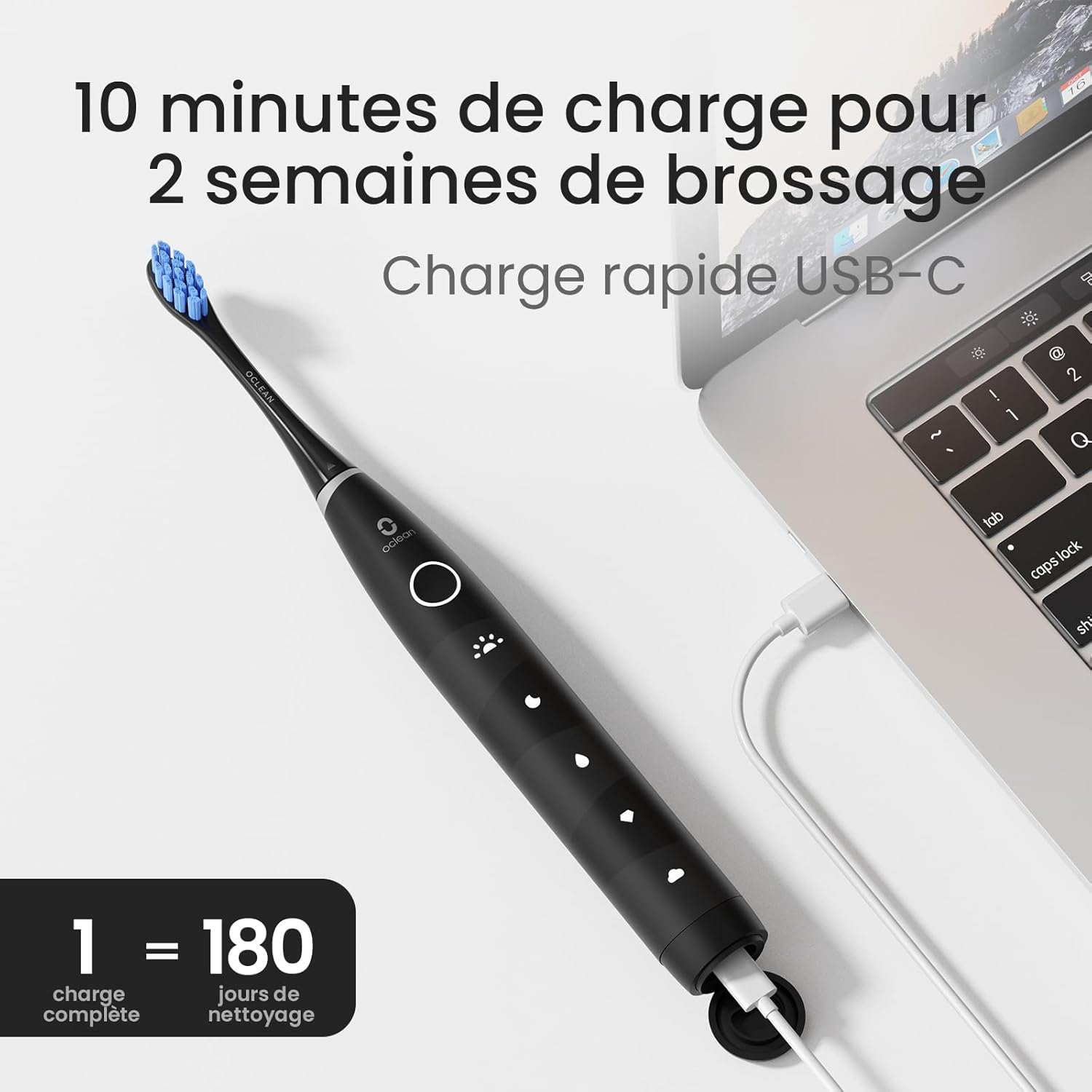
Image: The Oclean Flow toothbrush connected to a laptop via its USB-C charging cable, demonstrating the charging process. A graphic indicates "1 full charge = 180 days of cleaning."
૩.૨ બ્રશ હેડ જોડવું
બ્રશ હેડને ટૂથબ્રશના હેન્ડલ પરના મેટલ શાફ્ટ સાથે સંરેખિત કરો અને તેને મજબૂતીથી નીચે દબાવો જ્યાં સુધી તે જગ્યાએ ન આવે. ઉપયોગ કરતા પહેલા ખાતરી કરો કે તે સુરક્ષિત રીતે જોડાયેલ છે.
6. ટૂથબ્રશનું સંચાલન
6.1 પાવર ચાલુ/બંધ
Press the power button once to turn the toothbrush on. Press and hold the power button for 2 seconds to turn it off.
6.2 Changing Brushing Modes
With the toothbrush turned on, press the power button repeatedly to cycle through the 5 available brushing modes. The corresponding LED indicator will light up for the selected mode.
- Morning Mode: For superior cleaning.
- નાઇટ મોડ: For deep cleaning.
- સફાઈ મોડ: દૈનિક સફાઈ માટે.
- વ્હાઈટિંગ મોડ: For a naturally whiter smile.
- જેન્ટલ મોડ: Suitable for individuals with sensitive gums.

છબી: વિગતવાર view of the Oclean Flow toothbrush handle, highlighting the five distinct brushing modes: Morning, Night, Standard, Whitening, and Gentle, each with its corresponding icon.
6.3 Brushing Technique and Smart Timer
The Oclean Flow features a 2-minute smart timer and a 30-second quadrant reminder to ensure thorough cleaning of all areas of your mouth.
- બ્રશના માથા પર થોડી માત્રામાં ટૂથપેસ્ટ લગાવો.
- બ્રશ હેડને તમારા દાંત પર ગમલાઇન તરફ થોડા ખૂણા પર રાખો.
- Turn on the toothbrush. Gently move the brush head across your teeth, covering all surfaces.
- The toothbrush will pause briefly every 30 seconds to signal you to move to the next quadrant of your mouth.
- After 2 minutes, the toothbrush will automatically turn off, indicating the completion of the recommended brushing time.

Image: A user demonstrating brushing with the Oclean Flow toothbrush. Graphics illustrate the 2-minute smart timer and the 30-second quadrant reminder system, promoting effective oral hygiene.
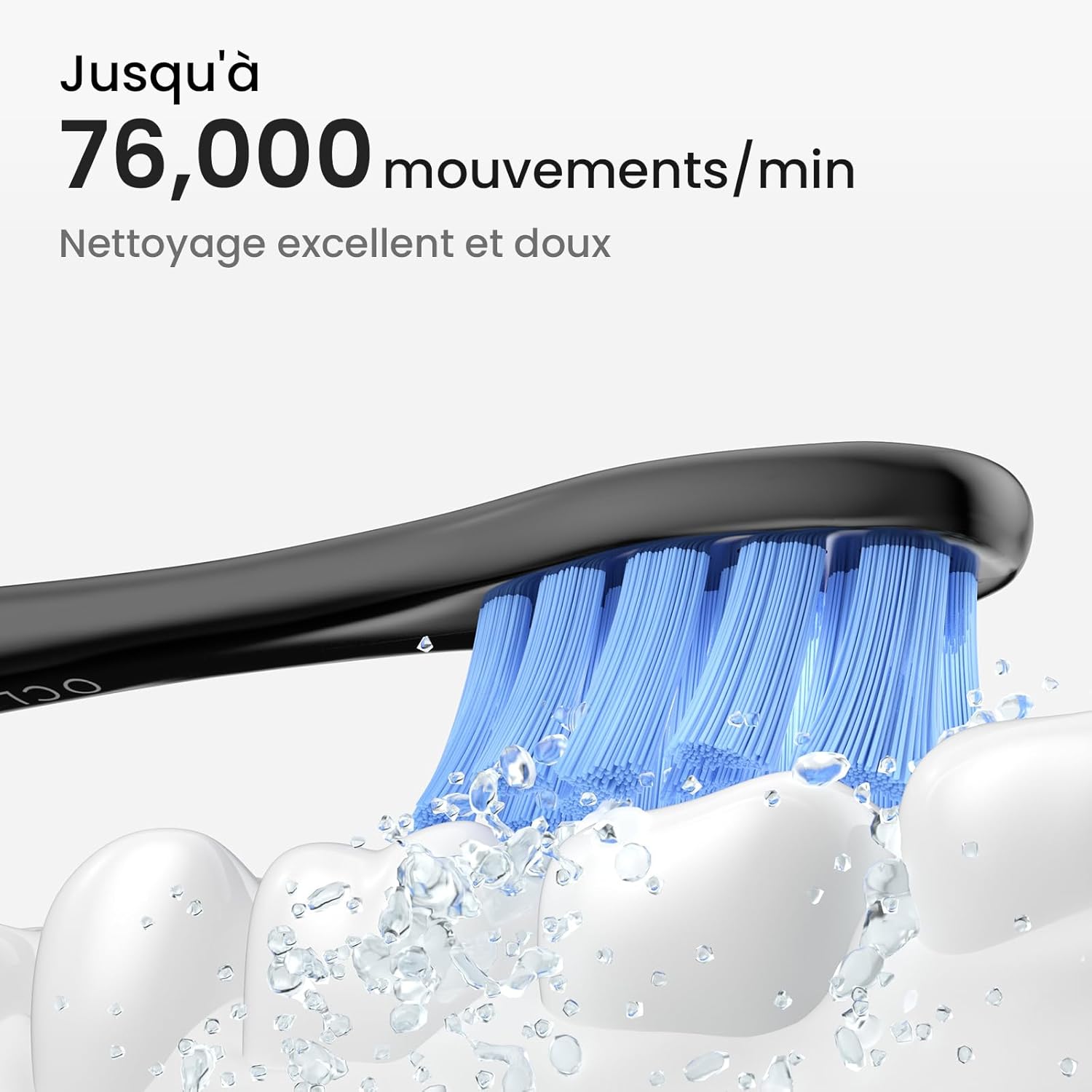
Image: A close-up of the Oclean Flow brush head in action, with water droplets simulating its sonic vibrations. Text indicates "Up to 76,000 movements/min" for excellent and gentle cleaning.
7. જાળવણી
૫.૧ ટૂથબ્રશ સાફ કરવું
The Oclean Flow toothbrush is IPX7 waterproof, allowing for easy cleaning.
- After each use, rinse the brush head and the handle under running water.
- Wipe the handle with a soft cloth to remove any toothpaste residue.
- ચાર્જ કરતા પહેલા ખાતરી કરો કે ચાર્જિંગ પોર્ટ શુષ્ક છે.

Image: The Oclean Flow toothbrush partially submerged in water, illustrating its IPX7 waterproof rating, which allows for easy cleaning under running water.
7.2 Brush Head Replacement
Dentists recommend replacing brush heads every 3 months, or sooner if the bristles become frayed or worn.
- To remove the brush head, pull it firmly away from the handle.
- To attach a new brush head, align it with the metal shaft and push until it clicks into place.

છબી: ક્લોઝ-અપ view of the Oclean Flow brush head, highlighting its W-shaped design for better tooth adaptation and the use of high-quality DuPont Tynex bristles, which protect gums and enamel.
8. મુશ્કેલીનિવારણ
If you encounter any issues with your Oclean Flow toothbrush, refer to the following common problems and solutions:
| સમસ્યા | સંભવિત કારણ | ઉકેલ |
|---|---|---|
| ટૂથબ્રશ ચાલુ થતો નથી. | બેટરી ખતમ થઈ ગઈ છે. | ટૂથબ્રશને સંપૂર્ણ રીતે ચાર્જ કરો. |
| Vibrations are weak. | ઓછી બેટરી અથવા ઢીલું બ્રશ હેડ. | Charge the toothbrush. Ensure the brush head is securely attached. |
| ઉપયોગ દરમિયાન ટૂથબ્રશ અટકી જાય છે. | 2-minute timer completed or low battery. | This is normal if 2 minutes have passed. If not, charge the toothbrush. |
| Brush head falls off during brushing. | Brush head not securely attached. | Re-attach the brush head firmly until it clicks into place. |
If the problem persists after trying these solutions, please contact Oclean customer support for assistance.
9. સ્પષ્ટીકરણો
| લક્ષણ | વિગત |
|---|---|
| મોડલ નંબર | Flowblackset |
| બ્રાન્ડ | ઓકલિયન |
| પરિમાણો (L x W x H) | 3 x 3 x 26 સેમી |
| વજન | 120 ગ્રામ |
| બેટરી જીવન | Up to 180 days (on 5 hours charge) |
| બ્રશિંગ મોડ્સ | 5 (Morning, Night, Cleaning, Whitening, Gentle) |
| Vibrations per Minute | 76,000 સુધી |
| ટાઈમર | 2-minute smart timer with 30-second quadrant reminder |
| વોટરપ્રૂફ રેટિંગ | IPX7 |
| પાવર સ્ત્રોત | બેટરી સંચાલિત (૧ x ૧૨ વોલ્ટ બેટરી શામેલ છે) |
| બ્રશ હેડ મટીરીયલ | DuPont Tynex bristles |
| મૂળ દેશ | ચીન |
10. વોરંટી અને સપોર્ટ
Oclean products are manufactured to high-quality standards. For information regarding warranty coverage, returns, or technical support, please refer to the warranty card included with your product or visit the official Oclean webસાઇટ. વોરંટી દાવાઓ માટે ખરીદીના પુરાવા તરીકે તમારી ખરીદી રસીદ રાખો.
For further assistance, you may contact Oclean customer service through their official channels.