
LEVOIT LPF-R432S-AUS
Levoit Standing Smart Fan User Manual
Model: LPF-R432S-AUS
1. પરિચય
Thank you for choosing the Levoit Standing Smart Fan. This fan is designed to provide powerful, even cooling and air circulation for various room sizes, offering advanced features like smart control, multiple operating modes, and adjustable oscillation. Please read this manual thoroughly before use and retain it for future reference.
2. સલામતી માહિતી
મહત્વપૂર્ણ નોંધો:
- The fan direction automatically resets to default upon power-on.
- The fan's housing may become warm during use. This is normal and complies with safe temperature standards.
- Always place the fan on a stable, level surface.
- Do not insert fingers or foreign objects into the grille when the fan is operating.
- સફાઈ કરતા પહેલા અથવા કોઈપણ જાળવણી કરતા પહેલા પંખાને અનપ્લગ કરો.
3. ઉત્પાદન ઓવરview
મુખ્ય લક્ષણો:
- Powerful 1,451 CFM airflow for large rooms.
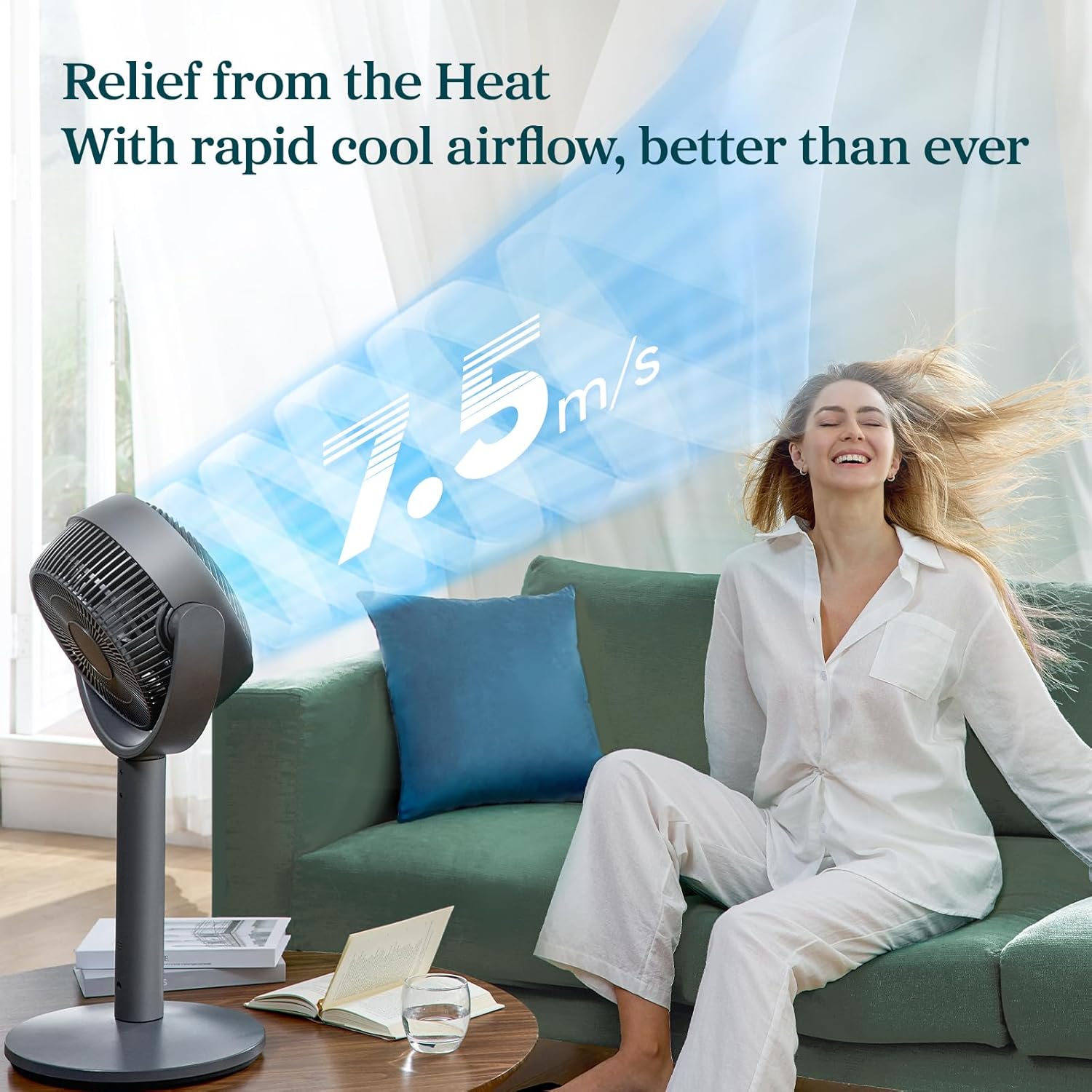
- 12 fan speeds with a maximum wind speed of 7.5 m/s.
- Air throw distance up to 98 ft for wide coverage.
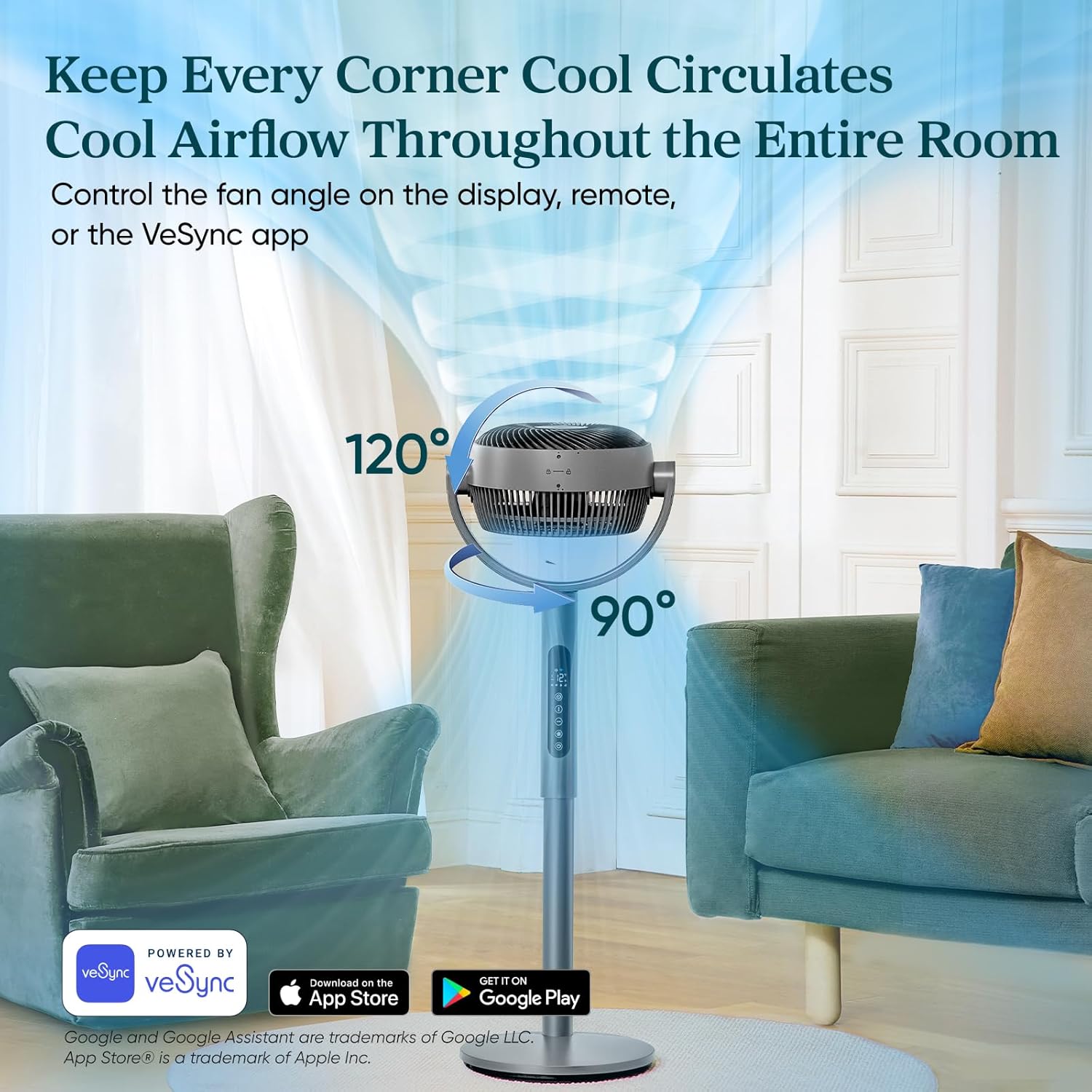
- Auto 120° vertical and 90° horizontal oscillation.
- Quiet operation with noise levels as low as 20dB in Sleep Mode.
- Smart control via VeSync app and voice assistants.
- Adjustable height for 2-in-1 pedestal and tabletop use.
- 12-કલાક ટાઈમર કાર્ય.
ઘટકો અને નિયંત્રણો:




4. સેટઅપ
The Levoit Smart Fan offers versatile 2-in-1 functionality, allowing it to be used as both a pedestal fan and a tabletop fan. Assembly is straightforward and requires no special tools.
એસેમ્બલી સૂચનાઓ:
- બધા ઘટકો ખોલો અને ખાતરી કરો કે બધા ભાગો હાજર છે.
- To assemble as a pedestal fan, securely attach the main fan body to the extension pole and then to the base. Ensure all connections are firm.
- For tabletop use, detach the extension pole and connect the main fan body directly to the base.
- પંખાને સ્થિર, સપાટ સપાટી પર મૂકો.
- પાવર એડેપ્ટરને યોગ્ય ઇલેક્ટ્રિકલ આઉટલેટમાં પ્લગ કરો.
5. ઓપરેટિંગ મોડ્સ
The Levoit Smart Fan features four distinct operating modes to suit your cooling needs:
- સામાન્ય મોડ: ૧૨ સ્પીડ સેટિંગ્સ (૧=સૌમ્ય, ૧૨=શક્તિશાળી) સાથે એરફ્લોને કસ્ટમાઇઝ કરો.
- ઇકો મોડ: Automatically adjusts fan speed based on room temperature to save energy. Speed increases by 1 level if temperature rises by 2°F, and decreases by 1 level if temperature drops by 2°F.
- ટર્બો મોડ: Designed for rapid air circulation, especially effective when used with air conditioning. The fan automatically starts oscillating and operates at fan speed 12.
- નિદ્રા સ્થિતિ: બધી ઊંઘ માટે ઑપ્ટિમાઇઝ કરેલtages. The display turns off after 5 seconds, selection tones are disabled, and fan speed auto-adjusts based on nighttime temperature changes for quiet operation (as low as 20dB).
6. ઓસિલેશન કંટ્રોલ
The fan offers adjustable oscillation to circulate air throughout the entire room:
- વર્ટિકલ ઓસિલેશન: Up to 120° automatically.
- આડું ઓસિલેશન: Up to 90° automatically.
Control fan angles using the display panel, the included remote controller, or the VeSync app.
7. ટાઈમર કાર્ય
Set a timer for the fan to automatically turn off after a specified duration, up to 24 hours. This feature can be controlled via the display, remote, or the VeSync app.
8. VeSync App & Voice Control
For enhanced control and smart features, download the VeSync app. With the app and compatible third-party voice assistants (e.g., Amazon Alexa, Google Assistant), you can:
- Effortlessly switch between Normal, Eco, Turbo, and Sleep modes.
- Set timers up to 24 hours.
- Choose between 12 fan speeds.
- Adjust oscillation angles.
9. જાળવણી
Regular cleaning ensures optimal performance and longevity of your fan. The fan is fairly easy to wipe down and clean.
- સફાઈ કરતા પહેલા હંમેશા પંખાને અનપ્લગ કરો.
- સોફ્ટનો ઉપયોગ કરો, ડીamp cloth to wipe down the exterior surfaces.
- ઘર્ષક ક્લીનર્સ અથવા કઠોર રસાયણોનો ઉપયોગ કરશો નહીં.
- For detailed cleaning of the fan blades, refer to the specific instructions in the full product manual (if applicable).
10. મુશ્કેલીનિવારણ
If you encounter any issues with your Levoit Smart Fan, please refer to the following common troubleshooting tips:
- પંખો ચાલુ નથી થઈ રહ્યો: Ensure the power cord is securely plugged into a working outlet. Check if the power button on the fan or remote has been pressed.
- નબળો હવા પ્રવાહ: Increase the fan speed setting. Ensure the fan grille is not obstructed by dust or debris.
- ઓસિલેશન કામ કરતું નથી: Verify that the oscillation function is enabled via the control panel, remote, or VeSync app.
- અસામાન્ય અવાજ કરતો પંખો: Check for any foreign objects caught in the fan blades. Ensure the fan is placed on a stable, flat surface to prevent vibrations.
- રીમોટ કંટ્રોલ કામ કરતું નથી: Replace the remote control battery (1 12V battery included). Ensure there are no obstructions between the remote and the fan.
- VeSync app connectivity issues: Ensure your Wi-Fi network is stable and the fan is within range. Follow the app's pairing instructions carefully.
For further assistance, please contact Levoit Customer Support.
11. સ્પષ્ટીકરણો
| સ્પષ્ટીકરણ | મૂલ્ય |
|---|---|
| બ્રાન્ડ | લેવોઈટ |
| મોડેલનું નામ | લેવોઇટ સ્માર્ટ પેડેસ્ટલ સર્ક્યુલેટર ફેન |
| આઇટમ મોડલ નંબર | LPF-R432S-AUS નો પરિચય |
| યુપીસી | 810123675661 |
| ઉત્પાદન પરિમાણો | 12.5"D x 14.5"W x 43.7"H |
| વસ્તુનું વજન | 12.7 પાઉન્ડ |
| મેક્સ એરફ્લો | 1451 CFM |
| Max Air Throw | 98 ફૂટ |
| મહત્તમ પવનની ગતિ | 24.6 ft/s (7.5 m/s) |
| ન્યૂનતમ અવાજ સ્તર | 20 ડીબી |
| ઝડપની સંખ્યા | 12 |
| ઓસિલેશન | Auto 120° Vertical + 90° Horizontal |
| ટાઈમર | 24 કલાક સુધી |
| પાવર સ્ત્રોત | ડીસી મોટર |
| વાટtage | 30 વોટ |
| સમાવાયેલ ઘટકો | Remote, Power Adapter |
| બેટરીઓ | ૧ ૧૨ વોલ્ટ બેટરી (શામેલ) |
12. વોરંટી અને સપોર્ટ
The Levoit Standing Smart Fan comes with a 2-year warranty, as mentioned in customer reviews. For warranty claims, technical support, or any questions regarding your product, please contact Levoit Customer Support directly. Refer to the product packaging or the official Levoit webસૌથી અદ્યતન સંપર્ક માહિતી માટે સાઇટ.
તમારો સંતોષ અમારી ટોચની પ્રાથમિકતા છે.
Ask a question about this manual
Ask about setup, troubleshooting, compatibility, parts, safety, or missing instructions. Manuals+ will review the question and use this page’s manual context to help answer it.