
પરિચય
ખરીદી બદલ આભારasing the EBTOOLS Portable AM FM SW Shortwave Radio. This device offers versatile listening options, including AM, FM, and Shortwave radio bands, Bluetooth connectivity, and playback from USB drives or storage cards. Designed for portability and clear sound, this radio is suitable for home, outdoor, and travel use. This manual provides detailed instructions for setup, operation, maintenance, and troubleshooting to ensure optimal performance and longevity of your radio.
સલામતી માહિતી
- રેડિયોને વરસાદ, ભેજ અથવા અતિશય તાપમાનના સંપર્કમાં ન લાવો.
- યુનિટને ડિસએસેમ્બલ કરવાનું ટાળો. બધી સર્વિસિંગ લાયક કર્મચારીઓને સોંપો.
- રેડિયોને મજબૂત ચુંબકીય ક્ષેત્રોથી દૂર રાખો.
- Use only the provided charging cable or a compatible Type-C cable for charging.
- વેન્ટિલેશન ઓપનિંગ્સને અવરોધિત કરશો નહીં.
પેકેજ સામગ્રી
કૃપા કરીને નીચેની વસ્તુઓ માટે પેકેજ તપાસો:
- 1 x Portable Radio (Model MK-178BT)
- 1 x વપરાશકર્તા માર્ગદર્શિકા
- 1 x લેનયાર્ડ
- ૧ x ચાર્જિંગ કેબલ (ટાઈપ-સી)

Image: The EBTOOLS Portable Radio shown with its included lanyard and Type-C charging cable.
ઉત્પાદન ઓવરview
Familiarize yourself with the various parts and controls of your radio.
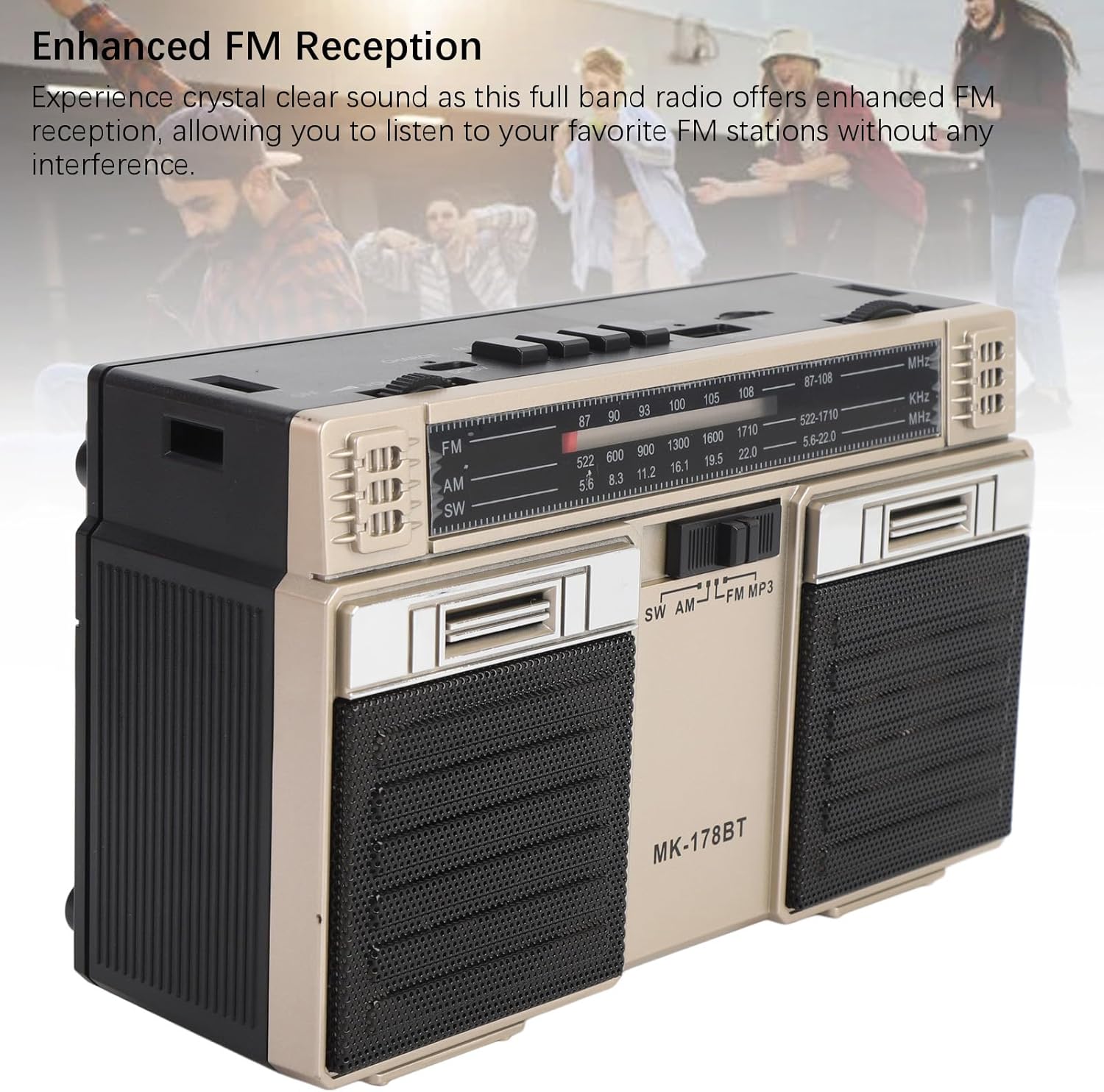
છબી: આગળ view of the radio, highlighting the dual speakers and the frequency display panel.
છબી: ટોચ view of the radio, detailing the power switch, volume knob, mode/playback controls, charging port, LED indicator, USB port, and TF card slot.

છબી: ક્લોઝ-અપ view of the tuning knob, USB port, and TF (Micro SD) card slot, located on the top panel of the radio.
મુખ્ય નિયંત્રણો:
- બંધ/ચાલુ સ્વિચ: Located on the top left, controls power.
- વોલ્યુમ નોબ: ઓડિયો આઉટપુટ સ્તરને સમાયોજિત કરે છે.
- CHARGE (DC 5V) Port: Type-C port for battery charging.
- M/* Button: Mode selection / Bluetooth pairing.
- ◀◀ / ►► Buttons: Previous/Next track in media modes, or fine-tuning in radio modes.
- ►█ Button: Play/Pause for media playback.
- એલઇડી સૂચક: Shows charging status or mode.
- TF સ્લોટ: For Micro SD (storage) cards.
- યુએસબી સ્લોટ: For USB drives.
- ટ્યુનિંગ નોબ: રેડિયો ફ્રીક્વન્સી એડજસ્ટ કરે છે.
- એન્ટેના: Extendable for improved radio reception.
સેટઅપ
1. બેટરી ચાર્જ કરી રહી છે
- Connect the provided Type-C charging cable to the CHARGE (DC 5V) port on the radio.
- કેબલના બીજા છેડાને પ્રમાણભૂત USB પાવર એડેપ્ટર (શામેલ નથી) અથવા કમ્પ્યુટર USB પોર્ટ સાથે કનેક્ટ કરો.
- The LED indicator will illuminate during charging. It will change color or turn off once fully charged.
- સંપૂર્ણ ચાર્જ 18 કલાક સુધીની બેટરી લાઇફ પૂરી પાડે છે.
2. પાવર ચાલુ/બંધ
- To power on the radio, slide the બંધ/ચાલુ 'ચાલુ' સ્થિતિ પર સ્વિચ કરો.
- To power off, slide the switch back to the 'OFF' position.
ઓપરેટિંગ સૂચનાઓ
1. મોડ પસંદ કરવો
દબાવો M/* button repeatedly to cycle through the available modes: FM, AM, SW, Bluetooth, USB, and TF Card (if inserted).
2. Radio Operation (FM/AM/SW)
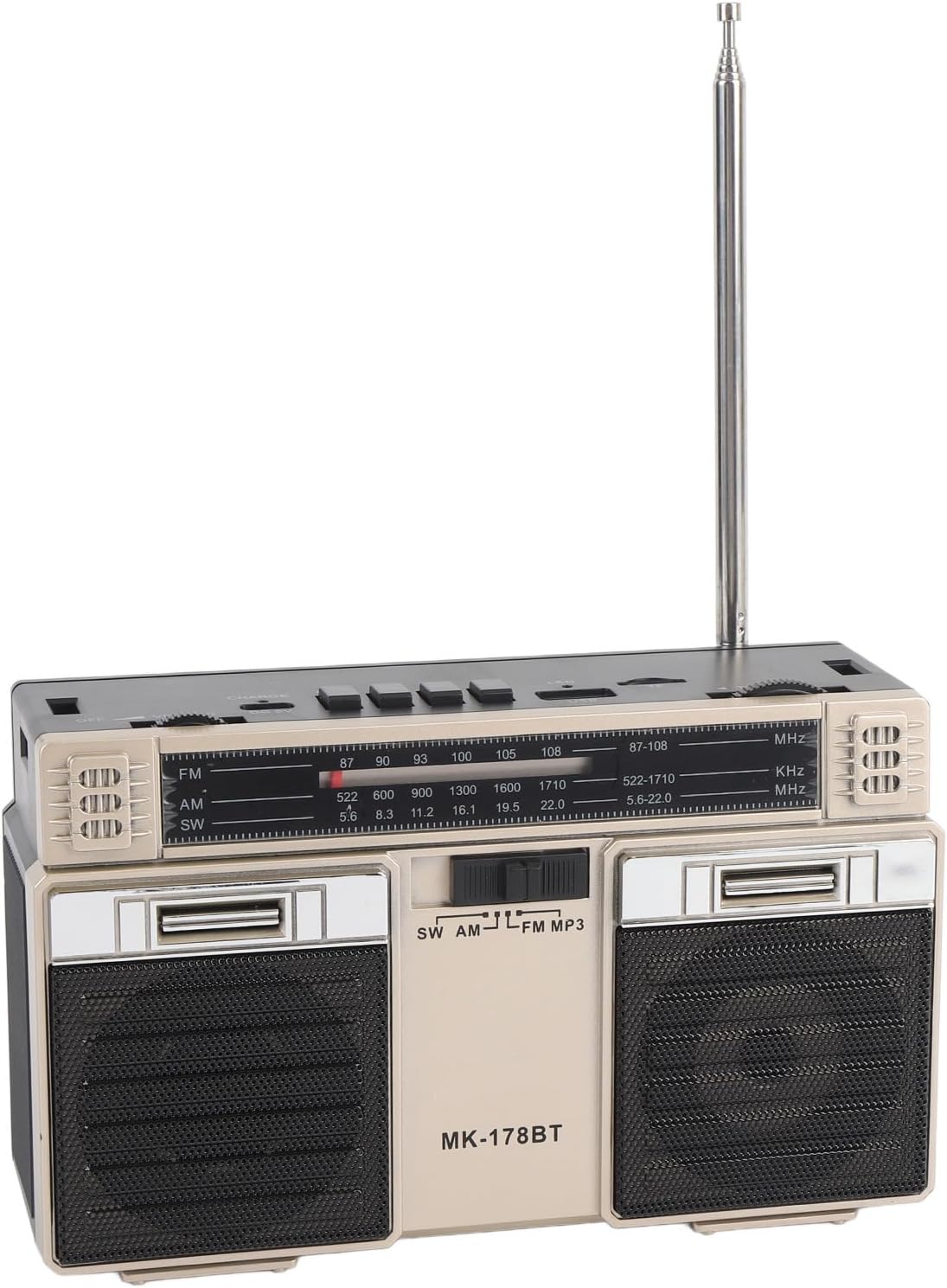
- Extend the telescopic antenna for optimal reception, especially for FM and SW bands.
- Select the desired radio band (FM, AM, or SW) using the M/* બટન
- Slowly turn the ટ્યુનિંગ knob to scan for stations. The frequency will be displayed on the front panel.
- એડજસ્ટ કરો વોલ્યુમ તમારા મનપસંદ શ્રવણ સ્તર પર નોબ.
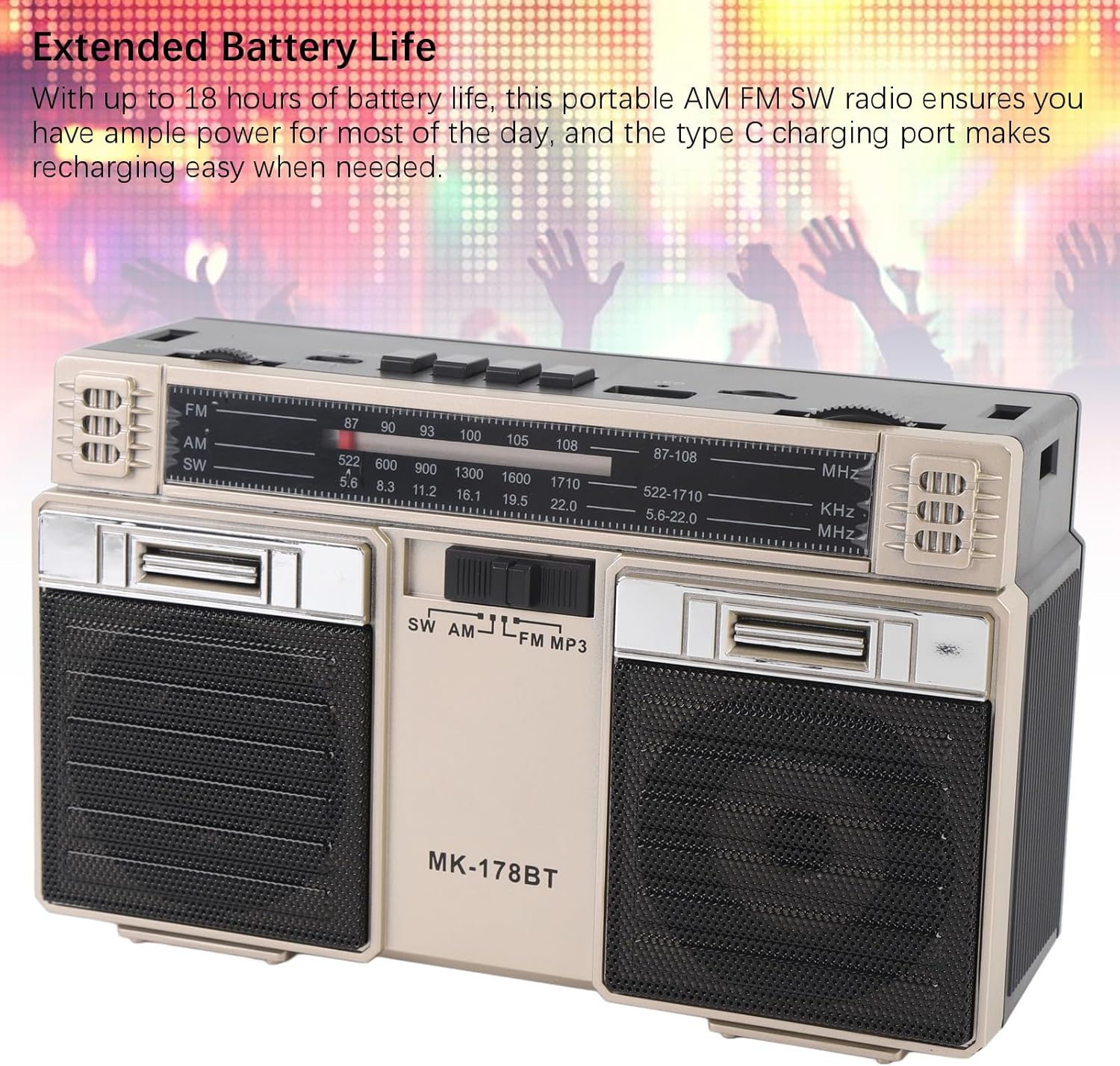
Image: The radio with its telescopic antenna fully extended, demonstrating optimal setup for radio reception.
3. બ્લૂટૂથ ઓપરેશન
- દબાવો M/* button until the radio enters Bluetooth mode (an audible prompt or indicator may confirm this).
- તમારા બ્લૂટૂથ-સક્ષમ ઉપકરણ (દા.ત., સ્માર્ટફોન, ટેબ્લેટ) પર, ઉપલબ્ધ બ્લૂટૂથ ઉપકરણો શોધો.
- Select "MK-178BT" (or similar name) from the list to pair.
- Once paired, you can stream audio from your device to the radio. Use the ►█, ◀◀, અને ►► પ્લેબેકને નિયંત્રિત કરવા માટેના બટનો.
4. USB/Storage Card Playback
- Insert a USB drive into the યુએસબી સ્લોટ or a Micro SD (TF) card into the ટીએફ સ્લોટ.
- The radio should automatically switch to USB or TF card mode. If not, press the M/* button to select the correct mode.
- The radio will begin playing audio fileદાખલ કરેલ સ્ટોરેજ ડિવાઇસમાંથી s.
- નો ઉપયોગ કરો ►█ button to play/pause, and the ◀◀ / ►► ટ્રેક છોડવા માટે બટનો.
જાળવણી
1. સફાઈ
- Wipe the exterior of the radio with a soft, dry cloth.
- ઘર્ષક ક્લીનર્સ, સોલવન્ટ્સ અથવા મજબૂત રસાયણોનો ઉપયોગ કરશો નહીં.
2. બેટરી કેર
- પ્રથમ ઉપયોગ કરતા પહેલા બેટરીનો સંપૂર્ણ ચાર્જ કરો.
- બેટરીનું આયુષ્ય વધારવા માટે વારંવાર તેને સંપૂર્ણપણે ખાલી કરવાનું ટાળો.
- If storing the radio for an extended period, charge it to about 50% every few months.
3. સંગ્રહ
- Store the radio in a cool, dry place, away from direct sunlight and extreme temperatures.
- Keep it away from dust and moisture.
મુશ્કેલીનિવારણ
| સમસ્યા | સંભવિત કારણ | ઉકેલ |
|---|---|---|
| રેડિયો ચાલુ થતો નથી. | Battery is depleted. Power switch is off. | Charge the battery. Ensure the power switch is in the 'ON' position. |
| નબળું રેડિયો રિસેપ્શન. | એન્ટેના લંબાયેલ નથી. નબળો સિગ્નલ વિસ્તાર. દખલગીરી. | Fully extend the telescopic antenna. Try repositioning the radio. Move away from electronic devices causing interference. |
| બ્લૂટૂથ કનેક્ટ થઈ રહ્યું નથી. | Radio not in Bluetooth mode. Device not discoverable. Already paired with another device. | Ensure radio is in Bluetooth mode. Make sure your device's Bluetooth is on and discoverable. Disconnect from other devices. |
| USB/TF કાર્ડ ચાલી રહ્યું નથી. | Incorrect mode selected. Incompatible file format. Corrupted storage device. | દબાવો M/* to select USB/TF mode. Ensure audio files are in a compatible format (e.g., MP3). Try a different USB drive or TF card. |
| કોઈ અવાજ નથી કે ઓછો અવાજ નથી. | Volume too low. Mute activated (if applicable). | વધારો વોલ્યુમ knob. Check if the connected Bluetooth device's volume is also up. |
વિશિષ્ટતાઓ
- મોડલ નંબર: MK-178BT (Internal SKU: EBTOOLSshukg7o0ny-12)
- સામગ્રી: ABS
- એફએમ ફ્રિકવન્સી રેંજ: 87 થી 108 MHz
- AM આવર્તન શ્રેણી: 522 થી 1710 KHz
- SW આવર્તન શ્રેણી: 5.6 થી 22 MHz
- Storage Card/Small Memory Card Support: Maximum 32GB (not included)
- બિલ્ટ-ઇન બેટરી: 1200mAh લિ-પોલિમર
- પાવર સ્ત્રોત: બેટરી સંચાલિત (ટાઈપ-સી ચાર્જિંગ)
- કનેક્ટિવિટી ટેકનોલોજી: બ્લૂટૂથ
- ઉત્પાદન પરિમાણો: 7.48 x 4.72 x 3.14 ઇંચ (19 x 12 x 8 સેમી)
- વસ્તુનું વજન: 1.35 પાઉન્ડ (0.61 કિગ્રા)
- ખાસ લક્ષણો: Portable, Bluetooth, Rechargeable
વોરંટી અને આધાર
For warranty information or technical support, please refer to the purchase platform or contact EBTOOLS customer service directly. Keep your purchase receipt as proof of purchase.