
પરિચય
This manual provides detailed instructions for the installation, operation, and maintenance of your Bvavo Wireless Video Doorbell Intercom System. Please read this manual thoroughly before using the product to ensure proper function and safety. Keep this manual for future reference.

Figure 1: Bvavo Wireless Video Doorbell Intercom System components, including the doorbell unit, indoor monitor, and smartphone application interface.
બૉક્સમાં શું છે
ખાતરી કરો કે બધા ઘટકો હાજર છે:
- વાયરલેસ ડોરબેલ કેમેરા
- ૧૦.૩૬-ઇંચ ટચ સ્ક્રીન મોનિટર
- 32GB SD Card (pre-installed or included separately)
- માઉન્ટ કરવાનું હાર્ડવેર
- Power Adapters for Doorbell and Monitor
- વપરાશકર્તા માર્ગદર્શિકા (આ દસ્તાવેજ)
સેટઅપ અને ઇન્સ્ટોલેશન
1. ઉપકરણો ચાર્જ કરવા
Before initial use, fully charge both the doorbell camera and the indoor monitor. The doorbell camera features an upgraded 7,000mAh rechargeable lithium battery, providing approximately 60-90 days of operation on a full charge, depending on usage. The touchscreen monitor has a built-in 5,000mAh battery, offering up to 6-8 hours of constant use.

Figure 2: Battery specifications for the doorbell camera and indoor monitor.
2. Doorbell Placement
Select an optimal location for the doorbell camera. It is recommended to install the doorbell at a height that allows for a clear view of visitors. Avoid installing the doorbell on metal surfaces, as metal can significantly impact wireless signal strength and range.

Figure 3: Wireless signal strength can be reduced by obstacles, especially metal. Optimal placement avoids metal obstructions.
3. વાયરલેસ કનેક્શન
The system connects wirelessly via Wi-Fi and a 915MHz signal, eliminating the need for complex wiring. The doorbell and monitor are typically pre-paired. If pairing is required, refer to the on-screen instructions on the monitor or the Tuya App.

Figure 4: Wireless intercom system setup, showing connectivity between the doorbell and monitor without physical wires.
4. Tuya App Integration
For smartphone control and remote access, download the free Tuya Smart App from the App Store (iOS) or Google Play Store (Android). Follow the in-app instructions to add your Bvavo doorbell system.
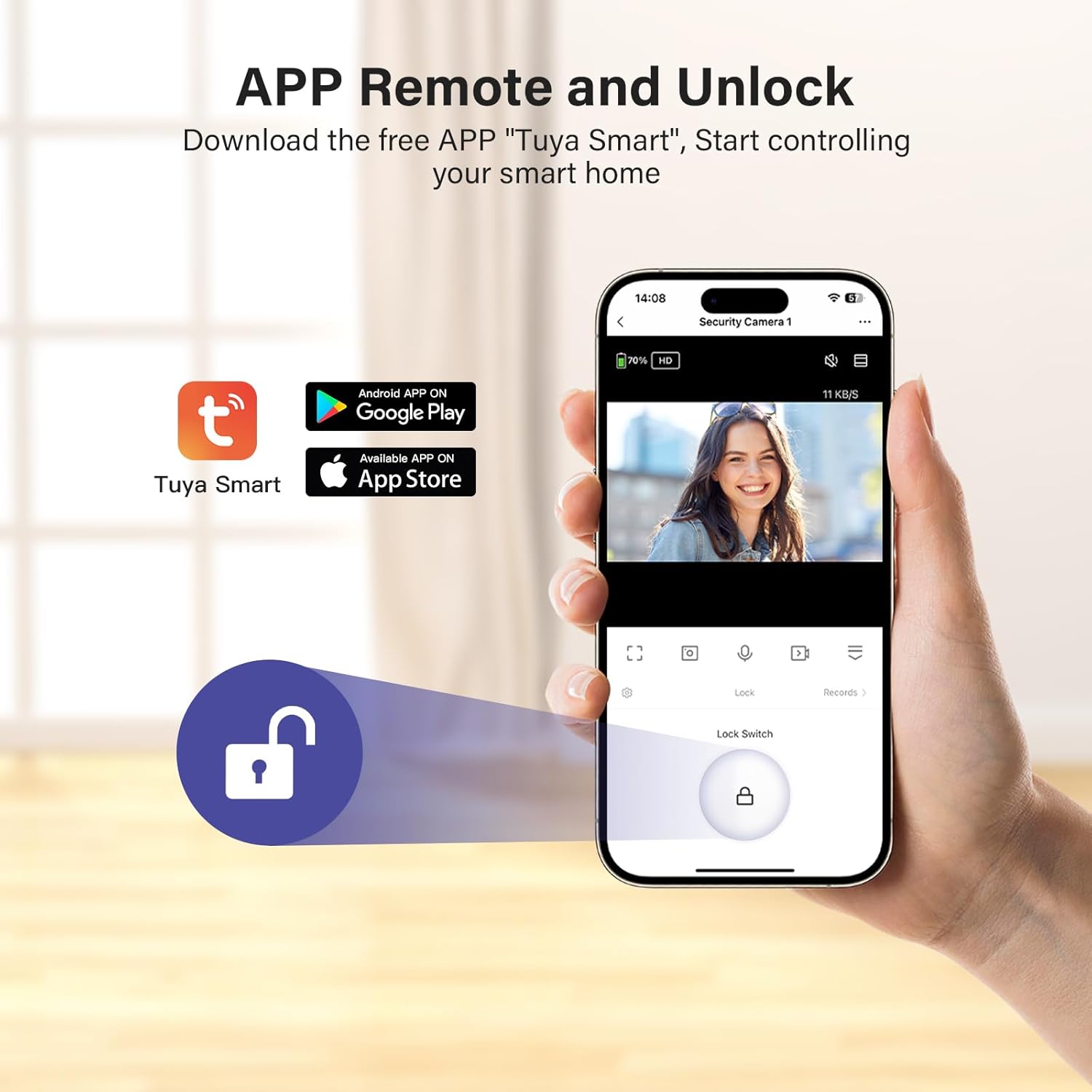
Figure 5: Tuya Smart App interface for remote control and monitoring.
ઓપરેટિંગ સૂચનાઓ
1. જીવંત View અને ટુ-વે ઓડિયો
When a visitor presses the doorbell, the indoor monitor will ring and display a live video feed. You can also access the live view at any time through the monitor or the Tuya App. Use the two-way audio feature to communicate with visitors.
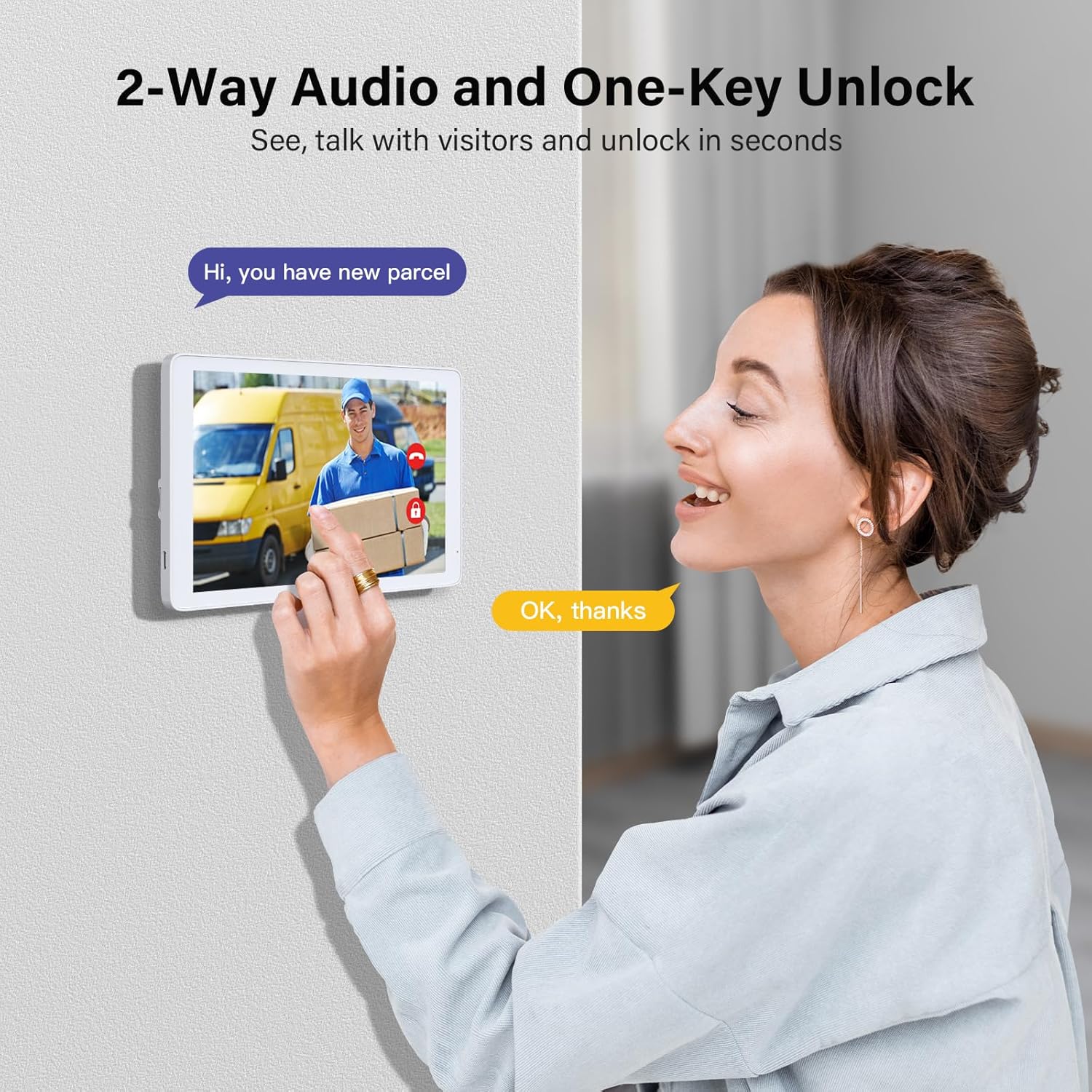
Figure 6: Demonstrating two-way audio communication with a visitor via the indoor monitor.
2. ગતિ શોધ અને ચેતવણીઓ
The doorbell features a 160° wide-angle lens and motion detection capabilities. When movement is detected within 5 meters, an alert will be sent to your smartphone via the Tuya App and displayed on the indoor monitor.

Figure 7: Motion detection system sending an alert to a smartphone when activity is detected.
3. નાઇટ વિઝન
The doorbell camera is equipped with night vision to ensure clear visibility in low-light conditions or complete darkness.

Figure 8: Day and night vision capabilities of the doorbell camera.
૫. વિડીયો રેકોર્ડિંગ અને પ્લેબેક
The system automatically captures and saves images or videos to the included SD card when motion is detected or the doorbell is pressed. You can review these recordings directly on the indoor monitor or through the Tuya App. The system supports up to 128GB SD cards.

Figure 9: Video record and playback interface on the indoor monitor.
5. Remote Unlock
If connected to a compatible smart lock system (sold separately), the Tuya App allows for remote unlocking of your door.
જાળવણી
1. સફાઈ
Wipe the doorbell camera and indoor monitor with a soft, dry cloth. Avoid using abrasive cleaners or solvents that could damage the surfaces.
2. બેટરી મેનેજમેન્ટ
Recharge the doorbell camera and monitor as needed. For stable use, it is recommended to keep the indoor monitor connected to its power adapter when possible. The monitor's display will turn off after 5 minutes of inactivity by default, but this duration can be customized in the settings.
૭.૬. હવામાન પ્રતિકાર
The doorbell camera is waterproof (IP55 rated), designed to withstand various weather conditions. However, extreme conditions may affect performance.

Figure 10: The doorbell camera is designed with IP55 weather resistance for outdoor use.
મુશ્કેલીનિવારણ
| સમસ્યા | સંભવિત કારણ | ઉકેલ |
|---|---|---|
| No video feed or poor signal | Interference from metal objects; distance from monitor; Wi-Fi issues. | Relocate the doorbell away from metal surfaces. Ensure the doorbell and monitor are within effective range. Check your home Wi-Fi connection. |
| Monitor battery drains quickly | High brightness setting; frequent use; prolonged monitoring sessions. | Reduce screen brightness. Keep the monitor plugged in for extended use. Adjust the monitoring duration setting. |
| મોશન ડિટેક્શન કામ કરતું નથી | Incorrect sensitivity settings; obstructions in the detection zone. | Adjust motion detection sensitivity in the monitor settings or Tuya App. Ensure the camera's view સ્પષ્ટ છે. |
| Cannot connect to Tuya App | Incorrect Wi-Fi password; app not updated; device not in pairing mode. | Verify Wi-Fi credentials. Update the Tuya App to the latest version. Follow app instructions for device pairing. |
વિશિષ્ટતાઓ
| લક્ષણ | વિગત |
|---|---|
| મોડેલનું નામ | Video door phone |
| ઇન્ડોર/આઉટડોર વપરાશ | ઇન્ડોર, આઉટડોર |
| વિડિઓ કેપ્ચર રિઝોલ્યુશન | 1080p |
| પાવર સ્ત્રોત | બેટરી સંચાલિત |
| Doorbell Battery Capacity | 7,000mAh (upgraded) |
| Monitor Battery Capacity | 5,000mAh (upgraded) |
| વાયરલેસ કોમ્યુનિકેશન ટેકનોલોજી | Wi-Fi, 915MHz |
| ખાસ લક્ષણો | 2-Way Audio, HD Resolution, Image Sensor, Motion Sensor, Night Vision |
| મોશન ડિટેક્શન રેન્જ | 5 મીટર સુધી |
| નાઇટ વિઝન રેન્જ | 50 મીટર |
| પાણી પ્રતિકાર સ્તર | વોટરપ્રૂફ (IP55) |
| સંગ્રહ | SD card (up to 128GB supported, 32GB included) |
| સુસંગત ઉપકરણો | Smartphone (Tuya App) |
| ઉત્પાદન પરિમાણો | 3 x 3 x 3 ઇંચ (અંદાજે) |
| વસ્તુનું વજન | 2.72 પાઉન્ડ |
વોરંટી માહિતી
કૃપા કરીને ઉત્પાદકના અધિકારીનો સંદર્ભ લો website or the product packaging for detailed warranty terms and conditions. Keep your purchase receipt as proof of purchase for any warranty claims.
ગ્રાહક આધાર
For technical assistance, troubleshooting, or product inquiries, please contact Bvavo customer support through their official channels. You can also find additional resources and FAQs within the Tuya Smart App.