
1. પરિચય
This manual provides detailed instructions for the installation, configuration, and operation of the Intelbras iNVD 5232 32-Channel IP Digital Video Recorder. Please read this manual thoroughly before using the device to ensure proper functionality and to prevent damage.
The Intelbras iNVD 5232 is designed for professional surveillance applications, offering advanced features for recording, monitoring, and managing IP camera feeds.
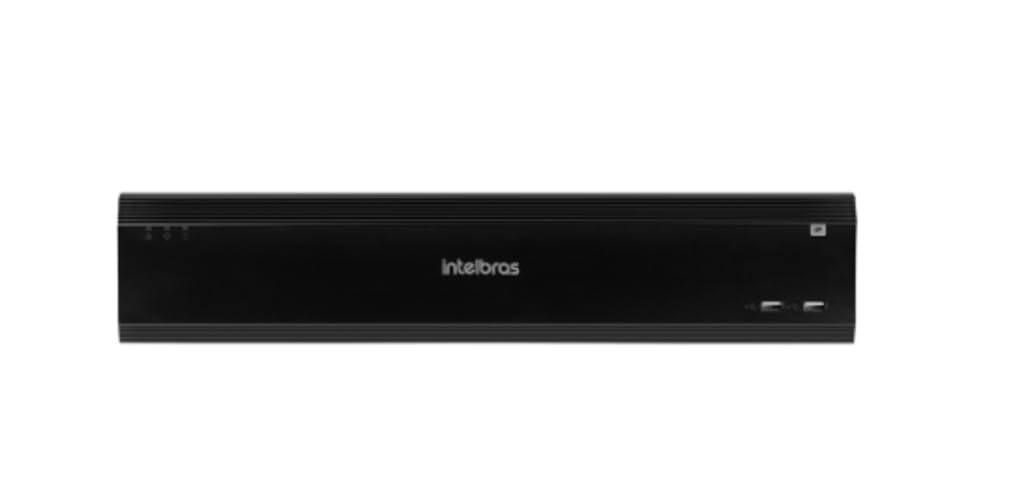
Figure 1: Intelbras iNVD 5232 Digital Video Recorder. This image shows the front panel of the iNVD 5232 unit, featuring a sleek black design with the Intelbras logo and USB ports.
2. સલામતી માહિતી
ઉપકરણને ઇજા અને નુકસાન અટકાવવા માટે નીચેની સલામતી સાવચેતીઓનું પાલન કરો:
- પાવર સપ્લાય વોલ્યુમની ખાતરી કરોtage ઉપકરણની જરૂરિયાતો સાથે મેળ ખાય છે.
- ઉપકરણને ભેજ, વરસાદ અથવા અતિશય તાપમાનના સંપર્કમાં ન લાવો.
- ઉપકરણને સીધા સૂર્યપ્રકાશમાં અથવા ગરમીના સ્ત્રોતોની નજીક રાખવાનું ટાળો.
- ઉપકરણ ખોલશો નહીં casing. બધી સેવા લાયક કર્મચારીઓને સોંપો.
- ઉત્પાદક દ્વારા ઉલ્લેખિત એક્સેસરીઝનો જ ઉપયોગ કરો.
- Properly ground the device to prevent electrical shock.
3. પેકેજ સામગ્રી
ખાતરી કરો કે બધી વસ્તુઓ પેકેજમાં હાજર છે:
- Intelbras iNVD 5232 Digital Video Recorder Unit
- પાવર એડેપ્ટર
- યુએસબી માઉસ
- HDD ઇન્સ્ટોલેશન માટે સ્ક્રૂ
- ઝડપી પ્રારંભ માર્ગદર્શિકા
- સીડી-રોમ (સોફ્ટવેર અને સંપૂર્ણ માર્ગદર્શિકા ધરાવતું)
4. ઉત્પાદન ઓવરview
4.1 ફ્રન્ટ પેનલ
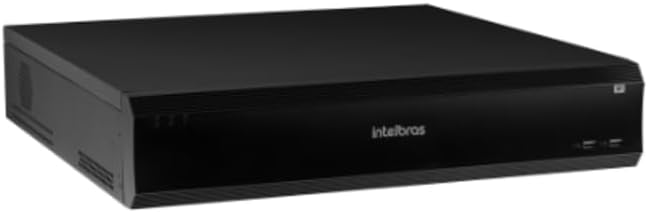
Figure 2: Front Panel of the iNVD 5232. This image displays the front of the DVR, showing LED indicators for power and status, along with two USB ports for peripheral connections.
- પાવર એલઇડી: પાવર સ્થિતિ દર્શાવે છે.
- સ્થિતિ એલઇડી: સિસ્ટમની કામગીરીની સ્થિતિ દર્શાવે છે.
- યુએસબી પોર્ટ્સ: For connecting a mouse, USB drive, or other peripherals.
4.2 રીઅર પેનલ

Figure 3: Rear Panel of the iNVD 5232. This image details the rear connections, including power input, network ports, video outputs (HDMI, VGA), audio inputs/outputs, and alarm terminals.
- પાવર ઇનપુટ: આપેલ પાવર એડેપ્ટરને કનેક્ટ કરો.
- HDMI આઉટપુટ: Connect to an HDMI-compatible monitor.
- વીજીએ આઉટપુટ: Connect to a VGA-compatible monitor.
- લેન પોર્ટ્સ: Connect to your network for IP camera communication and remote access.
- ઑડિયો ઇન/આઉટ: બાહ્ય ઑડિઓ ઉપકરણોને કનેક્ટ કરવા માટે.
- એલાર્મ ઇન/આઉટ: For connecting external alarm sensors and actuators.
- યુએસબી પોર્ટ્સ: પેરિફેરલ્સ માટે વધારાના USB પોર્ટ.
5. સેટઅપ
5.1 હાર્ડવેર ઇન્સ્ટોલેશન
- હાર્ડ ડ્રાઇવ ઇન્સ્ટોલ કરો (જો પહેલાથી ઇન્સ્ટોલ કરેલ ન હોય તો): DVR ખોલો casing, mount the hard drive using the provided screws, and connect the SATA power and data cables.
- મોનિટર કનેક્ટ કરો: મોનિટરને HDMI અથવા VGA આઉટપુટ પોર્ટ સાથે કનેક્ટ કરો.
- માઉસ કનેક્ટ કરો: Plug the USB mouse into one of the USB ports.
- નેટવર્ક કનેક્ટ કરો: Connect an Ethernet cable from the LAN port to your network router or switch.
- પાવર કનેક્ટ કરો: Plug the power adapter into the DVR's power input and then into a power outlet. The device will power on automatically.
5.2 પ્રારંભિક રૂપરેખાંકન
Upon first boot, the system will guide you through an initial setup wizard:
- ભાષા પસંદગી: તમારી પસંદીદા ભાષા પસંદ કરો.
- પાસવર્ડ સેટઅપ: Create a strong administrator password.
- નેટવર્ક સેટિંગ્સ: Configure IP address, subnet mask, gateway, and DNS. DHCP is usually enabled by default.
- તારીખ અને સમય: સાચી તારીખ, સમય અને સમય ઝોન સેટ કરો.
- HDD આરંભ: Format the installed hard drive for recording.
- IP Camera Search and Add: The system will scan for available IP cameras on the network. Select and add your cameras.
Ope. Opeપરેટિંગ
6.1 જીવંત View
After initial setup, the system will display the live view કનેક્ટેડ કેમેરા. તમે સિંગલ-કેમેરા વચ્ચે સ્વિચ કરી શકો છો view, multi-camera grids, and sequence views using the on-screen controls or mouse.
6.2 રેકોર્ડિંગ મેનેજમેન્ટ
- રેકોર્ડિંગ સમયપત્રક: Configure continuous, motion-detection, or alarm-triggered recording schedules for each camera.
- મેન્યુઅલ રેકોર્ડિંગ: Initiate recording manually from the live view ઇન્ટરફેસ
- પ્લેબેક: ઍક્સેસ રેકોર્ડ footage by date, time, and event type. Use the playback controls to navigate through recordings.
- બેકઅપ: Export recorded video clips to a USB drive or network storage.
૬.૨ દૂરસ્થ ઍક્સેસ
The iNVD 5232 supports remote access via a web browser or dedicated mobile application. Ensure your network is configured for remote access (e.g., port forwarding or P2P cloud service activation).
- Web બ્રાઉઝર: Enter the DVR's IP address into a web સમાન નેટવર્કથી કનેક્ટ થયેલ કમ્પ્યુટર પર બ્રાઉઝર.
- મોબાઇલ એપ્લિકેશન: Download the official Intelbras surveillance app from your device's app store. Scan the QR code on the DVR (if available) or manually enter the device ID for connection.
7. જાળવણી
7.1 સફાઈ
Regularly clean the exterior of the DVR with a soft, dry cloth. Do not use liquid cleaners or aerosols. Ensure ventilation openings are free from dust and obstructions.
7.2 ફર્મવેર અપડેટ્સ
Periodically check the Intelbras website for firmware updates. Firmware updates can provide new features, performance improvements, and security enhancements. Follow the instructions provided with the firmware update package carefully.
૪.૧ હાર્ડ ડ્રાઈવ મેનેજમેન્ટ
Monitor the health of your hard drives through the system's HDD management menu. Replace failing drives promptly to avoid data loss. Configure automatic overwriting of old footage સતત રેકોર્ડિંગની ખાતરી કરવા માટે.
8. મુશ્કેલીનિવારણ
| સમસ્યા | સંભવિત કારણ | ઉકેલ |
|---|---|---|
| કોઈ શક્તિ નથી | Power cable disconnected; faulty power adapter; power outlet issue. | Check power connections; test power adapter; try a different outlet. |
| કોઈ વિડિયો આઉટપુટ નથી | Monitor off/disconnected; incorrect video output settings; faulty cable. | Ensure monitor is on and connected; check video cable; try a different output port or cable. |
| Cannot connect IP cameras | Network issue; incorrect camera IP address/credentials; camera not powered. | Verify network connectivity; ensure cameras are powered and configured correctly; check camera credentials. |
| કોઈ રેકોર્ડિંગ નથી | HDD not initialized/full; recording schedule not set; camera disconnected. | Initialize HDD; check recording schedule; verify camera connection and status. |
9. સ્પષ્ટીકરણો
| લક્ષણ | વર્ણન |
|---|---|
| મોડલ | iNVD 5232 |
| વિડિઓ ઇનપુટ | ૫.૧.૧ IP ચેનલો |
| વિડિઓ આઉટપુટ | 1 એચડીએમઆઈ, 1 વીજીએ |
| ઓડિયો ઇનપુટ/આઉટપુટ | Specific ports (e.g., RCA) |
| રેકોર્ડિંગ રિઝોલ્યુશન | Up to 8MP (depending on camera) |
| Playback Capability | Multi-channel synchronous playback |
| સંગ્રહ | Multiple SATA HDD bays (HDDs not included) |
| નેટવર્ક ઇંટરફેસ | ગીગાબીટ ઈથરનેટ પોર્ટ્સ |
| યુએસબી ઈન્ટરફેસ | યુએસબી 2.0/3.0 પોર્ટ |
| પાવર સપ્લાય | DC 12V (adapter included) |
| ઓપરેટિંગ તાપમાન | 0°C થી 50°C (32°F થી 122°F) |
10. વોરંટી અને સપોર્ટ
For warranty information, please refer to the warranty card included with your product or visit the official Intelbras website. Technical support is available through Intelbras authorized service centers and online resources.
Intelbras Official Webસાઇટ: www.intelbras.com.br
સપોર્ટનો સંપર્ક કરતી વખતે કૃપા કરીને તમારા ઉત્પાદન મોડેલ અને સીરીયલ નંબર તૈયાર રાખો.