
1. પરિચય
This manual provides essential information for setting up, operating, maintaining, and troubleshooting your GIGABYTE AORUS Elite 16 BWH gaming laptop. The AORUS Elite 16 BWH is designed for high-performance gaming and demanding applications, featuring an Intel Core Ultra 9 processor, NVIDIA GeForce RTX 5070 laptop GPU, a 16-inch WQXGA 165Hz display, and Windows 11 Pro.
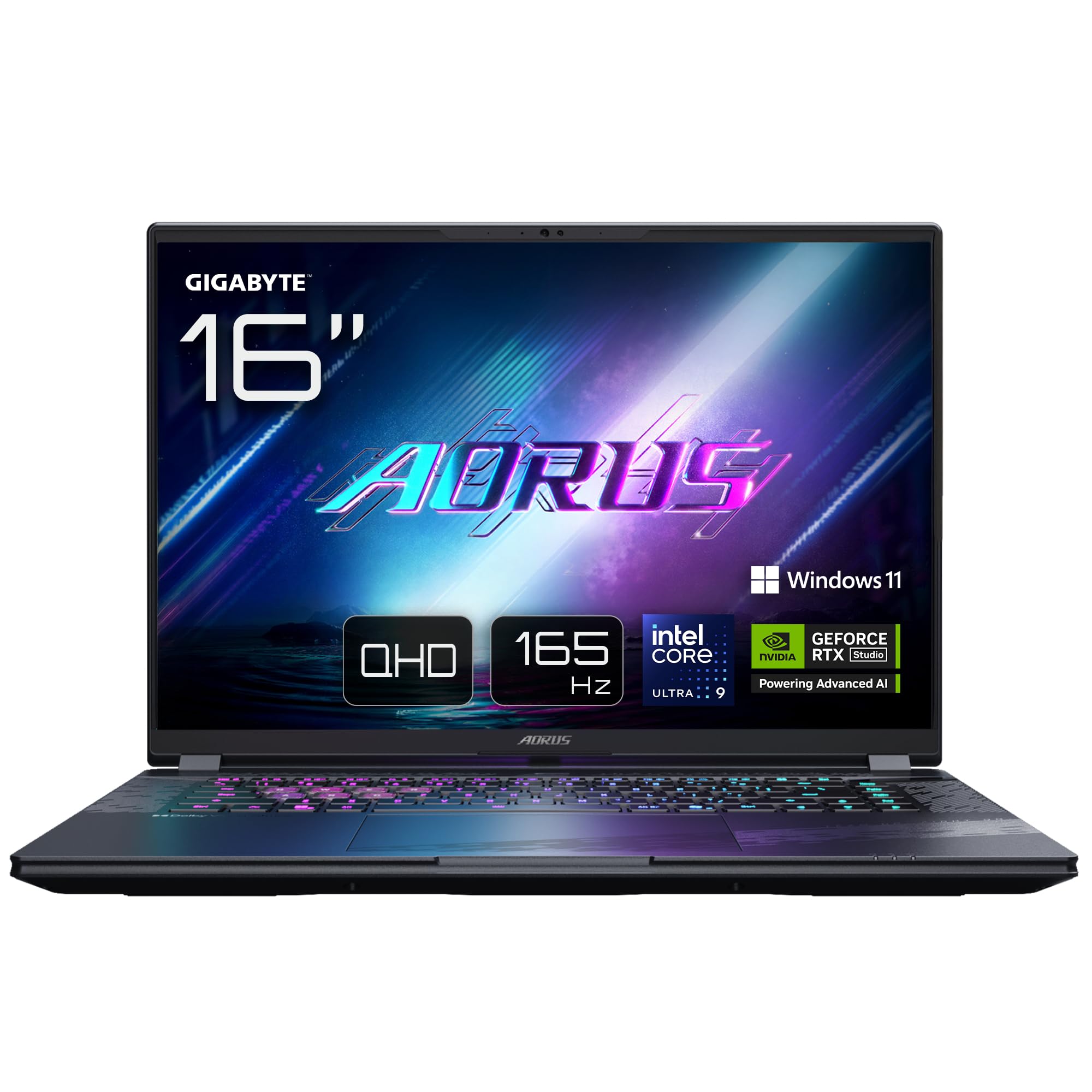
Image: The GIGABYTE AORUS Elite 16 BWH gaming laptop, showcasing its open display and keyboard.
2. સેટઅપ
૧.૧ અનબોક્સિંગ અને પ્રારંભિક નિરીક્ષણ
પેકેજિંગમાંથી લેપટોપ અને બધી એસેસરીઝ કાળજીપૂર્વક દૂર કરો. ખાતરી કરો કે "બોક્સમાં શું છે" વિભાગમાં સૂચિબદ્ધ બધા ઘટકો હાજર છે અને તેમને કોઈ નુકસાન થયું નથી.
- GIGABYTE AORUS ELITE 16 BWHC3FRC65SP Laptop
- પાવર એડેપ્ટર અને કેબલ
- દસ્તાવેજીકરણ (આ માર્ગદર્શિકા, વોરંટી કાર્ડ)
2.2 કનેક્ટિંગ પાવર
Connect the power adapter to the laptop's power input port and then plug the power cable into an electrical outlet. It is recommended to fully charge the battery before initial use.
2.3 પ્રથમ પાવર ચાલુ
Press the power button to turn on the laptop. Follow the on-screen instructions to complete the Windows 11 Pro setup process, including language selection, network connection, and user account creation.
2.4 Connecting Peripherals and Network
The laptop features various ports for connecting external devices and networks.
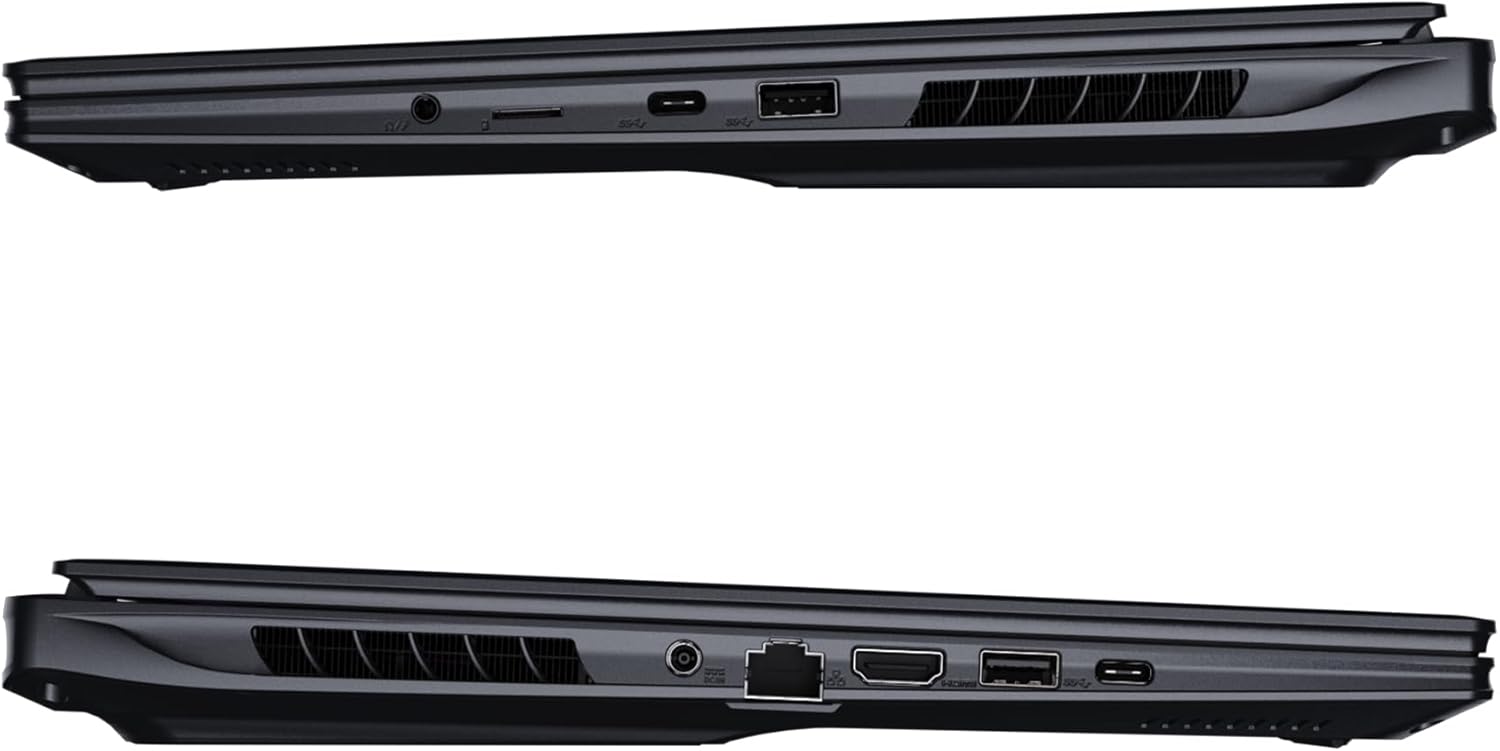
છબી: બાજુ view of the laptop illustrating the available ports for connectivity.
- યુએસબી પોર્ટ્સ: Connect USB devices such as mice, keyboards, or external storage.
- HDMI પોર્ટ: Connect to an external display or TV.
- થંડરબોલ્ટ 4 પોર્ટ: હાઇ-સ્પીડ ડેટા ટ્રાન્સફર અને ડિસ્પ્લે આઉટપુટ માટે.
- ઇથરનેટ બંદર: વાયર્ડ નેટવર્ક કનેક્શન માટે.
- હેડફોન જેક: હેડફોન અથવા બાહ્ય સ્પીકર્સ પર ઓડિયો આઉટપુટ માટે.
- Wi-Fi 7: Connect to wireless networks via the integrated Wi-Fi 7 module.
- બ્લૂટૂથ 5.4: બ્લૂટૂથ-સક્ષમ ઉપકરણો સાથે જોડી બનાવો.
3. તમારા લેપટોપનું સંચાલન
3.1 ડિસ્પ્લે ફીચર્સ
Your AORUS Elite 16 BWH features a 16-inch WQXGA (2560x1600) IPS display with a 165Hz refresh rate and 16:10 aspect ratio, offering a wide viewing experience. It supports Dolby Vision for enhanced visual quality and is Pantone validated for color accuracy.

Image: The laptop's 16:10 aspect ratio display, highlighting its IPS panel and Pantone validation.
૪.૩ કીબોર્ડ અને ટચપેડ
The laptop is equipped with a backlit keyboard for comfortable typing in various lighting conditions and a responsive touchpad for navigation.
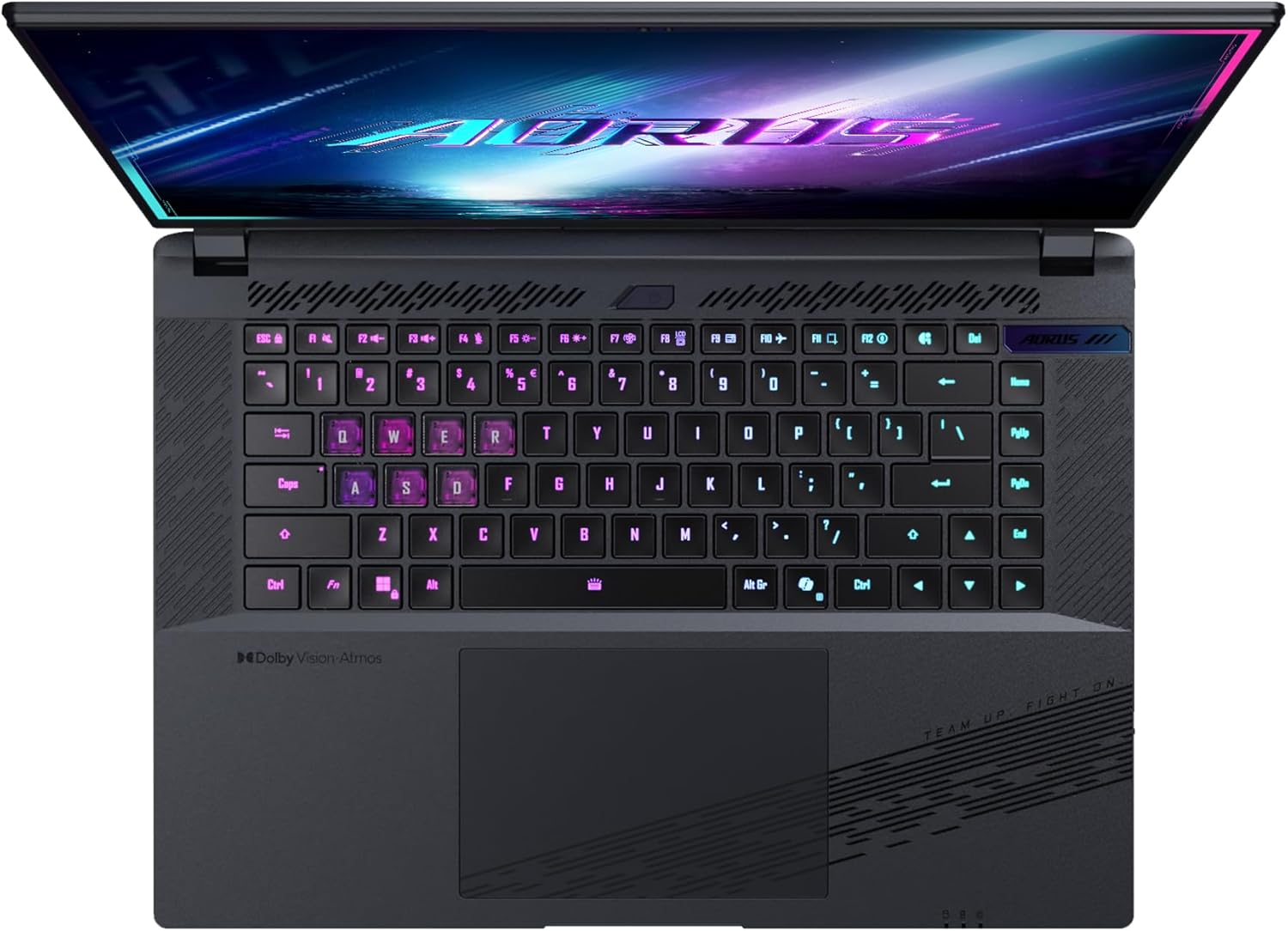
છબી: ઉપરથી નીચે સુધી view લેપટોપના કીબોર્ડનું, શોકasing its backlit keys.
The keyboard also features a dedicated Copilot Key for quick access to AI functionalities in Windows 11.

Image: Close-up of the keyboard, highlighting the Copilot Key for AI features.
3.3 ઓડિયો સિસ્ટમ
Experience immersive audio with Dolby Atmos support and integrated 2W speakers. The laptop also includes a built-in microphone for communication.

Image: Visual representation of Dolby Atmos and Dolby Vision audio and visual enhancements.
3.4 પ્રદર્શન સુવિધાઓ
The AORUS Elite 16 BWH is powered by an Intel Core Ultra 9 processor with an integrated NPU for AI acceleration and an NVIDIA GeForce RTX 5070 laptop GPU, ensuring high performance for gaming and demanding tasks. It also features Advanced Optimus with DDS Technology for optimized graphics performance.

છબી: વિગતવાર view of the Intel Core Ultra 9 processor chip.
છબી: વિગતવાર view of the NVIDIA GeForce RTX 50 Series laptop GPU chip.
3.5 GiMATE AI Agent
Utilize GiMATE, your personal AI agent, to optimize performance, manage smart cooling, enhance privacy, control power settings, and improve audio and voice functionalities.

Image: GiMATE AI Agent interface showing various optimization features.
4. જાળવણી
4.1 કૂલિંગ સિસ્ટમ
The laptop features the WINDFORCE Infinity cooling system to maintain optimal temperatures during intensive use. Ensure the vents are clear of obstructions to allow proper airflow.

Image: Representation of the WINDFORCE Infinity cooling system.
4.2 સફાઈ
Use a soft, lint-free cloth to clean the screen and exterior surfaces. For stubborn marks, dampen the cloth slightly with water or a screen-cleaning solution. Avoid harsh chemicals.
4.3 બેટરી કેર
To prolong battery life, avoid extreme temperatures and do not leave the laptop fully charged or fully discharged for extended periods.
4.4 સોફ્ટવેર અપડેટ્સ
Regularly update your Windows operating system, drivers, and GIGABYTE software to ensure optimal performance and security.
5. મુશ્કેલીનિવારણ
૪.૧ પાવર સમસ્યાઓ
- લેપટોપ ચાલુ થતું નથી: ખાતરી કરો કે પાવર એડેપ્ટર સુરક્ષિત રીતે જોડાયેલ છે અને આઉટલેટ કાર્યરત છે. બેટરી ચાર્જ સ્તર તપાસો.
- બેટરી ચાર્જ થઈ રહી નથી: ખાતરી કરો કે પાવર એડેપ્ટર અને કેબલ ક્ષતિગ્રસ્ત નથી. કોઈ અલગ આઉટલેટ અજમાવી જુઓ.
5.2 પ્રદર્શન સમસ્યાઓ
- ડિસ્પ્લે નથી: Connect an external monitor to check if the issue is with the laptop's screen. Ensure the laptop is powered on.
- ટમટમતું અથવા વિકૃત ડિસ્પ્લે: Update graphics drivers. Check display cable connections if using an external monitor.
૭.૩ કનેક્ટિવિટી સમસ્યાઓ
- Wi-Fi કનેક્ટ થઈ રહ્યું નથી: Check if Wi-Fi is enabled in Windows settings. Restart your router and laptop.
- બ્લૂટૂથ ડિવાઇસ જોડી રહ્યું નથી: Ensure the device is in pairing mode and within range. Update Bluetooth drivers.
૪.૪ સામાન્ય કામગીરીના મુદ્દાઓ
- ધીમી કામગીરી: Close unnecessary applications. Check for malware. Ensure sufficient free disk space.
- ઓવરહિટીંગ: Ensure cooling vents are clear. Use the laptop on a hard, flat surface.
વધુ જટિલ સમસ્યાઓ માટે, GIGABYTE સપોર્ટનો સંદર્ભ લો. webસાઇટ અથવા ગ્રાહક સેવાનો સંપર્ક કરો.
6. સ્પષ્ટીકરણો
| લક્ષણ | વિગત |
|---|---|
| બ્રાન્ડ | GIGABYTE |
| મોડેલનું નામ | AORUS ELITE 16 BWHC3FRC65SP |
| સ્ક્રીન માપ | 16 ઇંચ |
| રંગ | ગ્રે |
| હાર્ડ ડિસ્કનું કદ | 2000 GB (2x 1TB SSD Gen4) |
| CPU મોડલ | Intel Core Ultra 9 275HX |
| ઇન્સ્ટોલ કરેલ RAM કદ | 32 GB DDR5 |
| ઓપરેટિંગ સિસ્ટમ | વિન્ડોઝ 11 પ્રો |
| ખાસ લક્ષણ | Backlit Keyboard, Memory Card Slot |
| ગ્રાફિક્સ કાર્ડનું વર્ણન | સમર્પિત |
| ગ્રાફિક્સ કોપ્રોસેસર | NVIDIA GeForce RTX 5070 |
| હાર્ડ ડિસ્ક ટેકનોલોજી | SSD |
| વસ્તુનું વજન | 2300 ગ્રામ |
| Webકેમેરા ક્ષમતા | Yes (Frontal) |
| ગ્રાફિક્સ કાર્ડ રેમનું કદ | 8 GB GDDR6 |
| મહત્તમ RAM સપોર્ટેડ | 64 જીબી |
| બેટરી ઊર્જા સામગ્રી | 99 Watt-hours (Lithium-polymer, 4 cells) |
| કનેક્ટિવિટી | Bluetooth 5.4, Ethernet (10/1000 Mbit/s), HDMI (1 port), Thunderbolt 4 (1 port), USB 3.2 Gen 2 (2 ports), Wi-Fi 7 (802.11.be) |
| પ્રોસેસરની ઝડપ | 2.7 GHz (Max 5.4 GHz) |
| પ્રોસેસર્સની સંખ્યા | 24 |
| સ્ક્રીન રીઝોલ્યુશન | ૨૫૬૦ x ૧૬૦૦ પિક્સેલ્સ (WQXGA) |
| ડિસ્પ્લે પ્રકાર | આઇપીએસ એલસીડી |
| ઓડિયો લક્ષણો | Dolby Atmos, 2x 2W Integrated Speakers, Integrated Microphone |
7. વોરંટી માહિતી
Your GIGABYTE AORUS Elite 16 BWH laptop comes with a 2 વર્ષની મર્યાદિત વોરંટી. This warranty covers manufacturing defects and hardware malfunctions under normal use. Please retain your proof of purchase for warranty claims. For detailed terms and conditions, refer to the warranty card included with your product or visit the official GIGABYTE webસાઇટ
8. આધાર
For technical assistance, driver downloads, and further product information, please visit the official GIGABYTE support webસાઇટ. તમે ત્યાં વારંવાર પૂછાતા પ્રશ્નો અને સમુદાય ફોરમ પણ શોધી શકો છો.
- ગીગાબાઇટીઇ ઓફિશિયલ Webસાઇટ: www.gigabyte.com
- ગ્રાહક સેવા: Refer to your regional GIGABYTE webસ્થાનિક સંપર્ક માહિતી માટે સાઇટ.