
પરિચય
Thank you for choosing the Trueque Wireless Keyboard and Mouse Combo. This full-size set features vibrant RGB backlighting, light-up keycaps, and a comfortable, quiet typing experience. Designed for versatility, it offers a 2.4GHz wireless connection and dual-system layout compatibility for both Mac and Windows devices. This manual provides essential information for setup, operation, maintenance, and troubleshooting to ensure optimal performance.
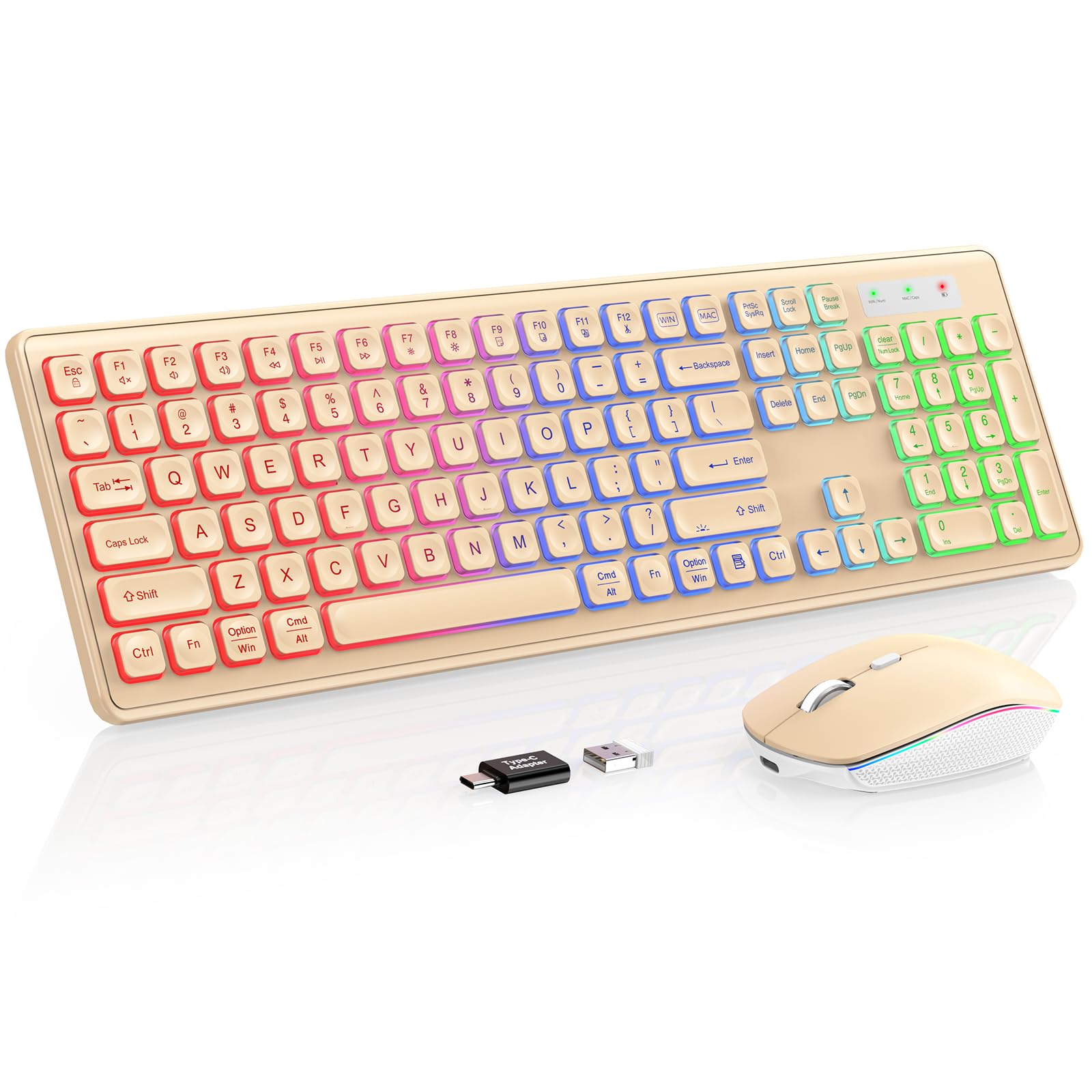
Image: The Trueque Wireless Keyboard and Mouse Combo, showcasing its full-size layout and vibrant RGB backlighting in a warm sand color.
સેટઅપ સૂચનાઓ
- અનપૅક ઘટકો: Carefully remove the keyboard, mouse, USB receiver, and USB-C charging cable from the packaging.
- USB રીસીવર શોધો: The USB receiver is typically stored in a compartment on the underside of the mouse. Remove it before use.
- રીસીવર કનેક્ટ કરો: Plug the 2.4GHz USB receiver into an available USB-A port on your computer. If your computer only has USB-C ports, use the provided USB-A to Type-C adapter.
- પાવર ચાલુ: Locate the ON/OFF switches on the underside of both the keyboard and the mouse. Slide them to the "ON" position.
- સિસ્ટમ સુસંગતતા: The keyboard supports dual Mac and Windows layouts. Switch between layouts by pressing the dedicated "WIN" or "MAC" key. The corresponding indicator light (WIN/Num or MAC/Caps) will turn green to confirm the active layout.
- પ્રારંભિક ચાર્જ: For optimal performance, it is recommended to fully charge both the keyboard and mouse before first use. Use the supplied USB-C charging cable.
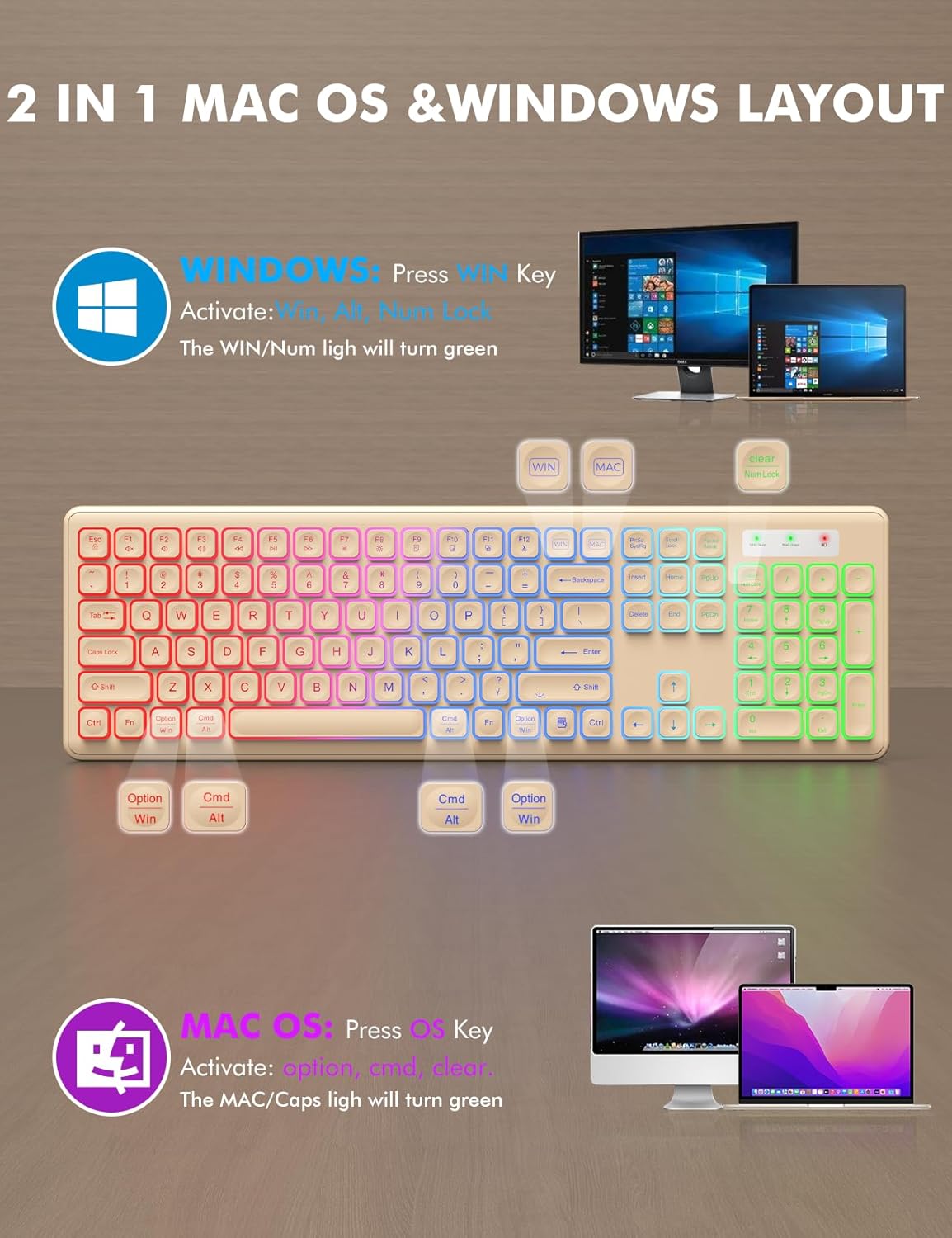
Image: Visual guide for switching between Mac OS and Windows layouts on the keyboard, highlighting the dedicated keys.
Video: An unboxing and demonstration of the wireless keyboard and mouse, including initial setup steps.
ઓપરેટિંગ સૂચનાઓ
કીબોર્ડ કાર્યો:
- RGB બેકલાઇટ: The keyboard features a rainbow color backlight with 3 adjustable brightness levels. Press Fn + Shift to cycle through brightness levels or turn the backlight ON/OFF.
- આરામદાયક ટાઇપિંગ: કીબોર્ડ લો-પ્રો સાથે ડિઝાઇન કરવામાં આવ્યું છેfile, crater-mechanism keys for soft, quiet typing. Foldable stands on the underside allow for a 15-degree tilt angle to reduce wrist pressure.
- સૂચક લાઇટ્સ: The keyboard includes indicator lights for Power, Mac, Caps Lock, Win, and Num Lock.

Image: The keyboard demonstrating its three adjustable RGB backlight brightness levels.

Image: A user demonstrating the ergonomic tilt angle provided by the keyboard's foldable stands, designed to reduce wrist pressure.
માઉસ કાર્યો:
- RGB લાઇટિંગ ઇફેક્ટ્સ: The mouse features 15 switchable lighting effects. A button on the underside allows you to cycle through these effects.
- એડજસ્ટેબલ DPI: The mouse offers 3 DPI levels (1000, 1500, 2000) for adjustable sensitivity. Use the DPI button to switch between settings.
- શાંત ક્લિક: The mouse is designed for quiet operation, minimizing click noise.
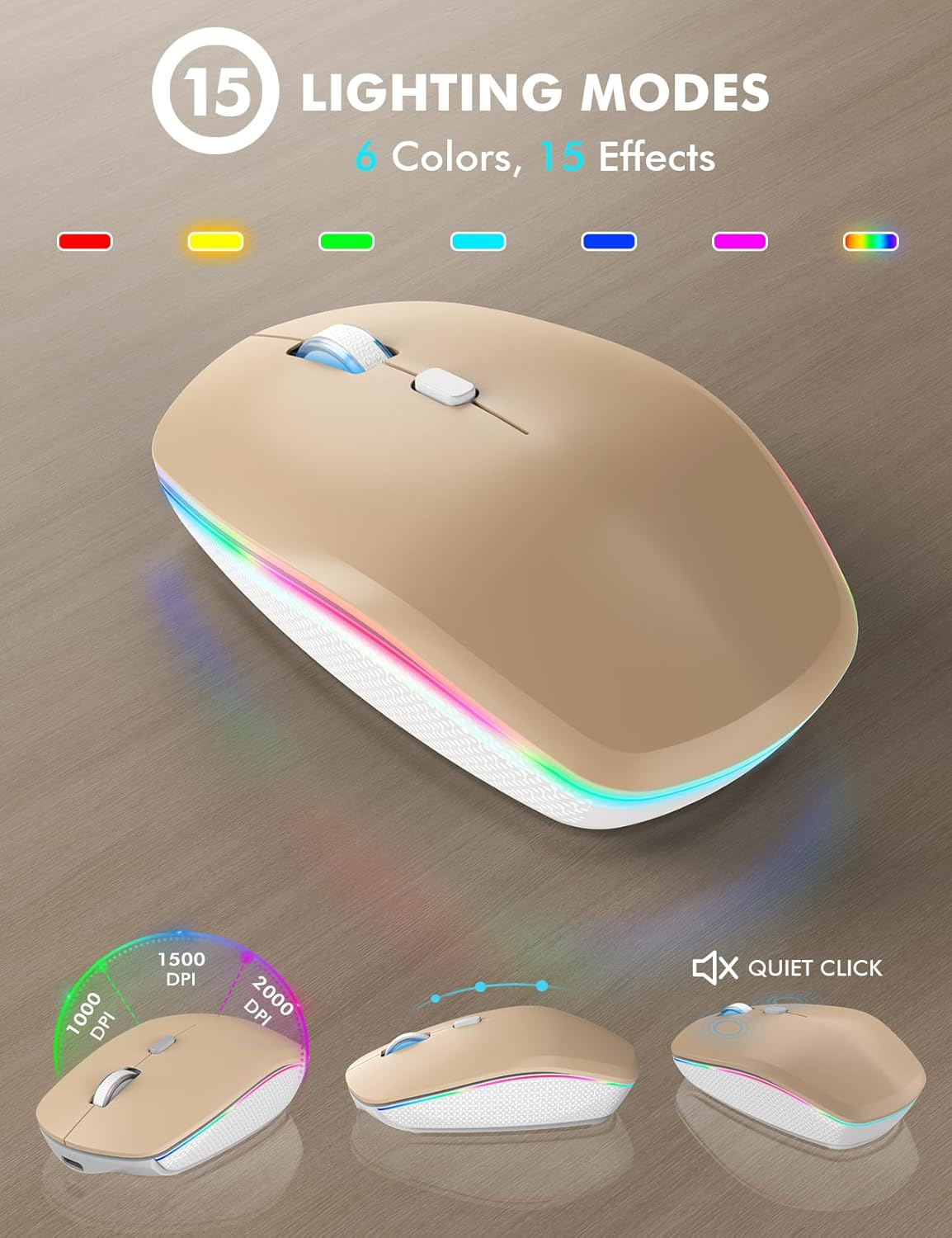
Image: The mouse highlighting its 15 lighting modes and adjustable DPI settings for customized sensitivity.
Video: Demonstration of the wireless keyboard and mouse showcasing its 7-color backlit effects.
વિડિઓ: ઓવરview of the features of the wireless keyboard and mouse, including its backlit keys and phone holder.
જાળવણી
- ચાર્જિંગ: Both the keyboard and mouse are rechargeable via the supplied USB-C cable. Connect the cable to the respective charging ports.
- બેટરી જીવન: The devices feature a smart auto-sleep function to conserve power. The keyboard enters sleep mode after 30 minutes of inactivity, and the mouse after 90 seconds. Simply type or click any key to wake them up.
- પાવર સ્વીચો: Use the ON/OFF switches on both devices to manually save power when not in use for extended periods.
- સફાઈ: The keyboard is designed to be spill-resistant. For general cleaning, use a soft, dry cloth. Avoid harsh chemicals or abrasive materials.

Image: Illustration of the smart power-saving features and USB-C charging capability for both the keyboard and mouse.
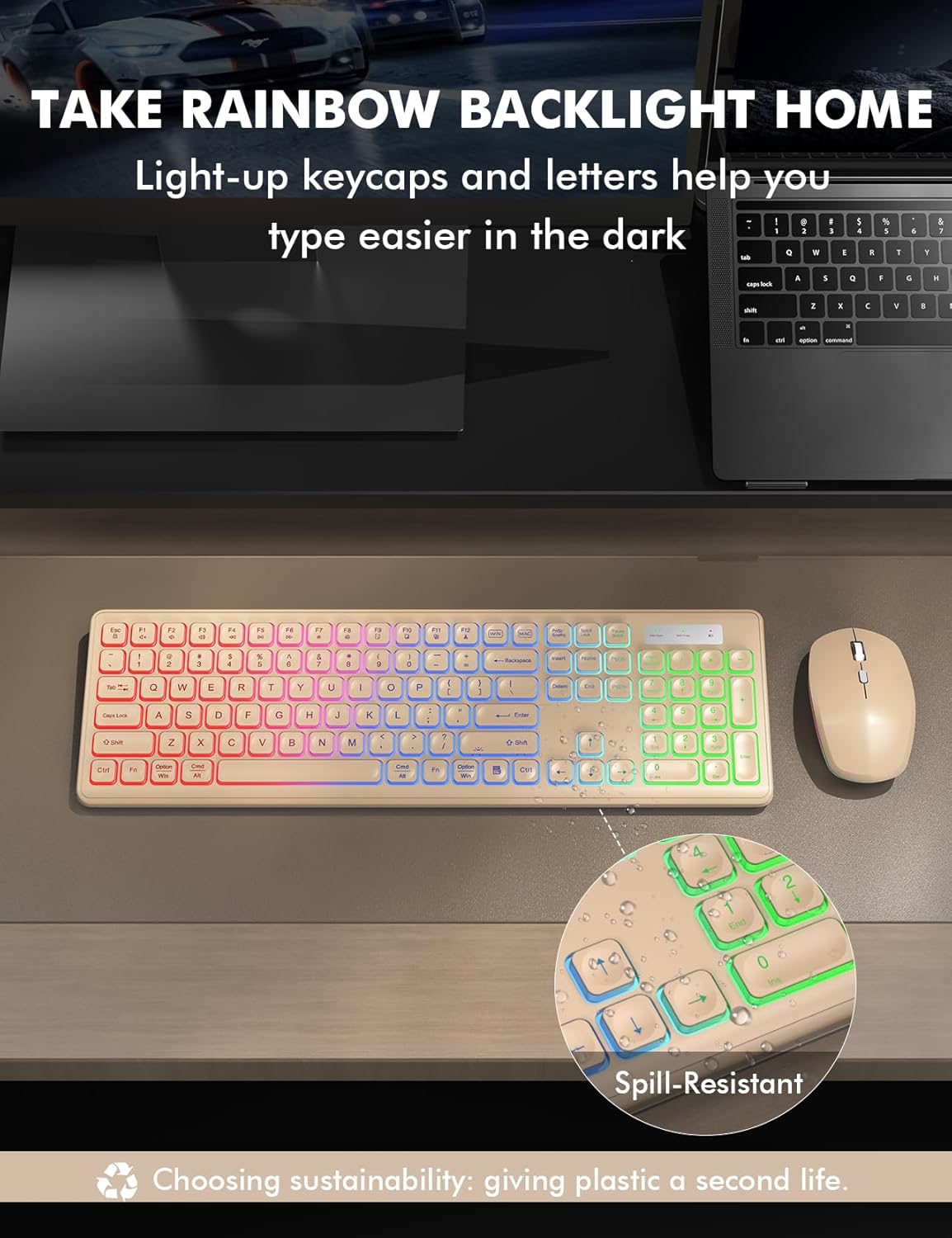
Image: The keyboard highlighting its spill-resistant design, indicating durability against accidental liquid exposure.
મુશ્કેલીનિવારણ
| સમસ્યા | સંભવિત કારણ / ઉકેલ |
|---|---|
| No Connection / Lagging: |
|
| બેકલાઇટ કામ કરતી નથી: |
|
| જવાબ ન આપતી કી / સ્ટીકી કી: |
|
| Mouse Not Tracking Smoothly: |
|
વિશિષ્ટતાઓ
- બ્રાન્ડ: બાર્ટર
- મોડલ: B0F5GQLDH6
- રંગ: Warm Sand
- કનેક્ટિવિટી ટેકનોલોજી: 2.4GHz USB Wireless
- વિશેષ લક્ષણ: Rechargeable, RGB Backlit, Light-Up Letters, Dual System Layout (Mac/Windows), Foldable Stands, Quiet Click, Spill-Resistant
- સુસંગત ઉપકરણો: Chromebook, Laptop, MacBook Pro, MacBook Air, iMac, Dell XPS 13/15, Inspiron, HP ENVY, Pavilion, Personal Computer, Television
- Movement Detection (Mouse): ઓપ્ટિકલ
- કીબોર્ડ બેકલાઇટિંગ કલર સપોર્ટ: RGB (Rainbow, 3 adjustable brightness levels)
- Mouse Lighting Effects: 15 switchable effects
- ઓપરેટિંગ સિસ્ટમ સુસંગતતા: All Windows Server Versions 2000, Chrome OS, Linux, Mac OS, Windows XP, Windows 7, Windows 8, Windows 10, Windows 11
- Hand Orientation (Mouse): અધિકાર
- Number of Keys (Keyboard): 102
- પાવર સ્ત્રોત: બેટરી સંચાલિત (1 લિથિયમ આયન બેટરી શામેલ છે)
- કીબોર્ડ લેઆઉટ: QWERTY
- કીબોર્ડ વર્ણન: પટલ
- વસ્તુનું વજન: 0.87 કિલોગ્રામ

Image: An illustration highlighting the wide compatibility of the keyboard and mouse with different operating systems and device types.
વોરંટી માહિતી
This Trueque Wireless Keyboard and Mouse Combo comes with a બે વર્ષ manufacturer's warranty. Please retain your proof of purchase for warranty claims. For any issues covered under warranty, refer to the customer support section for contact details.
ગ્રાહક આધાર
For pre-sales questions, troubleshooting assistance, accessory reissues, or returns and exchanges, please contact Trueque customer support:
- ઇમેઇલ સપોર્ટ: truequeservice@outlook.com (24-hour reply)
- ફોન સપોર્ટ (યુએસ): 1-866-608-6766 (Mon-Fri, 9am-1pm, 2pm-6pm PST)
Trueque is committed to providing 12-month warranty and 360-day brand care for its products.

Image: Trueque customer service details, showing email and phone contact for support.