
પરિચય
This manual provides detailed instructions for the proper use and maintenance of your Micool T18 Invisible Sleep Wireless Earphones. Please read this manual thoroughly before using the product to ensure optimal performance and longevity.
બૉક્સમાં શું છે
- Micool T18 Invisible Sleep Wireless Earphones
- ચાર્જિંગ કેબલ
- વપરાશકર્તા માર્ગદર્શિકા
ઉત્પાદન ઓવરview
The Micool T18 earphones are designed for comfort during sleep and extended wear. They feature a unique elephant-shaped, non-in-ear design, ensuring a lightweight and unobtrusive fit. Equipped with Bluetooth 5.4, they offer stable connectivity and intuitive touch controls.
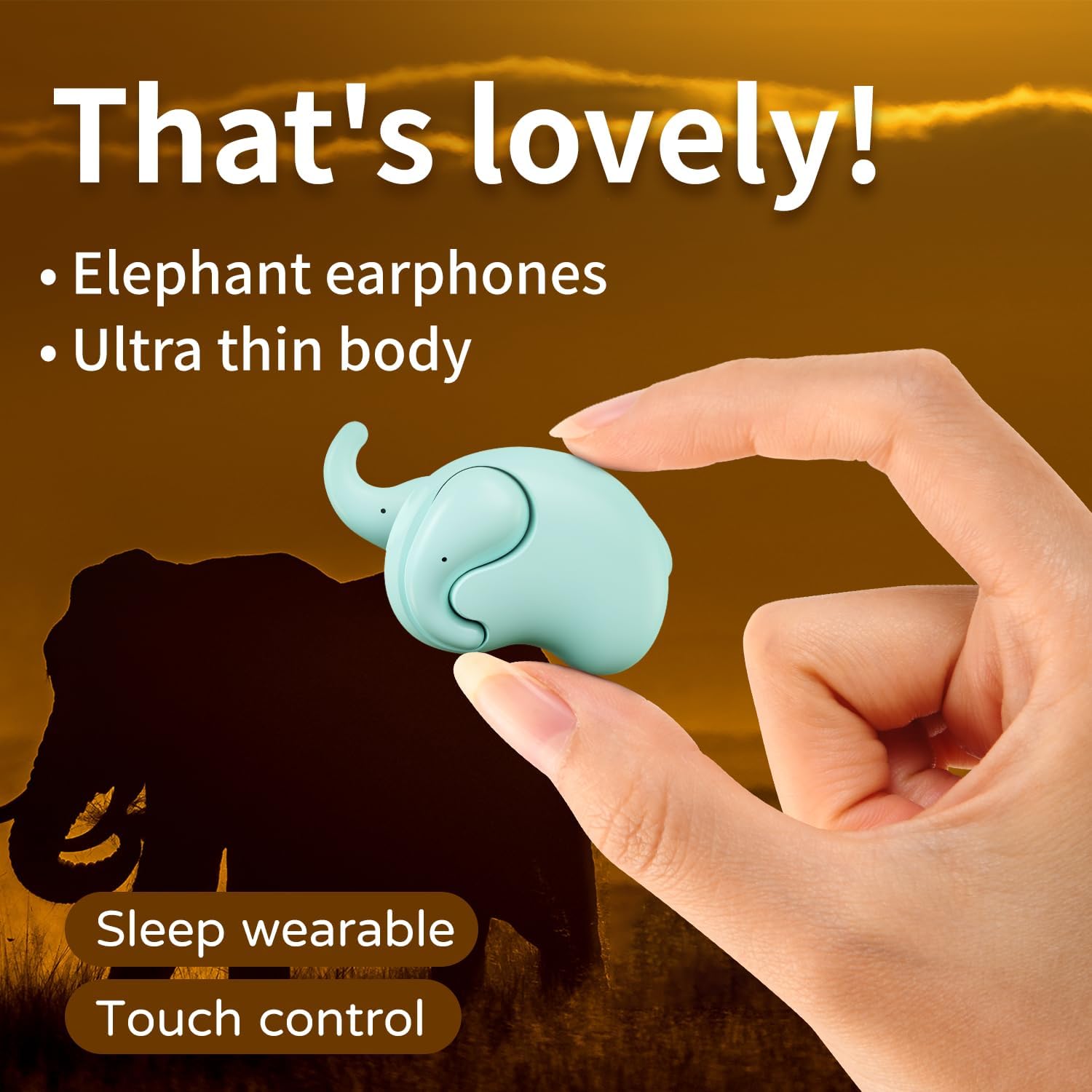
Image: The Micool T18 earphone, showcasing its compact, elephant-shaped design, held between two fingers. This image highlights its ultra-thin body and suitability for sleep wear.

છબી: ક્લોઝ-અપ view of the Micool T18 earphone comfortably placed in an ear, demonstrating its mini comfort and ergonomic fit for sleeping.
સેટઅપ
૧. ઇયરફોન ચાર્જ કરવા
Before first use, fully charge the earphones. Connect the provided charging cable to the charging port on the earphones and to a USB power source. The indicator light will show charging status and turn off or change color when fully charged.
2. બ્લૂટૂથ જોડી
- ખાતરી કરો કે ઇયરફોન ચાર્જ થયેલ છે અને બંધ છે.
- Press and hold the multi-function button on both earphones until the indicator lights flash red and blue alternately, indicating pairing mode.
- તમારા ઉપકરણ (સ્માર્ટફોન, ટેબ્લેટ, વગેરે) પર, બ્લૂટૂથ સક્ષમ કરો અને ઉપલબ્ધ ઉપકરણો શોધો.
- Select "Micool T18" from the list of devices.
- Once connected, the indicator lights will stop flashing and remain solid blue or turn off, depending on the model.
- જો પાસવર્ડ માટે પૂછવામાં આવે, તો "0000" દાખલ કરો.
ઓપરેટિંગ સૂચનાઓ
The Micool T18 earphones feature intuitive touch controls for various functions.
પાવર ચાલુ/બંધ
- પાવર ચાલુ: Press and hold the touch area for approximately 3 seconds.
- પાવર બંધ: Press and hold the touch area for approximately 5 seconds.
સંગીત પ્લેબેક
- ચલાવો/થોભો: બંને ઇયરફોન પર એક વાર ટેપ કરો.
- આગળનો ટ્રેક: જમણા ઇયરફોન પર બે વાર ટેપ કરો.
- પાછલો ટ્રેક: ડાબા ઇયરફોન પર બે વાર ટેપ કરો.
ક Callલ મેનેજમેન્ટ
- જવાબ/કૉલ સમાપ્ત કરો: બંને ઇયરફોન પર એક વાર ટેપ કરો.
- કૉલ નકારો: Press and hold the touch area for 2 seconds.
વોલ્યુમ નિયંત્રણ
- અવાજ વધારો: Triple tap on the right earphone.
- અવાજ ધીમો: Triple tap on the left earphone.
જાળવણી
સફાઈ
Gently wipe the earphones with a soft, dry, lint-free cloth. Do not use abrasive cleaners, alcohol, or chemical solvents. Avoid getting moisture into any openings.
સંગ્રહ
Store the earphones in a cool, dry place away from direct sunlight and extreme temperatures. When not in use for extended periods, ensure they are fully charged to preserve battery life.
પાણી પ્રતિકાર
The Micool T18 earphones are IPX5 waterproof, meaning they are resistant to splashes and sweat. They are not designed for submersion in water. Avoid using them during swimming or showering.
મુશ્કેલીનિવારણ
| સમસ્યા | ઉકેલ |
|---|---|
| ઇયરફોન ચાલુ થતા નથી. | ખાતરી કરો કે ઇયરફોન સંપૂર્ણપણે ચાર્જ થયેલ છે. |
| ઉપકરણ સાથે જોડી બનાવી શકાતી નથી. | 1. ખાતરી કરો કે તમારા ઉપકરણ પર Bluetooth સક્ષમ છે. 2. Make sure earphones are in pairing mode (flashing red/blue). 3. Forget "Micool T18" from your device's Bluetooth list and try pairing again. 4. Move earphones closer to your device. |
| કોઈ અવાજ કે વચ્ચે વચ્ચે આવતો અવાજ નહીં. | 1. Check device volume and earphone volume. 2. Ensure earphones are within Bluetooth range of your device. 3. Re-pair the earphones with your device. |
| Earphones not charging. | 1. Check if the charging cable is securely connected. 2. Try a different USB power source or cable. 3. Ensure charging contacts on earphones are clean. |
વિશિષ્ટતાઓ
| લક્ષણ | વિગત |
|---|---|
| બ્રાન્ડ | Micool |
| મોડલ નંબર | T18 |
| કનેક્ટિવિટી ટેકનોલોજી | વાયરલેસ (બ્લુટુથ) |
| બ્લૂટૂથ સંસ્કરણ | 5.4 |
| ઇયર પ્લેસમેન્ટ | In Ear (Non-in-ear design) |
| ફોર્મ ફેક્ટર | સાચું વાયરલેસ |
| પાણી પ્રતિકાર | IPX5 |
| સામગ્રી | પ્લાસ્ટિક |
| સુસંગત ઉપકરણો | સેલફોન |
| ચોક્કસ ઉપયોગો | Sleeping, Music |
વોરંટી અને આધાર
વોરંટી માહિતી
This product comes with a 1-year limited warranty from the date of purchase. This warranty covers manufacturing defects. Please retain your proof of purchase for warranty claims.
ગ્રાહક આધાર
For further assistance, technical support, or warranty inquiries, please visit the official Micool Store on Amazon: