
1. પરિચય
This manual provides detailed instructions for the installation, operation, and maintenance of your ELUSH 60Amp MPPT Solar Charge Controller. This device is designed to efficiently manage power from your solar panels to charge various battery types, including LiFePO4, AGM, and Gel batteries, in 12V, 24V, and 48V systems.
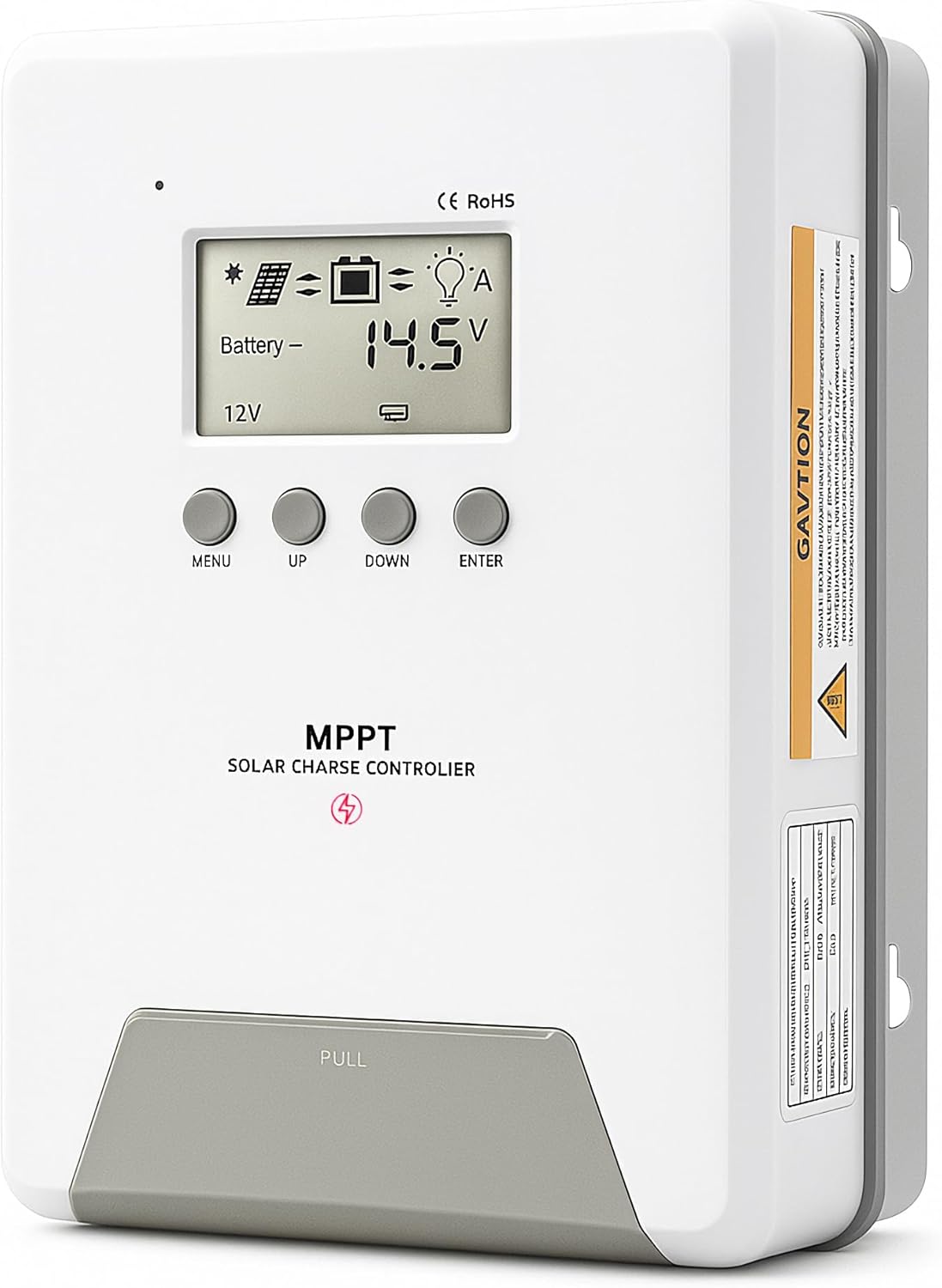
Image 1.1: ELUSH 60Amp MPPT Solar Charge Controller.
2. મુખ્ય લક્ષણો
- અદ્યતન MPPT ટેકનોલોજી: Maximizes energy harvest from solar panels with tracking efficiency no less than 99% and peak conversion efficiency up to 98%.
- System Auto-Detection: Automatically detects 12V, 24V, and 48V DC system voltages upon startup.
- વ્યાપક બેટરી સુસંગતતા: Supports Sealed (AGM), Gel, Flooded lead-acid batteries, and Lithium batteries (LiFePO4, Ternary Lithium/Li-ion).
- એલસીડી ડિસ્પ્લે સાફ કરો: Provides real-time monitoring of PV voltage, બેટરી વોલ્યુમtage/current, charging power, accumulated energy generation, and load status.
- Essential Built-in Protections: Includes safeguards against overvoltage, overcurrent, undervoltage, and high temperature.
- કાર્યક્ષમ ગરમીનું વિસર્જન: Features a high-quality aluminum heatsink for stable operation and optimal performance.

Image 2.1: MPPT Technology highlighting 99% tracking efficiency and 98% peak conversion efficiency.
3. Safety Information and System Protection
The ELUSH MPPT Solar Charge Controller is equipped with multiple protection features to ensure safe and reliable operation of your solar power system. Always adhere to local electrical codes and safety guidelines during installation and operation.
- ઓવર-ડિસ્ચાર્જિંગ પ્રોટેક્શન: બેટરીને સુરક્ષિત વોલ્યુમથી નીચે ડિસ્ચાર્જ થતી અટકાવે છેtage સ્તર.
- ઓવરલોડ પ્રોટેક્શન: Safeguards against excessive current draw from the load terminals.
- Short-circuiting Protection: Protects against short circuits in the solar panel, battery, or load circuits.
- રિવર્સ પોલેરિટી પ્રોટેક્શન: Prevents damage from incorrect battery or solar panel connections.
- ઓવરચાર્જિંગ પ્રોટેક્શન: Ensures batteries are not overcharged, extending their lifespan.
- તાપમાન વળતર: Adjusts charging parameters based on battery temperature for optimal charging.
- રિવર્સ કરંટ પ્રોટેક્શન: Prevents current from flowing back from the battery to the solar panel at night.

Image 3.1: Visual representation of the controller's system protection features.
4. ઇન્સ્ટોલેશન અને વાયરિંગ
Proper installation is crucial for the safe and efficient operation of your solar charge controller. Follow these steps carefully.
4.1 Connection Sequence
Always connect components in the following order to prevent damage:
- બેટરી કનેક્ટ કરો: Connect the battery to the controller's battery terminals. Ensure correct polarity (+ to + and - to -). The battery terminals should be installed with safety fuses. Ensure the distance does not exceed 150mm.
- લોડ જોડો: Connect your DC loads to the controller's load terminals.
- Connect the solar panel: Connect the solar panel to the controller's solar energy terminals. Ensure correct polarity.
- Power on the controller: The controller will automatically power on once all connections are secure.
નોંધ: If you want to connect an inverter, connect it directly to the battery, not to the load terminal of the controller.

Image 4.1: Diagram showing the connection points for solar energy, battery, and load.

Image 4.2: Step-by-step visual guide for connecting the system components.
4.2 Hidden Installation Wiring
For a clean and secure installation, the wiring can be routed and hidden. After all connections are properly made and tested, tighten the screws on the terminals and close the bottom cover of the controller to complete the installation. This protects the wiring and provides a neat appearance.
5. ઓપરેટિંગ સૂચનાઓ
The controller features an intuitive LCD display and buttons for monitoring and configuration.
૬.૧ એલસીડી ડિસ્પ્લે અને બટનો
The LCD screen provides real-time information about your system. The buttons allow you to navigate menus and adjust settings.
- તાપમાન સેન્સર: Located on the controller, it measures ambient temperature for accurate charging compensation.
- એલસીડી ડિસ્પ્લે: Shows PV voltage, બેટરી વોલ્યુમtage, charging current, load status, and other system parameters.
- મેનુ બટન: Used to enter and exit menu settings.
- યુપી બટન: Navigates upwards through menu options or increases values.
- ડાઉન બટન: Navigates downwards through menu options or decreases values.
- બટન દાખલ કરો: પસંદગીઓની પુષ્ટિ કરે છે અથવા પેટા-મેનુમાં પ્રવેશ કરે છે.
Image 5.1: The controller's LCD display and button layout for user interaction.
5.2 ઓટોમેટિક વોલ્યુમtage Recognition and Battery Compatibility
The controller automatically detects the system voltage (12V, 24V, or 48V) upon startup. It is compatible with a wide range of battery types, ensuring efficient and safe charging for your specific setup.
- Lithium-ion batteries (Li): For standard lithium-ion chemistries.
- Lithium Iron Phosphate batteries (LiFePO4): Specifically designed for LiFePO4 batteries.
- Lead-acid batteries (BAT): Includes Sealed (AGM), Gel, and Flooded types.

Image 5.2: Illustration of automatic voltage recognition and compatibility with various battery types.
6. સ્પષ્ટીકરણો
| બ્રાન્ડ | ELUSH |
| મોડલ નંબર | ડીએમ60એ |
| વર્તમાન રેટિંગ | 60A |
| સિસ્ટમ વોલ્યુમtage | 12V/24V/48V Auto Detection |
| મહત્તમ પીવી ઇનપુટ વોલ્યુમtage | 150 વી |
| સામગ્રી | એલ્યુમિનિયમ |
| ડિસ્પ્લે પ્રકાર | એલસીડી |
| રંગ | કાળો |
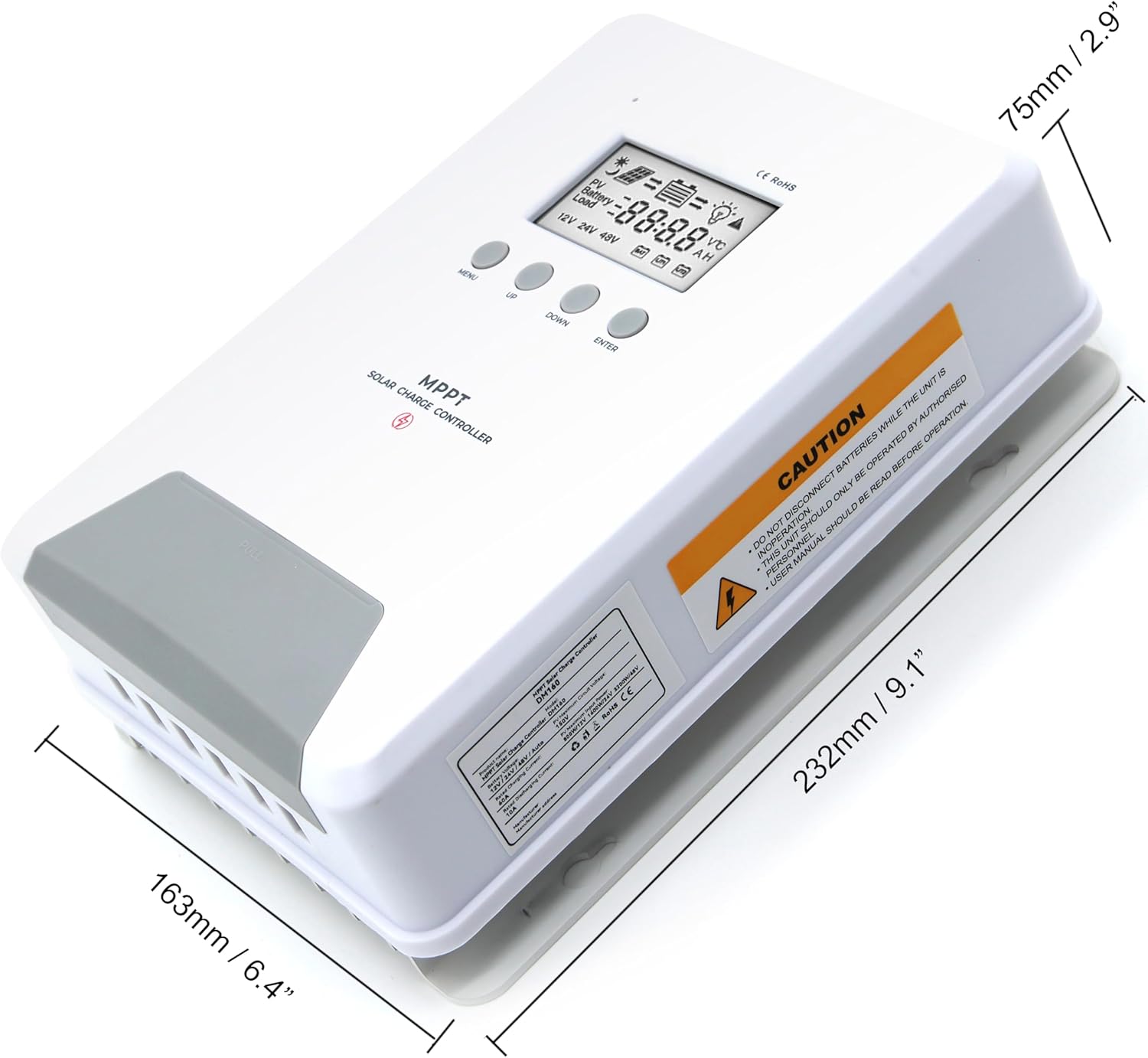
Image 6.1: Physical dimensions of the ELUSH 60Amp MPPT Solar Charge Controller.
7. જાળવણી
To ensure optimal performance and longevity of your solar charge controller, regular maintenance is recommended:
- કનેક્શન્સ તપાસો: સમયાંતરે બધા વાયરિંગ કનેક્શન્સને કડકતા અને કાટ માટે તપાસો. છૂટા કનેક્શન્સ ઓવરહિટીંગ અને નુકસાનનું કારણ બની શકે છે.
- કંટ્રોલર સાફ કરો: Keep the controller clean and free from dust and debris. Use a dry cloth to wipe the exterior. Ensure ventilation openings are not blocked.
- મોનિટર પ્રદર્શન: Regularly check the LCD display for normal operating parameters. Note any unusual readings or error codes.
- બેટરી આરોગ્ય: ખાતરી કરો કે તમારી બેટરીઓ તેમના ઉત્પાદકની માર્ગદર્શિકા અનુસાર સારી રીતે જાળવવામાં આવી છે.
8. મુશ્કેલીનિવારણ
If you encounter issues with your ELUSH MPPT Solar Charge Controller, refer to the following basic troubleshooting steps:
- ડિસ્પ્લે નહીં/પાવર નહીં: બેટરી કનેક્શન તપાસો અને ખાતરી કરો કે બેટરી વોલ્યુમtage is within the controller's operating range. Verify fuses are intact.
- બેટરી ચાર્જ થતી નથી: Confirm solar panel connections and polarity. Check for sufficient sunlight and ensure solar panel voltage બેટરી વોલ્યુમથી ઉપર છેtage. Verify battery type settings are correct.
- લોડ કામ કરી રહ્યું નથી: Check load connections and ensure the load current does not exceed the controller's rating. Verify load output settings on the controller.
- ભૂલ કોડ્સ: If the LCD displays an error code, consult the full product manual (if available) or contact technical support for specific guidance.
- ઓવરહિટીંગ: Ensure the controller is installed in a well-ventilated area, away from direct sunlight or heat sources. Check for any obstructions to the heatsink.
9. વોરંટી અને સપોર્ટ
ELUSH provides professional technical support for its products. If you have any questions, require assistance with installation, operation, or troubleshooting, please feel free to contact us. Refer to your purchase documentation for specific warranty terms and contact information.