
1. પરિચય
This manual provides essential information for setting up, operating, and maintaining your ASUS AiO V470 Series All-in-One PC. Please read this guide thoroughly before using your device to ensure proper function and longevity.

Image: ASUS V470 AiO PC showcasing its minimalist design and thoughtful functionality.
2. બોક્સમાં શું છે
ખાતરી કરો કે બધી વસ્તુઓ પેકેજિંગમાં હાજર છે:
- ASUS AiO V470 All-in-One PC
- વાયરલેસ કીબોર્ડ
- વાયરલેસ માઉસ
- પાવર એડેપ્ટર
- દસ્તાવેજીકરણ (ક્વિક સ્ટાર્ટ ગાઇડ, વોરંટી કાર્ડ)
3. સેટઅપ
3.1 અનપેકિંગ અને પ્લેસમેન્ટ
- Carefully remove the All-in-One PC and accessories from the packaging.
- Place the PC on a stable, flat surface with adequate ventilation around the unit.
- Ensure the area is free from direct sunlight, heat sources, and excessive dust.
3.2 કનેક્ટિંગ પેરિફેરલ્સ
- પાવર કનેક્શન: Connect the power adapter to the DC-in port on the back of the PC, then plug the power cord into a wall outlet.
- વાયરલેસ કીબોર્ડ અને માઉસ: Insert batteries into the wireless keyboard and mouse. The devices are pre-paired; if not, follow the instructions provided with the peripherals for pairing.
- બાહ્ય ઉપકરણો: કોઈપણ બાહ્ય ઉપકરણો જેમ કે પ્રિન્ટર, બાહ્ય હાર્ડ ડ્રાઇવ અથવા વધારાના મોનિટરને યોગ્ય પોર્ટ સાથે કનેક્ટ કરો.
4. ઘટકો અને બંદરો
Familiarize yourself with the various ports and components of your ASUS AiO V470 PC.

છબી: વિગતવાર view of the I/O ports for connectivity.
4.1 Side I/O Ports
- કેન્સિંગ્ટન લોક સ્લોટ: For securing your device with a compatible lock.
- ૩.૫ મીમી કોમ્બો ઓડિયો જેક: હેડફોન અથવા હેડસેટને માઇક્રોફોનથી કનેક્ટ કરવા માટે.
- યુએસબી 2.0 ટાઇપ-એ પોર્ટ: For connecting USB 2.0 compatible devices.
4.2 Back I/O Ports
- ડીસી-ઇન પોર્ટ: પાવર એડેપ્ટરને કનેક્ટ કરવા માટે.
- RJ45 ગીગાબીટ ઇથરનેટ પોર્ટ: વાયર્ડ નેટવર્ક કનેક્શન માટે.
- HDMI In 1.4 Port: For connecting external video sources to use the AiO as a monitor.
- HDMI Out 1.4 Port: બાહ્ય ડિસ્પ્લે કનેક્ટ કરવા માટે.
- USB 3.2 Gen 1 Type-C પોર્ટ: For high-speed data transfer and connecting compatible Type-C devices.
- 3x USB 3.2 Gen 1 Type-A Ports: For connecting high-speed USB 3.2 compatible devices.
5. ઓપરેટિંગ સૂચનાઓ
5.1 પાવરિંગ ચાલુ/બંધ
- પાવર ચાલુ: Press the power button located on the bottom right side of the display.
- પાવર બંધ: In Windows, click Start > Power > Shut down. Alternatively, press and hold the power button for 4 seconds to force a shutdown (use only when necessary).
5.2 ડિસ્પ્લે ફીચર્સ
Your ASUS AiO V470 features a high-quality display designed for clarity and comfort.
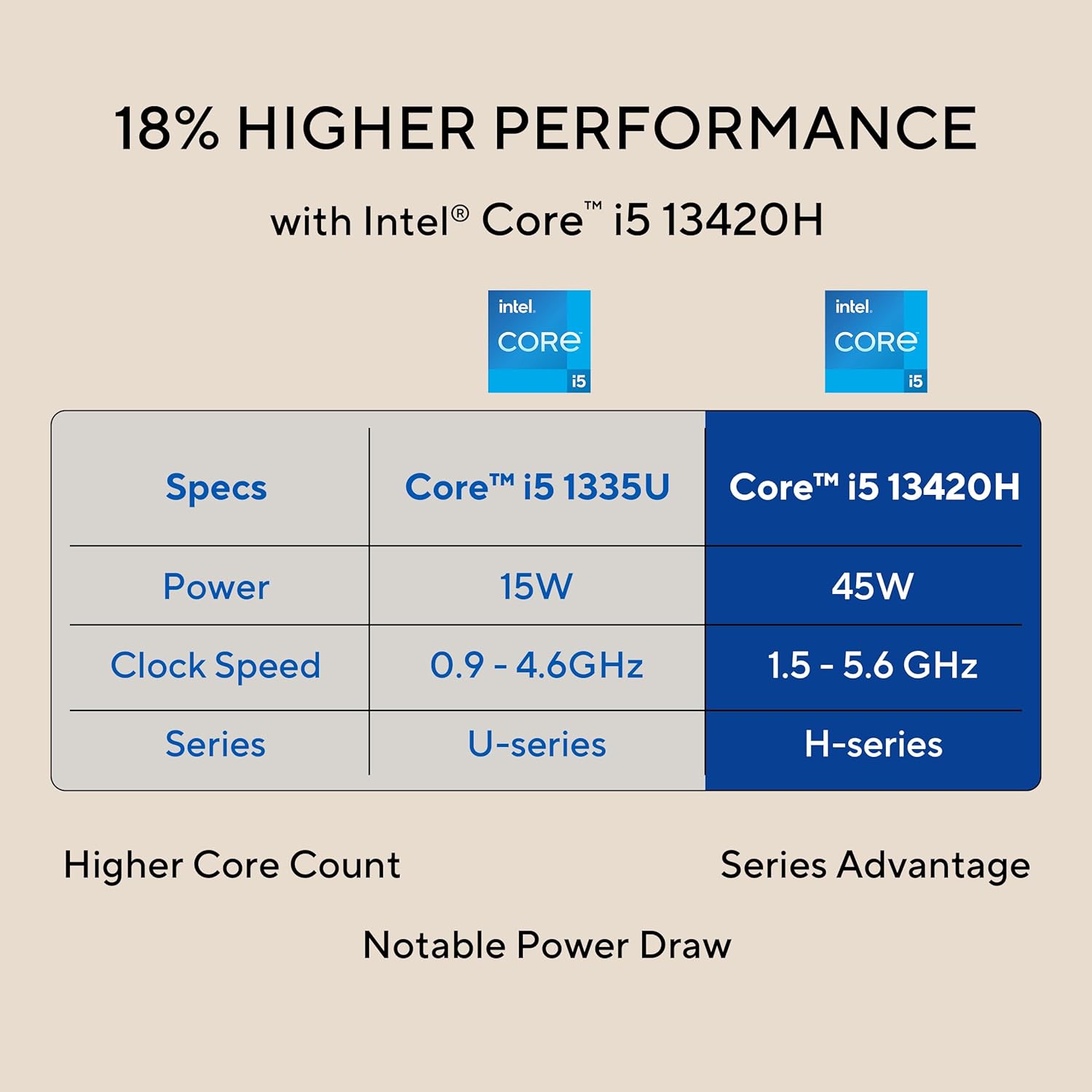
Image: The 27-inch FHD NanoEdge display with TÜV Rheinland-certified eye care.
- 27.0-inch FHD (1920 x 1080) Display: Provides clear and vibrant visuals.
- Anti-glare: આરામદાયક માટે પ્રતિબિંબ ઘટાડે છે viewing
- 100Hz રિફ્રેશ રેટ: Offers smoother motion for an enhanced visual experience.
- TÜV Rheinland-certified Eye Care: Designed to reduce blue light emissions and flicker for eye comfort during extended use.
5.3 Camera and Audio Features
The integrated camera and audio system enhance your communication and multimedia experience.

Image: Retractable camera for privacy and security features.
- Retractable 1080p HD Camera: Push to hide the camera for instant privacy.
- AI નોઈઝ કેન્સલેશન: Reduces background noise during video calls and recordings for clearer audio.
- 5W x 2 Speakers with Dolby Atmos: Delivers immersive and high-quality sound.

Image: Advanced and immersive sound experience with integrated speakers.
5.4 કનેક્ટિવિટી
Your AiO PC offers robust connectivity options.
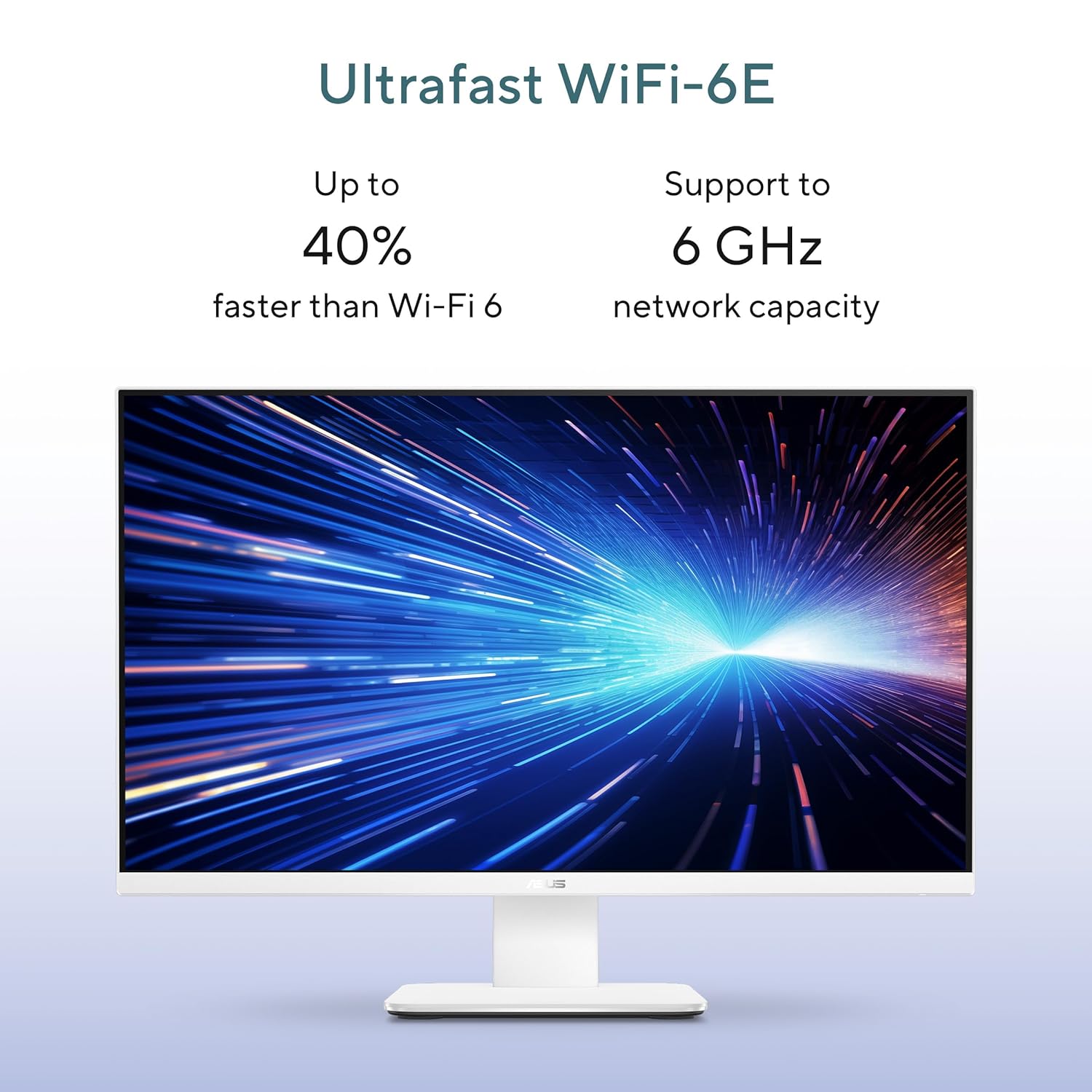
Image: Ultrafast Wi-Fi 6E for high-speed wireless connectivity.
- Wi-Fi 7: હાઇ-સ્પીડ વાયરલેસ ઇન્ટરનેટ ઍક્સેસ માટે.
- ગીગાબીટ ઇથરનેટ: સ્થિર અને ઝડપી વાયર્ડ નેટવર્ક કનેક્શન માટે.
- બ્લૂટૂથ: For connecting wireless peripherals like headphones and speakers.
6. જાળવણી
Proper maintenance ensures the longevity and optimal performance of your ASUS AiO V470 PC.
- ડિસ્પ્લેની સફાઈ: ખાસ કરીને ઇલેક્ટ્રોનિક્સ માટે રચાયેલ નરમ, લિન્ટ-ફ્રી કાપડનો ઉપયોગ કરો. ડીampen the cloth slightly with water or a screen cleaner, then gently wipe the screen. Avoid harsh chemicals.
- ચેસિસની સફાઈ: Use a soft, dry cloth to wipe down the exterior. For stubborn marks, a slightly damp કાપડનો ઉપયોગ કરી શકાય છે, ત્યારબાદ સૂકું કાપડ વાપરી શકાય છે.
- વેન્ટિલેશન: Ensure that the ventilation openings are not blocked to prevent overheating. Regularly check for dust accumulation and gently clean with compressed air if necessary.
- સૉફ્ટવેર અપડેટ્સ: સુરક્ષા અને કામગીરી સુનિશ્ચિત કરવા માટે તમારી ઓપરેટિંગ સિસ્ટમ અને ડ્રાઇવરોને અપડેટ રાખો.
- ડેટા બેકઅપ: Regularly back up important data to an external drive or cloud storage.
7. મુશ્કેલીનિવારણ
આ વિભાગ તમને આવી શકે તેવી સામાન્ય સમસ્યાઓનું નિરાકરણ લાવે છે.
૭.૧ પાવર નથી
- Ensure the power adapter is securely connected to the PC and the wall outlet.
- બીજા ઉપકરણને પ્લગ ઇન કરીને ખાતરી કરો કે વોલ આઉટલેટ કાર્યરત છે.
- કોઈપણ દૃશ્યમાન નુકસાન માટે પાવર એડેપ્ટર તપાસો.
7.2 પ્રદર્શન સમસ્યાઓ
- જો સ્ક્રીન ખાલી હોય, તો ખાતરી કરો કે પીસી ચાલુ છે અને સ્લીપ મોડમાં નથી.
- If using an external video source via HDMI In, ensure the correct input is selected (refer to your PC's on-screen display settings).
- Adjust brightness settings in Windows.
૬.૩ પેરિફેરલ પ્રતિભાવ ન આપતું
- For wireless keyboard/mouse, check battery levels and ensure they are within range.
- For wired devices, ensure they are properly connected to the correct USB ports.
- પેરિફેરલને બીજા USB પોર્ટ સાથે કનેક્ટ કરવાનો પ્રયાસ કરો.
8. સ્પષ્ટીકરણો
Detailed technical specifications for your ASUS AiO V470 PC.

Image: Key performance specifications including processor, memory, and storage.
| લક્ષણ | સ્પષ્ટીકરણ |
|---|---|
| પ્રોસેસર | Intel Core i5-13420H (2.1 GHz, up to 4.6 GHz, 8 cores, 12 threads, 12MB Cache) |
| ઓપરેટિંગ સિસ્ટમ | વિન્ડોઝ 11 હોમ |
| ડિસ્પ્લે | 27.0-inch FHD (1920 x 1080), 16:9, 300nits, 100Hz, Anti-glare, TÜV Rheinland-certified Eye Care |
| ગ્રાફિક્સ | ઇન્ટિગ્રેટેડ ઇન્ટેલ UHD ગ્રાફિક્સ |
| સ્મૃતિ | 16GB DDR5 રેમ |
| સંગ્રહ | 1TB M.2 NVMe PCIe 4.0 SSD |
| કેમેરા | Retractable 1080p HD Camera |
| ઓડિયો | 5W x 2 Speakers, AI Noise Cancellation, Dolby Atmos |
| વાયરલેસ કનેક્ટિવિટી | Wi-Fi 7, બ્લૂટૂથ |
| વાયર્ડ કનેક્ટિવિટી | આરજે 45 ગીગાબીટ ઇથરનેટ |
| I/O પોર્ટ્સ | 1x USB 2.0 Type-A, 3x USB 3.2 Gen 1 Type-A, 1x USB 3.2 Gen 1 Type-C, 1x HDMI In 1.4, 1x HDMI Out 1.4, 1x 3.5mm Combo Audio Jack, 1x DC-in, 1x Kensington Lock Slot |
| પરિમાણો (W x D x H) | 61.3 x 1.7 x 44.7 સેમી |
| વજન | 9 કિલોગ્રામ |
| સમાવિષ્ટ પેરિફેરલ્સ | વાયરલેસ કીબોર્ડ, વાયરલેસ માઉસ |
9. વોરંટી અને સપોર્ટ
Your ASUS AiO V470 PC comes with comprehensive warranty and support services.

Image: ASUS 4A Guarantee and support contact details.
9.1 વોરંટી માહિતી
This genuine ASUS AiO PC includes a 1-year Global Warranty અને એક Onsite Domestic Warranty from ASUS. The warranty covers manufacturing defects and does not cover physical damage. To activate your warranty, please register your product on the official ASUS webસાઇટ
9.2 ગ્રાહક સપોર્ટ
For product-related queries or immediate assistance, please contact ASUS support:
- ટોલ-ફ્રી નંબર: 1800-2090365 (Monday - Saturday, 09:00 AM - 06:00 PM)
- ઈમેલ: rc_india@asus.com
- Service Center Information: ASUS સપોર્ટની મુલાકાત લો website for an extensive network of over 180 service centers across India: https://www.asus.com/in/support/Service-Center/India