
પરિચય
Thank you for choosing the BoxWave AccuPoint Active Stylus. This electronic stylus is designed to provide precise and natural interaction with your touchscreen devices, such as the Diebold Nixdorf DN Series 250H (19 in). This manual provides essential information on setting up, operating, maintaining, and troubleshooting your stylus. Please read it thoroughly before use.
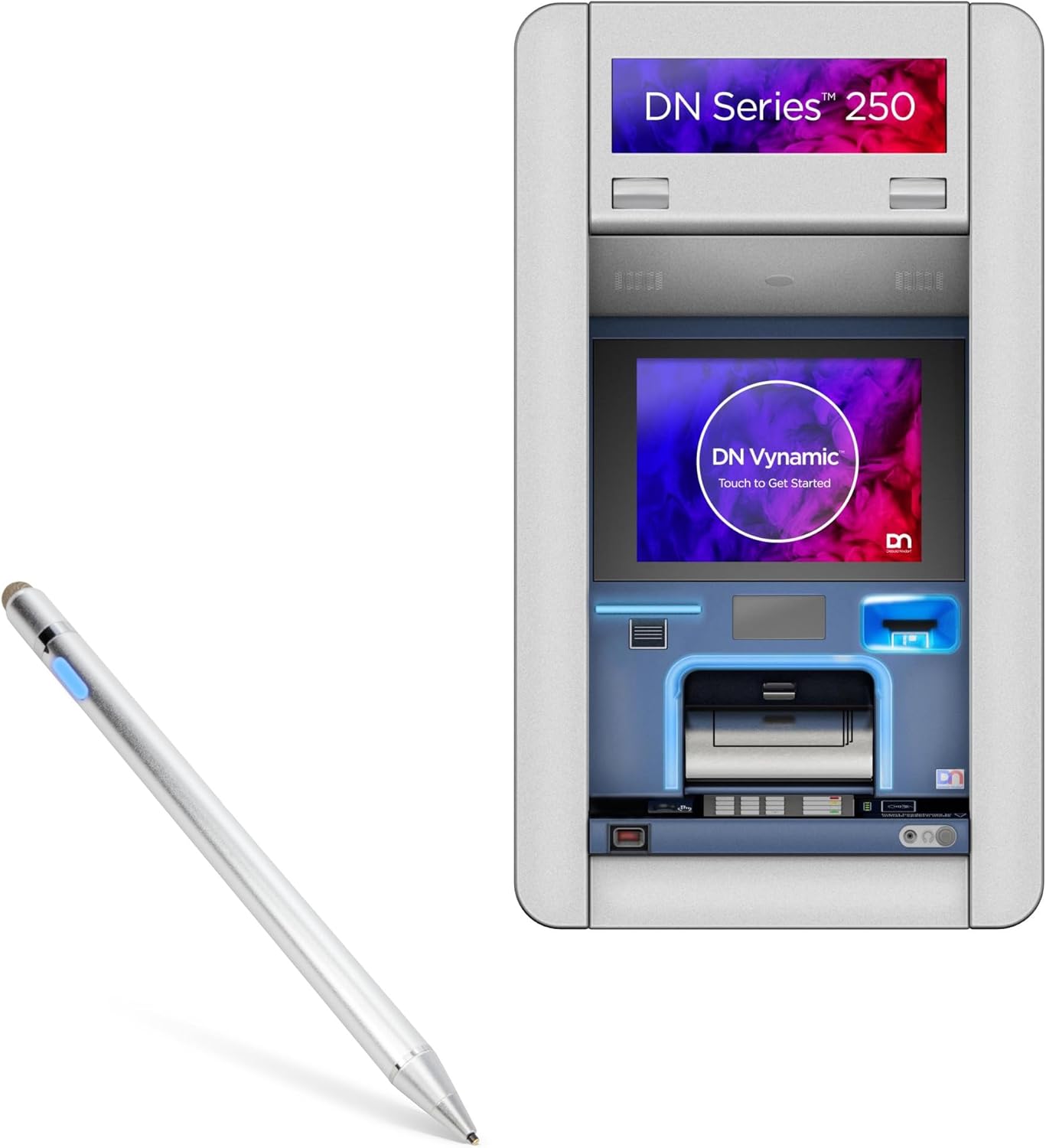
Image: The BoxWave AccuPoint Active Stylus shown alongside a Diebold Nixdorf DN Series 250H terminal, illustrating its intended use with compatible touchscreen devices.
ઉત્પાદન ઓવરview અને ઘટકો
The AccuPoint Active Stylus features a sleek, durable design with an ultra-fine tip for accurate input. It operates without the need for Bluetooth pairing, simplifying its use.

Image: A detailed diagram highlighting the key components of the AccuPoint Active Stylus, including the built-in charging port, indicator light, 1.9mm extra fine tip, and FiberMesh tip. It also notes that no Bluetooth is required for operation.
મુખ્ય લક્ષણો:
- Ultra Fine Tip: A 2mm (or 1.9mm as per diagram) tip for precise tapping, swiping, and drawing.
- કોઈ જોડી બનાવવાની જરૂર નથી: Simply press the power button to activate.
- Electronic Pulses: Emits quick electronic pulses to interact with the screen.
- લાંબી બેટરી જીવન: સંપૂર્ણ ચાર્જ પર 12 કલાક સુધી સતત ઉપયોગ પૂરો પાડે છે.
- ટકાઉ બાંધકામ: Solid brushed aluminum barrel for strength and stability.
- Dual Tip Design: Includes both a precise active tip and a FiberMesh tip for versatile use.
નોંધ: The AccuPoint Active Stylus does not support Palm Rejection or Pressure Sensitivity.
સેટઅપ
The AccuPoint Active Stylus is designed for immediate use with minimal setup.
પ્રારંભિક ચાર્જ:
Before first use, it is recommended to fully charge the stylus.
- Locate the MicroUSB charging port on the stylus (refer to Product Overview છબી).
- Connect the included MicroUSB cable to the stylus and to any standard USB power source (e.g., computer USB port, USB wall adapter).
- The indicator light will illuminate during charging. Refer to the "Charging and Battery" section for light indicators.
- એકવાર સંપૂર્ણ ચાર્જ થઈ ગયા પછી, કેબલને ડિસ્કનેક્ટ કરો.
પાવરિંગ ચાલુ/બંધ:
- To turn on the stylus, simply press the power button located on the barrel. The indicator light will turn blue.
- To turn off the stylus, press the power button again. The indicator light will turn off.
No Bluetooth pairing is required for the stylus to function with your touchscreen device.
ઓપરેશન
The AccuPoint Active Stylus provides a natural writing and interaction experience on compatible touchscreens.
Using the Active Tip:
- Ensure the stylus is powered on (blue indicator light).
- Hold the stylus as you would a regular pen.
- Gently touch the active tip to your device's screen to tap, swipe, draw, or write. The stylus emits electronic pulses to interact with the screen.

Image: A hand demonstrating the use of the AccuPoint Active Stylus on a tablet, showing how to interact with applications and the screen.
Using the FiberMesh Tip:
The FiberMesh tip, located at the opposite end of the active tip, can be used for general navigation or when a broader touch area is preferred. It functions like a standard capacitive stylus.
- Simply use the FiberMesh tip directly on the screen without powering on the stylus.
ચાર્જિંગ અને બેટરી
The AccuPoint Active Stylus is powered by a built-in rechargeable battery, providing approximately 12 hours of use on a full charge.
ચાર્જ કરવાની પ્રક્રિયા:
- Connect the MicroUSB cable to the stylus's charging port.
- Connect the other end of the cable to a USB power source (e.g., computer, wall adapter, power bank).

Image: The AccuPoint Active Stylus shown connected via its MicroUSB cable to a laptop's USB port, illustrating the convenient charging method.
સૂચક પ્રકાશ સ્થિતિ:
- વાદળી પ્રકાશ: Stylus is powered on and ready for use.
- લાલ પ્રકાશ: Stylus is currently charging.
- લીલો પ્રકાશ: Stylus is fully charged.
- પ્રકાશ નથી: Stylus is powered off or battery is depleted.

Image: A visual guide to the LED indicator light on the stylus, showing blue for 'Power On', red for 'Charging', and green for 'Full Charge'.
જાળવણી અને સંભાળ
Proper care will extend the life and performance of your AccuPoint Active Stylus.
- સફાઈ: Use a soft, dry, lint-free cloth to clean the stylus body. Do not use harsh chemicals or abrasive materials.
- ટિપ કેર: Avoid applying excessive pressure to the active tip. If the FiberMesh tip becomes worn, it can be replaced (replacement tips sold separately, if available).
- સંગ્રહ: Store the stylus in a cool, dry place away from direct sunlight and extreme temperatures.
- ટીપાં ટાળો: While durable, dropping the stylus on hard surfaces can damage internal components or the tips.
- પાણીનો સંપર્ક: The stylus is not waterproof. Avoid exposure to liquids.
મુશ્કેલીનિવારણ
If you encounter issues with your AccuPoint Active Stylus, refer to the following common problems and solutions.
| સમસ્યા | સંભવિત કારણ | ઉકેલ |
|---|---|---|
| સ્ટાઇલસ જવાબ આપી રહ્યો નથી. | Battery is depleted or stylus is off. | Ensure the stylus is charged and powered on (blue indicator light). |
| Inaccurate or inconsistent response. | Screen protector interference, dirty screen, or worn tip. | Clean your device's screen. Ensure screen protector is properly installed or try removing it temporarily. Check if the active tip is damaged. |
| Stylus not charging. | ખામીયુક્ત કેબલ, પાવર સ્ત્રોત અથવા ચાર્જિંગ પોર્ટ. | Try a different MicroUSB cable and/or a different USB power source. Ensure the cable is fully inserted into the stylus. |
| સૂચક લાઈટ કામ કરતી નથી. | Stylus is off, battery is dead, or internal issue. | Power on the stylus. Charge the stylus. If the issue persists, contact support. |
If the problem persists after trying these solutions, please contact BoxWave customer support for further assistance.
વિશિષ્ટતાઓ
Detailed technical specifications for the BoxWave AccuPoint Active Stylus.
| લક્ષણ | વિગત |
|---|---|
| મોડેલનું નામ | AccuPoint Active Stylus |
| ઉત્પાદક | બોક્સવેવ |
| સુસંગતતા | Capacitive touchscreens, including Diebold Nixdorf DN Series 250H (19 in) |
| ટિપ સાઇઝ | 1.9mm / 2mm Ultra Fine Tip |
| બેટરી જીવન | સતત ઉપયોગના 12 કલાક સુધી |
| ચાર્જિંગ પોર્ટ | માઇક્રોયુએસબી |
| સામગ્રી | Brushed Aluminum Barrel |
| વજન | ૧૧.૩ ઔંસ (આશરે ૩૨૦ ગ્રામ) |
| ASIN | B0F8PNDMX7 |

Image: A visual summary of the AccuPoint Active Stylus's features and specifications, including protected charging port, 9mm fingerprint-proof brushed aluminum, 1.9mm tip, removable FiberMesh tip, easy-on LED button and power indicator, and no pairing required.
વોરંટી અને આધાર
BoxWave stands behind the quality of its products.
વોરંટી માહિતી:
For specific warranty details regarding your AccuPoint Active Stylus, please refer to the warranty card included with your product or visit the official BoxWave webસાઇટ. વોરંટી શરતો સામાન્ય રીતે ઉત્પાદન ખામીઓને આવરી લે છે.
ગ્રાહક આધાર:
If you have any questions, require technical assistance, or need to report an issue, please contact BoxWave customer support.
- Webસાઇટ: www.boxwave.com (સપોર્ટ સંપર્ક માહિતી માટે તપાસો)
- ઈમેલ: Refer to the BoxWave webસૌથી વર્તમાન સપોર્ટ ઇમેઇલ સરનામાં માટે સાઇટ.
- ફોન: Refer to the BoxWave webસૌથી વર્તમાન સપોર્ટ ફોન નંબર માટે સાઇટ.
When contacting support, please have your product model (AccuPoint Active Stylus) and ASIN (B0F8PNDMX7) ready.