
1. પરિચય
The OMIZN M5 Global Walkie Talkie is a Push-to-Talk over Cellular (PoC) two-way radio designed for reliable and extensive communication. It offers nationwide coverage through a pre-installed SIM card, supporting communication across various countries. This manual provides essential information for the proper setup, operation, maintenance, and troubleshooting of your OMIZN M5 device.
2. ઉત્પાદન ઓવરview
2.1 મુખ્ય લક્ષણો
- Push to Talk Over Cellular (PoC): Nationwide coverage with instant push-to-talk functionality and cross-border support.
- Pre-installed SIM & Global Support: Includes first-year high-speed data service, supporting use in up to 172 countries.
- લાંબી બેટરી જીવન: 6000mAh battery providing up to 48 hours of continuous use or 168 hours standby.
- યુએસબી-સી ચાર્જિંગ: Fast charging capability with voice battery alerts and power-saving modes.
- બુદ્ધિશાળી અવાજ રદ: Shielded speaker and advanced voice coding for clear communication in noisy environments.
- કઠોર બાંધકામ: Zinc alloy body for impact resistance, suitable for demanding conditions (IP54 rated).
- Multiple Groups & Unlimited Members: Supports up to 200 groups with virtually unlimited members, including 1-to-1 private calls and multi-group calls.
- AES256 Encryption: Military-grade encryption for secure communication.
- બિલ્ટ-ઇન ફ્લેશલાઇટ: Integrated high-intensity flashlight.

આકૃતિ 2.1: Visual representation of AES256 encryption, highlighting secure communication capabilities of the OMIZN M5.

આકૃતિ 2.2: Diagram illustrating the internal components for clear sound quality, including 36mm speakers and composite diaphragms in the OMIZN M5.
૨.૧ ઉપકરણ ઘટકો
Familiarize yourself with the main components of your OMIZN M5 walkie talkie.

આકૃતિ 2.3: OMIZN M5 Walkie Talkie with labeled components including Antenna, Indicator light, Flashlight, OLED Display, PTT (Push to Talk) Launch Key, Volume+/Menu+, Volume-/Menu-, Headphone Jack, Menu/Confirmation Key, On/Off Key, Speaker, and Type-C Charging Port.
2.3 પેકેજ સામગ્રી
Ensure all items are present in your package.

આકૃતિ 2.4: Contents of the OMIZN M5 package, including the walkie talkie unit, antenna, 6000mAh lithium battery, lanyard, back clip, charger plug, and Type-C data cable.
3. સેટઅપ
૫.૧ બેટરી ઇન્સ્ટોલેશન અને ચાર્જિંગ
- બેટરી ઇન્સ્ટોલ કરો: Align the 6000mAh lithium battery with the battery compartment on the back of the walkie talkie and gently push until it clicks into place.
- એન્ટેના જોડો: Screw the antenna clockwise onto the connector at the top of the device until secure.
- પ્રારંભિક ચાર્જ: Connect the provided Type-C charging cable to the charging port on the bottom of the device and plug the charger into a power outlet. The indicator light will show charging status. A full charge can take several hours.
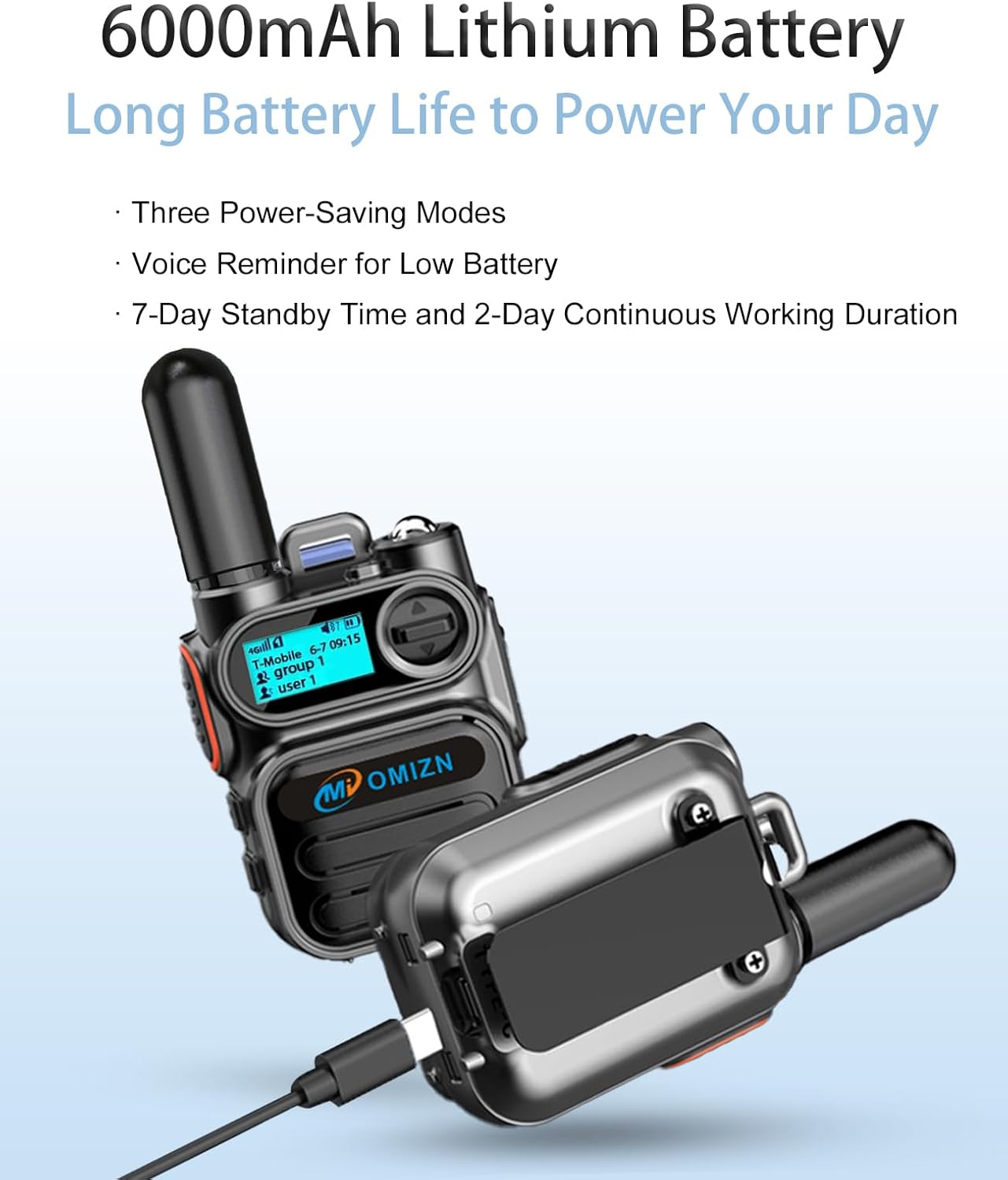
આકૃતિ 3.1: The OMIZN M5 walkie talkie connected to a Type-C charging cable, illustrating the charging process and highlighting the 6000mAh battery.
3.2 પાવરિંગ ચાલુ/બંધ
- પાવર ચાલુ: Press and hold the On/Off Key located on the side of the device until the OLED display illuminates.
- પાવર બંધ: Press and hold the On/Off Key until the device powers down.
૪.૨ સિમ કાર્ડ સક્રિયકરણ
Your OMIZN M5 comes with a pre-installed SIM card and includes one year of high-speed data service. No activation is typically required for initial use within the default service region (US carriers). For international travel or if service is unavailable in your area, contact OMIZN support for assistance or SIM replacement.
4. ઓપરેટિંગ સૂચનાઓ
4.1 Basic Communication (Push-to-Talk)
- Select Group/User: Use the Menu/Confirmation Key and Volume+/- buttons to navigate the OLED display and select your desired communication group or individual user.
- ટ્રાન્સમિટ કરો: Press and hold the PTT (Push to Talk) Launch Key on the side of the device to transmit your voice. Speak clearly into the microphone.
- પ્રાપ્ત કરો: Release the PTT key to listen for incoming transmissions.

આકૃતિ 4.1: The OMIZN M5 walkie talkie displaying network signal, time, and active group/user information on its OLED screen, indicating readiness for nationwide communication.
4.2 Volume Adjustment and Menu Navigation
- વોલ્યુમ નિયંત્રણ: Use the Volume+ and Volume- buttons to adjust the speaker volume during reception.
- મેનુ એક્સેસ: Short press the Menu/Confirmation Key to enter the device menu. Use Volume+/- to navigate menu options and the Menu/Confirmation Key to select.
૫.૩ ફ્લેશલાઇટ કામગીરી
- ફ્લેશલાઇટ સક્રિય કરો: Long press the Volume+ button to turn on the integrated flashlight.
- Deactivate Flashlight: Long press the Volume- button to turn off the flashlight.
4.4 Advanced Communication Features
- Private Calls: The device supports 1-to-1 private calls. Select the desired user from the menu.
- Multi-Group Calls: Engage in communication with multiple groups simultaneously.
- Monitoring Feature: The OMIZN M5 includes a monitoring feature. Contact support for setup details.
- Group Management: Groups can be renamed, and members can be managed. Contact support for group renaming or monitoring setup.

આકૃતિ 4.2: Comparison highlighting advanced features of the OMIZN M5, such as over 199 channels, user-definable settings, edit/delete functions, talker alias, AES256 encryption, unlimited group members, and a built-in monitoring function, distinguishing it from traditional walkie talkies.
5. જાળવણી
5.1 સફાઈ
ઉપકરણને સોફ્ટ સાથે સાફ કરો, ડીamp cloth. Do not use harsh chemicals or abrasive cleaners. Ensure the Type-C charging port cover is securely closed to maintain IP54 water and dust resistance.
5.2 બેટરી કેર
- પ્રથમ ઉપયોગ કરતા પહેલા બેટરીનો સંપૂર્ણ ચાર્જ કરો.
- બેટરીનું આયુષ્ય વધારવા માટે વારંવાર તેને સંપૂર્ણપણે ખાલી કરવાનું ટાળો.
- જ્યારે ઉપકરણ લાંબા સમય સુધી ઉપયોગમાં ન હોય ત્યારે તેને ઠંડી, સૂકી જગ્યાએ સંગ્રહિત કરો.
6. મુશ્કેલીનિવારણ
- સિગ્નલ નથી: Check network coverage in your area. If traveling internationally, ensure your SIM service is configured for the region. Contact support if issues persist.
- નબળી ઓડિયો ગુણવત્તા: Ensure the antenna is securely attached. Check for obstructions around the speaker and microphone. The device features intelligent noise cancellation, but extreme noise may still affect clarity.
- ઉપકરણ ચાલુ નથી: Ensure the battery is fully charged. Re-install the battery to ensure proper contact.
- બેટરી ઝડપથી નીકળી જાય છે: Reduce screen brightness, disable unnecessary features, or activate power-saving modes.
- Cannot Connect to Groups/Users: Verify your group and user settings. Contact OMIZN support for assistance with group configuration.
For any persistent issues, signal problems, malfunctions, or questions not covered in this manual, please contact OMIZN customer support.
7. સ્પષ્ટીકરણો
| લક્ષણ | સ્પષ્ટીકરણ |
|---|---|
| બ્રાન્ડ | OMIZN |
| મોડલ નંબર | OMIZN-M5-B-1set |
| કનેક્ટિવિટી પ્રોટોકોલ | LTE (4G) |
| ચેનલોની સંખ્યા | 200 જૂથો સુધી |
| વાત કરવાની રેન્જ મહત્તમ | Unlimited (Nationwide Cellular PoC) |
| બેટરી ક્ષમતા | 6000mAh |
| Working / Standby Time | 48 કલાક / 168 કલાક |
| ચાર્જિંગ પદ્ધતિ | ટાઇપ-સી ચાર્જિંગ |
| ભાગtage | 3.7 વોલ્ટ (DC) |
| પાણી પ્રતિકાર સ્તર | IP54 (Waterproof/Dustproof) |
| ઉત્પાદનના પરિમાણો (D x W x H) | ૧૨.૨" x ૧૪" x ૫૭.૨" |
| તાપમાન શ્રેણી | -20°F થી 55°F (-4°F થી 131°F) |
| એન્ક્રિપ્શન | AES256 |
| સપોર્ટેડ LTE બેન્ડ્સ | AT&T LTE Bands 2/4/5/12/14/17/29/30/66, T-Mobile LTE Bands 2/4/5/12/66/71, Verizon LTE Bands 2/4/5/13/46/48/66 |
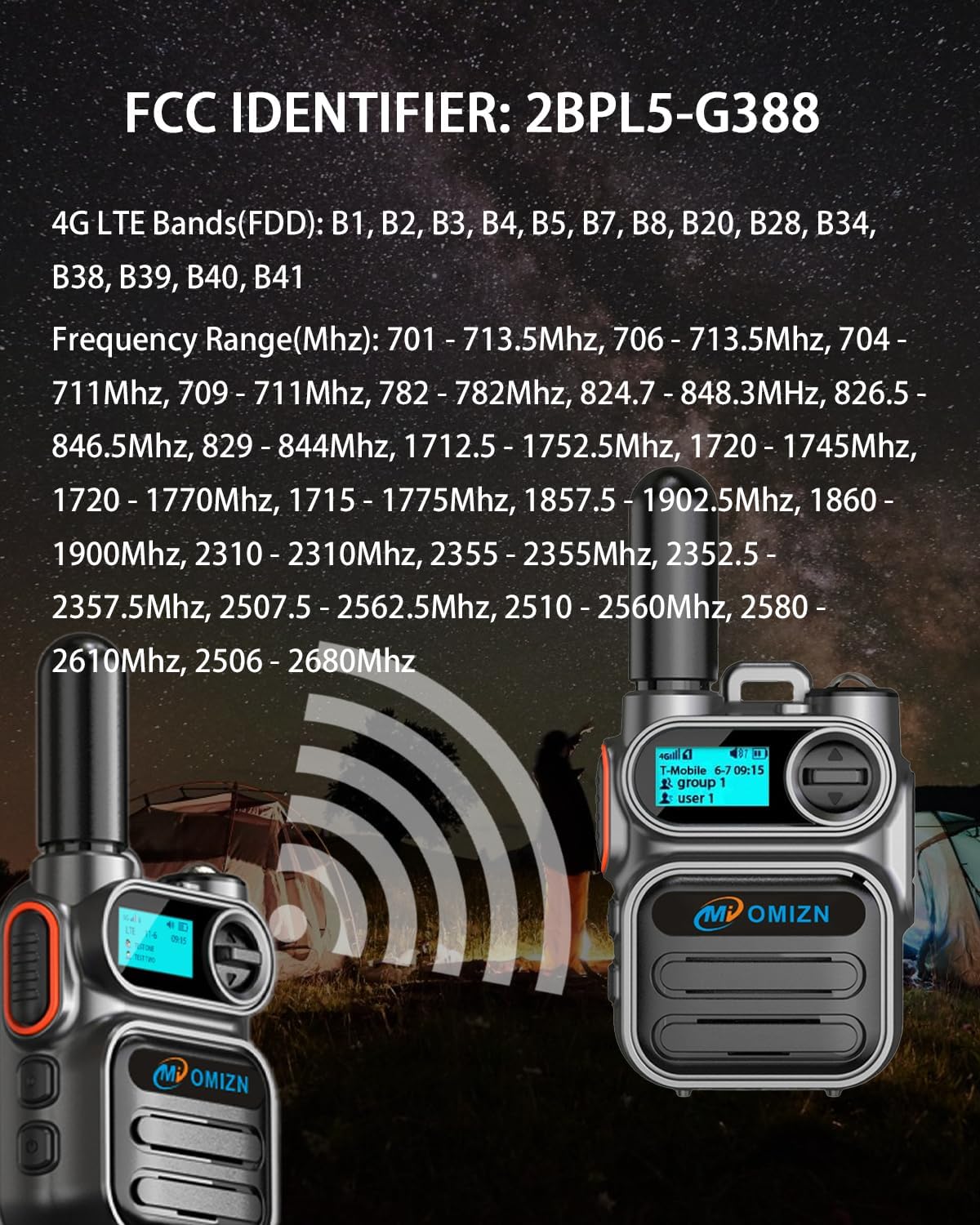
આકૃતિ 7.1: Image displaying the FCC Identifier (2BPL5-G388) and detailed 4G LTE FDD bands and frequency ranges supported by the OMIZN M5 device.
8. વોરંટી અને સપોર્ટ
8.1 ગ્રાહક સપોર્ટ
OMIZN is committed to providing reliable support. For any issues, including signal problems, malfunctions, or general questions, please contact our support team. We aim to address your concerns promptly upon receiving your message. Your satisfaction is our top priority.
You can typically reach support through the platform where you purchased the product (e.g., Amazon's messaging system for OMIZN seller).
8.2 SIM Service Renewal
The pre-installed SIM card includes one year of high-speed data service. This service can be renewed annually after the first year. Please contact OMIZN support for details on service renewal procedures and pricing.