
1. પરિચય
The Elitech DIT-220 is a high-precision, non-contact infrared thermometer designed for safe and accurate temperature measurement across various applications. This device utilizes laser targeting for precise aim and features adjustable emissivity to ensure accurate readings on different surface types. It is suitable for use by professionals, DIY enthusiasts, and in household settings for monitoring temperatures in industrial, commercial, and domestic environments.
2. સલામતી માહિતી
Please read all safety warnings and instructions carefully before using this product. Failure to follow these instructions may result in injury or damage to the device.
- લેસર સલામતી: Do not look directly into the laser beam or point it at people or animals. The laser is used for targeting only and should be used with caution.
- બિન-સંપર્ક માપન: This thermometer measures surface temperature. It is not intended for measuring body temperature.
- ઇલેક્ટ્રિકલ સલામતી: Do not use the device near strong electromagnetic fields. Keep the device dry and avoid exposure to moisture or extreme temperatures.
- બેટરી સલામતી: Use only the specified battery type (2x AAA). Ensure correct polarity when installing batteries. Remove batteries if the device will not be used for an extended period. Do not mix old and new batteries or different types of batteries.
- જાળવણી: ઉપકરણને ડિસએસેમ્બલ કરવાનો કે તેમાં ફેરફાર કરવાનો પ્રયાસ કરશો નહીં. બધી સર્વિસિંગ લાયક કર્મચારીઓને સોંપો.
3. પેકેજ સામગ્રી
ખાતરી કરો કે બધી વસ્તુઓ પેકેજમાં હાજર છે:
- Elitech DIT-220 Infrared Thermometer
- 2 x AAA બેટરી
- વપરાશકર્તા માર્ગદર્શિકા (આ દસ્તાવેજ)
4. ઉત્પાદન સુવિધાઓ
- વિશાળ તાપમાન શ્રેણી: -50°C થી 530°C (-58°F થી 986°F) સુધીના માપ.
- ઝડપી પ્રતિભાવ સમય: Provides readings in approximately 0.5 seconds.
- ઉચ્ચ ચોકસાઈ: ±1.5°C (±2.7°F) or ±1.5% for temperatures between -50°C and 50°C.
- લેસર લક્ષ્યીકરણ: Integrated laser pointer for precise aiming at the target surface.
- એડજસ્ટેબલ ઇમિસિવિટી: User-adjustable emissivity from 0.10 to 1.00 for accurate readings on various materials.
- Distance-to-Spot Ratio (D:S): 12:1, ensuring accurate measurement from a safe distance.
- MAX/MIN/AVG Mode: Automatically tracks maximum, minimum, and average temperatures during a measurement session.
- બેકલાઇટ એલસીડી ડિસ્પ્લે: Provides clear visibility of readings in various lighting conditions.
- સ્વત Sh શટ-:ફ: નિષ્ક્રિયતાના સમયગાળા પછી આપમેળે બંધ થઈને બેટરી જીવન બચાવે છે.
- ઓછી બેટરી રીમાઇન્ડર: જ્યારે બેટરીને બદલવાની જરૂર હોય ત્યારે સૂચવે છે.
- °C/°F સ્વિચ: Easily switch between Celsius and Fahrenheit units.

આકૃતિ 1: Elitech DIT-220 Infrared Thermometer highlighting its main features.
5. સેટઅપ
5.1 બેટરી ઇન્સ્ટોલેશન
- Locate the battery compartment cover on the handle of the thermometer.
- બેટરી કમ્પાર્ટમેન્ટ કવર ખોલો.
- કમ્પાર્ટમેન્ટની અંદર દર્શાવેલ યોગ્ય ધ્રુવીયતા (+ અને -) સુનિશ્ચિત કરીને બે AAA બેટરી દાખલ કરો.
- બેટરી કમ્પાર્ટમેન્ટ કવર સુરક્ષિત રીતે બંધ કરો.

આકૃતિ 2: Elitech DIT-220 components and battery compartment location.
5.2 પાવરિંગ ચાલુ/બંધ
To power on the device, simply press the measurement trigger. The device will automatically power off after a period of inactivity to conserve battery life.
6. ઓપરેટિંગ સૂચનાઓ
6.1 એક માપન લેવું
- Point the thermometer at the target surface. Ensure the laser pointer (if activated) is aimed at the center of the area you wish to measure.
- Press and hold the measurement trigger. The laser will activate, and the current temperature will be displayed on the LCD screen.
- Release the trigger to hold the measurement on the display. The 'HOLD' icon will appear.
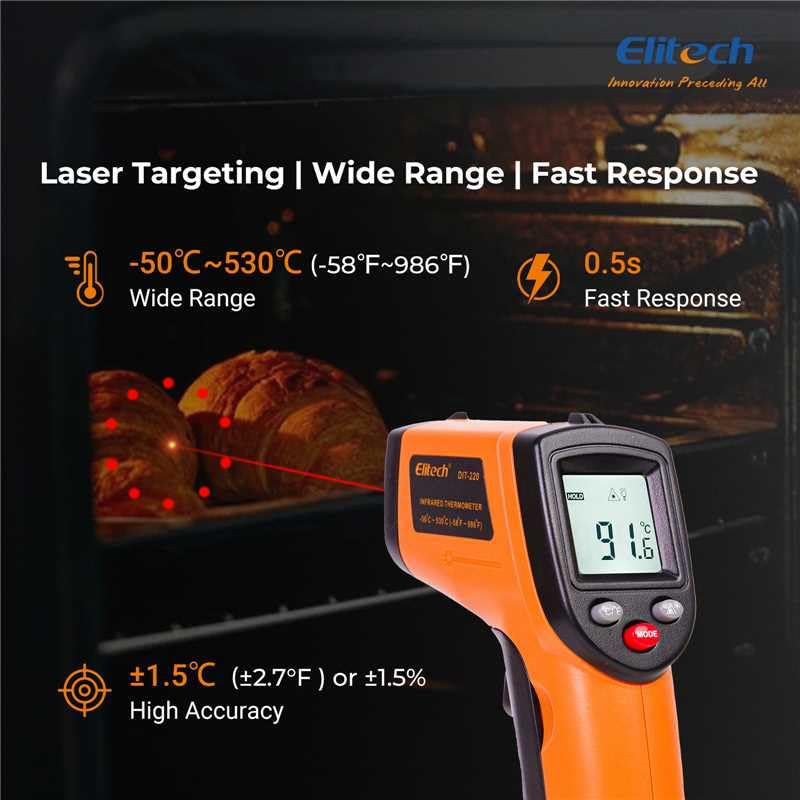
આકૃતિ 3: Using the DIT-220 for non-contact temperature measurement with laser targeting.
6.2 Understanding Distance-to-Spot Ratio (D:S)
The DIT-220 has a Distance-to-Spot ratio of 12:1. This means that as you move further from the target, the area being measured (spot size) increases. For accurate readings, ensure the target area is larger than the spot size. For example, at a distance of 12 inches, the measurement spot will be 1 inch in diameter.

આકૃતિ 4: Illustration of the 12:1 Distance-to-Spot ratio.

આકૃતિ 5: Visual guide for maintaining correct measurement distance.
6.3 ઉત્સર્જનને સમાયોજિત કરવું
Different materials emit infrared energy differently. The DIT-220 allows you to adjust the emissivity (ε) from 0.10 to 1.00 to compensate for this and achieve more accurate readings. Refer to a standard emissivity table for common materials or adjust empirically.
- દબાવો મોડ button to cycle through settings until 'EMS' (Emissivity) is displayed.
- Use the Up/Down arrow buttons to adjust the emissivity value.
- દબાવો મોડ પુષ્ટિ કરવા અને બહાર નીકળવા માટે ફરીથી બટન.
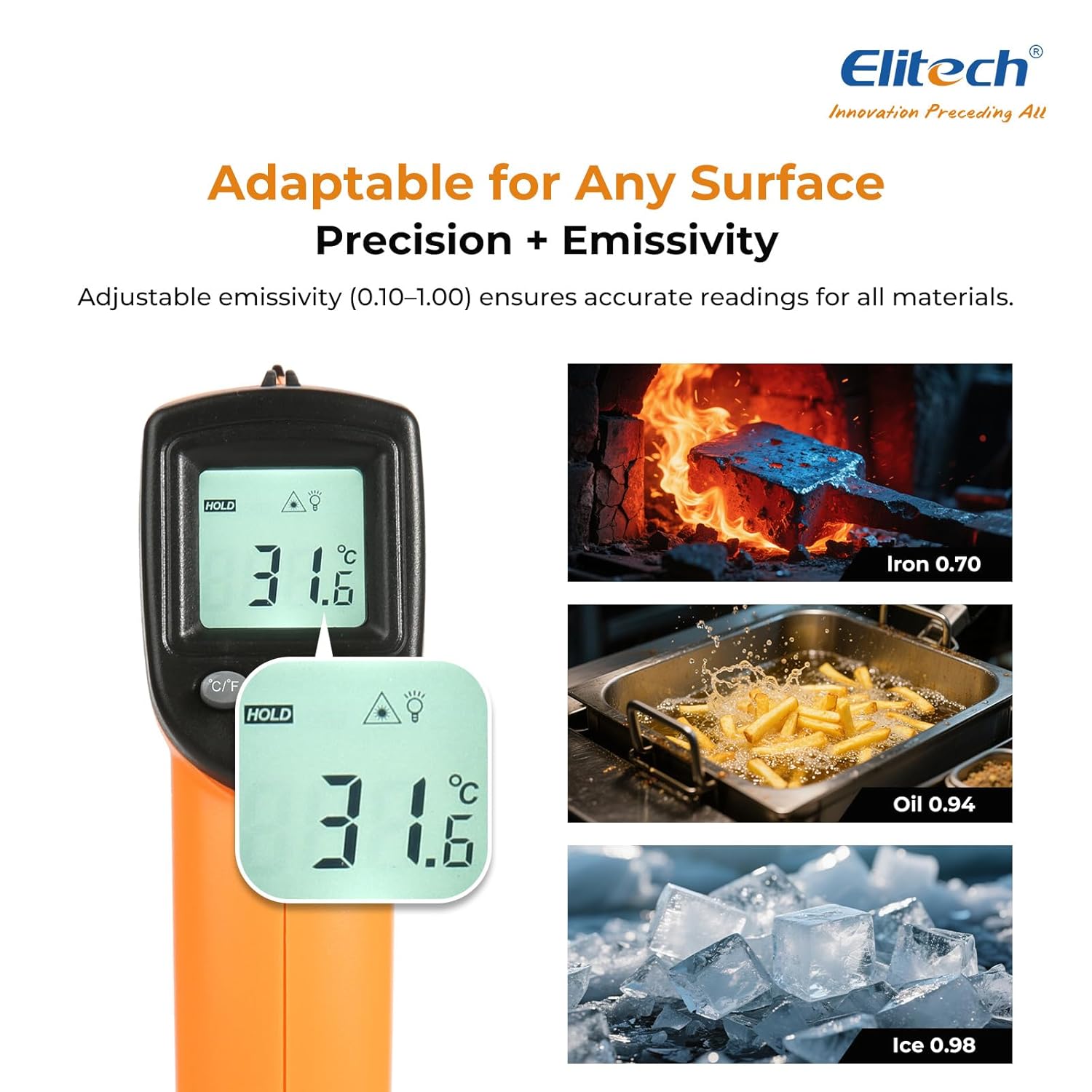
આકૃતિ 6: Adjustable emissivity feature and examples for different materials.
6.4 Using MAX/MIN/AVG Modes
These modes are useful for monitoring temperature fluctuations over time.
- While holding the measurement trigger, press the મોડ button repeatedly to cycle through MAX (Maximum), MIN (Minimum), and AVG (Average) display modes.
- The corresponding icon will appear on the screen, showing the respective temperature value recorded during the current measurement session.
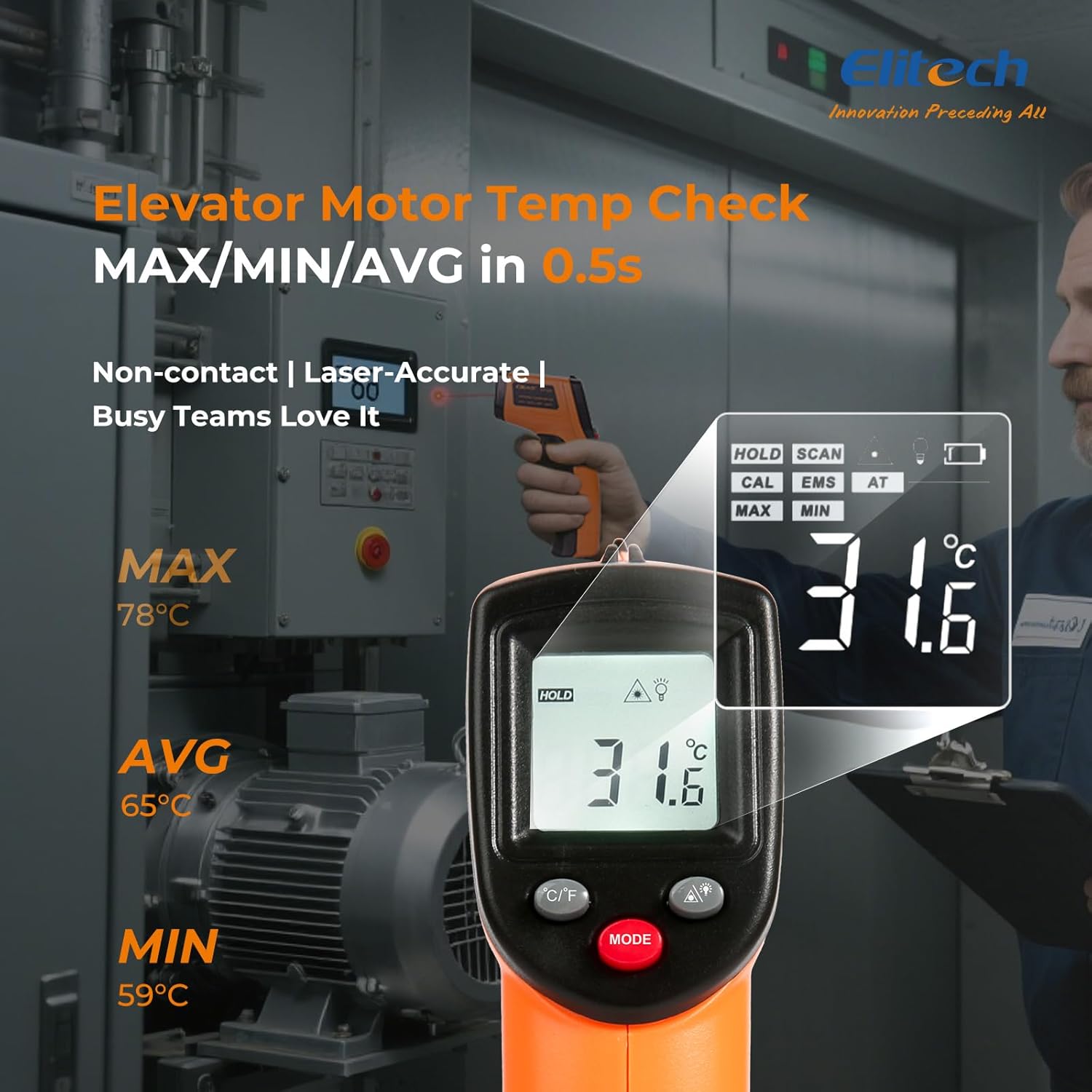
આકૃતિ 7: Displaying MAX, MIN, and AVG temperature readings.
૬.૩ તાપમાન એકમોનું સ્વિચિંગ (°C/°F)
To switch between Celsius and Fahrenheit, press the °C/°F button located on the device.
7. જાળવણી
7.1 સફાઈ
- લેન્સને સોફ્ટથી સાફ કરો, ડીamp cloth or cotton swab. Do not use abrasive cleaners or solvents.
- ઉપકરણ સાફ કરો casinનરમ, સૂકા કપડાથી g.
7.2 બેટરી રિપ્લેસમેન્ટ
When the low battery indicator appears on the display, replace the two AAA batteries as described in the Setup section (5.1 Battery Installation).
7.3 સંગ્રહ
Store the thermometer in a cool, dry place, away from direct sunlight and extreme temperatures. Remove batteries if storing for extended periods.
8. મુશ્કેલીનિવારણ
| સમસ્યા | સંભવિત કારણ | ઉકેલ |
|---|---|---|
| Display shows 'Lo' or 'Hi' | Temperature is outside the measurement range. | Ensure the target temperature is within -50°C to 530°C (-58°F to 986°F). |
| અચોક્કસ વાંચન | Incorrect emissivity setting; measurement distance too far/close; lens dirty. | Adjust emissivity for the target material. Maintain appropriate D:S ratio. Clean the lens. |
| ઉપકરણ પાવર ચાલુ કરતું નથી | બેટરીઓ મૃત અથવા ખોટી રીતે ઇન્સ્ટોલ કરેલી છે. | Replace batteries with new AAA batteries. Check battery polarity. |
| લેસર કામ કરતું નથી | Laser may be disabled or faulty. | Check if the laser function is enabled via the MODE button. If not, contact support. |
9. સ્પષ્ટીકરણો
| લક્ષણ | સ્પષ્ટીકરણ |
|---|---|
| મોડલ | DIT-220 (EU-DIT-220) |
| તાપમાન શ્રેણી | -50°C થી 530°C (-58°F થી 986°F) |
| ચોકસાઈ | ±1.5°C (±2.7°F) or ±1.5% (for -50°C to 50°C) |
| પ્રતિભાવ સમય | 500 મિલીસેકન્ડ્સ (0.5 સેકન્ડ) |
| અંતર-થી-સ્પોટ ગુણોત્તર (D:S) | 12:1 |
| એમિસિવિટી | Adjustable 0.10 - 1.00 |
| પાવર સ્ત્રોત | 2 x AAA બેટરી (સમાવેલ) |
| ડિસ્પ્લે પ્રકાર | Digital, Backlit LCD |
| ખાસ લક્ષણો | Non-contact, Laser Target, MAX/MIN Mode, Auto Calibration |
| સામગ્રી | પ્લાસ્ટિક |
| વસ્તુનું વજન | 30 ગ્રામ |
| પેકેજ પરિમાણો | 18.7 x 9.7 x 3.6 સેમી |
10. વોરંટી અને સપોર્ટ
Elitech products are designed for reliability and performance. For warranty information, technical support, or service inquiries, please contact Elitech customer support through their official website or the retailer where the product was purchased. Please have your model number (DIT-220) and purchase date available when contacting support.