
Surge SG60094
Surge Wireless Pro Controller User Manual
મોડલ: SG60094
પરિચય
This manual provides instructions for the Surge Wireless Pro Controller, Model SG60094. It covers setup, operation, maintenance, troubleshooting, and specifications. Please read this manual thoroughly before using the controller.
The Surge Wireless Pro Controller is designed for multi-platform compatibility, featuring Hall Effect thumb sticks and triggers for precision control.
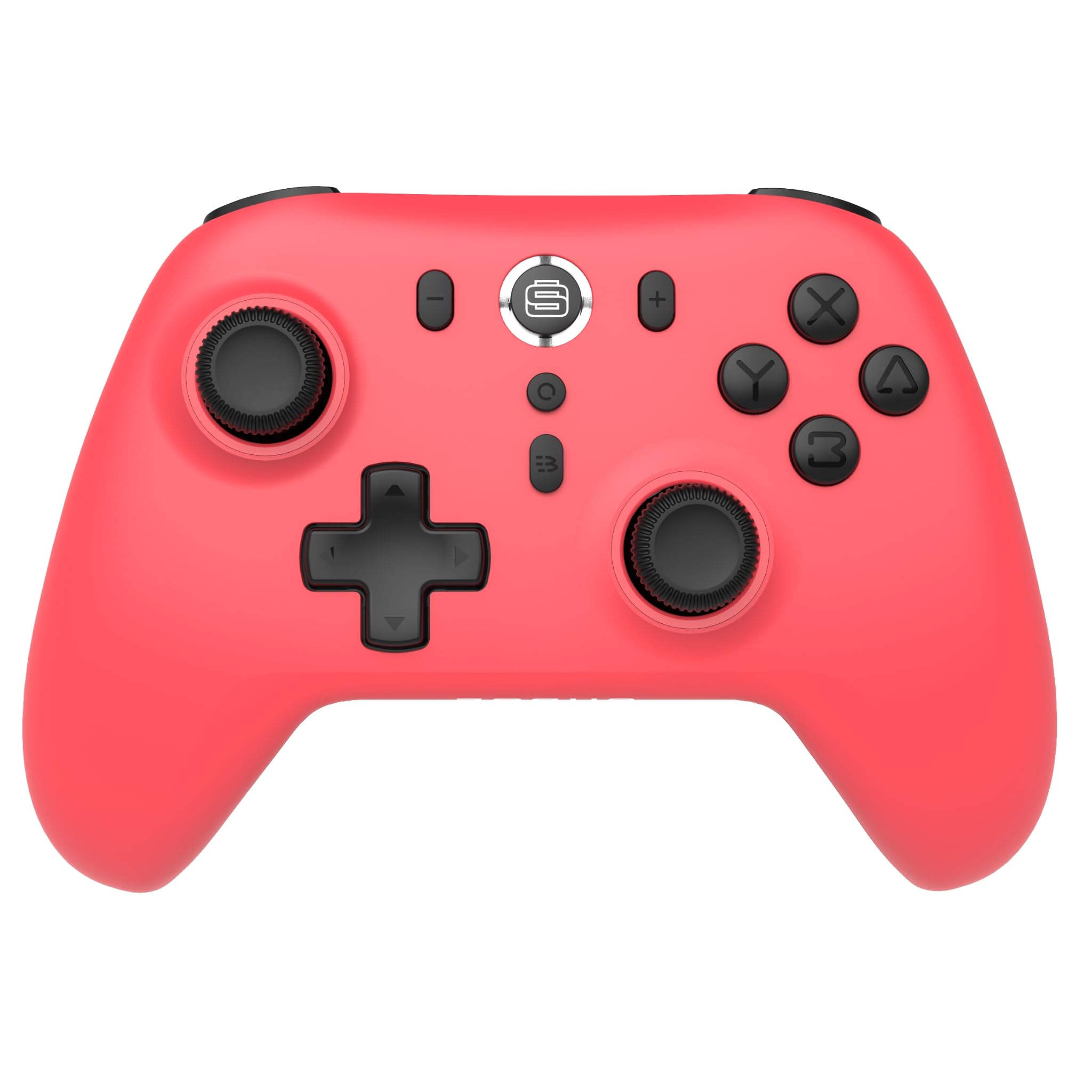
છબી: આગળ view of the Surge Wireless Pro Controller in Neon Red.
મુખ્ય લક્ષણો
- મલ્ટી-પ્લેટફોર્મ સુસંગતતા: Supports Nintendo Switch/Switch 2 (Note: No C Button/Audio Port on Switch 2), Windows PC, Steam Deck, Android, and iOS devices.
- Hall Effect Thumb Sticks & Triggers: Engineered for precise control and to prevent stick drift.
- ટર્બો કાર્યક્ષમતા: Offers 3 adjustable turbo levels for rapid-fire actions.
- કંપન પ્રતિસાદ: Features 4 customizable vibration levels for enhanced haptic feedback.
- ગતિ નિયંત્રણો: Compatible with games that utilize motion sensing.
- Console Wake Up: Ability to wake the Nintendo Switch console from sleep mode (Nintendo Switch only).
- રિચાર્જેબલ બેટરી: Built-in 600mAh Li-polymer battery provides up to 10 hours of gameplay per charge.
- યુએસબી-સી ચાર્જિંગ: Includes a 1-meter USB-C charging cable.
સેટઅપ સૂચનાઓ
૪.૩. પ્રારંભિક ચાર્જિંગ
Before first use, fully charge the controller. Connect the included USB-C cable to the controller's charging port and the other end to a USB power source (e.g., console, PC, USB wall adapter). The charging indicator will show status.

Image: The controller connected to a USB-C charging cable.
2. નિન્ટેન્ડો સ્વિચ સાથે જોડી બનાવવી
- તમારા નિન્ટેન્ડો સ્વિચ કન્સોલ પર, હોમ મેનુ પર જાઓ.
- પસંદ કરો નિયંત્રકો, પછી પકડ/ઓર્ડર બદલો.
- દબાવો અને પકડી રાખો જોડી બનાવવાનું બટન on the top of the Surge Wireless Pro Controller until the player indicator lights begin to flash.
- Once paired, the player indicator light(s) will remain solid.
- To wake the console from sleep mode, press the Home button on the controller.
3. Pairing with PC, Android, or iOS
The pairing process may vary slightly depending on your device's operating system. Generally, you will need to enable Bluetooth on your device and search for new devices.
- Ensure Bluetooth is enabled on your PC, Android, or iOS device.
- On the Surge Wireless Pro Controller, press and hold the જોડી બનાવવાનું બટન until the indicator lights flash.
- On your device, select "Surge Pro Controller" from the list of available Bluetooth devices.
- જોડી પૂર્ણ કરવા માટે કોઈપણ ઓન-સ્ક્રીન પ્રોમ્પ્ટ્સને અનુસરો.
વિડિઓ: એક ઓવરview of the 8Bitdo Ultimate 2 Wireless Controller, demonstrating general wireless controller setup principles.
ઓપરેટિંગ સૂચનાઓ
બટન લેઆઉટ

Image: Diagram showing the button layout of the Surge Wireless Pro Controller.
- ડાબી/જમણી એનાલોગ લાકડીઓ: For movement and camera control. Features Hall Effect technology for enhanced durability and precision.
- ડી-પેડ: દિશાત્મક ઇનપુટ માટે.
- A/B/X/Y બટનો: માનક ક્રિયા બટનો.
- L/R બટનો: ખભાના બટનો.
- ZL/ZR Triggers: Analog triggers with Hall Effect sensors.
- હોમ બટન: Returns to the console's home menu.
- સ્ક્રીનશોટ બટન: Captures screenshots.
- વત્તા (+) / ઓછા (-) બટનો: For in-game menu navigation.
- ટર્બો બટન: Activates/deactivates turbo function.
- જોડી બટન: બ્લૂટૂથ પેરિંગ માટે વપરાય છે.
ટર્બો ફંક્શન
To activate turbo for a button, press and hold the ટર્બો બટન, then press the desired action button (A, B, X, Y, L, R, ZL, ZR). Repeat the process to deactivate. There are 3 adjustable turbo levels; refer to the full product manual for detailed adjustment instructions.
કંપન ગોઠવણ
The controller offers 4 levels of vibration intensity. Specific button combinations or software may be required to adjust these levels. Consult the full product manual or manufacturer's website for precise instructions.
જાળવણી
- સફાઈ: કંટ્રોલરને સાફ કરવા માટે નરમ, સૂકા કપડાનો ઉપયોગ કરો. કઠોર રસાયણો અથવા ઘર્ષક સામગ્રીનો ઉપયોગ કરવાનું ટાળો.
- સંગ્રહ: કંટ્રોલરને સીધા સૂર્યપ્રકાશ અને અતિશય તાપમાનથી દૂર ઠંડી, સૂકી જગ્યાએ સંગ્રહિત કરો.
- બેટરી સંભાળ: બેટરીનું આયુષ્ય વધારવા માટે, વારંવાર બેટરી સંપૂર્ણપણે ડિસ્ચાર્જ કરવાનું ટાળો. કંટ્રોલરને નિયમિતપણે ચાર્જ કરો, ભલે તે લાંબા સમય સુધી ઉપયોગમાં ન હોય.
- કેબલ કેર: Handle the USB-C charging cable carefully. Avoid bending or twisting it excessively.
મુશ્કેલીનિવારણ
| સમસ્યા | ઉકેલ |
|---|---|
| કંટ્રોલર પાવર ચાલુ કરતું નથી. | ખાતરી કરો કે કંટ્રોલર સંપૂર્ણપણે ચાર્જ થયેલ છે. USB-C કેબલનો ઉપયોગ કરીને તેને પાવર સ્ત્રોત સાથે કનેક્ટ કરો. |
| ઉપકરણ સાથે જોડી બનાવી શકાતી નથી. | Make sure Bluetooth is enabled on your device. Press and hold the pairing button on the controller until lights flash. Ensure the controller is not already paired with another device. Try restarting both the controller and the device. |
| Stick drift or inaccurate input. | The controller features Hall Effect sticks to minimize drift. If issues persist, ensure the controller's firmware is up to date. Contact customer support if the problem continues. |
| વાઇબ્રેશન કામ કરતું નથી. | Check in-game settings to ensure vibration is enabled. Verify the vibration intensity level on the controller. |
| Console Wake Up not functioning. | This feature is only supported on Nintendo Switch. Ensure the controller is properly paired with the Switch. |
વિશિષ્ટતાઓ
- મોડલ નંબર: SG60094
- બેટરી: 1 Nonstandard Battery (600mAh Li-polymer, included)
- બેટરી જીવન: ૩૬ કલાક સુધી (અંદાજે)
- ચાર્જિંગ પોર્ટ: યુએસબી-સી
- કનેક્ટિવિટી: બ્લૂટૂથ વાયરલેસ
- પરિમાણો: ૧૦ x ૧૦ x ૧૦ સેમી (અંદાજે)
- વજન: 310 ગ્રામ (અંદાજે)
- મૂળ દેશ: ચીન
વોરંટી અને આધાર
For warranty information and customer support, please refer to the official Surge website or contact support directly at support@surgegaming.com.
The product typically comes with a manufacturer's warranty covering defects in materials and workmanship. Please retain your proof of purchase for warranty claims.
Ask a question about this manual
Ask about setup, troubleshooting, compatibility, parts, safety, or missing instructions. Manuals+ will review the question and use this page’s manual context to help answer it.