
1. પરિચય
This manual provides detailed instructions for the setup, operation, and maintenance of your CHEREEKI Wireless Controller for PlayStation 4. Please read this manual thoroughly before using the product to ensure proper functionality and to maximize your gaming experience.
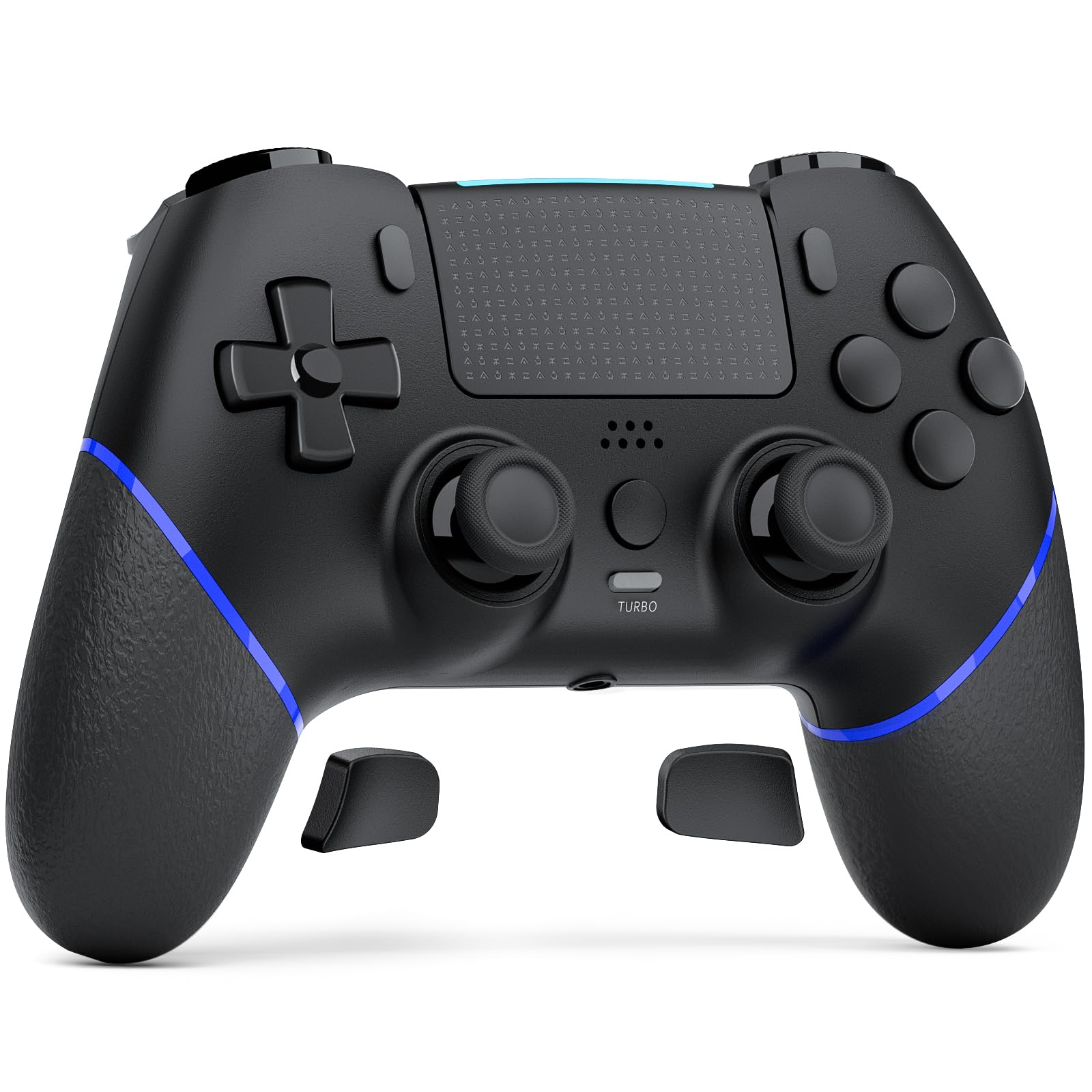
Image 1.1: The CHEREEKI Wireless Controller for PS4. This image displays the black controller from a front-top angle, highlighting its ergonomic design and button layout.
2. ઉત્પાદન ઓવરview
The CHEREEKI Wireless Controller is designed for use with PlayStation 4 consoles (PS4, PS4 Slim, PS4 Pro). It features advanced Hall Effect joysticks, customizable back buttons, vibration feedback, motion sensing, a touchpad, and a 3.5mm headphone jack for an immersive gaming experience.
2.1 મુખ્ય લક્ષણો
- Universal PS4 Compatibility: Connects seamlessly with PS4, PS4 Slim, and PS4 Pro consoles.
- Hall Effect Joystick Technology: Provides precise, lag-free control and eliminates stick drift.
- Customizable Back Button Programming: Map frequently used actions to two programmable back buttons.
- લાંબા સમય સુધી ચાલતી બેટરી: Equipped with a 1000mAh battery, offering 8-10 hours of gameplay on a 3-hour charge.
- ઉન્નત આરામ: Generously proportioned design for a natural grip, suitable for various hand sizes.
- Double Vibration Feedback: Provides realistic in-game sensations.
- મોશન સેન્સર: Integrated motion sensing for interactive gameplay.
- ટચપેડ: Functional touchpad for additional control options.
- 3.5mm હેડફોન જેક: For audio output and communication.
2.2 કંટ્રોલર લેઆઉટ

Image 2.1: Labeled diagram of the CHEREEKI Wireless Controller. This image identifies the Type C Port, R1/R2/L1/L2 Buttons, SHARE Button, LED indicator, OPTIONS Button, Directional Buttons, Left Stick, Right Stick, Home Button, Turbo Button, Stereo Headset Jack, and Reset button location.
3. સેટઅપ અને કનેક્શન
3.1 Initial Connection to PS4
- ખાતરી કરો કે તમારું PS4 કન્સોલ ચાલુ છે.
- Connect the CHEREEKI Wireless Controller to your PS4 console using the included USB-C cable.
- દબાવો હોમ બટન (located in the center of the controller) to activate the controller.
- The controller will automatically pair with your PS4. Once paired, you can disconnect the USB-C cable for wireless use.
- અનુગામી ઉપયોગ માટે, ફક્ત દબાવો હોમ બટન to reconnect wirelessly.
3.2 કંટ્રોલરને ચાર્જ કરવું
The controller features a 1000mAh rechargeable battery. To charge:
- Connect the controller to your PS4 console or a USB power adapter (5V/1A recommended) using the USB-C cable.
- The LED indicator on the controller will show charging status.
- A full charge takes approximately 3 hours and provides 8-10 hours of gameplay.
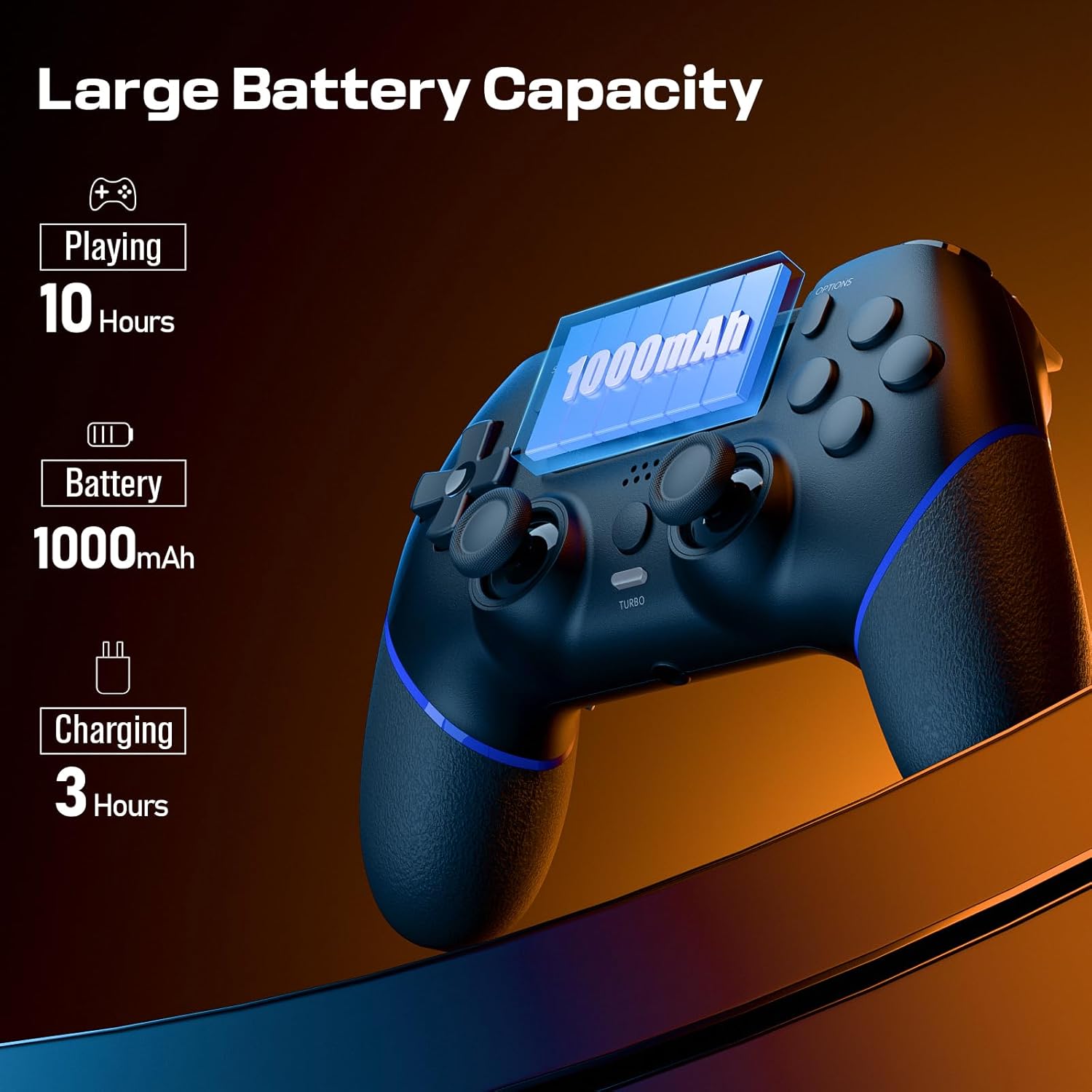
Image 3.1: Visual representation of the controller's battery capacity and charging details. It shows 'Playing 10 Hours', 'Battery 1000mAh', and 'Charging 3 Hours'.
4. ઓપરેટિંગ સૂચનાઓ
૪.૨ હોલ ઇફેક્ટ જોયસ્ટિક્સ
The controller is equipped with Hall Effect joysticks, which use magnetic sensors instead of physical contacts. This design significantly reduces wear and tear, preventing common issues like stick drift and ensuring consistent, precise input over time.
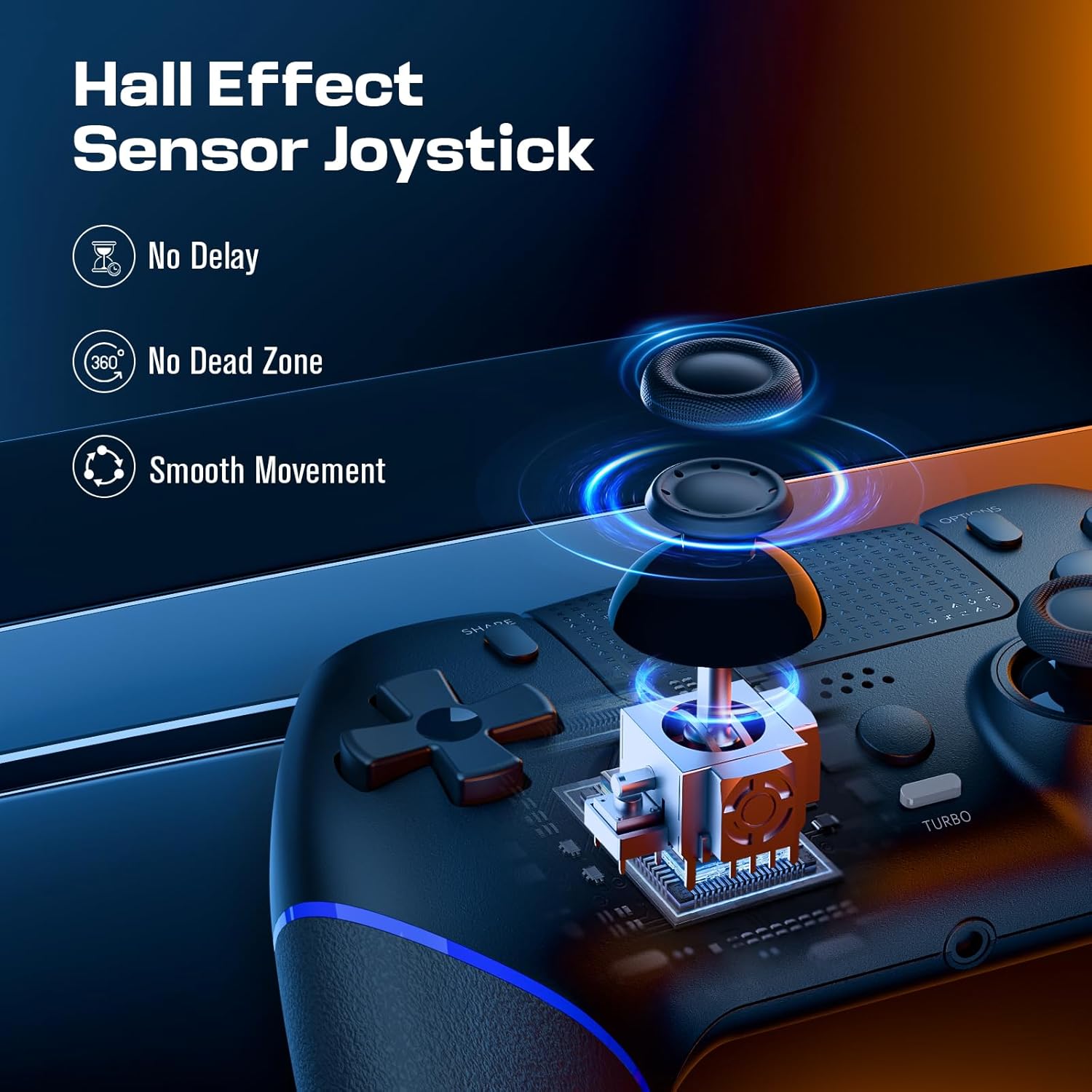
Image 4.1: Diagram illustrating the Hall Effect Sensor Joystick technology. It highlights 'No Delay', 'No Dead Zone', and 'Smooth Movement' as benefits.
4.2 Customizable Back Buttons
The two programmable back buttons (often labeled L3/R3 or similar in mapping) allow you to assign complex actions or frequently used button combinations for quicker execution and reduced finger fatigue. Refer to your console's settings or specific game options for detailed button remapping procedures.

Image 4.2: Visual of the Custom Button Mapping feature. It shows how L3/R3 can be converted to other face buttons or shoulder buttons.
૭.૧૦ ટર્બો ફંક્શન
The Turbo function allows for rapid, sustained input of a button press without repeatedly pressing the button. To activate/deactivate the Turbo function:
- દબાવો અને પકડી રાખો ટર્બો બટન.
- While holding Turbo, press the desired action button (e.g., X, O, Square, Triangle, R1, L1, etc.).
- Release both buttons. The selected action button will now continuously register input as long as it is held down.
- To deactivate, repeat the process: hold ટર્બો અને ફરીથી એક્શન બટન દબાવો.

Image 4.3: The Turbo button on the controller is highlighted, with text indicating 'Sustain Auto-Fire with a Single Button Press'.
૩.૩ કંપન પ્રતિસાદ
The controller includes dual motors for vibration feedback, providing tactile responses to in-game events such as impacts, explosions, or environmental effects. This enhances immersion and provides additional sensory cues during gameplay.

Image 4.4: Controller with visual effects representing Double Vibration Feedback, indicating a 'More Realistic Feeling in the Games'.
4.5 Motion Sensor and Touchpad
The integrated motion sensor allows for intuitive control in games that utilize tilt and movement. The central touchpad provides an additional input method, supporting gestures and taps for navigation and specific in-game actions.
4.6 હેડફોન જેક
A 3.5mm stereo headphone jack is located at the bottom of the controller, allowing you to connect a headset for game audio and voice chat.
4.7 ઉત્પાદન વિડિઓ
Video 4.1: An official product video demonstrating the CHEREEKI Wireless Controller, focusing on its Hall Effect joystick technology and overall design. This video highlights the precision and responsiveness of the controller's inputs.
5. જાળવણી
To ensure the longevity and optimal performance of your CHEREEKI Wireless Controller, follow these maintenance guidelines:
- સફાઈ: કંટ્રોલરને સાફ કરવા માટે નરમ, સૂકા કપડાનો ઉપયોગ કરો. હઠીલા ગંદકી માટે, સહેજ ડીampપાણીથી કપડાને ઢાંકી દો. કઠોર રસાયણો અથવા ઘર્ષક ક્લીનર્સનો ઉપયોગ કરવાનું ટાળો.
- સંગ્રહ: કંટ્રોલરને સીધા સૂર્યપ્રકાશ અને અતિશય તાપમાનથી દૂર ઠંડી, સૂકી જગ્યાએ સંગ્રહિત કરો.
- હેન્ડલિંગ: કંટ્રોલરને પડતું મૂકવાનું કે તેને જોરદાર ફટકો મારવાનું ટાળો, કારણ કે આ આંતરિક ઘટકોને નુકસાન પહોંચાડી શકે છે.
- ચાર્જિંગ: Do not overcharge the battery. Disconnect the charging cable once the controller is fully charged.
6. મુશ્કેલીનિવારણ
If you encounter issues with your CHEREEKI Wireless Controller, please refer to the following common solutions:
૫.૧ કનેક્શન સમસ્યાઓ
- કંટ્રોલર કનેક્ટ થઈ રહ્યું નથી: Ensure the controller is charged. Connect it to the PS4 with the USB-C cable and press the Home button for initial pairing.
- તૂટક તૂટક જોડાણ: Move closer to the PS4 console to rule out interference. Ensure no other wireless devices are causing interference.
6.2 Stick Drift or Unresponsive Inputs
- While the Hall Effect joysticks are designed to prevent stick drift, if you experience any unusual input, try resetting the controller.
6.3 Controller Reset
If the controller is unresponsive or behaving erratically, perform a reset:
- Locate the small reset button on the back of the controller (often near the L2/R2 triggers or a screw hole).
- Use a small, pointed object (like a straightened paperclip) to press and hold the reset button for 3-5 seconds.
- બટન છોડો.
- Reconnect the controller to your PS4 using the USB-C cable and press the Home button to re-establish connection.
૧૧.૨.૧ બેટરી ચાર્જ થતી નથી
- Ensure the USB-C cable is securely connected to both the controller and the power source.
- Try a different USB-C cable or a different USB port/power adapter.
- Confirm the power source is providing sufficient power (e.g., a PS4 USB port or a 5V/1A adapter).
7. સ્પષ્ટીકરણો
| લક્ષણ | સ્પષ્ટીકરણ |
|---|---|
| સુસંગત ઉપકરણો | Playstation 4 (PS4, PS4 Slim, PS4 Pro) |
| નિયંત્રક પ્રકાર | ગેમપેડ |
| કનેક્ટિવિટી | વાયરલેસ (બ્લુટુથ), વાયર્ડ (USB-C) |
| જોયસ્ટિક ટેકનોલોજી | હોલ ઇફેક્ટ |
| બેટરી ક્ષમતા | 1000mAh |
| ચાર્જિંગ સમય | આશરે. 3 કલાક |
| રમવાનો સમય | આશરે. 8-10 કલાક |
| વધારાની સુવિધાઓ | Ergonomic Design, Headphone Jack, Motion Sensing, Touchpad, Programmable Back Buttons, Double Vibration |
| રંગ | કાળો |
8. વોરંટી અને સપોર્ટ
For warranty information, technical support, or any product-related inquiries, please contact CHEREEKI customer service through the retailer where the product was purchased or visit the official CHEREEKI webસાઇટ. વોરંટી દાવાઓ માટે કૃપા કરીને તમારી ખરીદીનો પુરાવો રાખો.