
1. પરિચય
The Monster S380 Bluetooth Speaker delivers powerful 40W stereo sound with deep bass and clear highs. Featuring advanced Bluetooth 6.0 for stable connections, it offers up to 20 hours of playtime on a single charge. Its IPX6 waterproof rating makes it suitable for various environments, from poolside to outdoor adventures. The speaker supports TWS (True Wireless Stereo) pairing for an immersive stereo experience, and includes versatile connectivity options such as AUX and TF card input. A built-in microphone allows for convenient hands-free calling.
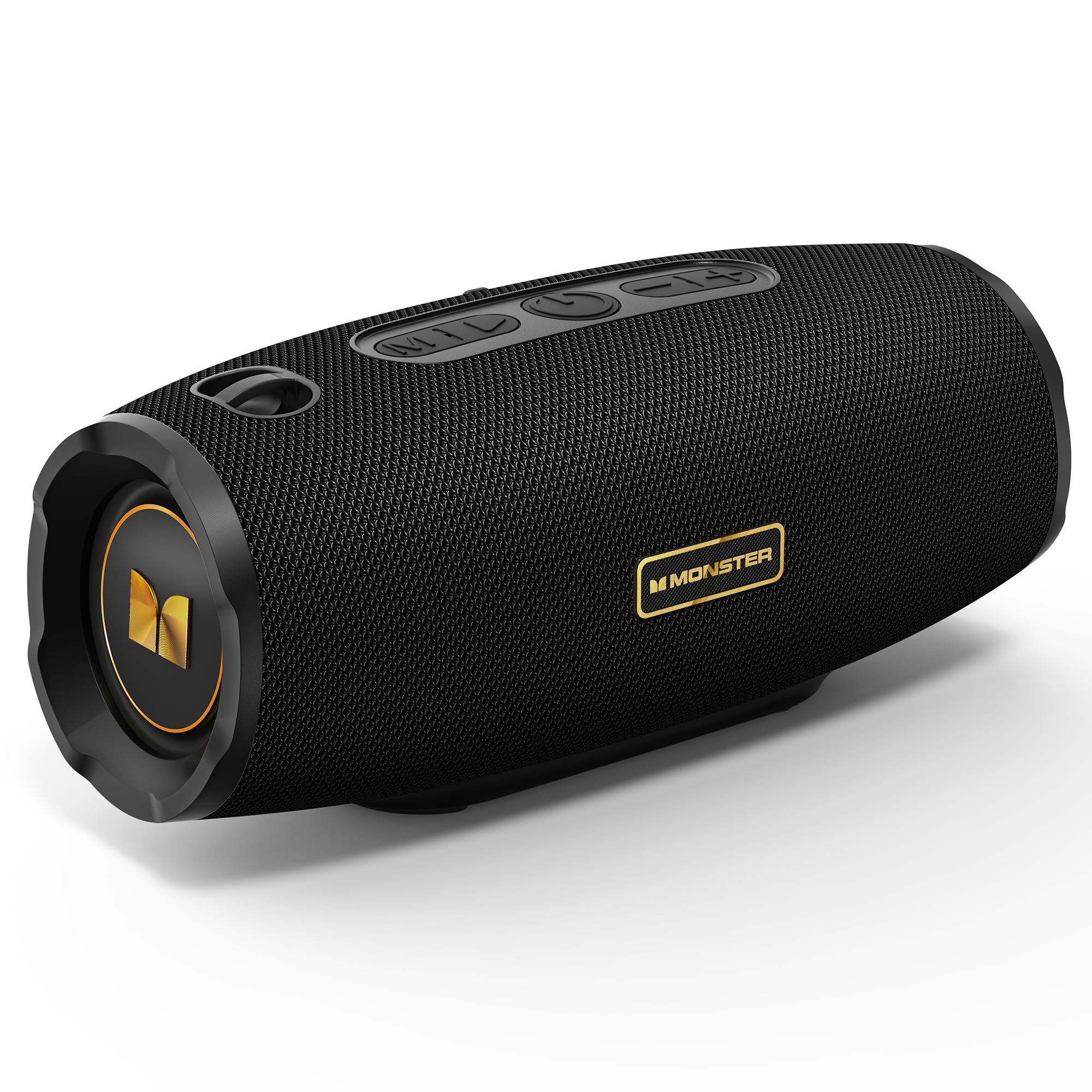
Figure 1: Monster S380 Bluetooth Speaker
2. બોક્સમાં શું છે
પેકેજ અનબોક્સ કરતી વખતે, બધી વસ્તુઓ હાજર છે તેની ખાતરી કરવા માટે કૃપા કરીને પેકેજની સામગ્રી તપાસો:
- Monster S380 Speaker x 1
- USB-C ચાર્જિંગ કેબલ x 1
- AUX-ઇન કેબલ x 1
- ક્વિક સ્ટાર્ટ ગાઇડ x 1
- Portable Rope x 1

આકૃતિ 2: પેકેજ સામગ્રી
3. ઉત્પાદન ઓવરview
3.1. બટનો અને નિયંત્રણો

Figure 3: Speaker Buttons Overview
- મોડ બટન: Switches between Bluetooth, AUX, and TF Card modes.
- પ્લે/પોઝ બટન: Plays or pauses audio. Answers/ends phone calls.
- પાવર બટન: સ્પીકરને ચાલુ અથવા બંધ કરે છે.
- અવાજ ઘટાડો / પાછલું ગીત બટન: Decreases volume (short press) or skips to the previous song (long press).
- અવાજ વધારો / આગામી ગીત બટન: Increases volume (short press) or skips to the next song (long press).
3.2. Input Ports

Figure 4: Speaker Input Ports
- યુએસબી પોર્ટ: USB ડ્રાઇવ પ્લેબેક માટે.
- ટીએફ કાર્ડ સ્લોટ: TF (માઈક્રોએસડી) કાર્ડ પ્લેબેક માટે.
- AUX-ઇન પોર્ટ: For wired audio connection via 3.5mm AUX cable.
- ચાર્જિંગ પોર્ટ: સ્પીકરને ચાર્જ કરવા માટે USB-C પોર્ટ.
4. સેટઅપ
4.1. સ્પીકરને ચાર્જ કરવો
Before first use, fully charge the speaker. Connect the provided USB-C charging cable to the speaker's charging port and the other end to a compatible USB power adapter (e.g., phone charger, computer USB port). The charging indicator light will show the charging status and turn off once fully charged.
4.2. પાવર ચાલુ/બંધ
સ્પીકરને ચાલુ કરવા માટે, દબાવો અને પકડી રાખો પાવર બટન for approximately 2-3 seconds until you hear an audible prompt or see the indicator light illuminate. To power off, press and hold the પાવર બટન ફરીથી 2-3 સેકન્ડ માટે.
5. ઓપરેટિંગ સૂચનાઓ
5.1. બ્લૂટૂથ જોડી

આકૃતિ 5: બ્લૂટૂથ 6.0 કનેક્ટિવિટી
- Turn on the Monster S380 speaker. It will automatically enter Bluetooth pairing mode, indicated by a flashing LED light.
- તમારા મોબાઇલ ઉપકરણ (સ્માર્ટફોન, ટેબ્લેટ, વગેરે) પર, બ્લૂટૂથ સક્ષમ કરો અને ઉપલબ્ધ ઉપકરણો શોધો.
- " પસંદ કરોમોન્સ્ટર S380"ઉપકરણોની યાદીમાંથી.
- Once connected, the speaker will emit a confirmation sound, and the LED light will become solid.
5.2. TWS (ટ્રુ વાયરલેસ સ્ટીરિયો) પેરિંગ

Figure 6: TWS Connection Setup
To achieve a true wireless stereo experience with two Monster S380 speakers:
- Ensure both Monster S380 speakers are powered on and are not connected to any Bluetooth device.
- એક સ્પીકરમાં (આ તમારું પ્રાથમિક સ્પીકર હશે), દબાવો અને પકડી રાખો પ્લે/પોઝ બટન for 3 seconds. The speaker will indicate it is searching for another speaker.
- The two speakers will automatically connect to each other. A confirmation sound will be heard once TWS pairing is successful.
- Now, connect your mobile device via Bluetooth to the primary speaker (the one you initiated TWS pairing on) as described in section 5.1.
5.3. Xક્સ મોડ
Insert the 3.5mm AUX cable into the speaker's AUX-in port and connect the other end to your audio device. The speaker will automatically switch to AUX mode. Use your connected device to control playback and volume, or the speaker's volume buttons.
5.4. TF કાર્ડ મોડ
ઑડિઓ સાથે TF (માઈક્રોએસડી) કાર્ડ દાખલ કરો files into the TF card slot. The speaker will automatically switch to TF card mode and begin playback. Use the speaker's control buttons to manage playback and volume.
૫.૩. હેન્ડ્સ-ફ્રી કૉલિંગ
When your speaker is connected to your smartphone via Bluetooth, you can use it for hands-free calls:
- કૉલનો જવાબ આપો: દબાવો પ્લે/પોઝ બટન એકવાર
- કૉલ સમાપ્ત કરો: દબાવો પ્લે/પોઝ બટન એકવાર કોલ દરમિયાન.
- કૉલ નકારો: દબાવો અને પકડી રાખો પ્લે/પોઝ બટન 2 સેકન્ડ માટે.
5.6. Volume and Track Control
Use the dedicated buttons on the speaker for audio control:
- વોલ્યુમ વધારો: ટૂંકા દબાવો વોલ્યુમ અપ (+) બટન.
- વોલ્યુમ ઘટાડો: ટૂંકા દબાવો અવાજ ઘટાડો (-) બટન.
- આગલું ગીત: લાંબા સમય સુધી દબાવો વોલ્યુમ અપ (+) બટન.
- પાછલું ગીત: લાંબા સમય સુધી દબાવો અવાજ ઘટાડો (-) બટન.
6. જાળવણી
6.1. સફાઈ
સ્પીકરને સોફ્ટથી સાફ કરો, ડીamp cloth. Do not use harsh chemicals, abrasive cleaners, or solvents, as these may damage the surface or internal components.
6.2. પાણી પ્રતિકાર (IPX6)

આકૃતિ 7: IPX6 વોટરપ્રૂફ સુવિધા
The Monster S380 speaker is rated IPX6 waterproof, meaning it can withstand powerful water jets. It is resistant to splashes, rain, and spills. સ્પીકરને પાણીમાં ડૂબાડશો નહીં. Always ensure the rubber flap covering the input ports is securely closed to maintain its water resistance.
6.3. સંગ્રહ
Store the speaker in a cool, dry place away from direct sunlight, extreme temperatures, and excessive humidity. If storing for an extended period, charge the battery periodically to maintain its lifespan.
7. મુશ્કેલીનિવારણ
| સમસ્યા | સંભવિત કારણ | ઉકેલ |
|---|---|---|
| સ્પીકર ચાલુ થતો નથી | બેટરી ઓછી છે; પાવર બટન યોગ્ય રીતે દબાવવામાં આવ્યું નથી | સ્પીકરને સંપૂર્ણપણે ચાર્જ કરો. પાવર બટનને 2-3 સેકન્ડ માટે દબાવી રાખો. |
| કોઈ અવાજ નથી | Volume too low; Incorrect mode; Not paired/connected | Increase volume on speaker and device. Press Mode button to select correct input. Re-pair Bluetooth or check AUX/TF card connection. |
| બ્લૂટૂથ પેરિંગ નિષ્ફળ જાય છે | Speaker not in pairing mode; Device too far; Interference; Already connected to another device | Ensure speaker LED is flashing. Move device closer. Turn off other Bluetooth devices. Forget "Monster S380" on your device and try again. |
| TWS જોડી નિષ્ફળ | Speakers already connected to other devices; Incorrect pairing steps | Ensure both speakers are disconnected from all devices. Repeat TWS pairing steps carefully (Section 5.2). |
| નબળી અવાજ ગુણવત્તા | Weak Bluetooth signal; Low-quality audio source | Move device closer to the speaker. Use high-quality audio files/streaming services. |
8. સ્પષ્ટીકરણો
- બ્રાન્ડ: મોન્સ્ટર
- મોડલ નંબર: MS62153 (S380)
- કનેક્ટિવિટી: બ્લૂટૂથ 6.0, AUX, TF કાર્ડ, USB
- ઓડિયો આઉટપુટ: 40W Stereo Sound (up to 80W with TWS pairing)
- બેટરી જીવન: 20 કલાક સુધી
- પાણી પ્રતિકાર: IPX6
- ઉત્પાદન પરિમાણો: 8.5 x 21 x 8.8 સેમી
- ઉત્પાદન વજન: 880 ગ્રામ
- નિયંત્રણ પદ્ધતિ: ટચ (બટનો)
- ઓડિયો ડ્રાઈવર પ્રકાર: ડાયનેમિક ડ્રાઈવર
9. વોરંટી અને સપોર્ટ
The Monster S380 Bluetooth Speaker comes with a standard manufacturer's warranty. For detailed warranty information, technical support, or service inquiries, please refer to the Quick Start Guide included in your product package or visit the official Monster webસૌથી અદ્યતન સપોર્ટ સંસાધનો માટે સાઇટ.


