
1. ઉત્પાદન ઓવરview
This manual provides essential information for setting up, operating, and maintaining your CRUA 34-inch UWQHD 3440x1440P IPS Ultrawide Gaming Monitor. Please read it thoroughly before use.
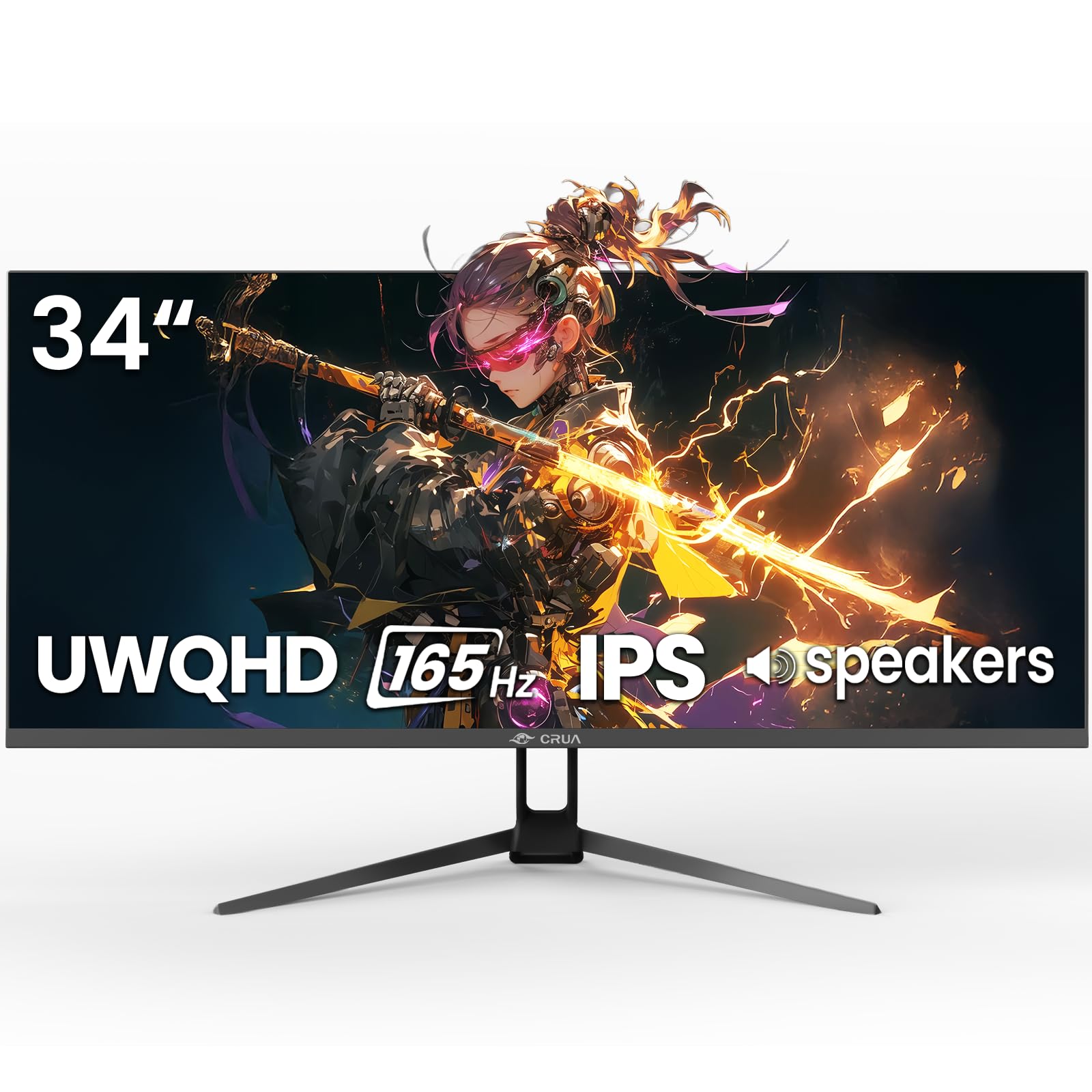
આકૃતિ 1: ફ્રન્ટ view of the CRUA 34-inch Ultrawide Gaming Monitor.
2. પેકેજ સામગ્રી
ખાતરી કરો કે બધી વસ્તુઓ પેકેજમાં હાજર છે:
- 34-inch Ultrawide Monitor
- આધાર અને સ્ટેન્ડ
- વપરાશકર્તા માર્ગદર્શિકા
- DP Cable x1 (4.92 ft)
- Power Adapter x1 (4.92 ft)
3. સેટઅપ સૂચનાઓ
૪.૧ સ્ટેન્ડ એસેમ્બલી
- મોનિટરને તેના પેકેજિંગમાંથી કાળજીપૂર્વક દૂર કરો, તેને નરમ, સ્વચ્છ સપાટી પર મોઢું નીચે રાખો જેથી સ્ક્રેચ ન પડે.
- આપેલા સ્ક્રૂનો ઉપયોગ કરીને સ્ટેન્ડ બેઝને સ્ટેન્ડ નેક સાથે જોડો.
- Align the assembled stand with the mounting points on the back of the monitor and secure it firmly.
૩.૩ વોલ માઉન્ટિંગ (વૈકલ્પિક)
The monitor supports VESA wall mounting (75x75mm). Use appropriate wall mount hardware (not included) and follow the wall mount manufacturer's instructions. Ensure the stand is removed before mounting.
3.3 ઉપકરણ સાથે કનેક્ટ કરી રહ્યું છે
યોગ્ય કેબલનો ઉપયોગ કરીને તમારા કમ્પ્યુટર અથવા અન્ય ઉપકરણો સાથે મોનિટરને કનેક્ટ કરો.
- ડિસ્પ્લેપોર્ટ (DP 1.4): For optimal performance, including 165Hz refresh rate and FreeSync, use the supplied DP cable.
- HDMI (HDMI 2.0): ૧૦૦ હર્ટ્ઝ સુધીના રિફ્રેશ રેટને સપોર્ટ કરે છે.
- ઑડિયો આઉટપુટ (૩.૫ મીમી): બાહ્ય સ્પીકર્સ અથવા હેડફોન કનેક્ટ કરો.

આકૃતિ 2: પાછળ view of the monitor displaying available ports and wall mount area.
3.4 પાવર કનેક્શન
Connect the power adapter to the monitor's DC input port, then plug the power adapter into a power outlet.
4. ઓપરેટિંગ સૂચનાઓ
4.1 પાવર ચાલુ/બંધ
Press the power button located on the monitor to turn it on or off. The monitor will typically detect an active input signal automatically.
૪.૧ ઓન-સ્ક્રીન ડિસ્પ્લે (OSD) મેનુ
Use the control buttons (often a joystick or set of buttons) on the monitor to navigate the OSD menu. This menu allows you to adjust various display settings.
કી સેટિંગ્સ:
- બ્રાઇટનેસ/કોન્ટ્રાસ્ટ: છબીની ચમક અને ભેદને સમાયોજિત કરો.
- રંગ સેટિંગ્સ: Fine-tune color temperature, gamma, and saturation. The monitor features 120% sRGB, 8-bit color depth, and 16.7 million colors for vivid visuals.
- ઇનપુટ સ્ત્રોત: HDMI અને ડિસ્પ્લેપોર્ટ ઇનપુટ્સ વચ્ચે મેન્યુઅલી પસંદ કરો.
- તાજું દર: Ensure your device is configured to output at 165Hz (via DP) or 100Hz (via HDMI) for the smoothest experience.
- ફ્રી સિંક: Enable AMD FreeSync for tear-free gaming. This feature synchronizes the monitor's refresh rate with your GPU's frame rate.

Figure 3: Visual representation of 165Hz refresh rate and FreeSync in action.
4.3 PIP/PBP Functions
The monitor supports Picture-in-Picture (PIP) and Picture-by-Picture (PBP) modes, allowing you to display content from multiple input sources simultaneously.
- PIP મોડ: મુખ્ય ડિસ્પ્લે ઉપર બીજા સ્ત્રોતમાંથી નાની વિન્ડો દર્શાવે છે.
- PBP મોડ: Divides the screen into multiple sections, each displaying a different input source side-by-side.

Figure 4: Illustration of PIP and PBP modes for multitasking.
૬.૫ બિલ્ટ-ઇન સ્પીકર્સ
The monitor includes built-in speakers for audio output. You can also connect external speakers or headphones via the 3.5mm audio port for enhanced sound.
5. જાળવણી
5.1 મોનિટરની સફાઈ
- સફાઈ કરતા પહેલા હંમેશા મોનિટરને અનપ્લગ કરો.
- હળવાશથી નરમ, લિન્ટ-ફ્રી કાપડનો ઉપયોગ કરો ડીampપાણી અથવા હળવા, ઘર્ષણ વિનાના સ્ક્રીન ક્લીનરથી ધોઈ લો.
- સ્ક્રીન પર સીધું ક્લીનર સ્પ્રે કરશો નહીં.
- આલ્કોહોલ, એમોનિયા અથવા ઘર્ષક ક્લીનર્સનો ઉપયોગ કરવાનું ટાળો, કારણ કે તે સ્ક્રીનની સપાટીને નુકસાન પહોંચાડી શકે છે.
.5.2.૧ સામાન્ય કાળજી
- મોનિટરને સીધા સૂર્યપ્રકાશ, ગરમીના સ્ત્રોતો અને વધુ પડતી ધૂળથી દૂર રાખો.
- મોનિટરની આસપાસ પર્યાપ્ત વેન્ટિલેશનની ખાતરી કરો.
- મોનિટર અથવા તેના કેબલ પર ભારે વસ્તુઓ રાખવાનું ટાળો.
6. મુશ્કેલીનિવારણ
જો તમને તમારા મોનિટરમાં સમસ્યાઓ આવે, તો નીચેના સામાન્ય ઉકેલોનો સંદર્ભ લો:
- કોઈ શક્તિ નથી: Ensure the power cable is securely connected to both the monitor and the power outlet. Verify the power adapter is functioning.
- સિગ્નલ નથી: Check that the video cable (DP or HDMI) is firmly connected to both the monitor and your computer. Select the correct input source in the OSD menu. If using HDMI, ensure your device's display settings are compatible with the monitor's capabilities (e.g., set to 60Hz if experiencing issues at higher refresh rates).
- Image Flickering/Distortion: Check cable connections. Ensure your graphics card drivers are up to date. Try a different video cable. If FreeSync is enabled, try disabling it to see if the issue persists.
- નબળી છબી ગુણવત્તા: Adjust brightness, contrast, and color settings in the OSD menu. Ensure the display resolution is set to 3440x1440P on your connected device.
- કોઈ ઑડિયો નથી: Verify that the audio cable (if using external speakers) is connected correctly. Check the volume settings on both the monitor and your computer. Ensure the correct audio output device is selected in your computer's sound settings.
જો આ પગલાંઓ અજમાવવા પછી પણ સમસ્યા ચાલુ રહે, તો કૃપા કરીને ગ્રાહક સપોર્ટનો સંપર્ક કરો.
7. સ્પષ્ટીકરણો
| લક્ષણ | સ્પષ્ટીકરણ |
|---|---|
| બ્રાન્ડ | CRUA |
| મોડલ નંબર | CR340G |
| સ્ક્રીન માપ | 34 ઇંચ |
| ઠરાવ | UWQHD 3440 x 1440 Pixels |
| પાસા રેશિયો | 21:9 |
| ડિસ્પ્લે ટેકનોલોજી | આઈપીએસ |
| તાજું દર | 165 હર્ટ્ઝ |
| પ્રતિભાવ સમય | 1 મિલીસેકન્ડ |
| તેજ | 380 cd/m² |
| કોન્ટ્રાસ્ટ રેશિયો | 1000:1 |
| રંગ ગામટ | 120% sRGB |
| Viewએન્ગલ | 178 ડિગ્રી |
| કનેક્ટિવિટી | 2x HDMI 2.0, 1x DisplayPort 1.4, 1x 3.5mm Audio |
| અનુકૂલનશીલ સમન્વયન | એએમડી ફ્રીસિંક |
| વધારાની સુવિધાઓ | Built-In Speakers, PIP & PBP function, Tilt Adjustment |
| માઉન્ટિંગ પ્રકાર | Desk Mount/Wall Mount (75x75mm VESA) |
| આઇટમના પરિમાણો (D x W x H) | 9"D x 32"W x 17"H |
8. વોરંટી અને સપોર્ટ
8.1 વોરંટી માહિતી
This CRUA monitor comes with a 1 વર્ષની વોરંટી. Additionally, a 30-day free return and exchange policy is provided from the date of purchase. Please retain your proof of purchase for warranty claims.
8.2 ગ્રાહક સપોર્ટ
For technical assistance, warranty claims, or any questions regarding your CRUA monitor, please contact CRUA customer support through the retailer where the product was purchased or visit the official CRUA webસંપર્ક વિગતો માટે સાઇટ.