
પરિચય
This manual provides instructions for the setup, operation, maintenance, and troubleshooting of your MOFII Wireless Keyboard and Mouse Combo. Please read this manual thoroughly before using the product to ensure proper function and longevity.
સલામતી માહિતી
- ઉપકરણને પાણી અને અન્ય પ્રવાહીથી દૂર રાખો.
- આત્યંતિક તાપમાને ઉપકરણને ખુલ્લા કરવાનું ટાળો.
- ઉપકરણને જાતે ડિસએસેમ્બલ કરવાનો કે રિપેર કરવાનો પ્રયાસ કરશો નહીં. લાયક સેવા કર્મચારીઓનો સંપર્ક કરો.
- સ્થાનિક નિયમો અનુસાર બેટરીનો નિકાલ કરો.
પેકેજ સામગ્રી
- MOFII Wireless Keyboard
- MOFII Wireless Mouse
- USB Nano Receiver (stored in the mouse battery compartment)
- Cleaning Brush (for keycaps)
સેટઅપ
- બેટરીઓ ઇન્સ્ટોલ કરો:
Open the battery compartment on the underside of both the keyboard and the mouse. Insert one AA battery into each device, ensuring correct polarity. Batteries are not included.
- USB રીસીવર શોધો:
The USB nano receiver is stored in the battery compartment of the mouse for convenience during transport.
- રીસીવર કનેક્ટ કરો:
Plug the USB nano receiver into an available USB port on your computer (PC, Laptop, Desktop, Smart TV). The system will automatically detect and install the necessary drivers.
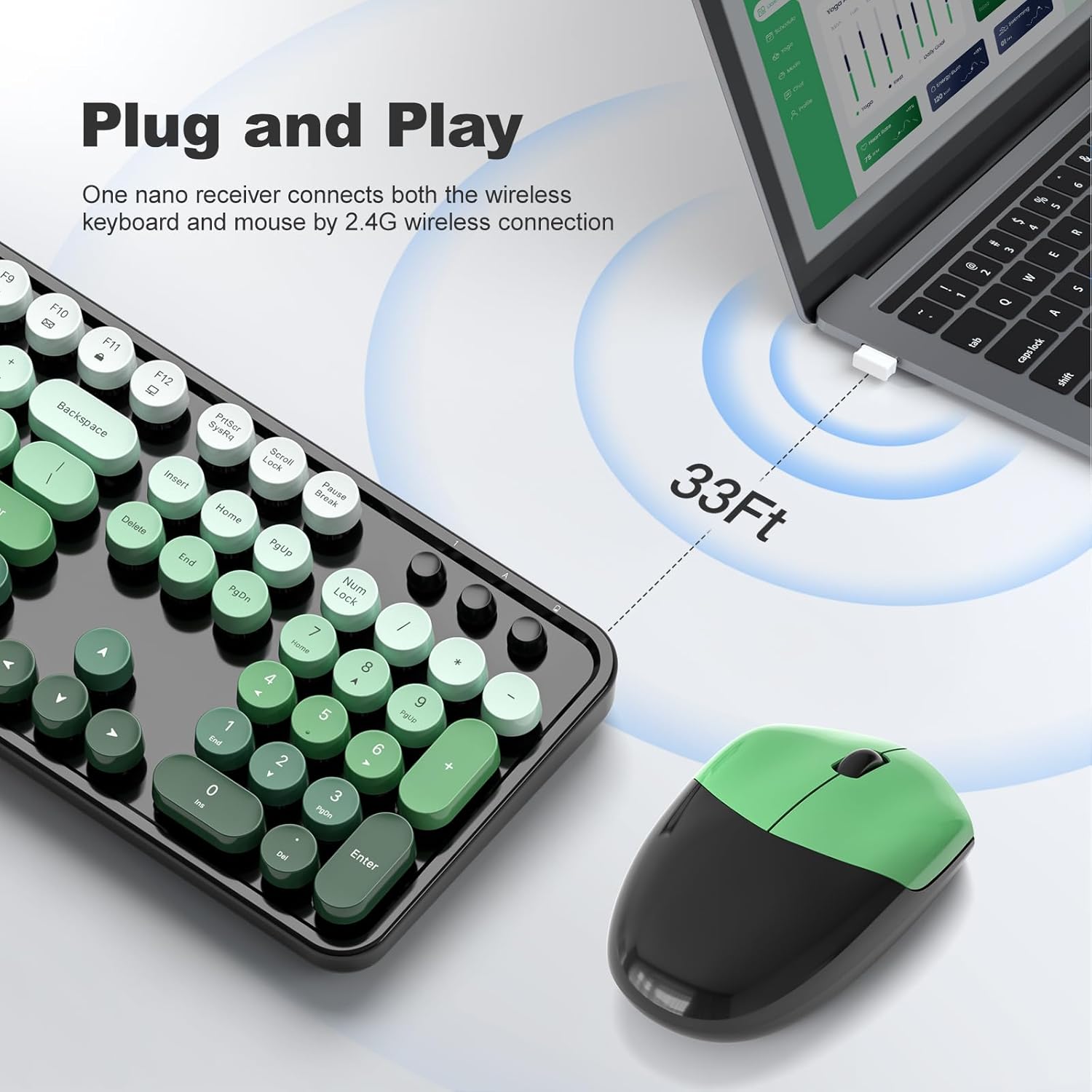
Figure 1: Plug and Play connection with USB receiver.
- પાવર ચાલુ:
Turn on the keyboard and mouse using their respective power switches, usually located on the underside of each device. The devices are now ready for use.
ઓપરેટિંગ સૂચનાઓ
કીબોર્ડ સુવિધાઓ
- પૂર્ણ-કદનું લેઆઉટ: The keyboard features a 104-key full-size layout, including a numeric keypad for efficient data entry.
- Multimedia Shortcuts: Access 13 multimedia shortcuts (Fn + F1-F12, etc.) to control audio/video playback, volume, web browsing, and email. Refer to the key legends for specific functions.
- એર્ગોનોમિક ડિઝાઇન: The keyboard includes foldable stands and anti-slip pads to adjust the typing angle and reduce wrist pressure.
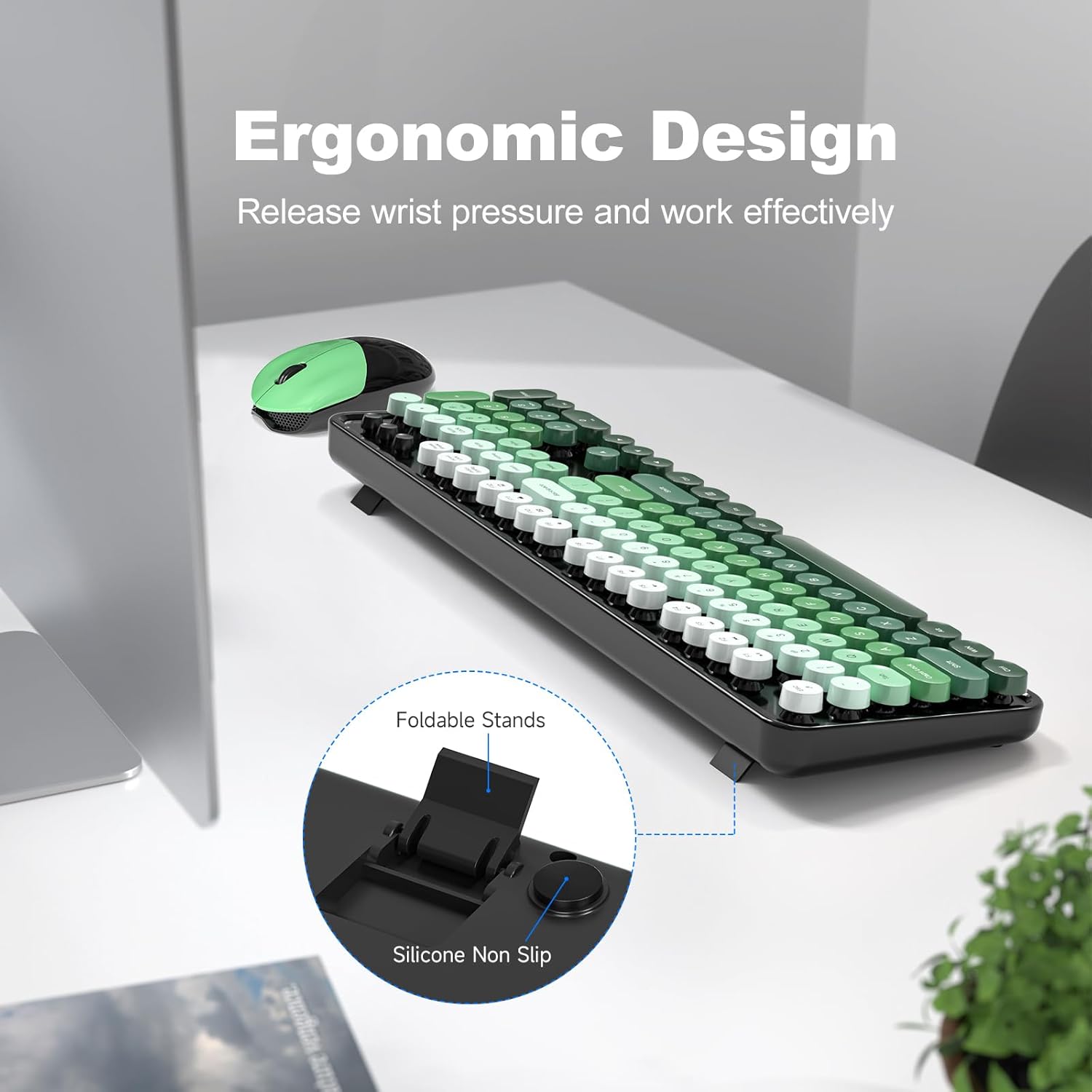
Figure 2: Ergonomic design with foldable stands.
માઉસ લક્ષણો
- માનક કાર્યક્ષમતા: The mouse provides standard left-click, right-click, and scroll wheel functions.
- સરળ ટ્રેકિંગ: Designed for precise and smooth cursor movement.
ઓટો સ્લીપ મોડ
To conserve battery life, both the keyboard and mouse will automatically enter sleep mode after 5 minutes of inactivity. To wake them up, simply click any key on the keyboard or move/click the mouse. This feature helps extend battery life to approximately 18 months, though actual battery life may vary based on usage.

Figure 3: Intelligent Auto-Sleep feature.
જાળવણી
- કીકેપ્સની સફાઈ: The round keycaps are detachable for easy cleaning. Use the provided cleaning brush to remove dust and debris from between the keys.
- સામાન્ય સફાઈ: કીબોર્ડ અને માઉસને સોફ્ટ, ડી થી સાફ કરો.amp કાપડ કઠોર રસાયણો અથવા ઘર્ષક સામગ્રીનો ઉપયોગ કરવાનું ટાળો.
- બેટરી રિપ્લેસમેન્ટ: When performance degrades, replace the AA batteries in both the keyboard and mouse.

Figure 4: Detachable keycaps and cleaning brush.
મુશ્કેલીનિવારણ
- કોઈ કનેક્શન નથી:
- ખાતરી કરો કે USB રીસીવર કાર્યરત USB પોર્ટમાં સુરક્ષિત રીતે પ્લગ થયેલ છે.
- Check if the keyboard and mouse are powered on.
- ચકાસો કે બેટરી યોગ્ય રીતે ઇન્સ્ટોલ કરેલી છે અને પર્યાપ્ત ચાર્જ છે.
- રીસીવરને બીજા USB પોર્ટમાં પ્લગ કરવાનો પ્રયાસ કરો.
- તમારા કમ્પ્યુટરને ફરીથી પ્રારંભ કરો.
- લેગ અથવા ઇન્ટરમિટન્ટ કનેક્શન:
- Ensure the devices are within the 33ft operating range of the receiver.
- Minimize obstructions between the devices and the receiver.
- Avoid using the devices near strong electromagnetic interference sources.
- જો બેટરી ઓછી હોય તો તેને બદલો.
- કીઝ જવાબ નથી આપી રહી:
- બેટરી લેવલ તપાસો.
- ખાતરી કરો કે કીબોર્ડ ચાલુ છે અને જોડાયેલ છે.
- Clean under the keycaps if debris is suspected.
- Mouse Not Moving:
- બેટરી લેવલ તપાસો.
- ખાતરી કરો કે માઉસ ચાલુ છે અને જોડાયેલ છે.
- માઉસની નીચેની બાજુએ આવેલા ઓપ્ટિકલ સેન્સરને સાફ કરો.
- ખાતરી કરો કે તમે માઉસનો ઉપયોગ યોગ્ય સપાટી પર કરી રહ્યા છો.
વિશિષ્ટતાઓ
| બ્રાન્ડ | MOFII |
| મોડલ | B0FZ84SQFD |
| રંગ | Black Green Gradient Color |
| કનેક્ટિવિટી ટેકનોલોજી | 2.4GHz વાયરલેસ (USB રીસીવર) |
| ખાસ લક્ષણો | Round Keycaps, Detachable Keycaps, Ergonomic Design, Auto Sleep Mode, Multimedia Keys |
| સુસંગત ઉપકરણો | Laptop, Personal Computer, Desktop, Smart TV |
| ઓપરેટિંગ સિસ્ટમ સુસંગતતા | Windows 7/8/10/11/XP/Vista, Linux, Chrome |
| બેટરીનો પ્રકાર | AA (1 for keyboard, 1 for mouse - not included) |
| વાયરલેસ રેંજ | 33 ફૂટ (10 મીટર) સુધી |
| કીબોર્ડ પરિમાણો | Approximately 17.4 inches (length) |
| માઉસના પરિમાણો | Approximately 4 inches (length) x 2.9 inches (width) x 1.7 inches (height) |
| વસ્તુનું વજન | 0.2 Pounds (approximate, likely for mouse only) |

Figure 5: Keyboard and mouse dimensions.
વોરંટી અને આધાર
The product comes with a 1-year warranty as specified by the manufacturer. For technical support, warranty claims, or further assistance, please contact MOFII customer service through their official webસાઇટ અથવા રિટેલર જ્યાંથી ઉત્પાદન ખરીદવામાં આવ્યું હતું. કૃપા કરીને વોરંટી હેતુઓ માટે ખરીદીનો પુરાવો રાખો.
વધારાની માહિતી માટે, તમે મુલાકાત લઈ શકો છો MOFII Store on Amazon.