
1. પરિચય
This manual provides detailed instructions for the installation, operation, and maintenance of your Zebronics ZEB-WR3004G 4G/5G SIM Router. Please read this manual thoroughly before using the device to ensure proper functionality and safety. This router is designed to provide high-speed internet access using 4G or 5G nano SIM cards, featuring LAN/WAN auto-switching and WPA2-PSK security.
2. સલામતી માહિતી
- ઉપકરણ સાથે પૂરા પાડવામાં આવેલ પાવર એડેપ્ટરનો જ ઉપયોગ કરો.
- રાઉટરને પાણી, ભેજ અથવા અતિશય તાપમાનના સંપર્કમાં ન લાવો.
- રાઉટરને ગરમીના સ્ત્રોતોની નજીક અથવા સીધા સૂર્યપ્રકાશમાં રાખવાનું ટાળો.
- ઓવરહિટીંગ અટકાવવા માટે રાઉટરની આસપાસ યોગ્ય વેન્ટિલેશનની ખાતરી કરો.
- ઉપકરણ જાતે ખોલવાનો કે રિપેર કરવાનો પ્રયાસ કરશો નહીં. બધી સર્વિસિંગ લાયક કર્મચારીઓને સોંપો.
- Keep the router away from children and pets.
3. પેકેજ સામગ્રી
ખાતરી કરો કે બધી વસ્તુઓ પેકેજમાં હાજર છે:
- Zebronics ZEB-WR3004G Router
- પાવર એડેપ્ટર
- નેટવર્ક કેબલ
- વપરાશકર્તા માર્ગદર્શિકા (આ દસ્તાવેજ)
4. ઉત્પાદન ઓવરview
The Zebronics ZEB-WR3004G router is designed for reliable and high-speed internet connectivity. It features multiple external antennas for enhanced signal coverage and performance.
છબી: આગળ view of the Zebronics ZEB-WR3004G router, showcasing its sleek white design and external antennas.
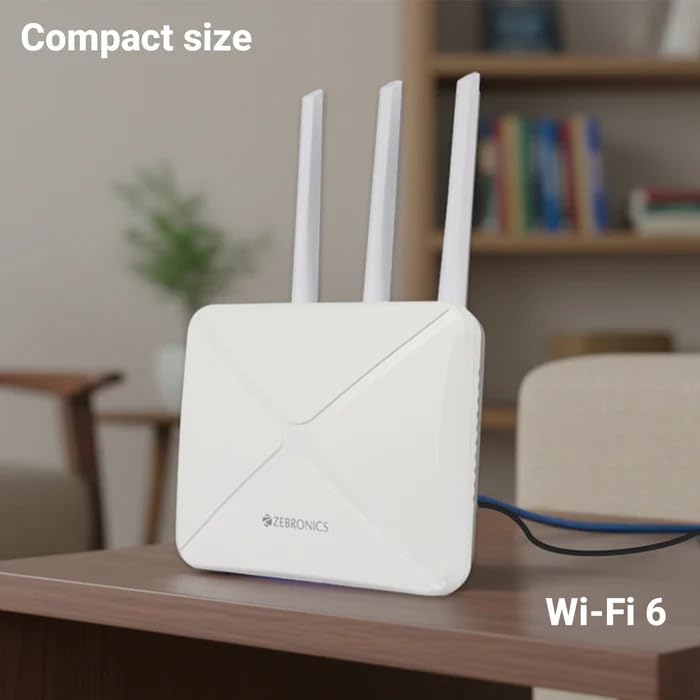
Image: The Zebronics ZEB-WR3004G router placed on a desk, illustrating its compact size and modern aesthetic.
૩.૧. પોર્ટ અને સૂચકાંકો
Familiarize yourself with the ports and indicators on your router:
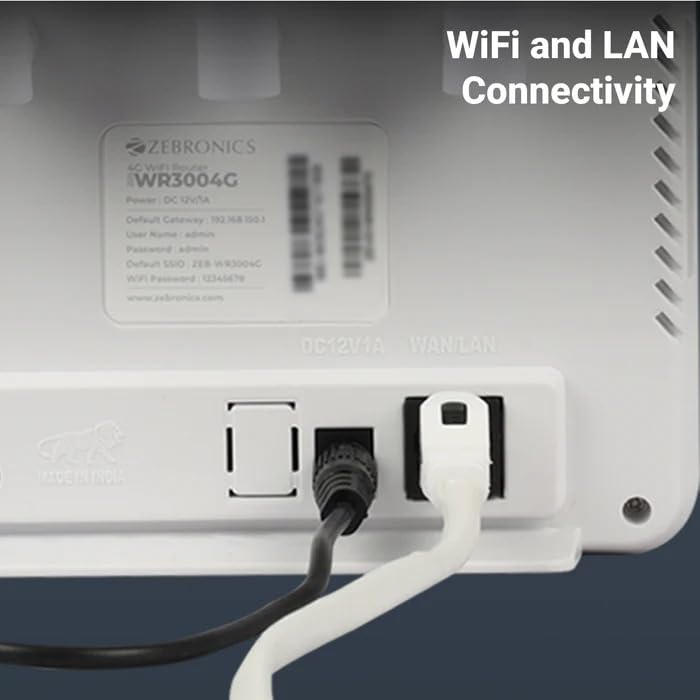
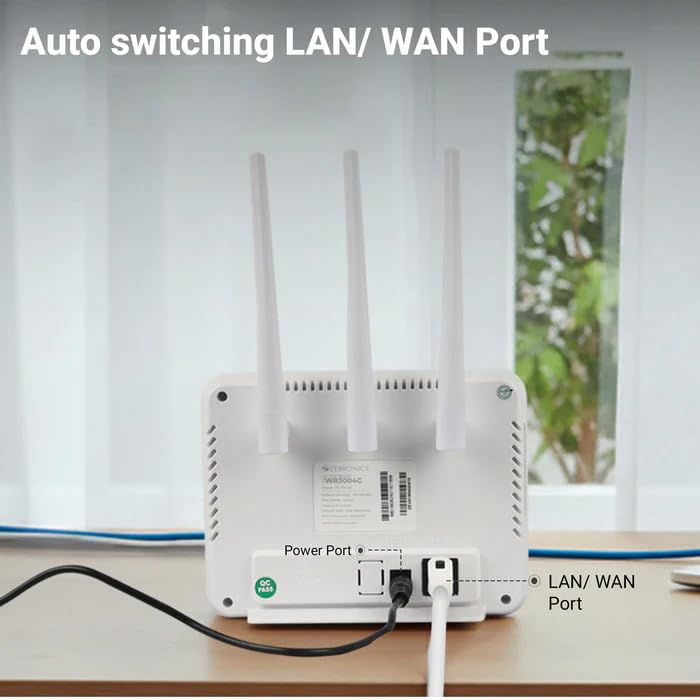
છબી: પાછળનો ભાગ view of the Zebronics ZEB-WR3004G router, highlighting the power port and the auto-switching LAN/WAN port.
- પાવર પોર્ટ: પાવર એડેપ્ટર સાથે જોડાય છે.
- LAN/WAN પોર્ટ: An auto-switching port for connecting to a wired network or an external modem.
- સિમ કાર્ડ સ્લોટ: For inserting a nano SIM card.
- રીસેટ બટન: Used to restore factory default settings (usually a small pinhole button).
- એલઇડી સૂચકાંકો: Provide status information for power, internet connectivity, Wi-Fi, and signal strength.
5. સેટઅપ
5.1. સિમ કાર્ડ ઇન્સ્ટોલેશન
- ખાતરી કરો કે રાઉટર બંધ છે.
- રાઉટર પર સિમ કાર્ડ સ્લોટ શોધો.
- Insert a nano SIM card into the slot with the gold contacts facing down and the notched corner aligned correctly. Push until it clicks into place.
5.2. પાવર કનેક્શન
- Connect the supplied power adapter to the router's power port.
- પાવર એડેપ્ટરને વોલ આઉટલેટમાં પ્લગ કરો.
- The router will power on automatically. Wait for the LED indicators to stabilize, which may take a few minutes.
5.3. પ્રારંભિક રૂપરેખાંકન
- Wi-Fi થી કનેક્ટ કરો: On your computer or mobile device, search for available Wi-Fi networks. The default Wi-Fi name (SSID) and password are usually printed on a label on the bottom of the router.
- Access Admin Panel: ખોલો એ web browser and enter the default gateway IP address (e.g.,
192.168.1.1) into the address bar. This IP address is also typically found on the router's label. - લૉગિન: ડિફોલ્ટ વપરાશકર્તા નામ અને પાસવર્ડ દાખલ કરો (દા.ત.,
adminfor both). It is highly recommended to change these default credentials immediately for security. - નેટવર્ક સેટિંગ્સ: Follow the on-screen wizard or navigate to the network settings to configure your internet connection. The router should automatically detect the SIM card and establish a connection.
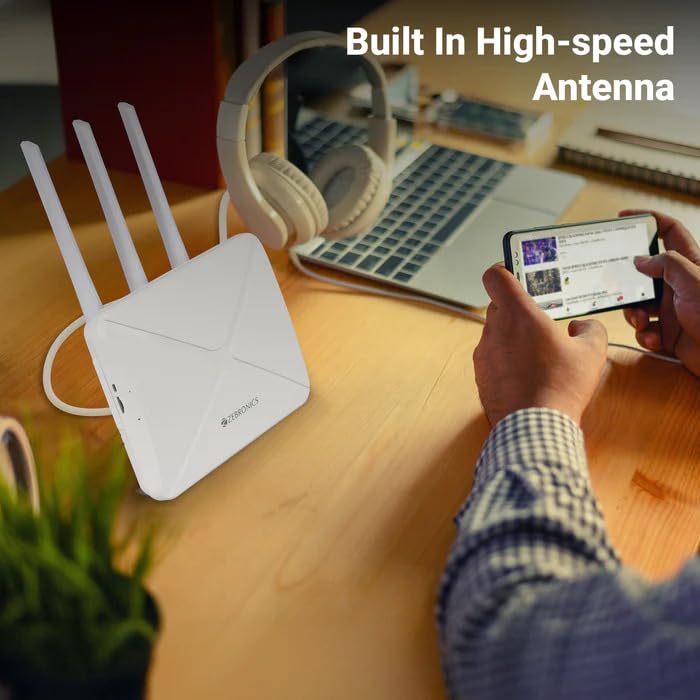
Image: The Zebronics ZEB-WR3004G router on a desk, emphasizing its built-in high-speed antenna system for optimal signal reception.
6. ઓપરેટિંગ સૂચનાઓ
6.1. કનેક્ટિંગ ડિવાઇસેસ
- Wi-Fi કનેક્શન: On your wireless devices (smartphones, laptops, tablets), select the router's Wi-Fi network name (SSID) and enter the Wi-Fi password.
- LAN કનેક્શન: Use an Ethernet cable to connect devices like desktop computers, smart TVs, or gaming consoles to the LAN/WAN port on the router. The port automatically switches to LAN mode when a device is connected.
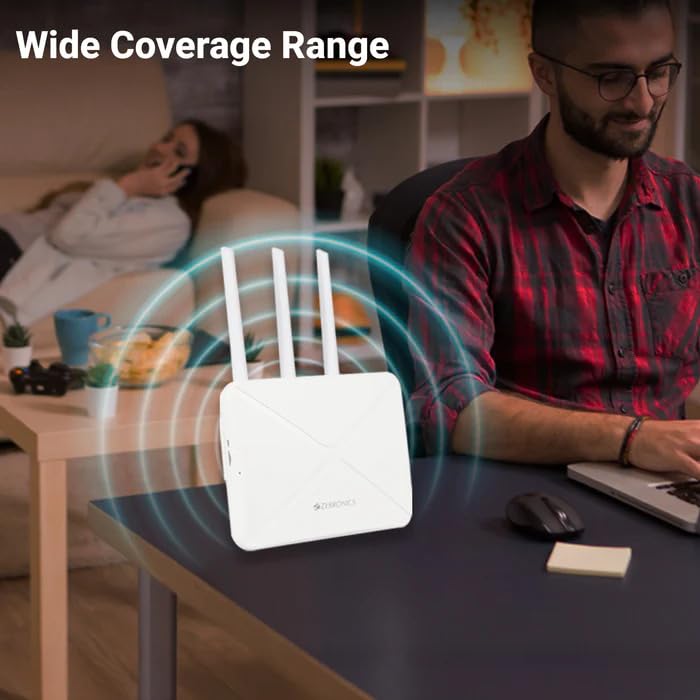
Image: The Zebronics ZEB-WR3004G router emitting a wide coverage range, indicating its ability to provide internet across a large area.
6.2. રાઉટર સેટિંગ્સ
રાઉટર ઍક્સેસ કરો web-based management interface (as described in Section 5.3) to configure advanced settings:
- વાઇ-ફાઇ સેટિંગ્સ: Change SSID, password, security type (WPA2-PSK is recommended), and channel.
- નેટવર્ક મોડ: Configure 4G/5G specific settings if required by your service provider.
- LAN/WAN Configuration: Adjust IP address, DHCP server settings, or switch between LAN and WAN modes manually if auto-switching is not desired.
- સુરક્ષા: Set up firewall rules, port forwarding, and parental controls.
Image: The Zebronics ZEB-WR3004G router with visual cues indicating a faster and more efficient internet connection.
Image: The Zebronics ZEB-WR3004G router with visual representation of minimized network congestion, ensuring smoother data flow.
7. જાળવણી
7.1. ફર્મવેર અપડેટ્સ
Periodically check the Zebronics official website for firmware updates. Keeping your router's firmware up-to-date ensures optimal performance, security, and access to new features. Follow the instructions provided with the firmware update carefully.
7.2. સફાઈ
Use a soft, dry cloth to clean the exterior of the router. Do not use liquid cleaners or aerosols, as they may damage the device.
૩. શ્રેષ્ઠ પ્લેસમેન્ટ
For the best Wi-Fi coverage and signal strength, place the router in a central location in your home or office, away from obstructions like thick walls, metal objects, and other electronic devices that may cause interference.
8. મુશ્કેલીનિવારણ
| સમસ્યા | સંભવિત કારણ | ઉકેલ |
|---|---|---|
| ઇન્ટરનેટ કનેક્શન નથી | SIM card not inserted correctly, no data plan, network issue, incorrect APN settings. | Check SIM card insertion. Verify data plan with your service provider. Check APN settings in the router's admin panel. Restart the router. |
| નબળું Wi-Fi સિગ્નલ | Router placement, interference, outdated firmware. | Relocate the router to a central, open area. Avoid placing near other electronics. Update firmware. |
| Cannot access admin panel | Incorrect IP address, wrong credentials, network conflict. | Ensure correct IP address (e.g., 192.168.1.1). Verify username and password. Try a different browser. Reset router to factory defaults if necessary. |
| LAN/WAN port not working | Faulty cable, incorrect settings, device issue. | Try a different Ethernet cable. Ensure the connected device is working. Check LAN/WAN settings in the admin panel. |
9. સ્પષ્ટીકરણો
| લક્ષણ | વિગત |
|---|---|
| મોડલ | ZEB-WR3004G |
| સુસંગતતા | 4G and 5G Nano SIM cards |
| એન્ટેના સિસ્ટમ | Built-in High-speed Antenna, Multiple External Antennas |
| બંદરો | 1x LAN/WAN Auto-switching Port, Power Port |
| સુરક્ષા | WPA2-PSK encryption |
| વાયરલેસ ધોરણો | 802.11b, 802.11g, 802.11n |
| ડેટા ટ્રાન્સફર રેટ | 150 Mbps સુધી |
| ઓપરેટિંગ સિસ્ટમ સુસંગતતા | Android, iOS, macOS, Windows |
| પાવર ઇનપુટ | 12 વોલ્ટ |
| પરિમાણો (LxWxH) | 20 x 15.2 x 18.5 સેમી |
| વજન | 200 ગ્રામ |
10. વોરંટી અને સપોર્ટ
For warranty information and technical support, please refer to the warranty card included with your product or visit the official Zebronics webસાઇટ. વોરંટી દાવાઓ માટે ખરીદીના પુરાવા તરીકે તમારી ખરીદી રસીદ રાખો.
Zebronics Customer Support:
- Webસાઇટ: www.zebronics.com
- Contact information can typically be found in the 'Support' or 'Contact Us' section of the webસાઇટ