
1. પરિચય
Thank you for choosing the MOFII Wireless Keyboard and Mouse Combo. This full-size 2.4G plug-and-play set features a typewriter retro round key design, enhancing both aesthetics and functionality for your Windows PC, desktop, laptop, or notebook. This manual provides detailed instructions for setup, operation, maintenance, and troubleshooting to ensure optimal performance and longevity of your device.
2. પેકેજ સામગ્રી
- MOFII Wireless Keyboard
- MOFII Wireless Mouse
- USB Nano Receiver (stored inside the mouse)
- વપરાશકર્તા માર્ગદર્શિકા
3. સેટઅપ સૂચનાઓ
3.1. બેટરી ઇન્સ્ટોલેશન
Both the keyboard and mouse require 1 AA battery each (not included). To install:
- કીબોર્ડ અને માઉસની નીચેની બાજુએ બેટરી કમ્પાર્ટમેન્ટ શોધો.
- કમ્પાર્ટમેન્ટ કવર ખોલો.
- Insert one AA battery into each device, ensuring correct polarity (+/-).
- બેટરી કમ્પાર્ટમેન્ટ કવર સુરક્ષિત રીતે બંધ કરો.
3.2. Connecting the Wireless Combo
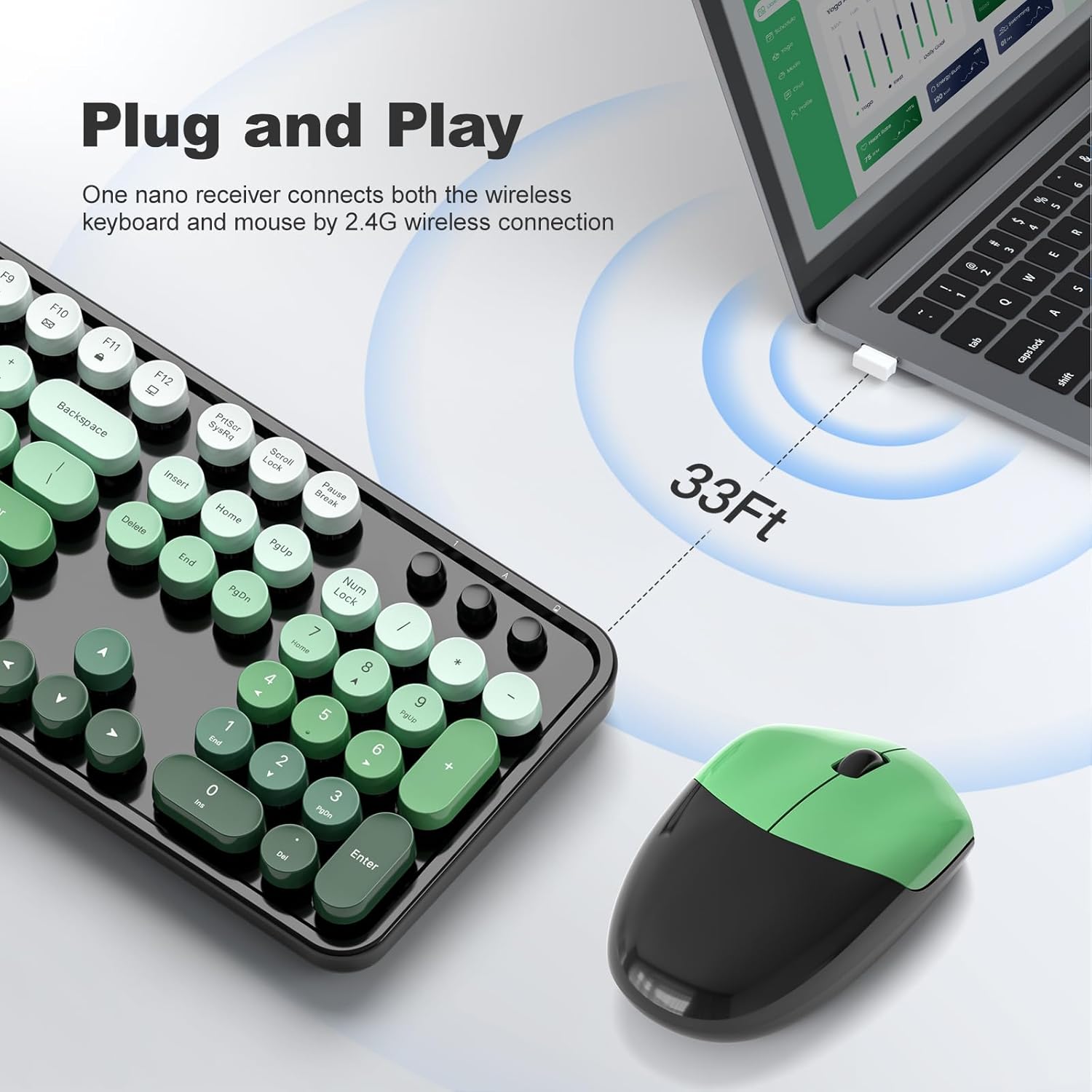
The keyboard and mouse connect via a single 2.4G USB nano receiver.
- Locate the USB nano receiver, which is typically stored in a small slot on the underside of the mouse.
- Plug the USB nano receiver into an available USB port on your computer (PC, desktop, laptop, or notebook).
- The system should automatically detect and install the necessary drivers. This is a plug-and-play device, so no additional software installation is usually required.
- Turn on the keyboard and mouse (if they have a power switch). The mouse may activate by clicking its buttons.
4. ઓપરેટિંગ સૂચનાઓ
૩. કીબોર્ડનો ઉપયોગ
The full-size keyboard features a standard QWERTY layout with a dedicated number pad. The retro round keycaps provide a comfortable typing experience.
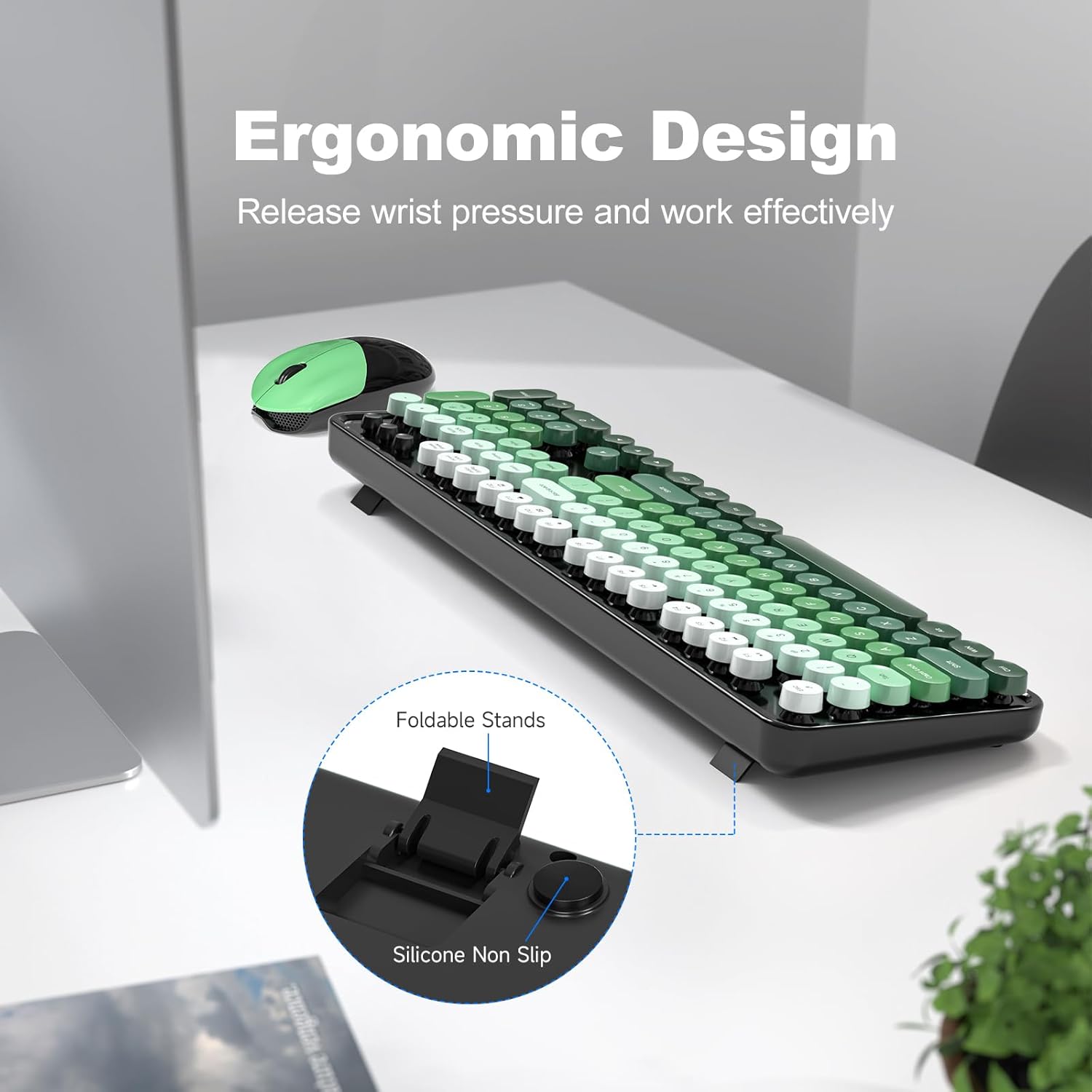
- એર્ગોનોમિક ડિઝાઇન: The keyboard includes a folding holder and anti-slide pads on the underside. Adjust these stands to achieve an optimal typing angle, which helps reduce wrist strain during extended use.
- મલ્ટીમીડિયા કી: Utilize the function keys (F1-F12) in combination with the 'Fn' key for quick access to multimedia controls and other system functions.
૩.૨. માઉસનો ઉપયોગ
The contoured mouse is designed for comfortable use over long periods. It features standard left/right click buttons and a scroll wheel.
4.3. Auto-Sleep Feature
To conserve battery life, both the keyboard and mouse are equipped with an intelligent auto-sleep function. After 8-10 minutes of inactivity, the devices will automatically enter sleep mode. To wake them up, simply press any key on the keyboard or click a mouse button.

5. જાળવણી
5.1. સફાઈ
The keyboard features detachable keycaps, making cleaning convenient.
- Gently remove the keycaps. A keycap puller (if included) or a small tool can assist.
- Use a soft brush (a cleaning brush may be included) or compressed air to remove dust and debris from beneath the keycaps and from the keyboard surface.
- Wipe the keycaps and the keyboard surface with a soft, damp cloth. Ensure no moisture enters the internal components.
- Allow all parts to dry completely before reattaching the keycaps.

5.2. બેટરી રિપ્લેસમેન્ટ
When the devices stop responding or exhibit intermittent connectivity, it may be time to replace the batteries. The estimated battery life is up to 18 months, but this can vary based on usage.
- Open the battery compartment on the underside of the keyboard and mouse.
- જૂની AA બેટરી કાઢી નાખો.
- Insert a new AA battery, observing correct polarity.
- કમ્પાર્ટમેન્ટ કવર બંધ કરો.
6. મુશ્કેલીનિવારણ
- કોઈ પ્રતિસાદ નથી: Ensure batteries are correctly installed and charged. Check that the USB nano receiver is securely plugged into your computer.
- તૂટક તૂટક જોડાણ: Move the keyboard and mouse closer to the USB receiver. Ensure there are no large metal objects or other wireless devices interfering with the 2.4G signal. Replace batteries if they are low.
- કી કામ કરતી નથી: If specific keys are not responding, try removing and re-inserting the keycap to ensure it is properly seated. Clean any debris around the key switch.
- માઉસ કર્સર કૂદકે છે અથવા અનિયમિત છે: Ensure the mouse sensor is clean and free of obstructions. Use the mouse on a suitable surface (a mouse pad is recommended).
7. સ્પષ્ટીકરણો
| લક્ષણ | વિગત |
|---|---|
| બ્રાન્ડ | MOFII |
| મોડલ | B0G3PL9CJS |
| રંગ | Black Green Gradient |
| કનેક્ટિવિટી ટેકનોલોજી | 2.4G યુએસબી વાયરલેસ |
| ખાસ લક્ષણ | Round Key, Ergonomic Design, Auto-Sleep |
| સુસંગત ઉપકરણો | Personal Computer (PC, Desktop, Laptop, Notebook) |
| બેટરીની આવશ્યકતા | 1 AA battery for keyboard, 1 AA battery for mouse |
| કીબોર્ડ વર્ણન | Multimedia, Full-Size with Number Pad |
| ઉત્પાદક | MOFII |

8. વોરંટી અને સપોર્ટ
MOFII offers a 12-month warranty for this product. For any issues or support needs, please contact MOFII Direct, the seller, through your purchase platform. Additionally, a 30-day money-back guarantee is provided.