
1. પરિચય
Thank you for choosing the Cooler Master ELITE Gold 1000W Power Supply Unit. This manual provides essential information for the safe and efficient installation, operation, and maintenance of your new power supply. The ELITE Gold 1000W is designed for daily gaming and PC building enthusiasts, fully supporting the latest ATX 3.1 standard and offering flexible compatibility with RTX 50 series GPUs and future upgrades.
2. સલામતી માહિતી
Please read and understand all safety instructions before installing or operating this product. Failure to do so may result in personal injury or damage to the product or connected devices.
- વિદ્યુત આંચકો સંકટ: પાવર સપ્લાય યુનિટ ખોલશો નહીં casing. ઉચ્ચ વોલ્યુમtages are present inside, even when the unit is turned off. There are no user-serviceable parts inside.
- યોગ્ય ગ્રાઉન્ડિંગ: Ensure the power supply is properly grounded using the provided power cord.
- વેન્ટિલેશન: Do not block any ventilation openings of the power supply. Ensure adequate airflow around the unit to prevent overheating.
- ભેજ: Do not expose the power supply to water or excessive humidity.
- પાવર સ્ત્રોત: Connect the power supply only to a power source with the correct voltage and frequency as indicated on the unit's label.
- કેબલ મેનેજમેન્ટ: Route cables carefully to avoid pinching or damage.
- તાપમાન: Operate the power supply within the specified temperature range (up to 40°C high-load environments).
3. પેકેજ સામગ્રી
ખાતરી કરો કે બધી વસ્તુઓ તમારા પેકેજમાં હાજર છે:
- Cooler Master ELITE Gold 1000W Power Supply Unit
- Modular Cable Set (including 12+4 Pin, ATX24 Pin, EPS 4+4 Pin, EPS 8 Pin, SATA + Peripheral 4 Pin connectors)
- AC Power Cord (A/JP cord)
- માઉન્ટિંગ સ્ક્રૂ
- વપરાશકર્તા માર્ગદર્શિકા
4. સેટઅપ અને ઇન્સ્ટોલેશન
Follow these steps to install your Cooler Master ELITE Gold 1000W Power Supply Unit:
- તમારી સિસ્ટમ તૈયાર કરો:
Before installation, ensure your computer is completely powered off and unplugged from the wall outlet. Discharge any residual power by pressing the power button a few times.
- Install the PSU into the PC Case:
Position the ELITE Gold 1000W PSU into the designated power supply bay in your PC case. The compact design (under 150mm) facilitates easy installation in various PC cases. Secure the PSU with the provided mounting screws.

Image: The Cooler Master ELITE Gold 1000W Power Supply Unit installed within a computer chassis, viewed from above, highlighting its compact form factor and top-mounted fan grill.
- મોડ્યુલર કેબલ્સ જોડો:
The ELITE Gold 1000W features a full modular design. Connect only the necessary cables to the power supply unit first. Refer to the labels on the PSU for correct connector types (e.g., 10P MB, 18P MB, 8P PCI-E/CPU, 12V-2x6, 6P SATA/HDD).

છબી: વિગતવાર view of the Cooler Master ELITE Gold 1000W Power Supply Unit's modular cable interface, clearly showing labeled ports for various component connections such as motherboard, CPU, PCIe, and SATA/HDD.

Image: The Cooler Master ELITE Gold 1000W Power Supply Unit with its full suite of modular cables securely connected and neatly routed, demonstrating the full modular design.
- ઘટકો સાથે જોડાઓ:
- મધરબોર્ડ: 24-પિન ATX કેબલને તમારા મધરબોર્ડ સાથે જોડો.
- CPU: Connect the 4+4 pin or 8-pin EPS cable(s) to your motherboard's CPU power connector(s).
- ગ્રાફિક્સ કાર્ડ (GPU): Connect the appropriate PCIe power cables (e.g., 8-pin, 12+4 pin for ATX 3.1/PCIe Gen 5.1) to your graphics card(s). This unit is optimized for RTX 50 series GPUs.
- સંગ્રહ ઉપકરણો: SATA પાવર કેબલ્સને તમારા SSD, HDD અને ઓપ્ટિકલ ડ્રાઇવ સાથે કનેક્ટ કરો.
- પેરિફેરલ્સ: Connect peripheral 4-pin cables to any other devices requiring power.
- એસી પાવર કનેક્ટ કરો:
Connect the provided AC power cord to the power supply unit and then to a grounded wall outlet. Ensure the power switch on the PSU is in the OFF position before connecting to the wall outlet.
5. ઓપરેટિંગ સૂચનાઓ
સફળ ઇન્સ્ટોલેશન પછી, તમારી સિસ્ટમ ચલાવવા માટે આ પગલાં અનુસરો:
- પાવર ચાલુ:
Flip the power switch on the back of the power supply unit to the ON (I) position.
- સિસ્ટમ સ્ટાર્ટ-અપ:
Press the power button on your computer case to start your system. The ELITE Gold 1000W will provide stable and efficient power, thanks to its 80 Plus Gold certification and quiet, long-life rifle bearing fan.
- પાવર બંધ:
To power off your system, shut down your operating system normally. For complete power disconnection, flip the power switch on the back of the power supply unit to the OFF (O) position and unplug the AC power cord.
6. જાળવણી
યોગ્ય જાળવણી તમારા પાવર સપ્લાય યુનિટની આયુષ્ય અને શ્રેષ્ઠ કામગીરીની ખાતરી આપે છે.
- ધૂળ સફાઈ: સમયાંતરે પાવર સપ્લાયના પંખા અને વેન્ટિલેશન ગ્રિલમાંથી ધૂળ કોમ્પ્રેસ્ડ એરનો ઉપયોગ કરીને સાફ કરો. સફાઈ કરતા પહેલા ખાતરી કરો કે સિસ્ટમ પાવર બંધ અને અનપ્લગ થયેલ છે.
- વેન્ટિલેશન: Ensure that the PC case has adequate airflow and that the power supply's fan intake and exhaust are not obstructed.
- કેબલ નિરીક્ષણ: Regularly check all modular cables for any signs of wear, fraying, or damage. Replace damaged cables immediately.
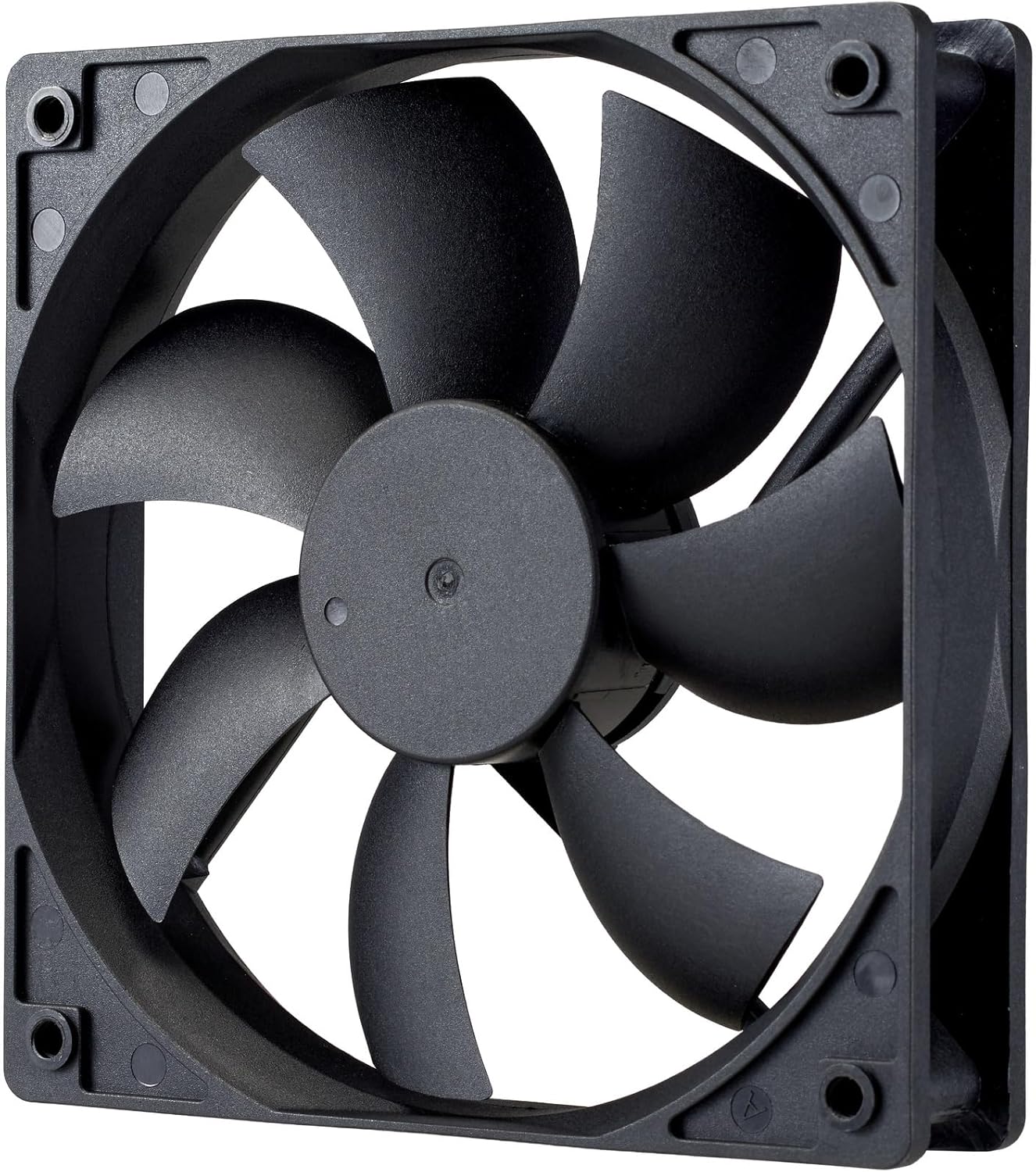
છબી: ક્લોઝ-અપ view of the power supply's cooling fan, featuring five blades designed for efficient airflow and quiet operation.
7. મુશ્કેલીનિવારણ
If you encounter issues with your power supply, refer to the following troubleshooting steps:
- કોઈ શક્તિ નથી:
- ખાતરી કરો કે AC પાવર કોર્ડ પાવર સપ્લાય અને વોલ આઉટલેટ બંને સાથે સુરક્ષિત રીતે જોડાયેલ છે.
- Verify that the power switch on the back of the PSU is in the ON (I) position.
- Check all modular cables (24-pin ATX, EPS, PCIe) are firmly seated in both the PSU and the respective components.
- વોલ આઉટલેટ કાર્યરત છે તેની ખાતરી કરવા માટે તેને બીજા ઉપકરણ સાથે ચકાસો.
- સિસ્ટમ અસ્થિરતા/રેન્ડમ શટડાઉન:
- Ensure adequate ventilation within your PC case to prevent overheating.
- ખાતરી કરો કે તમારી સિસ્ટમની પાવર જરૂરિયાતો PSU ની 1000W ક્ષમતા કરતાં વધુ નથી.
- કોઈપણ છૂટા કેબલ કનેક્શન માટે તપાસો.
- અસામાન્ય અવાજો:
- A quiet rifle bearing fan is designed for minimal noise. If you hear unusual grinding or rattling, ensure no cables are obstructing the fan.
- If the noise persists, contact Cooler Master support.
If these steps do not resolve the issue, please contact Cooler Master customer support for further assistance.
8. સ્પષ્ટીકરણો
Detailed technical specifications for the Cooler Master ELITE Gold 1000W Power Supply Unit:
| મોડેલનું નામ | ELITE Gold |
| ઉત્પાદક મોડલ નંબર | MPX-A005-AFAG-BJP |
| બ્રાન્ડ | કુલર માસ્ટર |
| આઉટપુટ વોટtage | 1000 વોટ્સ |
| 80 પ્લસ પ્રમાણપત્ર | સોનું |
| ATX સંસ્કરણ | ATX 3.1 |
| PCIe સંસ્કરણ | PCIe Gen 5.1 |
| ફોર્મ ફેક્ટર | એટીએક્સ |
| પાવર ડિઝાઇન | સંપૂર્ણ મોડ્યુલર |
| કનેક્ટર પ્રકારો | 12+4 Pin, ATX24 Pin, EPS 4+4 Pin, EPS 8 Pin, SATA + Peripheral 4 Pin |
| ચાહકોની સંખ્યા | 1 (Rifle Bearing Fan) |
| મહત્તમ ઇનપુટ વોલ્યુમtage | 240 વોલ્ટ (AC) |
| ન્યૂનતમ ઇનપુટ વોલ્યુમtage | 100 વોલ્ટ (AC) |
| ઉત્પાદનના પરિમાણો (L x W x H) | 14 x 15 x 8.6 સેમી |
| ઉત્પાદન વજન | 2230 ગ્રામ |
| ઓપરેટિંગ તાપમાન | 40 ° સે સુધી |

છબી: ટોચ view of the Cooler Master ELITE Gold 1000W Power Supply Unit, showcasing its branding and honeycomb-patterned ventilation.

Image: The official 80 PLUS GOLD certification logo, indicating high power efficiency.
9. વોરંટી અને સપોર્ટ
The Cooler Master ELITE Gold 1000W Power Supply Unit comes with a 5 વર્ષની વોરંટી ખરીદીની તારીખથી. આ વોરંટી સામાન્ય ઉપયોગ હેઠળ સામગ્રી અને કારીગરીમાં ખામીઓને આવરી લે છે.
For technical support, warranty claims, or further assistance, please visit the official Cooler Master website or contact your local Cooler Master distributor. Please have your product model number (MPX-A005-AFAG-BJP) and proof of purchase ready when contacting support.